

Manage grades
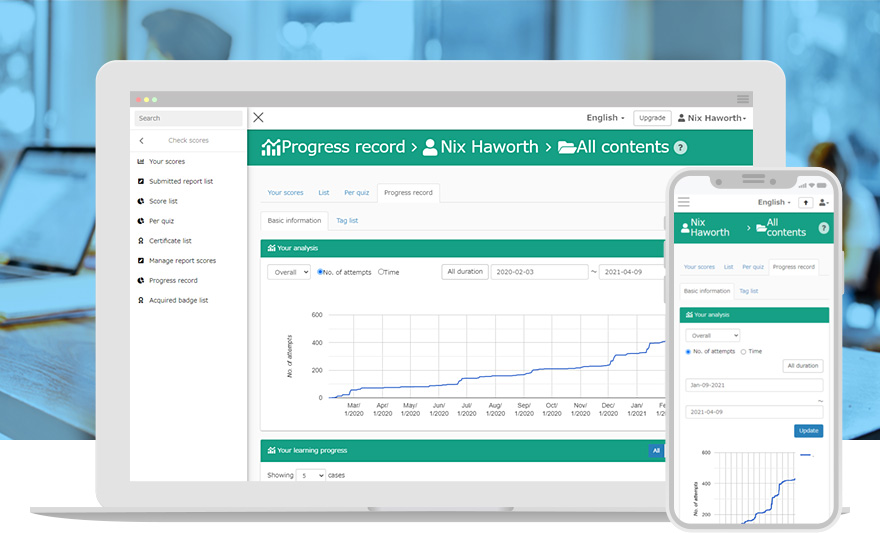
Performance Tracking
with Charts and Numbers
You can filter specific grade data from a huge amount of sources to find the learners’ strengths and weaknesses. Analyze and maximize the power of data for closer support for learners.
Features
- Auto-save/View Grades
- CSV Export
- Progress Record
- Grading Workflow
- Grading Writing Report
Key Features
Key 01
Automated Grade Analysis
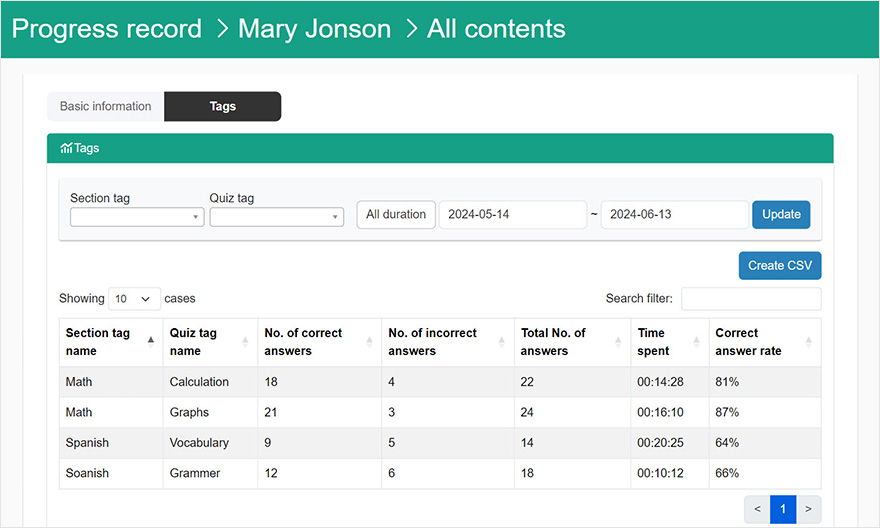
Seamless Performance Tracking
From the "Chart", you can check the learning status and grades by narrowing the focus to each course and content. You can also filter out "unlearned" students and send reminders to those who have not studied.
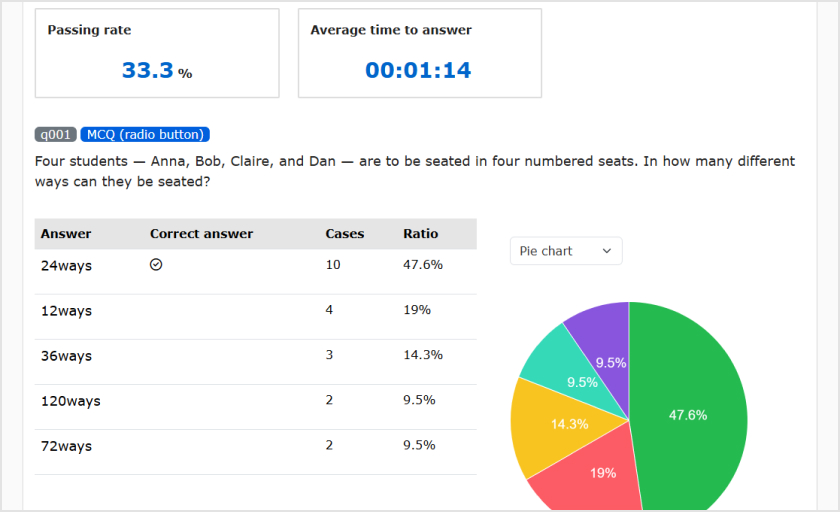
Visualized Grade Analysis
Answers can be viewed graphically and numerically for each question.

CSV Download
You can select items to download a CSV file, which will help you analyze a large amount of data.
Key 02
Streamline Grading
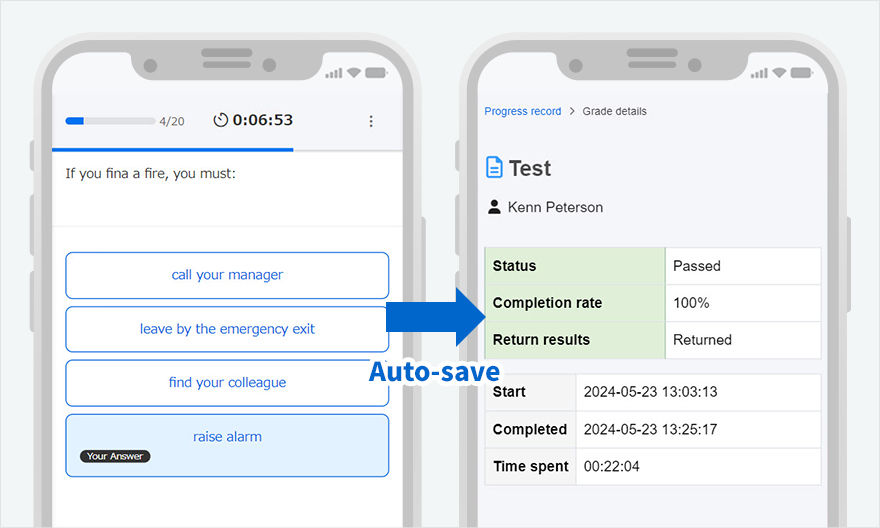
Hussle-free Grade Management
Grades for content studied by the learner are automatically saved, and "score, pass/fail, study start date and time, time required," etc. can be viewed from the grade details.
(Learning content with flow scoring can be graded individually.)
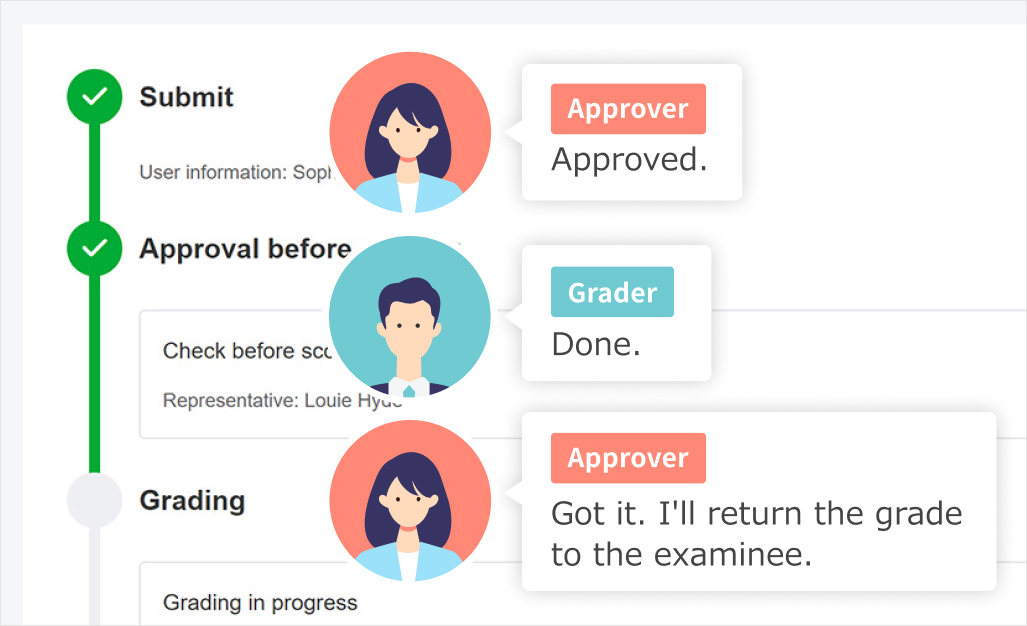
Grading Workflow
Our grading workflow reshapes your grading strategies involving multiple approvers and graders. The status of the submissions will be shared with those who are in charge.

AI-Powered Feedback and Rubrics
How many hours do you spend on feedback and assessment? With learningBOX, AI will automatically generate feedback to learners based on the model answer you register, and become a great assistant to create rubrics for you.
Rubric evaluation is also supported.
-
Discover rich featuresService Guide

-
Feel free to contact usGet in Touch

-
Try our Free PlanTry Free Plan
