If you are using docomo carrier mail
-
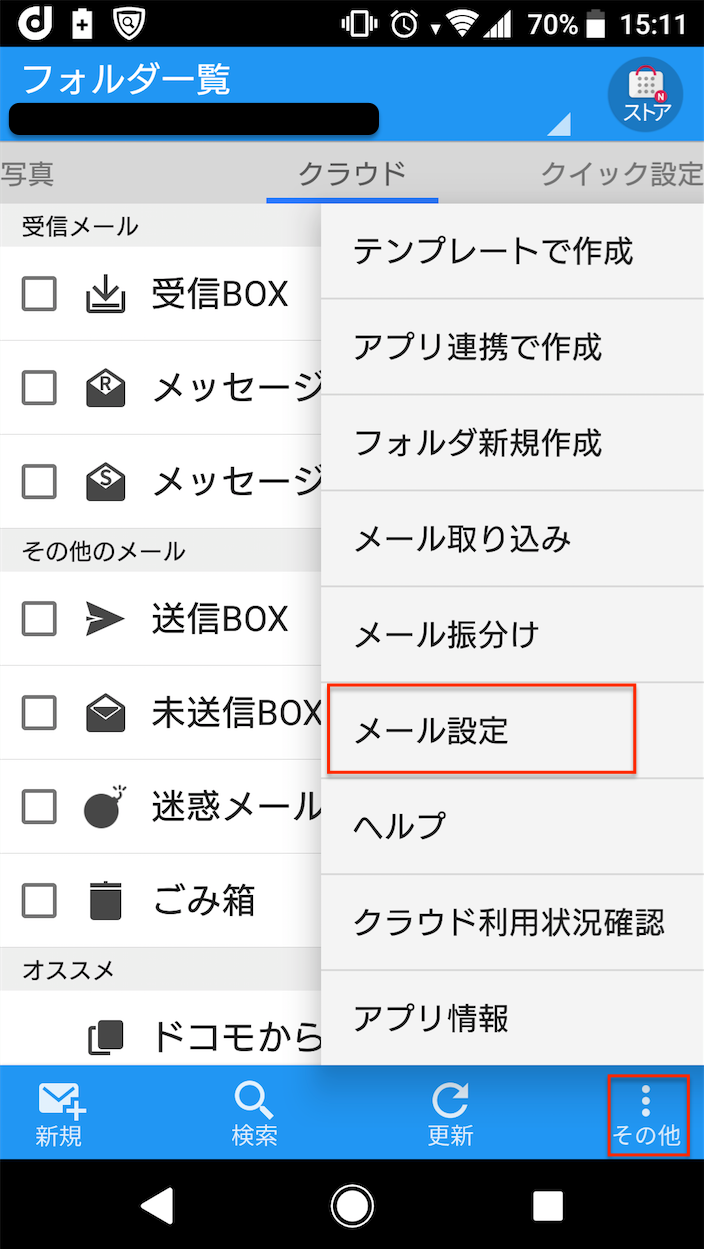
Open the docomo Mail application, tap Other in the lower right corner, and then tap Mail Settings.
-
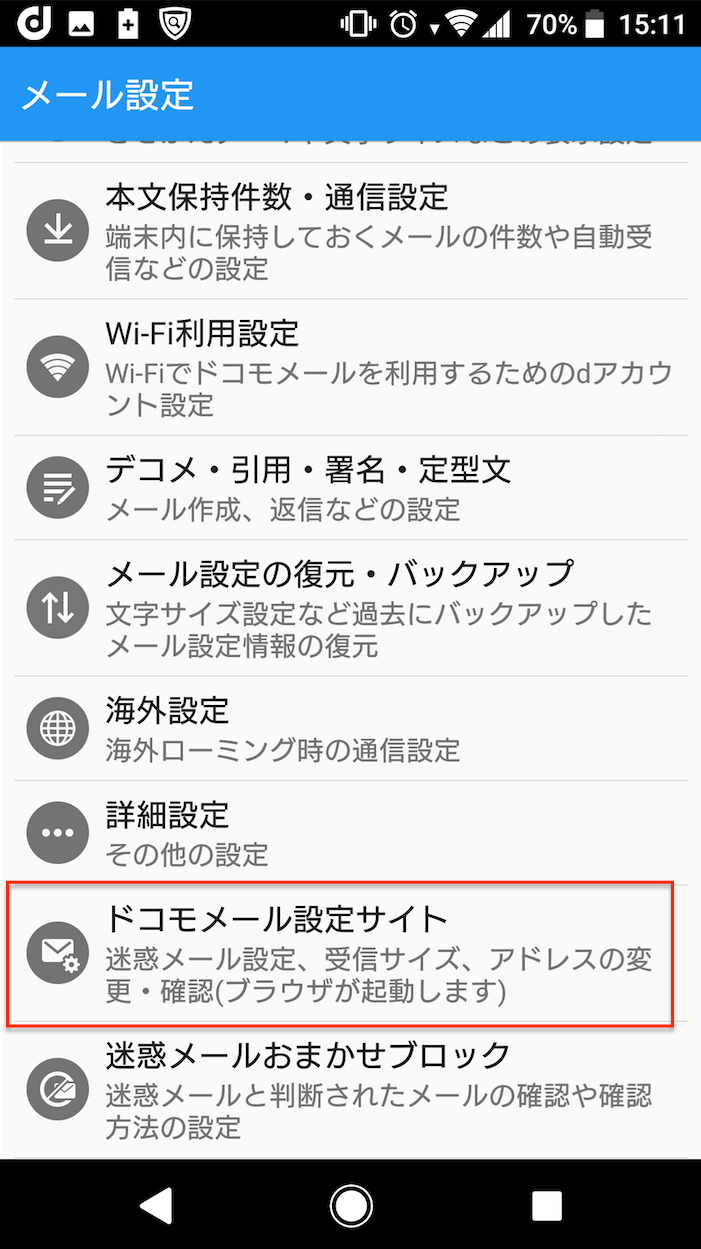
Tap docomo Mail Settings site in Mail Settings.
-
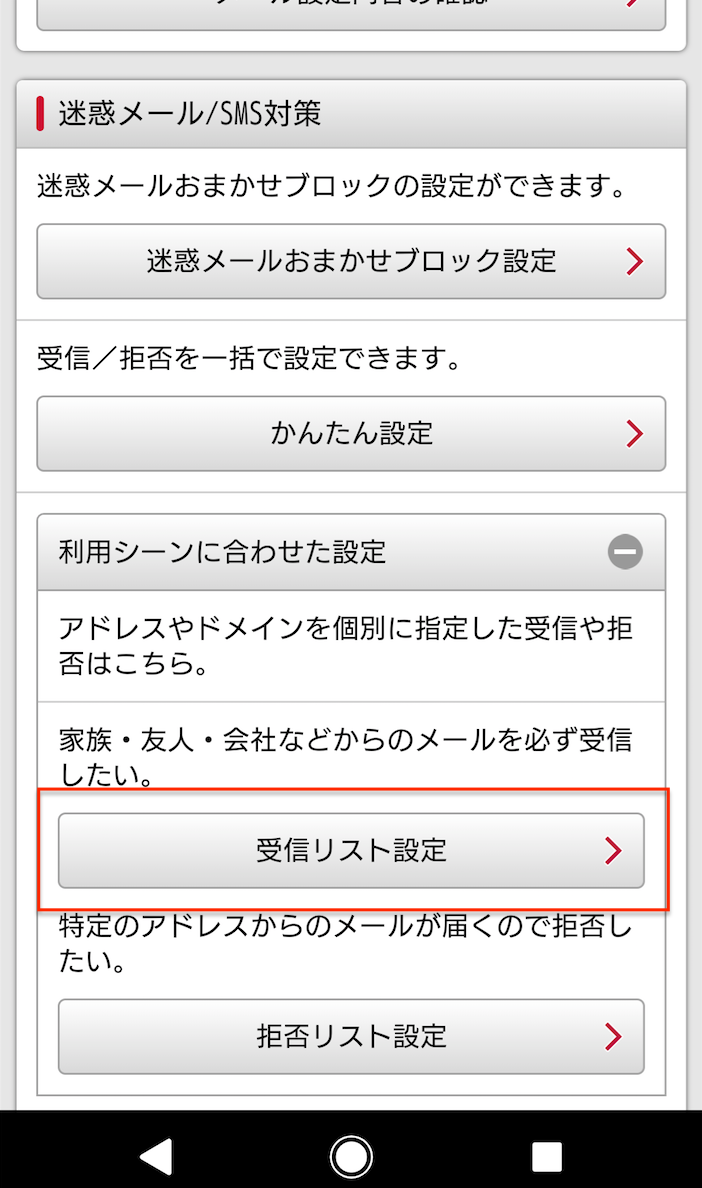
From the docomo Mail Settings site, tap the Receiving List setting.
-
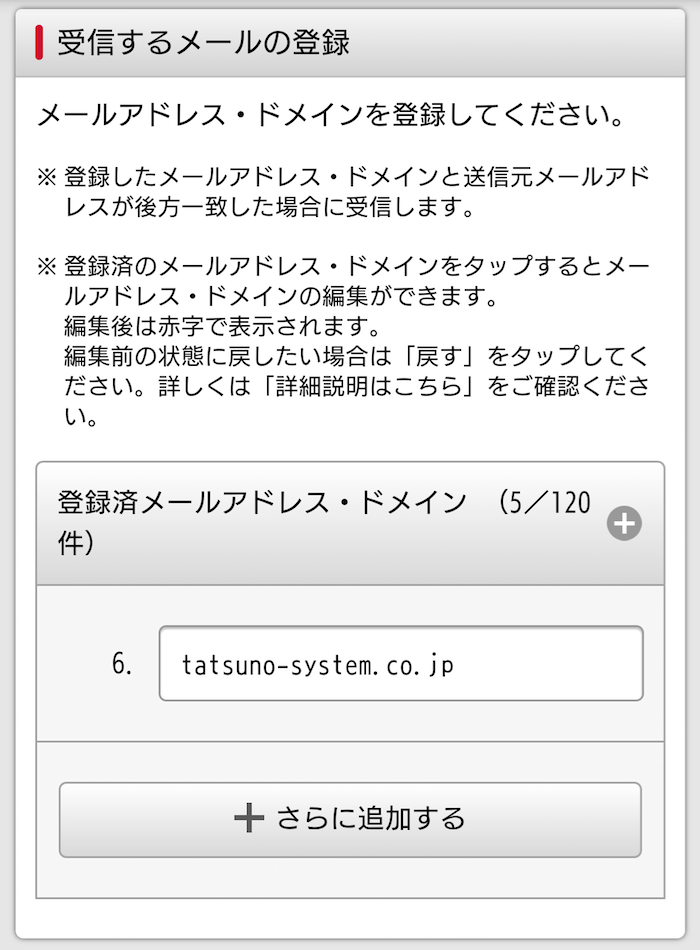
Enter "tatsuno-system.co.jp" in the registration for incoming mail.
-
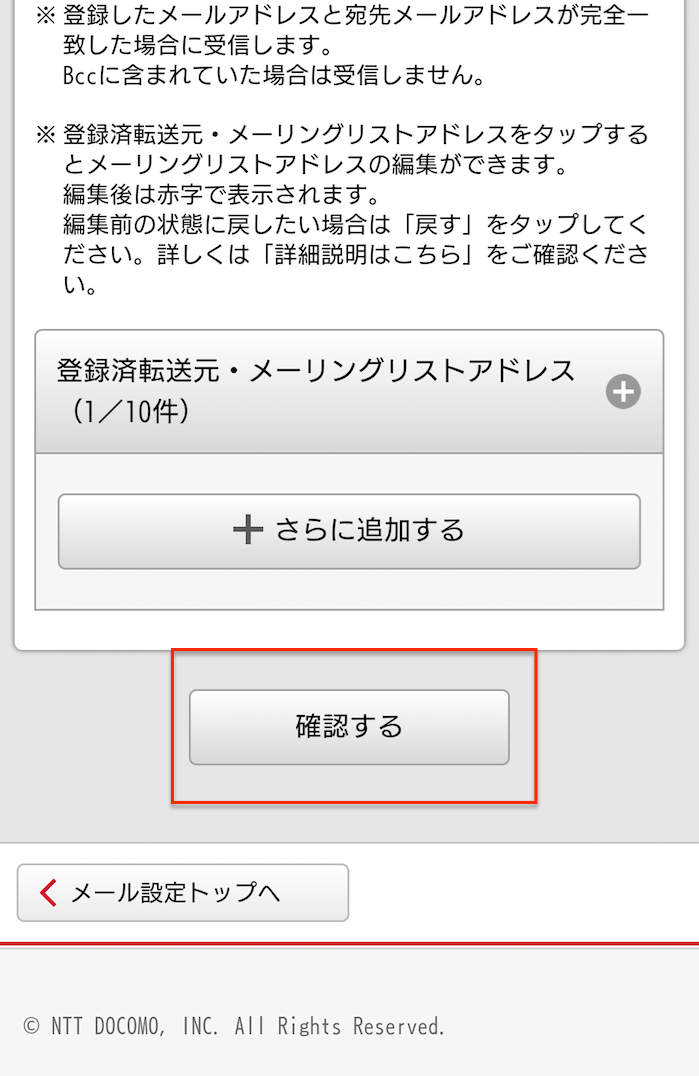
Tap Confirm at the bottom of the screen.
-
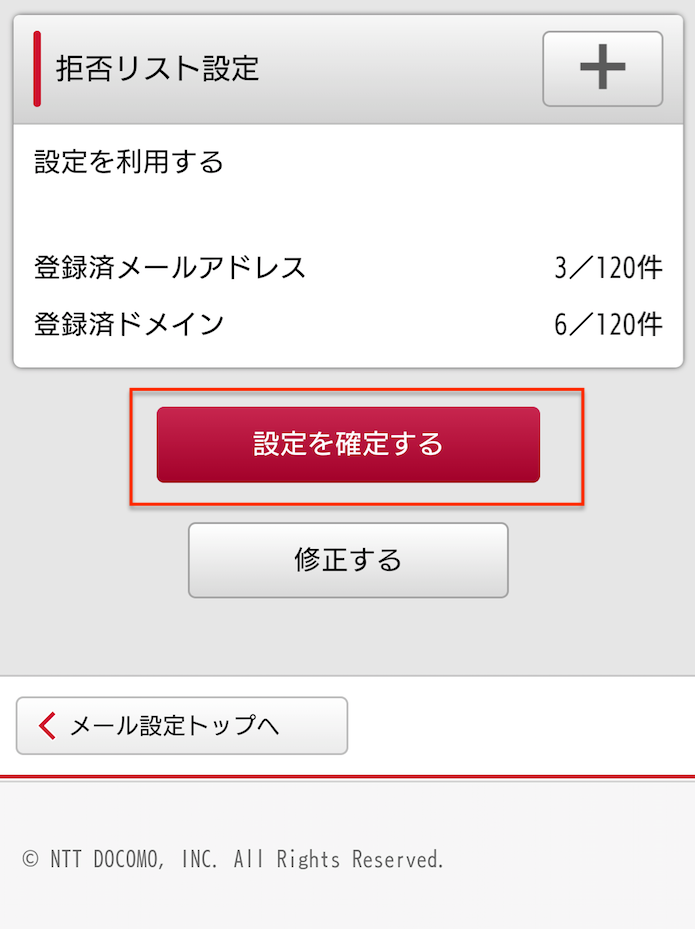
Tap Confirm Settings at the bottom of the screen.