


From Pandemic Response to Foundation for Learning
 Elementary/middle school, School administration support
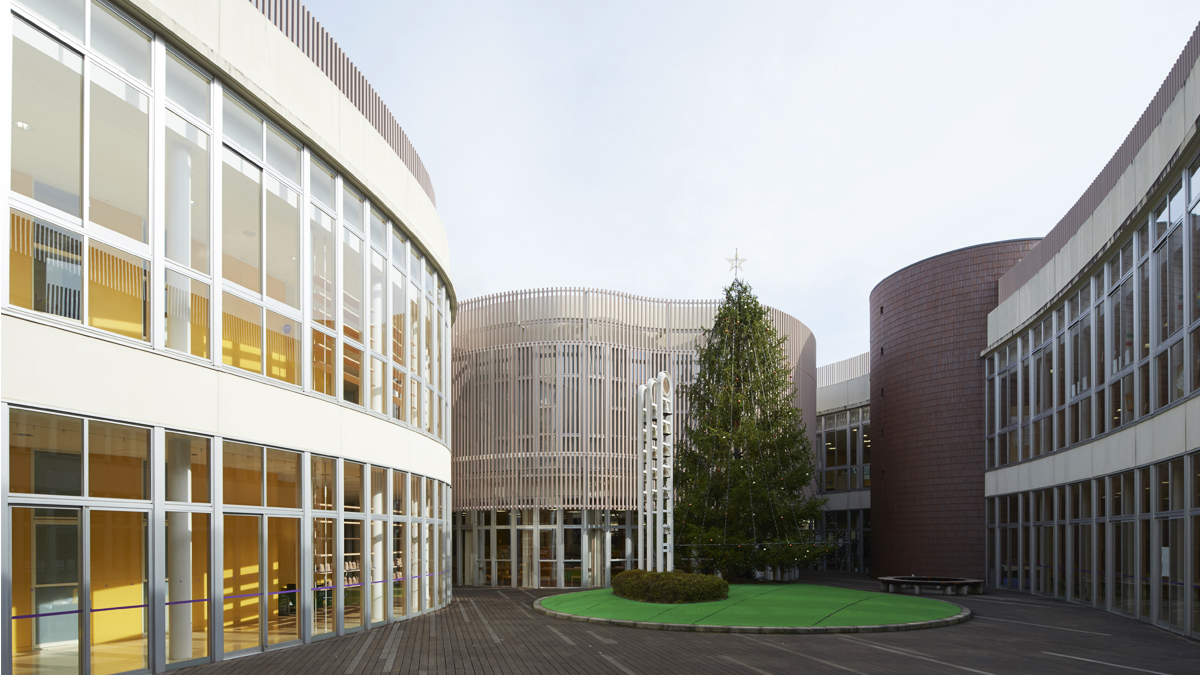
In 2020, Doshisha Elementary School introduced learningBOX to maintain a learning environment during pandemic-related school closures. Three years since our last interview (2022), the school’s utilization of the platform has evolved from an emergency response to a foundation for enhancing educational quality.
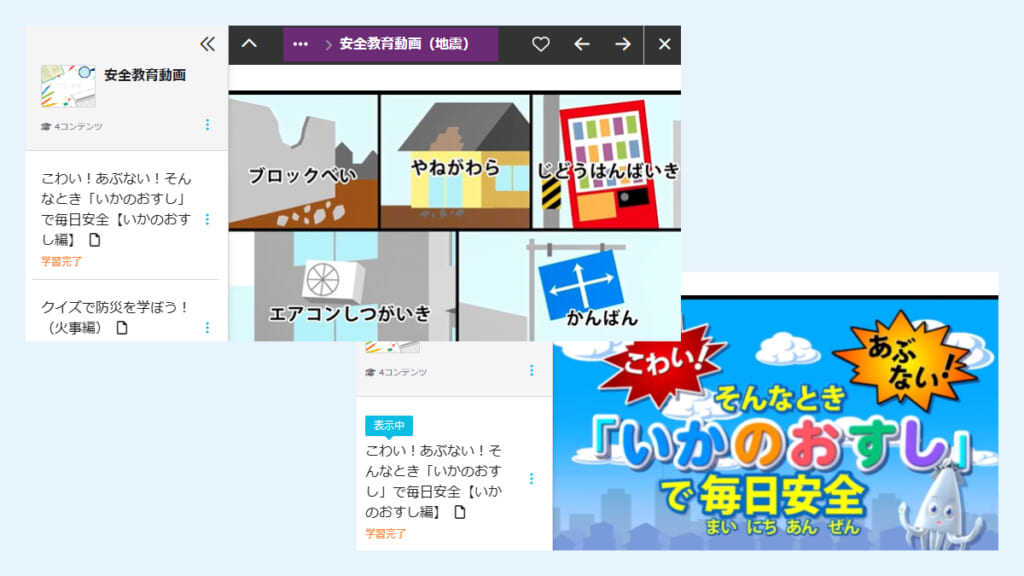
Today, the school has established a robust training cycle where teachers share and refine lesson videos. The platform is also used for distributing homework to students, communicating with parents, and conducting safety education such as evacuation drills. We spoke with the school about their progress, results, and future vision as digital tools enter a new stage in the educational field.

2. Embracing the philosophy that "every individual matters," we foster an environment where students can grow freely, both academically and personally
3. Implementing integrated programs in collaboration with its affiliated kindergartens, elementary schools, middle school, high schools, and universities
- Due to tight schedules, faculty training was insufficient.
- A desire to digitalize handouts for parents to ensure reliable delivery.
- A need for a system capable of uploading videos several dozen minutes long.
- The use of lesson videos for faculty development significantly enhanced training quality. This led to the formation of study groups involving external teachers.
- Critical information regarding parental schedules and logistics is now delivered securely via learningBOX.
- Videos for school-wide initiatives, such as evacuation drills, are shared with and viewable by parents.
- Easy to use for both students and parents who may not be tech-savvy.
- Simple operability that anyone can master quickly.
- Simple and intuitive operation that anyone can master
(From the 2022 article)



Five Years in, learningBOX is a Staple of Daily School Life
Could you tell us about your current student and staff numbers, as well as your tablet usage?
We have approximately 90 students per grade (three classes of 30), totaling about 540 students. We have 60 faculty members and four administrative staff.
Regarding tablets, all faculty and students from grades 4 to 6 have 1:1 devices. For grades 1 to 3, we maintain 120 shared units. We still value writing with pencils and notebooks for younger children, so they use the devices as needed.
Three years after our last interview, how is learningBOX utilized now?
Initially, it was a "defensive" tool for pandemic response. Now, it has become a proactive part of daily life.
We use it for distributing homework and quizzes, parental notifications, sharing lesson videos, and safety education (evacuation drills).
While teachers are the primary users, administrative staff also access the system to respond to parental inquiries.
How do you handle the digitalization of homework?
Digital tools are excellent for repetitive learning, such as basic math calculations or English flashcards. However, we still choose paper for materials that benefit from tactile manipulation.
The fundamental idea is not digital versus paper, but choosing the method that maximizes learning effectiveness.
Evolution of Teacher Training
Have teachers' concerns about ICT changed over time?
Initially, integrating it into lessons was a struggle. However, it has gradually permeated our culture. Teachers now say, "It was easier than I thought" or "Once I learned the process, I could do it."
Once they actually try uploading a video, they realize how simple it is.
From there, the teachers' creativity took over. They began bringing ideas to the table, creating their own 30-minute lesson videos and instructional materials.
The simple design of learningBOX was a huge help in this transition.
What is the most significant change in the last three years?
The way we conduct teacher training. Every teacher records their lessons and uploads them to learningBOX. We watch these videos together and provide feedback. This has become our standard training format.
We conduct the feedback in person, while detailed follow-ups happen via messaging apps.
With 5 to 6 new lesson videos being uploaded per subject every month, our training is very active.

From Voluntary Training to Regional Study Groups
What changes have you noticed since implementing learningBOX?
The most significant outcome was the results from the aforementioned staff training. By watching lesson videos together and being able to revisit specific scenarios for discussion, the quality of instruction clearly improved.
While watching videos, discussions now arise such as: “How did the children perceive this moment?” "What was the intent behind the question at the 10-minute mark?" "Was the choice of words and the timing optimal?" By refining lessons together, teachers are also bringing about changes in the content of their classes.
I understand this initiative has been particularly well-received by younger teachers.
This has been particularly helpful for younger teachers who may feel nervous or struggle with student engagement. Seeing how senior teachers interact with students provides invaluable practical knowledge.
I understand that training opportunities are expanding not only within the school but also externally.
The establishment of our school's unique "self-directed training" system has been a major factor. Within the constraints of working hours, the creation of a system allowing learning at one's own pace has led to a surge in self-directed learning utilizing learningBOX.
As a result, three research groups—Japanese Language, Social Studies, and Mathematics—emerged from the "self-directed training" initiative. Teachers not only from Kyoto Prefecture but also from Hyogo, Wakayama, and Kochi Prefectures have participated in our teacher training sessions. We feel that the significant achievement lies in how learning is expanding through the medium of lesson videos.
Responsible ICT Use and Stronger Home-School Ties
What changes have occurred?
Initially, students would watch YouTube outside of class time. We first tried technical restrictions.
However, we eventually returned to our school policy: "Freedom entails responsibility." From the moment 4th graders receive their tablets, we discuss how to use them as tools for learning.
By fostering a mindset of responsible judgment rather than just banning sites, troubles have naturally decreased.
Are there any effects beyond the classroom?
Our school is actively pursuing paperless initiatives, which have streamlined communication with families—including the distribution of materials from the school to parents and the sharing of safety education videos.
Children won't forget to hand things over or misplace them, so important information affecting parents' schedules, required materials for purchase, and safety information can be reliably shared through learningBOX.
Toward an Environment that Further Deepens Learning
What do you expect from learningBOX in the future?
Currently, we use different tools depending on the task—such as managing student attendance and grades, or communicating with parents—based on each role. As a result, both parents and teachers have expressed concerns like "There are too many tools" and "We wish they could be consolidated a bit more."
I often think about whether we can consolidate our communication and work tools. Specifically, I feel that if we could easily exchange small updates and share information—like daily observations about the children—in a two-way manner right on learningBOX, it would reduce the burden for both teachers and parents and make things more convenient. It would also be ideal if communication with the children could be handled entirely within the same environment.
Also, for teacher training, it would be ideal if we could leave comments or exchange opinions directly on the video pages. Currently, we use a separate messaging app, so centralizing this would be a significant help
We see great potential in learningBOX. We hope the system continues to evolve into an even more intuitive environment that reflects the needs of the frontline of education.
Thank you very much for your valuable insights!
2. Embracing the philosophy that "every individual matters," we foster an environment where students can grow freely, both academically and personally
3. Implementing integrated programs in collaboration with its affiliated kindergartens, elementary schools, middle school, high schools, and universities




-
 Effectiveness of ICBT for Anxiety and Obsessive-Compulsive Disorders RevealedKazuki Matsumoto
PhD, Division of Clinical Psychology, Kagoshima University Hospital, Research and Education Assembly Medical and Dental Sciences Area, Kagoshima University -
 Reskilling for Regional Revitalization| Reducing Operational Load through Tool IntegrationCAREER PLANNING Co., Ltd.
 -
 Continuing efforts to provide interesting and useful information as a specialized media companyImpress Inc.
-
Discover rich featuresService Guide

-
Feel free to contact usGet in Touch

-
Try our Free PlanTry Free Plan
