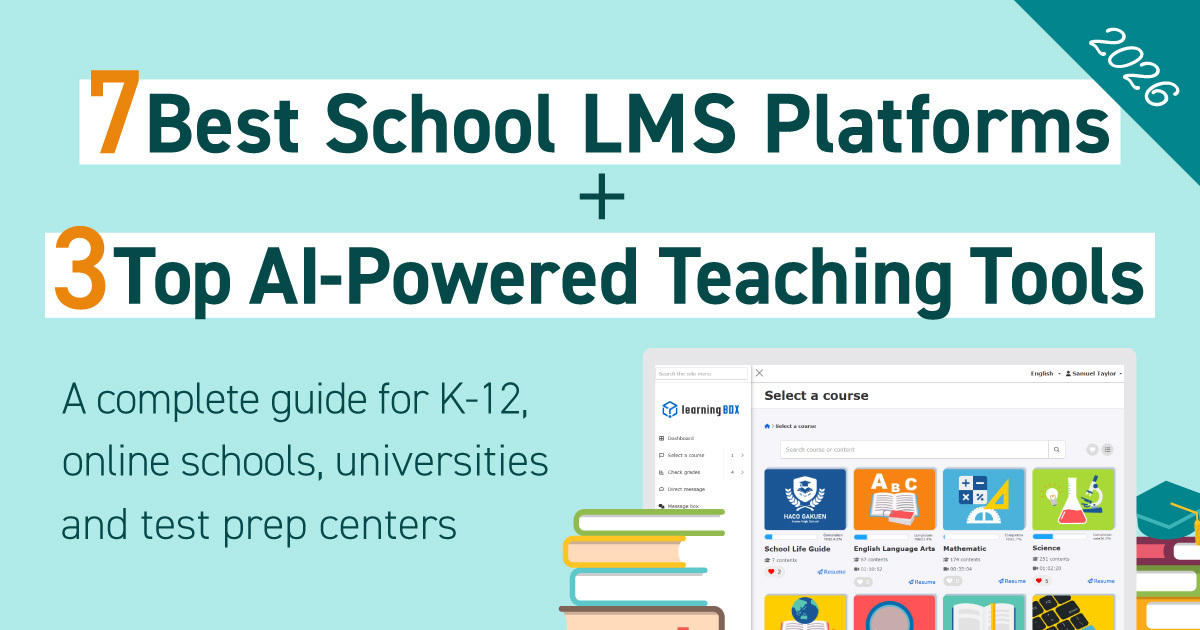
[2026] 7 Best School LMS Platforms + 3 Top AI-Powered Teaching Tools


What is a School LMS?
A School LMS is a learning management system that consolidates instructional content delivery, attendance/course management, and grade tracking, providing clear visibility into students’ learning progress. Notable examples include Google Classroom for primary and secondary education (K–12), manaba for universities, and versatile platforms like learningBOX for a broad range of institutions and cram schools.
Driven by the GIGA School Initiative, the deployment of 1-to-1 computing devices across Japanese classrooms has transitioned educational ICT from the infrastructure setup phase to improving instructional quality. Under NEXT GIGA (Phase 2 of the GIGA School Initiative), accelerating educational digital transformation (DX) to achieve both individualized, optimized learning and collaborative learning, alongside planned device refreshes, has become a top priority.
Amid this movement, Learning Management Systems (LMS) capable of unifying resource distribution, assignment management, and learning analytics have attracted significant interest. However, with numerous offerings available, many educators and administrators find themselves wondering which LMS best suits their institutional requirements or what the actual difference is between an LMS and AI-powered learning materials.
This article provides an in-depth comparison of 7 leading LMS platforms and 3 prominent AI-powered adaptive learning tools tailored for elementary, junior high, and high schools (including correspondence schools), universities, vocational colleges, and cram schools. We outline the characteristics, differences, and essential criteria to help you select the ideal platform for your institution.
*This article neutrally categorizes features based on publicly available vendor information.
Explore classroom success stories
Differences from corporate LMS platforms

LMS platforms in educational institutions share common capabilities with enterprise solutions, such as content distribution, audit logs, and testing. However, educational LMS platforms uniquely require features designed for continuous tracking of student growth, parent-teacher communication, and integration with academic affairs systems.
Core Features of a Learning Management System (LMS)
An LMS serves as a unified system to distribute instructional resources, administer student enrollment/progress, and manage grades.
Key Capabilities
- Content & Courseware Management: Upload and distribute videos, documents, PDFs, etc.
- Learner Tracking: Real-time visibility into completion rates, study duration, and milestones.
- Examinations: Administer quizzes, term exams, and surveys with automated scoring.
- Assessment & Analytics: Visualize strengths and weaknesses per student to tailor learning paths.
- Grade Management: Record, aggregate, and evaluate scores and mastery levels.
- Communication Tools: Bulletins, direct messaging, and assignment feedback loops.
Integrating these capabilities enables institutions to run a continuous Plan-Do-Check-Act instructional cycle.
Consequently, educators gain clear visibility into student progress, enabling targeted, timely interventions. Ultimately, a robust LMS provides the operational bedrock for running effective digital learning initiatives.
Unique Requirements for Educational Institutions
Unlike corporate LMS platforms, school LMS systems require capabilities tailored to institutional frameworks and actual educational operations. Features such as attendance management, grade tracking, assignment submissions, and cumulative learning history records are particularly vital because they directly impact not only daily instructional guidance but also grade evaluations and formal credit conferral.
In elementary, junior high, and high schools, key comparative factors include intuitive usability that young learners can navigate without confusion, parental communication features, compatibility with multidimensional criteria-based evaluations, and effortless account rollovers across grade levels or school transitions. In correspondence high schools, properly administering the entire workflow covering schooling session attendance, report submissions, rubric feedback, and eventual credit conferral is critical.
Furthermore, institutions must verify smooth performance across devices deployed under the GIGA School Initiative such as Chromebooks and iPads, as well as interoperability with external ecosystems such as Learning e-Portals. Given the sensitivity of handling student grades and academic histories, selecting an LMS well aligned with your institutional policies and operational guidelines, while ensuring rigorous security safeguards and personal data protection, is indispensable.
Differences from Corporate LMS Platforms
The table below organizes the primary differences between school LMS and corporate LMS platforms across major categories.
| Item | School LMS | Corporate LMS |
|---|---|---|
| Purpose | Instructional support, progress tracking, academic grading, and promoting self-directed study | Employee training, compliance education, and skill enhancement for professional certifications |
| Target Audience | Children, pupils, students, faculty, and parents | New hires, general employees, management, and HR personnel |
| Required Features Beyond Shared Basics | Academic grading, homework submissions, parent-teacher communication, attendance management, class- and grade-level roster organization, and annual rollover administration | Batch tracking of course completion, post-training surveys, and audit-ready learning log retention for compliance reviews |
| Security Requirements | Compliance with MEXT Information Security Guidelines (*1) and student data privacy protection | Adherence to internal enterprise security policies and mitigation of confidential data breaches |
| Customer Support | Dedicated Japanese-language support for academic institutions is mandatory | Multilingual capabilities and global deployment support are required in many scenarios |
| Pricing | Institutional flat-rate licensing or student-count academic pricing | Usage-based pay-as-you-go pricing based on active seats, or fixed monthly and annual enterprise plans |
*1: Ministry of Education, Culture, Sports, Science and Technology, Guidelines on Educational Information Security Policies
Differences Between an LMS and AI/Digital Learning Materials.
LMS platforms and AI-driven digital learning materials serve distinctly different objectives and roles. An LMS functions as an administrative foundation for distributing instructional content, logging study history, and managing test results. Conversely, AI and digital instructional materials constitute the actual interactive content that students engage with during study sessions.
Because an LMS may not include pre-packaged problem sets, teachers must create their own courseware or import external resources. In contrast, AI educational materials excel at evaluating individual comprehension and identifying learning gaps, automatically delivering customized drills tailored to each learner.
In academic settings, schools increasingly combine both tools by utilizing an LMS to oversee holistic learning administration while deploying AI digital materials to support daily individualized instruction.
Differences Between an LMS and School Affairs Support Systems
Another platform frequently confused with an LMS is the school affairs support system. While an LMS manages student academic activities, a school affairs support system streamlines non-instructional administrative duties for faculty, such as attendance logging, report card generation, and cumulative guidance record management.
However, implementation rates vary across institutional tiers. While municipal boards of education drive widespread adoption across elementary and junior high schools, many high schools have yet to implement such systems or continue relying on bespoke setups customized to their unique curricula and operational workflows.
Consequently, when introducing an LMS, institutions must proactively determine the existence of a school affairs support system and examine its data integration capabilities. Establishing a well-designed operational structure requires full awareness of the extent to which academic records and grade datasets can be synchronized and utilized.
Back to ContentsHow to Choose an LMS for Schools | 6 Key Evaluation Points

Selecting the optimal LMS for your institution requires a multifaceted comparison that examines not only raw functionality but also long-term operational feasibility and future scalability. The following section explains six critical criteria to prioritize.
1. Institutional Fit
When selecting an LMS, you must verify whether the platform accommodates your specific institutional classification. Functional needs and interface ergonomics differ markedly among elementary, junior high, senior high, correspondence schools, universities, professional training colleges, and private preparatory academies.
Under NEXT GIGA, modernizing the LMS environment as a foundational digital transformation architecture that utilizes learning analytics has gained immense urgency alongside scheduled 1-to-1 device refreshes. For elementary and junior high schools, ensuring fluid compatibility with deployed GIGA devices like Chromebooks, iPads, and Windows computers is an essential criterion.
Elementary schools demand user interfaces that lower-grade pupils can operate intuitively, along with dedicated support for hiragana and phonetic ruby text. Higher education institutions, by contrast, prioritize handling tens of thousands of concurrent user accounts and interconnecting with course registration frameworks.
When deployed in preparatory academies or cram schools, platforms providing online course delivery and integrated e-commerce payment gateways become viable candidates. Clarifying necessary functionality after outlining concrete operational scenarios across specific school types is essential.
2. Ease of Content Creation
Establishing an LMS successfully within daily campus routines requires preventing additional workload burdens on teaching staff. In institutions without dedicated ICT specialists, educators must be able to create and revise course modules or tests intuitively without requiring advanced technical knowledge.
Furthermore, confirming the following capabilities will prove highly beneficial.
- Broad compatibility across question formats such as open-ended, fill-in-the-blank, and sequence-reordering tests.
- Effortless uploading of PDFs, video files, and audio assets.
- Content reuse mechanisms and pre-built authoring templates.
- AI-assisted item generation and question authoring tools.
Whether teaching staff can use the system naturally within their daily workflows serves as the decisive factor for sustained institutional adoption.
3. Pricing and Fee Structure
Because academic institutional budgets remain inherently limited, pricing tiers and billing models represent a critical comparison metric. Check for free tiers or trial periods to see if a small pilot group can test the system first.
Furthermore, under per-account subscription models, institutions should calculate total monthly and annual licensing commitments based on total enrollments across pupils, students, and faculty members in advance. Comparing total ownership costs across multiple operational years rather than focusing solely on initial setup fees clarifies the real financial commitment.
4. Support System
Directly following software rollout or during hectic start-of-year class reassignments, questions regarding operations and system anomalies frequently peak. The depth and responsiveness of vendor support is therefore an indispensable evaluation factor.
Verify whether the vendor provides Japanese-language inquiry channels tailored to your institutional operations, such as telephone, email, and live chat. Additionally, confirm the availability of self-service teacher manuals, comprehensive FAQ databases, and structured onboarding assistance for faculty members.
Evaluating the vendor's deployment track record and verified experience with educational institutions is equally essential. Educational LMS implementations face unique challenges unlike corporate deployments, including annual grade rollovers, student cohort reorganizations, parental communications, and 1-to-1 GIGA device environments.
Selecting a vendor with documented case studies and implementation experience within your specific educational tier minimizes post-launch friction and administrative burdens.
5. Security and Compliance Certifications
Because an LMS processes confidential student grades, learning progress data, and personally identifiable information, verifying security protocols is mandatory. Ensure the system includes robust operational controls such as TLS communications encryption, multi-tier access rights management, and segregated permission assignments for administrators, teachers, and students.
Furthermore, the vendor's institutional security management profile warrants close inspection. Reviewing ISO 27001 (ISO/IEC 27001) certification status helps determine whether the vendor maintains formal, organization-wide information security controls. For overseas platforms, evaluating the existence of SOC 2 compliance reports is equally advisable.
6. Interoperability with Core Campus Systems
Interoperability with existing campus software is another crucial dimension. Deploying Single Sign-On (SSO) supported by SAML or SCIM substantially reduces administrative friction during login and identity management. Additionally, enabling direct user profile and grade synchronization via API interfaces prevents manual double-entry across academic and student record databases.
When evaluating LMS platforms, institutions should conduct a comprehensive appraisal that addresses not merely functional checklists, but also alignment with MEXT Educational Information Security Policy Guidelines, third-party security credentials, and integration capabilities with existing core software.
Discover features of learningBOX
[Comparison Chart] 7 Top LMS and Learning Platforms for Schools
The following section compares seven prominent LMS platforms with proven deployment records across educational institutions, evaluating them by features, pricing, and school-type suitability.
Comparative Overview
| Service | Provider | Pricing | Target Institutions | Key Features |
|---|---|---|---|---|
| learningBOX | learningBOX, Inc. | From USD 50 per month for 100 accounts, free tier available Free plan available |
Elementary, Middle and High Schools, Correspondence, Higher Ed, Vocational, Cram Schools | Domestic Japanese LMS with extensive academic track records, native support for CBT and certification exam prep, and budget-friendly entry tiers. Service: Google Classroom |
| Google Classroom | Free for Education Fundamentals tier | Elementary, Middle and High Schools, Higher Ed | Seamless integration with Google Workspace, standard deployment across GIGA School environments. | |
| Microsoft Teams for Education | Microsoft | Free (A1 Plan, etc.) | Elementary, Middle and High Schools, Higher Ed | Tight integration with Office 365 applications, standard collaboration hub for Windows-based GIGA fleets. |
| Moodle | Moodle HQ, etc. | Free (Open Source) *Excluding installation fees |
High Schools, Colleges, and Vocational | Global open-source academic standard offering extensive modular customizability. |
| manaba | Asahi Net, Inc. | Custom quote upon inquiry | Higher Ed | Leading market share across Japanese universities, with particular strength in coursework and essay management. |
| Canvas LMS | Instructure | Custom quote upon inquiry | Senior High, Higher Ed | Substantial market presence in international higher education, featuring an intuitive and modern interface design. |
| Blackboard | Blackboard (formerly Anthology) |
Custom quote upon inquiry | Higher Ed, Vocational | Enterprise platform designed for large-scale higher education institutions, offering robust architecture and rich capabilities. |
1. learningBOX
learningBOX is a Japanese LMS combining exceptional usability with accessible, budget-friendly pricing structures. Because instructors can operate the interface intuitively without technical expertise, creating dynamic courseware and quizzes is straightforward. The platform offers a free trial for up to 10 user accounts, while full production deployments begin at an affordable USD 50 per month for 100 accounts, making it an ideal choice for institutions with strict budget allocations.
It functions as a versatile software platform supporting elementary schools, middle schools, online schools, universities, professional colleges, private cram schools, and corporate training programs alike.
Its primary features include the following:
- Cost Efficiency: Free evaluation accounts for up to 10 users, with scalable production deployments beginning at USD 50 per month for 100 accounts.
- Rich Authoring Capabilities: Advanced quiz and examination authoring across 14 distinct question formats, alongside comprehensive support for video content, PDF files, and SCORM modules.
- Grade Tracking and Enrollment Controls: Detailed visibility into completion progress and score logs, supplemented by automated completion certificate generation once learners satisfy designated performance benchmarks.
- System Interoperability: Streamlined administration utilizing API-driven roster and grade synchronization, alongside Single Sign-On capabilities via SAML and SCIM protocols.
■Recommended for Schools Like These: Schools that want to reduce the burden on classroom teachers when creating teaching materials / Schools that want to utilize an LMS while keeping implementation and operational costs as low as possible
■learningBOX Official Website
Check out the brochure to learn about learningBOX's features and use cases
2. Google Classroom
Google Classroom is a free learning platform included in Google Workspace for Education. It is used as a standard tool in many elementary, middle, and high schools that have adopted Chromebooks as part of the GIGA School Initiative. It integrates seamlessly with familiar tools such as Google Docs and Google Forms, allowing teachers to assign and grade assignments.
- Available for free (Education Fundamentals)
- Full integration with Google Workspace (Drive, Docs, Meet, etc.)
- Mechanisms for Smooth Communication Between Students and Teachers
■Recommended for schools that have: Chromebooks deployed school-wide / make regular use of Google tools
■Google Classroom Official Website
3. Microsoft Teams for Education
Microsoft Teams for Education is a hub tool that, in addition to chat and video conferencing features, offers assignment management functions specifically tailored for education. It integrates seamlessly with Office 365 applications such as Word, Excel, and PowerPoint. It is used in a variety of school types, particularly in schools that have adopted Windows devices as part of the GIGA School Initiative.
- Seamless integration with Office 365 applications
- High-quality online classes (video conferencing) and chat features
- Detailed assignment management features that utilize rubric-based grading and other tools
■Recommended for Schools That: Primarily use Windows devices and Office software / Have frequent online classes
■Microsoft Teams for Education Official Website
4. Moodle
Moodle is the most widely used open-source LMS at universities and higher education institutions around the world. The system itself is free to use, and it is typically installed on a school’s own server or in a cloud environment. One of its main attractions is its high degree of flexibility, which allows for countless functional extensions through the addition of plugins; however, its installation, maintenance, and operation require specialized IT knowledge and technical skills.
- Open-source software with no licensing fees
- A wealth of plugins and extensibility provided by developer communities around the world
- Multilingual Support and Proven Track Record in Large-Scale Operations
■Recommended for Schools That: Have a dedicated IT department or technical staff on campus / Want to fully customize the system to meet their school’s specific requirements
■Moodle Official Website
5. manaba
manaba is a Japanese-developed LMS provided by Asahi Net Co., Ltd. that ranks among the top in terms of adoption at universities in Japan. Designed specifically for managing university courses, it allows instructors to handle everything—from collecting term papers to managing attendance, administering quizzes, and conducting surveys—all within a single system. It has a proven track record of integration with academic administration systems and is designed to align closely with the operational workflows of Japanese universities.
- An overwhelming track record of adoption at universities and junior colleges across the country
- Portfolio features that promote two-way communication between faculty and students
- Extensive expertise in integrating with Japanese educational systems
■ Recommended for Schools Like These: Universities and junior colleges that want to make lectures paperless and reduce the workload on faculty members
■manaba Official Website
6. Canvas LMS (Canvas)
Canvas LMS is a learning management system (LMS) provided by the U.S.-based company Instructure that holds a significant market share among higher education institutions overseas. It features an intuitive and modern user interface and is known for being easy to use for both faculty and students. It supports a wide range of APIs and integrations with external tools (LTI) and is frequently used at international schools and universities with international programs.
- High usability thanks to a modern and intuitive UI design
- Advanced features such as inline video recording and mobile app support
- High scalability through support for open APIs and the LTI standard
■Recommended for: Universities and international schools that want to incorporate international educational standards
■Canvas LMS Official Website
7. Blackboard
Blackboard is a globally recognized LMS with a long history and proven track record, provided by Blackboard, Inc. (formerly Anthology). It is particularly well-regarded at large universities and specialized institutions as a robust platform for advanced learning management and data analysis. It offers a comprehensive set of features that meet strict academic requirements, such as ensuring accessibility and integration with plagiarism detection tools.
- Robustness and reliability capable of withstanding large-scale operations
- Advanced Learning Analytics Features
- Ability to meet strict evaluation and compliance requirements
■ Recommended for: Large universities and research institutions / Educational institutions seeking to conduct advanced educational data analysis
■Blackboard Official Website
3 AI-Powered Learning Materials and Adaptive Learning Services That Work with LMSs

Alongside LMS implementation, there is a growing trend toward adopting learning materials that utilize AI technology to provide personalized, optimized learning. Here, we introduce three AI-based learning materials that have been successfully implemented in schools.
What Are AI-Based Learning Materials? How Do Their Roles Differ from Those of an LMS?
AI-based learning materials are a system that enables “adaptive learning” (individualized learning), in which AI analyzes data such as a learner’s answer history, study time, and accuracy rate to automatically adjust the content and difficulty of questions based on each individual’s level of understanding and areas of difficulty.
It supports efficient practice exercises and helps students overcome their weaknesses. As mentioned earlier, the LMS serves as an “administrative platform” that oversees all learning activities, while AI-powered learning materials are positioned as “content designed to improve academic performance” within that platform.
AI-based learning materials are delivered through the LMS, and grades and study time are centrally managed within the LMS. By combining and utilizing these two systems in this way, it is possible to effectively support the academic improvement of each student while reducing the administrative burden on teachers.
1. Surara
Surara is an AI-powered educational program with a grade-free curriculum provided by Surara Net, Inc. The lessons are conducted in an interactive format featuring animated characters, making the program accessible even to students who find studying challenging.
Another key feature is that the system uses AI to analyze students’ learning progress and identify areas where they are struggling, allowing them to go back and review material from previous grades as needed. Since learning progresses at a pace tailored to each student’s level of understanding, the program is designed to help solidify foundational academic skills.
It caters to a wide range of grade levels, from elementary school through high school, and is used not only by schools aiming to improve students’ basic academic skills but also by programs providing academic support for students who are not attending school and by correspondence high schools.
2. Qubena
Qubena is an AI-based educational tool provided by COMPASS Co., Ltd. As the use of one device per student gains momentum under the GIGA School Initiative, it is one of the services seeing widespread adoption in public schools.
It covers the five core subjects taught in elementary and middle school, and uses AI to generate questions tailored to each student’s level of understanding based on their answer data. A key feature of this system is that it allows students to progress at a pace that addresses their specific challenges and proficiency levels, making it easier to support personalized, optimal learning.
It also supports handwriting input, making it well-suited for use on tablet devices. There are examples of its implementation in public elementary and middle schools, as well as cases where it has been adopted to reduce the workload on teachers and provide learning support tailored to each individual student.
3. atama+ (Atama Plus)
atama+ is an AI-powered educational tool for middle and high school students provided by atama plus, Inc. Its key feature is that AI analyzes students' levels of understanding and the causes of their difficulties, then automatically creates personalized learning curricula for each student.
Rather than simply repeating problems you struggle with, this material allows you to trace back to the root cause—namely, “why you don’t understand”—making it easier to deepen your understanding efficiently.
This service originally gained popularity primarily through its use in cram schools and has been adopted by more than several thousand classrooms nationwide. In recent years, it has also been utilized for pre-enrollment education at universities and to reinforce basic academic skills for students accepted through recommendation-based admissions, and its use is expanding among educational institutions such as schools and universities.
Back to ContentsSummary of Recommendations by School Type
The key considerations and services that work best in the classroom vary by school type. Here, we’ve organized our recommended LMS and AI-powered learning materials by school type into tables.
Recommended LMSs by School Type
An LMS serves as an operational foundation that supports school-wide learning activities, including the delivery of instructional materials, grade management, and the tracking of learning history. We have compiled a list of LMS platforms that are well-suited to different school types, based on their size and operational style.
| School Type | Recommended LMS | Selection Criteria |
|---|---|---|
| Elementary School | Google Classroom / learningBOX | Compatibility with GIGA devices, ease of use |
| Junior High School | Google Classroom / Microsoft Teams for Education / learningBOX | Assignment Management + Flexibility for Scheduled Exams |
| High School (Full-Time) | Google Classroom / Microsoft Teams for Education / learningBOX | Assignment Management and Quizzes for Test Preparation |
| Correspondence High School | learningBOX | Report Management, On-Campus Session Management, Evaluation by Criteria, AI-Powered Course Material Creation, and Report Grading Assistance |
| Higher Ed | manaba / Moodle / Canvas LMS / Blackboard / learningBOX | Large-Scale Course Registration Management + Certification Exam Preparation and CBT Administration |
| Vocational School | learningBOX / Moodle / Blackboard | CBT Exams, Certificate Issuance, and Course Management |
| Tutoring Schools and Prep Schools | learningBOX | Support for Course Material Distribution, Grade Management, and Sales Functions |
Get a free consultation to find a plan that fits your school
Recommended AI Educational Materials by School Level
AI-powered educational materials are learning resources that can automatically adjust the content and difficulty level of questions based on each student’s level of understanding. Here, we’ve compiled a list of AI-powered educational materials that are easy to use, tailored to the learning objectives and student circumstances of each school level.
| School Type | Recommended AI Learning Materials | Purpose of Use |
|---|---|---|
| Elementary School | Qubena | Mastery of Basic Academic Skills |
| Junior High School | Qubena / Surara | Building a Solid Foundation |
| High School (Full-Time) | atama+ / Surara | test-taking measures |
| Correspondence High School | Surara / atama+ | Local Optimization |
| Higher Ed | atama+ (for remedial instruction) | Pre-Enrollment Education and Basic Skills Reinforcement |
| Vocational School | atama+ (Basic Academic Skills Reinforcement) | Supplementary Classes for Qualification Requirements |
| juku | atama+ | Specializing in One-on-One Tutoring |
Key Considerations to Avoid Failure When Implementing an LMS in Schools

Implementing an LMS isn’t the end of the story; it only demonstrates its true value when it’s actively used in the workplace. Here, we’ll explain common pitfalls during implementation and how to avoid them.
Failure Pattern 1: Teachers in the classroom can't make full use of it
Even if an LMS is implemented, there are cases where it gradually falls out of use if users find it “too complicated to use” or feel that it “adds to the effort required to prepare for classes.” It is important to verify during the selection process whether the user interface (UI) is intuitive to use, rather than focusing solely on the number of features.
It is also essential to conduct training sessions for faculty and staff upon implementation and to clearly establish operating manuals and contact points for inquiries. A thorough support system for frontline staff will determine the success or failure of the system’s adoption.
Failure Pattern 2: Inability to Integrate with Existing Systems (School Administration Support and Core Systems)
Manually entering student information into the LMS or transferring grade data to Excel can actually increase the workload for faculty and staff. To avoid this situation, it is important to confirm in advance how the system can integrate with existing school administration support systems and authentication platforms.
Support for single sign-on (SSO) via SAML or SCIM and API integration can help streamline user management and grade management. However, depending on educational information security policies and local government operational rules, automatic integration between systems may be restricted.
Therefore, another important point to check is whether the system supports bulk import and export of user information and grade data via CSV.
By verifying these details in advance to ensure they align with your school’s security requirements and operational policies, you can more easily minimize the operational burden after implementation.
Mistake #3: Choosing Based Solely on Price
If you choose a service solely because “it’s free” or “it’s the cheapest,” you may later find yourself in a situation where “the features you need are expensive add-ons” or “you run out of data and end up paying extra.”
If a free plan is available, be sure to check in advance what features are included and whether there are any limits on the number of users or file storage capacity. It’s important to assess the cost-effectiveness by calculating the TCO (Total Cost of Ownership), which includes not only the initial costs but also the ongoing costs over several years.
3 Steps to a Successful Implementation
To ensure a successful LMS implementation, we recommend following these three steps.
Step 1 (Requirements Definition)
Identify the challenges facing your school and clarify “who will use which features and for what purpose.”
Step 2 (Trial)
We will use the free plans or trial versions of potential LMS candidates, conduct a pilot test with a few faculty members, and evaluate their usability, including ease of use.
Step 3 (Phased Implementation)
Rather than rolling it out school-wide all at once, we will start small—beginning with specific grades or subjects—and gradually expand the program while building successful examples and sharing best practices.
The key to successfully implementing an LMS lies not only in “choosing the right system” but also in considering “how to ensure its adoption in the workplace.” By focusing on thorough preparation and a phased rollout, you can minimize the risk of failure and ensure effective use of the system.
Find out about common mistakes and how to avoid them during a free consultation
Summary | learningBOX can be flexibly implemented at any type of school
In this article, we’ve provided a comparison and explanation of how to choose an LMS for schools, the differences between LMSs and AI-powered learning materials, and the best recommended services for each school type.
Looking back at the key points for choosing an LMS, the following four points stand out.
- Suitability for Educational Level / Does it offer features that are appropriate for your school’s “educational level” (elementary, middle, high school, university, vocational school, cram school, etc.), size, and operational style?
- Compare total costs—including not only initial and monthly fees but also the pricing structure for adding additional IDs and optional fees.
- Operational burden; integration with school administration and core systems; intuitive operation; an easy-to-understand UI; ease of configuring and processing annual updates and class reassignments—is the system designed so that teachers in the field can continue to use it without strain?
- Support System: Does the provider offer comprehensive support tailored to educational institutions, including assistance with initial setup, training on how to use the system, support for inquiries in Japanese, and security consultations?
Among the many LMS options available, learningBOX is a platform that can meet a wide range of educational institutions’ needs. It offers a free trial for up to 10 accounts, and even with 100 accounts, it can be implemented starting at 5,500 yen (tax included) per month, making it ideal for schools looking to utilize an LMS while keeping costs down.
In addition, it offers a wide range of features for creating teaching materials, including 14 different types of quizzes and tests. Even teachers who aren’t tech-savvy can use it intuitively, reducing the burden of creating teaching materials and tests.
With support for SAML and SCIM, as well as API integration capabilities, we streamline user management and the synchronization of grade data to ensure smooth, hassle-free operations.
Another appealing feature is that it helps streamline daily tasks such as creating test questions, grading, sharing information, and managing teaching materials.
- AI Assists with Test Creation, Report Grading, and Rubric Evaluation
- Sharing information with students and parents and compiling survey results is also a breeze
- Centralized Management of Teaching Materials and Meeting Documents
- Supports lesson planning tailored to preparation, review, homework, and individual proficiency levels
Streamlining administrative tasks makes it easier for teachers to set aside more time for what they should be focusing on: interacting with students.
learningBOX is an LMS designed to help you reduce administrative burdens while improving the quality of instruction. If you are a school administrator looking to take your school’s use of ICT to the next level, we invite you to experience its ease of use for yourself.
Examples of Use in Educational Settings / Hands-On Demos
Consult with our expert staff about installation (free of charge)
FAQ
Q1. What is an LMS for schools?
An LMS for schools is a learning management system that centralizes the delivery of instructional materials, course management, and grade tracking, and provides visibility into students' learning progress.
Q2. What is the difference between an LMS for schools and an LMS for businesses?
The key difference is that LMSs for schools support functions specific to educational institutions—such as grading, parent communication, and attendance tracking—while LMSs for businesses specialize in training management and compliance training.
Q3. What is the difference between an LMS and AI-powered learning materials?
An LMS is a learning management platform that handles the delivery of instructional materials and the management of grades, while AI-powered learning materials are educational resources that automatically adjust the content of questions based on students' level of understanding.
Q4. How should I choose an LMS for schools?
It is important to compare them based on six criteria: suitability for the school type, ease of creating teaching materials, price, support systems, security and certification status, and compatibility with core systems.
Q5. What LMS is recommended for vocational schools?
LMS platforms such as learningBOX, Moodle, and Blackboard—which support CBT exams and the issuance of certificates of completion—are well-suited for vocational schools.
Q6. Which LMS would you recommend for schools?
The options vary by school level: Google Classroom is used for elementary, middle, and high schools; manaba is used for universities; and learningBOX is an option for a wide range of school levels and cram schools.
▼You may also like: