[Latest in 2021] An in-depth look at e-learning platforms
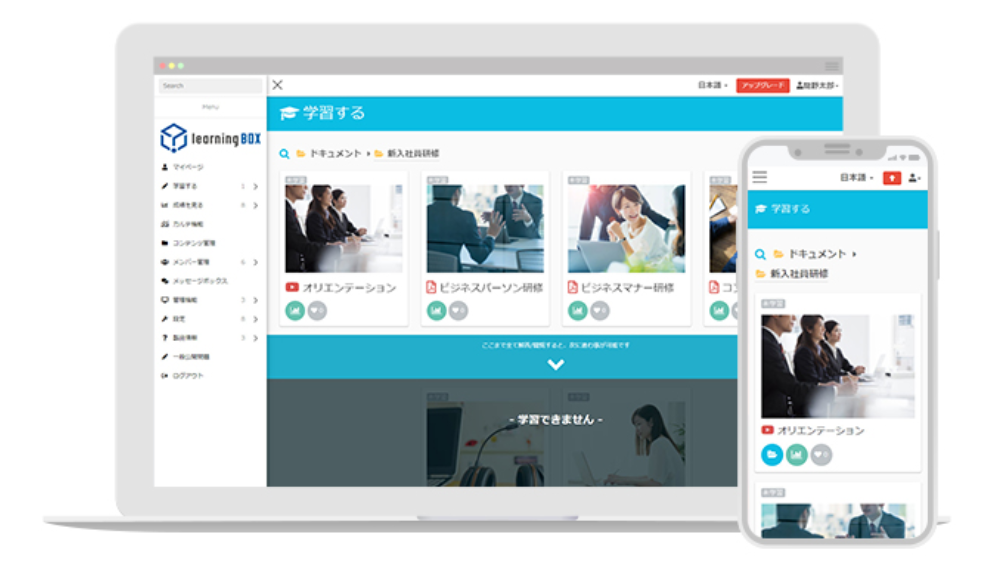
[2021 Updated Edition] A Comprehensive Guide to e-Learning Platforms I’m Takadaoka from the Marketing Department. As the COVID-19 pandemic continues to spread worldwide, Japan is experiencing a “fourth wave” that is spreading at a rate far exceeding previous levels. Many companies around the world have rapidly accelerated efforts to “review and streamline operations through the introduction and utilization of IT technology” as a measure to combat the spread of the virus. In Japan as well, many companies and educational institutions are accelerating their efforts to adopt e-learning. Therefore, in this article, we’ll provide a detailed introduction to how e-learning works and how to use it for customers who are thinking, “I want to get started with e-learning!” or “I want to implement it within my company.” We hope you find this article helpful. Table of Contents 1. What Exactly Is E-Learning? 2. The Learning Management System (LMS) That Supports E-Learning 3. Key Points to Consider When Choosing an E-Learning Platform 4. Examples of How to Use an LMS 5. learningBOX Is an LMS That Lets You Start E-Learning for Free 6. Summary What Exactly Is e-Learning? Simply put, e-learning is “a method of learning that utilizes computers and the internet.” Unlike traditional face-to-face learning in schools, e-learning is a learning system that enables interactive communication between learners and administrators using mobile devices such as computers, tablets, and smartphones. Thanks to innovative advancements in IT technology, even individuals can now easily get started with e-learning. By using a dedicated platform, “anyone can easily launch their own in-house e-learning program” without having to build a system from scratch. *A platform refers to a “standard environment serving as a common foundation” necessary for providing, customizing, and operating services, systems, and software. Background on the Rise of e-Learning Computer-based learning, the precursor to e-learning, began to be developed primarily in the United States in the 1950s, stemming from the idea—known as CAI—of “Could computers support education?” Before the widespread adoption of the Internet, learning through video materials was the mainstream method. Learning through video materials was recognized as more effective than reference books consisting solely of text and paragraphs. However, drawbacks such as “being able to take the course only at specific times” and “having to gather in one place to participate” also became apparent. Traditional in-person and in-house training required instructors and participants to be in the same location for long periods, and administrators had to handle all aspects of monitoring participants’ progress, making the process far from efficient. Consequently, e-learning—which offers numerous benefits such as “flexibility in time and location, cost reduction, and learner management”—began to gain attention. ▼This article provides a detailed explanation of the history of e-learning. E-learning is a learning tool that can effectively support employee training. While the introduction of remote work has progressed in Japan due to the impact of the novel coronavirus, challenges related to employee evaluation and management have also come to light. Many people view e-learning as a tool to “address challenges in workforce development, such as streamlining in-house training and ensuring fairness in performance evaluations.” Amid the COVID-19 pandemic, a global trend toward avoiding in-person contact emerged, making it difficult to conduct business and education that had previously relied on face-to-face interactions. The use of e-learning and corporate initiatives toward DX played an indispensable role in overcoming this situation. *DX stands for “Digital Transformation” and refers to the process of using information technology (IT) to improve people’s lives. Purposes and Objectives of e-Learning (From the Learner’s Perspective) 1. I want to pursue learning aimed at improving my skills and advancing my career. 2. I want to acquire knowledge and skills that are useful for my work. 3. I want to study without being constrained by time or location. 4. I want to review material at my own convenience. Purposes and Objectives of e-Learning (From the HR Manager’s Perspective) 1. To create an environment where busy employees can learn anytime, anywhere 2. To ensure thorough training on compliance requirements the company must adhere to 3. To develop online training programs that strictly adhere to infection control measures 4. To reduce training costs Features of e-Learning While e-learning has its pros and cons, what really matters is its actual performance after implementation. To effectively leverage the benefits of e-learning, it is crucial above all else to ensure it is properly implemented as part of your company’s training program. When considering the adoption of e-learning for “training, certification, and talent development,” understanding both the pros and cons will ensure a smooth transition during both implementation and operation. A brief summary of e-learning’s features: • It enables training that makes effective use of time • It offers potential cost savings • It allows for centralized management of employee learning progress and performance data ▼ This article provides a detailed explanation of the “Pros and Cons of E-Learning,” covering various use cases based on customer scenarios. The Learning Management System (LMS) That Supports e-Learning e-Learning is typically accessed via an online system. While traditional e-learning mostly involved inserting a CD-ROM or DVD-ROM into a computer to begin learning, today it is possible to easily proceed with learning by simply logging into a system online. Furthermore, with the advent of Learning Management Systems (LMS) for managing e-learning, it has become possible to integrate and centrally manage the content registration, distribution, and performance data necessary for implementing e-learning. The Role of a Learning Management System (LMS) LMS stands for “Learning Management System.” An LMS refers to a platform used to manage and operate employee training via the internet and computers. With the advent of the LMS platform, a system has been established that allows for the integrated management of information necessary for e-learning operations, enabling learners to “check their own learning history and test results, and receive support and feedback at the optimal time.” LMS is primarily used as a corporate training system, and in some cases, it serves as a complementary system to facilitate communication between instructors and trainees. In addition, its use is expanding into “talent management,” which involves systematic talent development tailored to employees’ aptitudes and the company’s desired workforce profile. *Talent management is an approach aimed at strategic personnel placement and talent development through the centralized management and utilization of data on employees’ abilities, qualities, talents, skills, and experience. Main Functions of an LMS The structure of an LMS can be broadly divided into “e-learning functions” and “management functions.” By implementing an LMS, administrators can easily monitor learners’ “progress” and “learning outcomes” using numerical data and graphs. LMS Feature 1: Managing Learning Materials Depending on the LMS, some systems only allow the use of learning materials pre-registered by the administrator. Systems that allow users to register content they have created themselves or to create content within the system are sometimes referred to specifically as “LCMS” within the LMS category. LMS Function 2: Delivering Learning Materials All e-learning materials are stored within the LMS, and the materials stored there are delivered to learners’ devices via the Internet. There are “action functions” such as playing videos, studying content, and administering tests; these are essential features found in every LMS, though the types and content of materials supported may vary depending on the specific LMS you use. LMS Feature 3: Account Management • Allow users to register themselves • Have an administrator register users one by one • Have an administrator register users in bulk via CSV • Register users by integrating with external systems LMS Feature 4: Managing Grades All learners’ progress is recorded in the LMS. As a result, even in large companies with many learners, learning progress can be centrally managed, and learners can be managed and analyzed across various segments. Key Points to Consider When Choosing an e-Learning Platform The term “platform” refers to a “foundational environment or space,” and in business terminology, it is used to mean “a space or system that provides multiple services or products.” An e-learning platform refers to a learning system that delivers various types of e-learning content on that platform. On the platform, you can configure detailed settings such as assigning content, managing learner information and learning progress, and viewing learning data. Three Key Points to Consider When Choosing an e-Learning Platform When selecting an e-learning platform, you should consider its features, the benefits of implementation, case studies of successful implementations, support services, and cost (price). In addition, why not consider the following three points as well? Choose a Service from a Long-Term Perspective When selecting an e-learning or LMS service, you should proceed by comparing it with your company’s current situation and challenges. While you should choose a system that fits your current situation, your needs may change in the future. A medium- to long-term perspective is also very important. Who will actually be using the e-learning platform? To utilize an e-learning or LMS service in the most effective way to address your company’s challenges, you need to develop a training plan that is carefully optimized to meet your specific objectives—determining who (which department) will take the lead, what topics will be covered, and who the target audience will be. Consider usability from the employees’ perspective. When introducing e-learning and LMS services, HR personnel should be careful not to evaluate features and usability solely from their own perspective rather than that of the employees taking the courses. Given that employees taking the courses—and, depending on the features, on-site training supervisors—will need to learn how to operate and configure the system, it is essential to evaluate usability from the user’s perspective. Here are some examples of how LMS can be used. Thanks to advancements in LMS technology, tasks such as enrolling learners, managing participants, and updating course materials can now be handled quickly and flexibly. Here, we’ll use “in-house training and certification exams”—a scenario common among our clients—as an example. For clients considering in-house training: Once an e-learning environment is set up, it can be reused as many times as needed. Consequently, this has the potential to significantly reduce the costs associated with in-house group training and new employee orientation. ▼When conducting in-person training, the following costs are incurred: 1. Transportation costs incurred when gathering participants at the venue; 2. Venue rental fees; 3. Printing and distribution costs for training materials. By conducting training via e-learning, you can reduce venue costs as well as the effort and expenses associated with distributing course materials. You can also flexibly provide learning opportunities to individuals for whom in-person training was difficult to accommodate, such as those with irregular work schedules or mid-career hires. For customers considering use for certification exams: Data from e-learning courses can be easily exported from the LMS (Learning Management System). Consequently, you can easily check data necessary for learning management—such as learning progress (not started, in progress, completed, etc.), session times, duration, and test scores—and download all performance data in a single batch. It is also possible to quantify the accumulated performance data and display it in graphs. ▼ Benefits for Certification Exams 1. You can study anytime, anywhere, at your own convenience. 2. You can progress through the course based on your level of understanding and learning progress. 3. It’s easy to track performance data and manage grades. Since e-learning allows you to study at your own pace and repeat lessons as many times as needed, it is an ideal learning method for preparing for certification exams, exam preparation, and overcoming weaknesses in specific subjects. learningBOX is an LMS that lets you start e-learning for free. “learningBOX,” the LMS (Learning Management System) developed by Tatsuno Information Systems, is designed from the user’s perspective rather than the developer’s. learningBOX is an e-learning “box” that allows you to build and manage traditional learning environments online. It is a system that manages learning by storing learning materials such as videos and PDFs, as well as exercises, tests, and grades, within this “box.” ▼If you’re facing any of these challenges, learningBOX can help! 1. You’ve already implemented an LMS (Learning Management System), but find its operation, settings, and system difficult to understand. 2. You’re struggling because only people with IT knowledge can configure and manage the system. 3. You want to keep LMS costs low. If you’re considering implementing e-learning, please feel free to contact us. We’re also currently offering popular online implementation support sessions. learningBOX is an easy-to-use LMS that allows anyone to create learning materials effortlessly. Using learningBOX’s quiz feature, you can create web tests and quizzes with over 13 different question formats, including multiple-choice, true/false, essay, and fill-in-the-blank. In addition to the quiz feature, you can register and create content such as PDF materials, video lessons, report assignments, and typing exercises. Anyone can easily create learning materials simply by entering or selecting options in the question creation form; no programming knowledge is required, and the interface is intuitive to use. Web tests can also be created using Excel or text files, and even a large number of questions can be registered all at once. Learning Course Creation Feature for Systematic Employee Training: Along with creating learning materials, you can design learning courses to control the order in which content is presented. You can also set restrictions on the number of attempts, time limits, and randomize the order of questions and answer choices. This feature is used not only for employee training but also for exams and distance learning. One-tenth the industry price! With learningBOX, you can start e-learning for as little as 33,000 yen per year, even for 100 users. The greatest strength of our e-learning system is that it offers the lowest price in the industry. With the Starter Plan, you can use our e-learning service for just 33,000 yen per year (tax included) for up to 100 users—a monthly cost of only 2,750 yen (tax included). We even offer a Free Plan with no time limit. This plan allows up to 10 users, including administrators, to use nearly all features for free, with the exception of paid optional features. You can even sell learning content using the e-commerce feature! By using learningBOX’s e-commerce feature, you can sell learning content online. It supports recurring credit card payments as well as invoice-based payments. Here are some real-world examples of how learningBOX is being used. We’ve collected positive feedback from users sharing how learningBOX has made a difference and brought about improvements. A detailed list of learningBOX case studies is available here. Japan Art Certification Association; University of Tokyo Disaster Response Training Center Summary: In this article, we’ve introduced the structure and usage of e-learning for customers who are thinking, “I want to start e-learning!” or “I want to implement it within my company.” learningBOX even offers a free plan with no time limit. For groups of up to 10 users (including administrators), this plan allows you to use nearly all features for free, with the exception of paid optional features. We encourage you to take this opportunity to try out our learningBOX. Thank you for reading this article. For detailed instructions on how to use learningBOX, please visit the official page here. ➡learningBOX Official Page









 Choose the Right System to Train Global Talent - 3 key factors for SMEs
 The Ultimate Guide for Selecting the Right Multilingual Trainng Management System
 Human Resource Development Grant for e-Training
 Memorization Strategies
 How to Create Your Own Aptitude Test







