e-Learning

29 articles

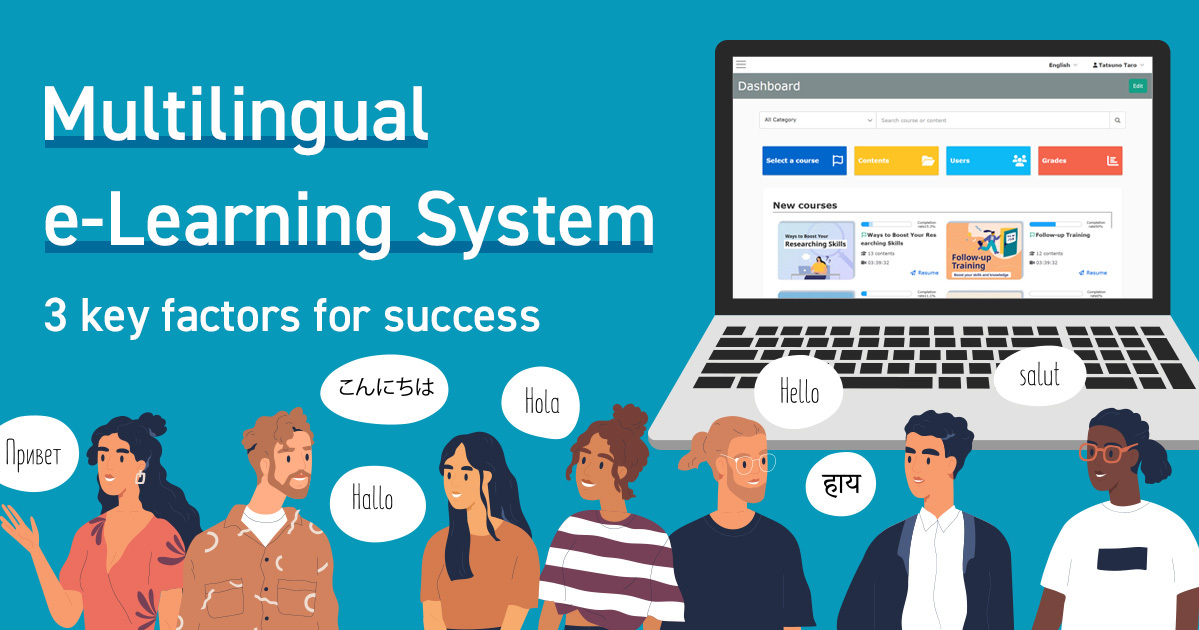
Multilingual e-Learning System | 3 Key Factors for Success

As globalization continues to advance, "multilingual e-learning" has become an unavoidable issue in in-house training and education. However, there are many hurdles to overcome when introducing an e-learning system, such as language barriers, increased man-hours required to create teaching materials, and costs. In this article, we will explain how to choose a multilingual e-learning system that will not fail from the point of view of a person in charge of the field, along with actual case studies and key points to keep in mind. Challenges faced when implementing an e-learning multilingual system When promoting a multilingual e-learning system, corporate human resources and education staff face a variety of challenges. Typical issues include a lack of understanding due to students taking courses in languages other than their native tongue, difficulty for on-site personnel in creating multilingual materials, and increased costs and man-hours associated with translation and system operation. If left unchecked, these issues can lead to a decline in course participation rates and quality of education, as well as an increase in workload. This section details the major issues that require special attention when implementing a multilingual e-learning system. Lack of Understanding Due to Language Barriers In an environment with a multinational workforce, there is a risk of poor understanding if course materials are limited to a few languages. For example, training materials provided only in Japanese can significantly reduce the level of understanding among foreign employees. The operation must include language support, with an awareness of improving the level of understanding of the participants. Difficulty in creating multilingual training materials In the field of training material creation, the burden of dealing with multiple languages is significant. In particular, HR personnel who do not have specialized knowledge must spend additional man-hours translating and adjusting layouts in order to create and manage educational materials in multiple languages. Making educational materials available in multiple languages requires ingenuity both in terms of operation and efficiency. Increased Cost and Time One of the biggest barriers to implementing a multilingual e-learning system is the increased cost and time involved. In addition to the cost of translation, the time and effort required to revise and update each course material, and the complexity of system setup are expected to increase. In order to solve the issues of increased costs and man-hours, it is essential to design a system that supports multiple languages from the beginning and introduce efficient management methods. If you are not sure which system is best for your company, please take advantage of this white paper summarizing the key points of global human resources training. Download Now Back to Table of Contents 3 Important Points to Avoid Failure in Selecting Multilingual E-Learning For corporate HR and education personnel, it is essential to develop global human resources and efficiently deploy multinational training programs to employees. For HR and education professionals, the selection of a multilingual e-learning system is critical to efficiently and effectively develop global human resources and deploy training programs to multinational employees. Since it directly affects operational efficiency and costs, this chapter provides specific information on three points that you must keep in mind to avoid making mistakes. 1. Abundance of languages supported When considering the introduction of a multilingual e-learning system, the first thing to look at is the "abundance of languages supported. Companies that are expanding globally or have a large number of non-Japanese employees require support for a variety of languages, including English, Chinese, Vietnamese, and Spanish. Before introducing a system, make sure that it has the languages your company actually needs and that the operation screen is intuitive enough for learners who are not familiar with online learning screens to use. 2. Simplicity of operation Operability is a key point that directly affects the rate of continuous use and learning effectiveness of an e-learning system. Complex operations and multi-level menus can be a major obstacle, especially for those who are not familiar with IT, such as on-site personnel and trainees. The following points should be confirmed in advance Are the management screens and buttons intuitive and easy to understand? Is there a solid manual and support system? Check these points in advance to prevent confusion and problems after implementation. Cost performance is the biggest concern when selecting a multilingual e-learning system. In addition to the initial cost and monthly usage fee, make a comprehensive comparison of the cost per account, additional costs required for creating and operating teaching materials, and support and customization costs. Check itemsInitial and monthly/annual feesComprehensive comparison of implementation and operation costsAccount unit price and additional costsConfirm the number of users and data capacityScalability (scalability)Flexibility to handle increases or decreases in the number of users and teaching materialsSupport and customization costsConsider the quality of after-sales support. In particular, the multilingual e-learning system "learningBOX," which is available free of charge for an unlimited period for up to 10 accounts and from 5,500 yen per month (tax included) for 100 accounts, is very attractive because it is multifunctional and allows users without specialized IT skills and knowledge to easily create online teaching materials. The system's multilingual interface, intuitive operability, AI-assisted automatic generation of teaching materials, and e-commerce functionality allow flexible use regardless of the size of the company or the intended purpose. For more information, see: https://learningbox.online/ Back to Table of Contents learningBOX streamlines and reduces costs for multilingual e-learning operations For corporate human resources and education staff, operating a multilingual e-learning system is an important topic that requires efficiency and cost reduction. LearningBOX is attracting attention as a multifunctional e-learning system that can be used intuitively without advanced IT knowledge. Here, we will explain the advantages of this service for multilingual operations, focusing on specific points. Easy language switching. learningBOX is equipped with a multilingual interface display function (18 languages supported), allowing users to switch between languages with a single click from each user's screen. This makes it easy to train teams with different nationalities and language backgrounds, even if employees or trainees use mother tongues other than Japanese. One-click language switching enables multilingual operation without complicated settings or additional costs. However, learningBOX removes the cost barrier by offering up to 10 accounts free of charge for an unlimited period of time and 100 accounts for as little as 5,500 yen per month (tax included). Features (as of November 2025)FeeFree for up to 10 accounts, 5,500 yen/month for 100 accounts (tax included)Multilingual interfaceMultilingual interface (18 languages supported), each user can select the language to be displayedThe "learningBOX" e-learning system combines intuitive operability and multiple functions at a The e-learning system "learningBOX" combines intuitive operability and multiple functions at a low price. It is a service that allows users without a high level of IT expertise to simultaneously improve operational efficiency and reduce costs by supporting multiple languages. For details and a free trial, please refer to the official website (https://learningbox.online/). Smooth operation Corporate e-learning operations involve many tasks, such as creating teaching materials, course management, and progress tracking. learningBOX supports a variety of teaching material formats, including PDFs, videos, and quizzes, and can automatically generate teaching materials and tests with its AI-assist function. Furthermore, group management and progress tallying can be performed in a centralized manner, reducing the burden of complicated management tasks and making them much smoother. Multifunctional and Flexible learningBOX is equipped with a wide range of functions, including AI assist, certificate issuance, SCORM support, and anti-fraud measures. It can even cover sales of educational materials, external collaboration, and security measures, allowing for flexible operation according to the size of the company and the content of the education. LearningBOX is easy to use, even for IT novices. LearningBOX features an intuitive UI design that requires no advanced IT knowledge. We offer free trials and operation support services. By introducing multilingual e-learning systems, companies are solving a variety of problems, such as improving the efficiency of training operations, accepting foreign personnel, and reducing the workload of teachers. Here we introduce two case studies of organizations that have actually implemented learningBOX. By looking specifically at the background of each company/organization's decision to introduce LearningBOX and the effects it has had, you will be able to gain hints on how to solve your own issues. Efficiently educate and manage foreign human resources with specific skills using learningBOX → Click here for a case study of ONODERA USER RUN Co. When selecting a multilingual e-learning system, on-site personnel are often concerned about which service to choose to avoid mistakes. There are a wide range of points to compare, including the functions, cost, and actual ease of use of each service. Especially in the case of corporate training and multi-site operation, it is not uncommon to hear comments such as "the number of supported languages was unexpectedly small," "operation was difficult," or "support was inadequate" after introduction. In this issue, we will explain three action plans that should be checked in advance to avoid making a mistake in the selection process. 1. Check the languages supported in advance In the initial stage of selecting a system, be sure to check the types of languages supported. If, after the system has been introduced, it is found that the system does not support the required language, it will cause a major operational problem. In fact, companies with multinational personnel are increasingly requiring not only Japanese and English, but also Chinese, Vietnamese, Spanish, and other languages. It is advisable to check the list of supported languages on the official website or catalog of each service, and if there are any unclear points, contact the company directly. It is difficult to understand the actual operability and usability of a multilingual e-learning system just from the materials and screen images. If a service offers a free trial, you can test the creation of teaching materials, language switching, and course management in an actual environment before introducing the system. During the trial period, on-site personnel and administrators can actually operate the system, focusing on whether it matches their company's requirements and whether even staff unfamiliar with IT can use it without hesitation. In particular, multilingual display and easy-to-understand UI are important points that can only be grasped through actual experience. 3.Check the support system In the operation of a multilingual e-learning system, support for initial setup and troubleshooting is essential. To determine the quality of the support system, compare the availability of a dedicated support desk, the languages supported, the quality of FAQs and manuals, and the availability of operation services. Also, case studies and word-of-mouth reviews of companies that have implemented the system can be helpful. If the support is well provided, you can continue to operate the system with peace of mind in the event of any problems. Back to Table of Contents Conclusion When selecting an e-learning system that supports multiple languages, it is important to focus on the abundance of supported languages, operability, and cost performance in order to overcome issues such as language barriers, labor for creating teaching materials, and increased costs. With learningBOX, the interface is available in 18 languages, and even those without advanced IT knowledge can intuitively create and manage teaching materials. Actual case studies have reported many positive results, including reduced workload for HR and education staff, improved quality of training, increased responsiveness to foreign personnel, and reduced man-hours. Let's start by taking advantage of our free plans and implementation support to realize a fail-proof multilingual e-learning system. For more details, please see the service details page. Please feel free to contact us about considering and introducing learningBOX Contact Form We offer free materials to help you consider the introduction of a multilingual training management system Download Materials Back to Table of Contents

How to Use the IT Implementation Subsidy 2025 for an e-Learning System

In 2025, as digital transformation accelerates, workforce development and operational efficiency have become critical management challenges for small and medium-sized enterprises (SMEs). Amid calls for work-style reform, addressing labor shortages, and improving productivity, the adoption of e-learning systems utilizing the “IT Introduction Subsidy 2025” is gaining attention. While implementing e-learning is an effective way to improve operational efficiency and advance work-style reform, many companies hesitate to adopt it due to concerns such as “cost being a barrier” or “uncertainty about whether the system will be used effectively even after implementation.” Therefore, this article provides a clear and easy-to-understand explanation of the “IT Introduction Subsidy 2025,” covering everything from its overview and schedule to the main changes from the 2024 fiscal year, as well as the application procedures for introducing e-learning using the subsidy. In addition, we will introduce the IT tools (e-learning systems) eligible for the “IT Introduction Subsidy 2025.” We encourage small and medium-sized business owners, as well as HR and general affairs managers, who are considering introducing IT tools using the “IT Introduction Subsidy 2025” to use this article as a reference. [Article Supervised by: Osami Suda, Certified Social Insurance and Labor Consultant, sumac Co., Ltd.] *The content of this article is current as of May 2025. Please check the website of the Secretariat for the “Subsidy for IT Introduction to Improve Productivity of Services, etc.” (“IT Introduction Subsidy 2025”) for the latest program overview and requirements. The period during which you can receive the IT Introduction Subsidy is limited. We’ll explain learningBOX’s features, costs, and implementation process. Schedule a consultation on implementation using the IT Introduction Subsidy. What is the “IT Introduction Subsidy 2025”? The IT Introduction Subsidy is a government program that subsidizes a portion of the costs incurred by small and medium-sized enterprises (SMEs) and small businesses when introducing IT tools. Here, we explain the program overview, changes to the IT Introduction Subsidy for 2025, and eligible businesses. Overview of the “IT Introduction Subsidy 2025” The IT Introduction Subsidy is a program designed to support the introduction of IT tools (such as software and services) to improve operational efficiency and promote digital transformation (DX), with the aim of enhancing labor productivity for small and medium-sized enterprises and small-scale businesses. IT tools (such as software and services) eligible for the “IT Introduction Subsidy 2025” are limited to those that have undergone prior review by the secretariat and are registered and published on the official website (excluding the Multi-Company Collaboration IT Introduction Category). SMEs, small-scale businesses, and other applicants wishing to apply for the grant must form a partnership with an “IT Implementation Support Provider” registered with the IT Implementation Grant Secretariat and submit their application jointly (excluding the Multi-Company Collaboration IT Implementation Category). Businesses Eligible for the “IT Introduction Subsidy 2025” Eligible applicants are small and medium-sized enterprises (SMEs) and small-scale businesses (including sole proprietors) whose capital stock and number of regularly employed employees fall below certain thresholds. Please refer to the table below for the scope of SMEs and small-scale businesses eligible for the “IT Introduction Subsidy 2025.” Small and Medium-Sized Enterprises (SMEs) (Includes service industries such as food and beverage, lodging, wholesale and retail, transportation, healthcare, nursing care, and childcare, as well as manufacturing and construction) Industry Classification Capital (Amount of capital or total investment) Employees (Permanently employed employees*1) Manufacturing (excluding rubber product manufacturing), Construction, Transportation 300 million yen or less 300 or fewer employees Wholesale Trade 100 million yen or less 100 or fewer employees Service Industries (excluding software, information processing services, and lodging) 50 million yen or less; 100 or fewer employees; Retail: 50 million yen or less; 50 or fewer employees; Rubber product manufacturing (*2) 300 million yen or less; 900 or fewer employees Software Industry, Information Processing Services Industry: 300 million yen or less; 300 or fewer employees Hotel Industry: 50 million yen or less; 200 or fewer employees Industries other than those listed above: 300 million yen or less; 300 or fewer employees (*1) “Regularly employed employees” refers to those defined in Article 20 of the Labor Standards Act as “persons for whom advance notice of dismissal is required” (*2) Excluding manufacturers of tires and tubes for automobiles or aircraft, as well as manufacturers of industrial belts. In addition, medical corporations, social welfare corporations, school corporations, small and medium-sized enterprise associations, foundations, incorporated associations, and specified nonprofit organizations are also eligible if they meet the requirements (for corporations without capital, eligibility is determined by the number of employees being below the specified threshold). For further details, such as the definition of small-scale businesses, please refer to the “Eligible Applicants” section on the website of the Secretariat for the “Subsidy for IT Introduction to Improve Productivity in Services, etc.” (IT Introduction Subsidy 2025). Application Categories for the “IT Introduction Subsidy 2025” There are five application categories for the “IT Introduction Subsidy 2025”: Standard Category: Introduces IT tools suited to the company’s specific challenges to support improvements in labor productivity. Invoice Category (Invoice Compliance Type): Introduces software, PCs, hardware, etc., with “accounting,” “order processing,” and “payment” functions compatible with the invoice system to support compliance with the invoice system. Invoice Category (Electronic Transactions Category): Projects that introduce software with “order processing” functions compatible with the invoice system to support improvements in labor productivity and compliance with the invoice system. Security Measures Promotion Category: Projects aimed at addressing potential risks associated with the increase in cyberattacks, and to support various risk mitigation measures related to cyber incidents. Multi-Company Collaborative IT Implementation Category: Supports initiatives in which multiple small and medium-sized enterprises (SMEs) and small-scale businesses—such as those within supply chains or commercial clusters—collaborate to implement IT tools to improve productivity. [Reference] Secretariat for the “Subsidy for IT Implementation to Improve Productivity in Services, etc.” (IT Implementation Subsidy 2025), “IT Implementation Subsidy 2025”; Changes to the “IT Implementation Subsidy 2025” and Maximum Subsidy Limits and Amounts: The following changes have been made to the “IT Implementation Subsidy 2025”: Implementation-related expenses under the Standard Category, Multi-Company Collaboration IT Implementation Category, and Invoice Category (Invoice Compliance Type) are now eligible for subsidies, and the subsidy rate and amount for the Security Measures Promotion Category have also been expanded. Change Point 1: Expansion of Eligible Expenses (Standard Category, Multi-Company Collaboration IT Implementation Category, Invoice Category and Invoice Compliance Type) “Utilization support” after implementation—such as costs for IT tool maintenance and support, or manual creation—which promotes the adoption of IT, is now also eligible. Change Point 2: Changes to Subsidy Amounts and Rates (Security Measures Promotion Category) Under the “IT Introduction Subsidy 2025,” the maximum subsidy amount has been increased from 1 million yen to 1.5 million yen. Additionally, the subsidy rate for small-scale businesses has been raised from 1/2 to 2/3. Change Point 3: Change in Subsidy Rate for Businesses Paying Wages Near the Minimum Wage (Standard Category) Starting with the “IT Introduction Subsidy 2025,” the subsidy rate for small and medium-sized enterprises (SMEs) that meet the following conditions will be increased from 1/2 to 2/3. Businesses that can demonstrate that 30% or more of their total workforce consists of employees who have been employed for three months or longer at a wage within 50 yen of the regional minimum wage. For information on the maximum subsidy limits and subsidy amounts for each application category under the “IT Introduction Subsidy 2025,” please refer to “To Those Aiming to Improve Productivity” (Small and Medium Enterprise Agency, as of March Reiwa 7). We’ll handle your entire grant application process for you. We’ll explain learningBOX’s features, costs, and implementation process. Schedule a consultation on implementation using the IT Introduction Subsidy. Return to Table of Contents E-learning systems are eligible for subsidies under the “IT Introduction Subsidy 2025.” IT tools eligible for the “IT Introduction Subsidy” are primarily those that contribute to “business process improvement” and “operational efficiency.” Since e-learning systems and LMS (Learning Management Systems) directly contribute to streamlining employee training and improving the quality of talent development, many applications for these systems have been approved. About IT Tools Eligible for the “IT Introduction Subsidy 2025” For details on the IT tools (software, services, etc.) eligible under each of the five application categories, please check the relevant page on the Secretariat’s website via the link below. ・ General Category ・ Invoice Category (Invoice Compliance Type) ・ Invoice Category (Electronic Transactions Type)・ Security Measures Promotion Category・ Multi-Company Collaboration IT Implementation Category Explanation of the “General Category,” Which Covers e-Learning Systems Here, we will explain in detail the “General Category”—one of the five categories—which covers “e-learning systems.” Examples of eligible “e-learning systems” include LMS (Learning Management Systems), educational management systems, online training platforms, and internal training content distribution systems. The “Standard Category” of the “IT Introduction Subsidy 2025” supports small and medium-sized enterprises (SMEs) and small-scale businesses by subsidizing a portion of the expenses incurred in introducing IT tools tailored to their specific challenges and needs, thereby helping to improve labor productivity. The subsidy rate and amount are as follows. The subsidy amount varies depending on the number of processes (business steps). Subsidy Amount 50,000 yen to less than 1.5 million yen 1.5 million yen to 4.5 million yen or less Functional Requirements 1 or more processes 4 or more processes Subsidy Rate Up to 1/2* Up to 2/3 if it is demonstrated that 30 percent or more of all employees have been employed for at least 3 months at a wage of no more than the regional minimum wage plus 50 yen Eligible Expenses Software purchase costs, cloud service fees (up to 2 years’ worth of cloud service fees), Implementation-Related Expenses: Based on the concept of introducing IT tools to improve operational efficiency and promote digital transformation (DX), implementation-related expenses are eligible in addition to software purchase costs and cloud service fees (for up to two years). Implementation-related expenses include costs for maintenance support and manual creation; starting in 2025, “utilization consulting” provided after implementation to promote the adoption of IT tools is also eligible. Please refer to the figure below. Additionally, IT tools must be software that supports at least one of the business processes shown in the figure below (software supporting only generic processes is not eligible). Category P Code Process Name Business Process Common Process P-01 Customer Service and Sales Support P-02 Payments, Accounts Receivable/Payable, and Collections P-03 Supply, Inventory, and Logistics P-04 Accounting, Finance, and Management P-05 General Affairs, Human Resources, Payroll, Labor Relations, Education and Training, Legal Affairs, IT Systems, and Integrated Operations Industry-Specific Processes P-06 Industry-Specific Processes General-Purpose Processes (Cannot be used on their own) P-07 General-Purpose, Automation, and Analysis Tools (Dedicated software not limited to specific industries or business functions, but recognized for contributing to productivity improvement) For details on the “Standard Category,” please refer to the “IT Introduction Subsidy 2025 Application Guidelines (Standard Category)” published by the Secretariat of the “Subsidy for IT Introduction to Improve Productivity of Services, etc.” (IT Introduction Subsidy 2025). Support from an “IT Implementation Support Provider” is required to apply for the subsidy. To apply for the “IT Implementation Subsidy,” the eligible company and the vendor providing the IT tool (IT Implementation Support Provider) must submit the application jointly. Furthermore, only IT tools that have been registered and certified by an IT Implementation Support Provider are eligible for application and subsidy. You can search for “IT Implementation Support Providers and IT Tools” that have been approved by the Secretariat under the “IT Implementation Subsidy 2025” using the “IT Tool and IT Implementation Support Provider Search” feature on the Secretariat’s website for the “Subsidy for IT Implementation Support to Improve Productivity of Services, etc.” (IT Implementation Subsidy 2025). When considering the implementation of a system that aligns with the objectives of the “IT Introduction Subsidy,” be sure to verify that the IT tool in question is eligible for the subsidy. We recommend selecting a partner (IT Implementation Support Provider) that has a robust support system in place to assist you thoroughly, from the application process to reporting requirements. Back to Table of Contents: If You’re Introducing an e-Learning System Through the “IT Introduction Subsidy 2025,” Choose “learningBOX” learningBOX Co., Ltd., which develops and operates the e-learning system “learningBOX,” has been selected as an IT implementation support provider under the “IT Introduction Subsidy 2025.” You can apply for the grant by utilizing the “Standard Category.” “learningBOX” is certified as an eligible tool under the [IT Introduction Subsidy 2025]. As an IT implementation support provider, learningBOX Co., Ltd. offers comprehensive support—from initial consultations to the preparation and submission of application documents, and through post-implementation reporting. With extensive experience in implementing solutions for small and medium-sized enterprises, we can provide proposals tailored to your specific on-site challenges. For administrative procedures, we partner with a specialized social insurance and labor consultant firm to provide services, ensuring a system that even first-time users can utilize with confidence. Eligible Expenses: License fees (software usage fees) for “learningBOX”—an IT tool approved under this program—as well as various paid options and implementation-related costs, including “Implementation Support,” “Operational Support,” and “Maintenance Support,” are eligible for subsidies. Please refer to the “Pricing Page” for details on “learningBOX” license fees and paid options. We offer free simulations to help you determine the amount of subsidy you may receive, as well as to explore license configurations and support scopes tailored to your needs. Please contact us using the information below. The period during which you can receive the IT Implementation Subsidy is limited. Please feel free to contact us regarding “learningBOX” implementation costs and other matters. Request a Free Simulation What the “learningBOX” e-learning system can achieve The “learningBOX” e-learning system features an intuitive UI/UX, allowing even those without specialized IT knowledge to easily create and manage learning materials, manage members, and save and view grades. It is a Japanese-developed system with a proven track record of over 700,000 registered users and more than 1,500 client companies (as of the end of March 2025). Not only does it reduce the time and costs associated with training administration, but users also experience benefits such as standardized training quality and the visualization and quantitative evaluation of learning outcomes. Benefits of Implementing the “learningBOX” e-Learning System: Reducing Time and Costs in Training Operations At companies—primarily publicly traded firms—that assist with the preparation and disclosure of statutory documents, replacing their existing e-learning system reduced the time spent verifying uncompleted courses by 97%. In addition, internal data shows that the administration of compliance training was reduced by 60 hours, resulting in cost savings of approximately 1.5 million yen. → Click here for the ProNexus Co., Ltd. case study. Front-desk Support Tasks Reduced by 44% At a risk consulting firm, the implementation of the “learningBOX” e-learning system reduced front-desk support tasks by 44%. Furthermore, the company has achieved operational efficiency gains, including a reduction in operational workload. → Click here for the case study of Tokio Marine DR Co., Ltd. Case Studies of “learningBOX” in Use by Small and Medium-Sized Enterprises The e-learning system “learningBOX” is used by many small and medium-sized enterprises and small businesses across all industries and sectors for employee training, training management, recruitment and promotion exams, knowledge sharing, and more. Digitizing Training Materials Reduces Administrative Workload and Expenses → Click here for the case study of Hareyaka Japan Co., Ltd. You can view other case studies on the use of the “learningBOX” e-learning system on the “Case Studies” page. Process from Application to Grant Award for the “IT Introduction Subsidy 2025” The application process is as follows. learningBOX, an IT introduction support provider, will assist you with the subsidy application procedures. ① Selecting an IT Tool: Determine the learningBOX implementation plan. Based on a consultation, we will propose a “learningBOX” license configuration and scope of support tailored to your needs. We will also simulate the implementation schedule and the subsidy amount. (Please refer to the “Pricing Table” for details on the “learningBOX” e-learning system plans.) ② Obtain “G-Biz ID” Prime “G-Biz ID” is a service provided by the Ministry of Economy, Trade and Industry (METI) that allows you to log in to various government services using a single ID. Since this is a requirement for the grant application, please register via the “G-Biz ID Official Website.” ③ Submitting the “SECURITY ACTION” Declaration You must submit a “SECURITY ACTION” declaration administered by the Information-technology Promotion Agency (IPA). This is a system where you self-declare your commitment to information security measures; the requirement is to declare either “★ One Star” or “★★ Two Stars.” ④ Submit the Grant Application (Joint Preparation) Applying for the grant requires the preparation of a business plan and other documents. learningBOX will assist you in preparing each document. Once you receive an invitation to the “Application My Page” from learningBOX, please enter the applicant’s basic information, such as the representative’s name. Please enter the information and attach the documents required for the grant application. learningBOX will enter the details of the IT tools to be implemented. After final confirmation of the entered information on the “Application My Page,” please take the oath regarding the application and submit it to the secretariat. ⑤ Grant Approval and Implementation of learningBOX Once the grant is approved, you will implement “learningBOX.” Please note that if you sign a contract or place an order before receiving the grant approval notification, you will not be eligible to receive the grant. ⑥ Reporting on Project Results After implementing the product, you will be required to submit a performance report. learningBOX will also assist you with this process. If you have any questions about the grant or learningBOX, please feel free to contact us. Go to the Contact Form [Reference] “Grant for IT Introduction to Improve Productivity of Services, etc.” (IT Introduction Grant 2025) Secretariat, “Details on New Applications and Procedures” Return to Table of Contents “IT Introduction Subsidy 2025” Application Schedule and Important Notes Here, we outline the application schedule and important points to note when applying for the “IT Introduction Subsidy 2025.” Since some steps—such as gathering the information to be entered—can be time-consuming, please plan your preparations carefully. Application Period for the “IT Introduction Subsidy 2025” (Standard Category) The latest application schedule for the 2025 IT Introduction Subsidy (Standard Category) is as follows. The schedule has been finalized through the 5th deadline. 3rd Deadline: Deadline – July 18, 2025 (Fri) at 5:00 PM; Grant Decision Date – September 2, 2025 (Tue) (tentative); Project Implementation Period – From the date of grant decision until February 27, 2026 (Fri) at 5:00 PM (tentative) Project Performance Report Deadline: Friday, February 27, 2026, at 5:00 PM (tentative) 4th Deadline: Application Deadline: Wednesday, August 20, 2025, at 5:00 PM Grant Approval Date: Tuesday, September 30, 2025 (Tentative) Project Implementation Period: From Grant Approval to 5:00 PM on Tuesday, March 31, 2026 (Tentative) Project Performance Report Deadline: Tuesday, March 31, 2026, at 5:00 PM (tentative) 5th Round Deadline: Monday, September 22, 2025, at 5:00 PM Grant Award Date: Friday, October 31, 2025 (tentative) Project Implementation Period: From grant approval to 5:00 PM on Thursday, April 30, 2026 (tentative) Project Performance Report Deadline: 5:00 PM on Thursday, April 30, 2026 (tentative) Since applications were accepted up to the “7th Deadline” in FY2024, please check the “Project Schedule” on the Secretariat’s website for the “Subsidy for IT Introduction to Improve Productivity of Services, etc.” (IT Introduction Subsidy 2025) for the latest information. Important Notes for Applying for the “IT Introduction Subsidy 2025” Start Preparations Early Some steps, such as obtaining a “G-Biz ID” Prime account or making a “SECURITY ACTION” declaration, take time to complete. To avoid the risk of missing the application deadline, please begin preparations well in advance. Be Sure to Check Eligibility and Application Requirements: Upgrades to existing tools and the use of “IT Implementation Support Providers” that are not eligible for the subsidy are not covered. Additionally, contracts or payments made before a grant decision is issued are not permitted. Be sure to check the latest application guidelines and official information. Be mindful of incomplete or missing information in your application documents. Incomplete or missing information can lead to your application being rejected. Work closely with your IT vendor (IT implementation support provider) to carefully review all required documents and their contents. In particular, it is crucial that your business plan be specific and include numerical data. Do not forget your reporting obligations after implementation. Once the grant is awarded, you are required to report on the implementation results and effects. Be sure to properly manage the necessary documents and data—such as the status of achieving improvement goals—even after implementation, and establish a system to ensure reports are submitted by the deadline. Early preparation and systematic planning are essential for a successful application for the “IT Implementation Grant 2025.” It typically takes about two weeks to obtain a “G-Biz ID” Prime account, so we recommend that companies considering an application begin registering for an account while simultaneously selecting their IT tools. Please also refer to the “Guide to Grant Applications” issued by the Secretariat for the IT Introduction Support Project for Service Productivity Improvement. A Quick Tip from the Editor: The FY2025 IT Introduction Subsidy offers greater benefits for businesses, with expanded eligible expenses and an increased subsidy rate. On the other hand, the screening process has become stricter than last year, and the application rules have been defined in greater detail. Compared to previous IT Introduction Subsidy programs, it is now crucial to clearly communicate to the review panel why a specific IT tool is necessary and what benefits are expected from its implementation. Be sure to keep this in mind when submitting your plan application. Return to Table of Contents Summary The “2025 Wall” lies behind the implementation of the IT Introduction Subsidy. Issues such as the aging of legacy systems, a shortage of IT talent, and stagnation in digital transformation (DX) have been raised. Against this backdrop, the implementation of e-learning systems is a key factor for small and medium-sized enterprises (SMEs) in achieving workforce development and operational efficiency. By utilizing the “IT Introduction Subsidy 2025,” it is possible to implement the latest educational DX while keeping costs down. Why not take your company’s talent development and operational efficiency to the next level through early preparation and collaboration with a trusted IT vendor (IT implementation support provider)? With the combination of the “IT Introduction Subsidy 2025” and “learningBOX,” we provide one-stop support from application to implementation and operation. Please feel free to contact us. We handle everything from application to post-implementation support with no upfront fees and a success-based fee structure. IT Introduction Subsidy Consultation: If you’re in a hurry, you can sign up for a web meeting right away. Schedule a meeting ▼ Also Recommended! Related Articles Return to Table of Contents

blog

Elearning Challenges & Solutions

人材教育や社員研修をオンライン化できる仕組みとして、企業ではeラーニングの導入が進んでいます。新型コロナウイルスの流行により、対面型の集合研修を行いにくくなり、さらに需要が増しているのが現状です。 そこで今回は、eラーニングの導入によって期待できる効果や注意点、企業の成功事例などを解説します。学習効果を向上させるためのポイントにも触れますので、新しくeラーニングを導入する場合はもちろん、既存システムの活用方法にお悩みの場合もぜひ参考にしてみてください 。 eラーニングの導入効果と注意点 eラーニングは、インターネットを利用したオンラインでの学習形態です。企業では、社員のスキルアップを目的とした学習や、人材育成のための社員研修などに活用されています。こちらでは、eラーニングの導入効果と教育効果を高めるうえでの注意点を解説します。 eラーニングの導入で期待できる効果 eラーニングの導入で期待できる効果 管理者 ・ コスト削減が期待できる ・ 学習者の進捗や成績、出席情報を一元管理できる ・ 教材の修正や最新内容へのアップデートが行いやすい ・ 学習者ごとに適切な学習教材を提供しやすい 学習者 ・ 分からない部分を何度でも復習できる ・ 場所や時間の制約が少なくなる ・ 学習の進捗状況や理解度を把握しやすい ・ マルチデバイス対応によって手軽に取り組みやすい eラーニングを導入すると、集合研修と比較して企業側は、会場や講師の準備に必要な費用、コンテンツ制作にかかる手間を大幅に削減できる可能性があります。そのため、対面が必要な従来型の研修にかわって注目が集まっています。 学習者視点では時間や場所、デバイスの制約が少ないため、手軽に取り組みやすくなる効果が期待できるでしょう。学習機会の均等化につながり、研修に対する満足度の向上や積極的な受講による知識の定着が見込めます。勤務時間が不規則な方に向けた研修や、内定者向けの新入社員研修にも活用されています。 eラーニングの導入効果を最大化させるうえでの注意点 eラーニングの導入効果を最大化させるうえでの注意点と対応策の例 注意点 対応策の例 学習者のモチベーション管理に苦戦しやすい ・ 成績上位者のランキング表示 ・ 学習進捗度に応じたバッジ・認定証の作成 ・ 動画やアニメーションを活用した教材の用意 ・ スキマ時間を活用しやすい短時間で学習できる教材の作成 学習環境の整備も欠かせない ・ スマホやタブレットなどの端末対応 ・ 資料や動画教材のダウンロードシステムの整備(オフライン視聴) 実技を伴う学習には向いていない ・ 研修内容に応じたeラーニングと集合研修やOJTとの使い分け ・ Webカメラやマイクを活用したライブ配信の実施 導入や制作に一定の知識が求められる ・ eラーニングシステムの提供事業者による導入サポートや代行サービスの活用 ・ 簡単な操作で教材やドリルを作成できるシステムの選択 質疑応答などのやりとりが難しい ・ 匿名で書き込める掲示板の設置 ・ 管理者側からの積極的なフィードバックの実施 ・ アンケート機能の活用 学習者同士のコミュニケーションを図りにくい ・学習者コミュニティの運営 ・ チャット機能や学習履歴の共有機能があるeラーニングシステムの導入 初期費用や月額費用がかかる ・ 無料で利用が可能なeラーニングシステムの選択 ・ お試しプランの活用 自社に合った研修が作れるか ・ 学習目標の明確化 ・ オリジナル教材の作成が可能なeラーニングシステムの導入 eラーニングは集合研修に比べて強制力が弱くなりやすく、学習者の自主性が求められるため、モチベーションの維持に苦戦するケースがあります。また、時間や場所にとらわれずに学べることから、集中力の低下も懸念されます。 主な対応策としては、ゲーミフィケーション要素を取り入れることで、学習を楽しみやすくする手法が効果的です。具体的には、成績上位者のランキング表示や学習状況に応じたバッジ・認定証の作成などが挙げられます。 またeラーニングは指導者と学習者、学習者同士のコミュニケーションの機会を作りにくい側面があります。質疑応答や意見交換が生まれにくいため、集団による相乗効果が期待できなくなる恐れもあります。気軽に質問ができる掲示板や社内SNSを活用し、コミュニケーションが取りやすい環境を用意しておくのがおすすめです。 目次に戻る eラーニングの導入効果を高めるポイント eラーニングを社員教育に活用する場合、どのような点を意識すれば良いのでしょうか。続いては、eラーニングの学習効果を高めるためのポイントをご紹介します。 実践的な研修と組み合わせる 企業研修にeラーニングを取り入れる場合は、eラーニングでインプットした内容をアウトプットできる機会を用意するのが効果的です。例えばビジネスマナー研修の場合、新入社員同士や上司とのロールプレイングやディスカッションを行うことで、学習内容の確認ができ知識の定着に役立ちます。 受講に関するルールや仕組みを整備する eラーニングの効果を最大化するには、学習者の不利益にならないルールや仕組みを整えることも大切です。例えば受講が必須の場合は「就業時間内で実施すること」「22時以降に実施する場合は深夜労働手当を支払う」などのルールを設けると良いでしょう。 受講が任意の場合は「受講しなくても人事評価に影響しないこと」などのルールを用意する必要があります。 学習者の習熟度に応じたフォローアップを行う 多くのeラーニングシステムには、理解度を確認するテスト機能や学習状況の可視化機能などが搭載されています。管理者側はこうした機能を活用し、学習者一人ひとりの習熟度に応じたフィードバックやフォローアップを行うことが重要です。 目次に戻る eラーニングを効果的に運用している成功事例 新型コロナウイルスの影響によって、いつでもどこでも講義を受けられるeラーニングの導入を検討する企業が増えています。そこで最後に、eラーニングの導入に欠かせないLMS(学習管理システム)を利用した成功事例をご紹介します。 株式会社NTTマーケティングアクトProCX 株式会社NTTマーケティングアクトProCXでは、主にスタッフの販売スキルやコンプライアンスの知識を付与する目的でLMS(学習管理システム)の「learningBOX」を導入しました。コンプライアンスや重要な周知事項に関するテストを全スタッフに受講させ、その結果を分析して指導内容の改善に役立てています。 そのほかには、メール設定の機能を活用することで、重要事項を現場へ周知するスピードの向上なども実感されています。 学校法人 北陸学園 学校法人北陸学園では新型コロナウイルスの流行を機に、オンライン授業を行うためのツールとしてLMS(学習管理システム)の「learningBOX」を導入しました。授業後はテストを実施し、問題の正誤だけでなく取り組み時間も含めて分析することで、学生の指導に活用しています。 また、学習面以外では印刷コストの大幅な削減や、お知らせ機能の活用によるスピーディーな情報の共有も実現しており、業務効率化につながっています。 目次に戻る eラーニングの導入効果を理解して自社の運用に活用しよう 今回はeラーニングの導入効果や注意点、実際にeラーニングを導入されている企業の事例を紹介しました。eラーニングは、動画コンテンツを活用した高い学習効果や、時間や場所を選ばずに学習できる手軽さから、企業における人材教育のためのツールとして普及しています。eラーニングの導入効果を確認し注意点を踏まえたうえで、自社の課題に応じて導入してみてはいかがでしょうか。 eラーニングの効果を高めるためのサービスをお探しの場合は「learningBOX」がおすすめです。learningBOXは教材の作成や配布、採点、学習履歴の管理などeラーニングの実施に必要な機能が揃ったeラーニングシステムです。 10アカウントまでなら無期限・無料でほぼすべての機能がご利用いただけるフリープランも用意していますので、ぜひお気軽にお問い合わせください。 ▼こちらもおすすめ!あわせて読みたい 目次に戻る
blog

5 Benefits of Elearning in Employee Onboarding

新人研修は、新入社員を対象に働く上での心構えや知識、スキルの習得を促すための指導・教育を行う研修です。学生から社会人への意識改革に重要なプロセスではあるものの、十分な効果を実感できていない企業も少なくありません。 そこでおすすめするのがeラーニングの活用です。今回は、eラーニングを使った新人研修が注目されている理由や実施のメリット、注意点や対策について解説します。 eラーニングの新人研修が注目されている背景 新人研修におけるeラーニング活用の需要は、多くの企業で高まっています。eラーニング戦略研究所の調査結果によると、新人研修におけるeラーニングの導入率は2018年から2021年にかけておよそ1.9倍ほど増加していることが分かります。 【参考】 「新人研修に関する調査報告書(2021年度)」(eラーニング戦略研究所) eラーニングの導入率が高まっている理由の一つには、新型コロナウイルス感染症の拡大によって、対面が必要な集合研修が難しくなった点が挙げられます。テレワークや時差出勤を導入している企業も多い中、非接触で新人研修を実施したいニーズと、eラーニングの特性がマッチしているためです。 また、スマートフォンやタブレット端末などの利用が浸透している点も要因と考えられます。eラーニングでは、管理者が学習管理システム(LMS)を使って講座を配信すれば、学習者は場所や時間を選ばずにいつでも視聴が可能です。eラーニングは新卒採用の内定者が遠方に住んでいる場合でも利用しやすいため、新人研修での利用率が増加してきています。 目次に戻る eラーニングで新人研修を実施するメリット 効果的な新人研修の実施方法にお悩みの場合は、eラーニングの活用がおすすめです。ここでは、新人研修にeラーニングを利用するメリットについて、新入社員と管理者それぞれの視点でお伝えします。 新入社員視点のメリット 反復学習によって知識の定着を図りやすい 新人研修は、短期間に幅広い分野をまとめて学ぶことが多いため、1回きりの研修で全ての内容を身に付けるのは難しい傾向にあります。具体的には、ビジネスマナーやコンプライアンス、ロジカルシンキング、ビジネス文書・資料の作成スキル、さらには法務の知識や専門スキルも学びます。 eラーニングを活用すれば、自身の好きなタイミングで繰り返し学習することが可能です。一度では理解が足りていない内容や忘れてしまった内容を見返して、知識の定着に役立てられます。 新入社員の反復学習を促すには、動画やクイズなど気軽に取り組みやすい形式に対応したシステムを選ぶのがおすすめです。受講に対するハードルを下げて、研修効果の向上が見込めます。 自分に合った学習ペースで取り組みやすい eラーニングは、学習者自身でスピードや進め方などをコントロールしやすいのが特徴です。理解が追い付かずに焦ったり不安になったりする心配が少なく、自分のペースで学習を進められます。 一方、対面の集合研修では、新入社員全員が同じペースで学ばなくてはなりません。研修内容の理解度に個人差が生まれやすく、ストレスにつながるリスクもあります。 自己学習の習慣を身に付けるきっかけになる 社会人になり仕事で忙しくなると、継続的な学習の機会が少なくなる傾向にあります。資格の取得が必要になり勉強を始めても、学生の頃のように習慣化できないという方も少なくありません。 eラーニングを導入することで、新入社員に定期的な学習の機会を提供できるメリットがあります。自己学習の習慣を身に付けるきっかけになれば、カリキュラム終了後も自己研鑽が期待でき、人材育成につながります。 管理者視点のメリット 研修準備の負担を軽減できる eラーニングでは、講師の手配や会議室の予約など、対面型の集合研修で必要だった準備が不要になるメリットもあります。既存のコンテンツや自社のマニュアル動画を使って研修をスタートできるシステムを使えば、研修準備にあまり時間をかけられない場合でも負担を減らすことができます。 学習進捗を管理しやすい 新人研修にeラーニングを活用した場合、学習者の受講状況をオンライン上で一元管理できる点もメリットです。進捗が遅れたらアラートを表示したり、テスト結果が伸びない学習者にフィードバックをしたりすることで、管理者の負担を抑えつつ学習効果を高められます。 目次に戻る eラーニングで新人研修を実施する際の注意点 eラーニングで新人研修を実施する際の注意点と対策を解説します。eラーニングを導入する際はメリットを生かしつつ注意点をカバーし、効果を最大化しましょう。 新入社員の学習姿勢が受け身になりやすい eラーニングでは、視聴学習がメインの研修となりやすい点に注意が必要です。実践学習が少ないと、自発的に考えたり行動したりする機会が減少するリスクがあります。ロールプレイング・ディスカッション・OJTなど、eラーニングと実践学習を組み合わせて研修プランを構築するのがおすすめです。 コミュニケーションの機会が生まれにくい 集合研修の場合は対面で交流できるため、学習者同士で自然とコミュニケーションの機会が生まれます。しかし、eラーニングでは自己学習が中心となり、学習者同士がコミュニケーションを取りにくい傾向にあります。学習管理システムの社内SNS機能や学習状況の共有機能などを有効活用し、新入社員が交流しやすいように工夫することが重要です。 受講に必要な環境を整える必要がある eラーニングは、インターネット接続と通信端末を前提とした学習形態です。そのため、快適に受講できる通信環境や機器がない場合は、企業側が受講環境を整備する必要が生じます。具体的には、タブレット端末やPCを貸与する、出社時に教材や授業をダウンロードして通信容量を減らすなどの方法が考えられます。 目次に戻る 新人研修にeラーニングを活用して新入社員の早期戦力化を図ろう 今回は、新人研修にeラーニングが取り入れられている背景やメリット、注意点をお伝えしました。新人研修では、社会人に必要な基礎的なスキルから実務的なスキルまで幅広く学ぶ必要があるため、自分のペースで繰り返し受講が可能なeラーニングが適しています。注意点を踏まえた上でeラーニングを有効活用し、新入社員の早期戦力化を図りましょう。 新人研修でeラーニングを実施するなら「learningBOX」をご活用ください。learningBOXは、コンテンツの作成・配信や受講者の管理など社内教育に不可欠な機能が備わっているeラーニングシステムです。社内教育の内容に沿ったコースの設計、社員の習熟度を確認するテストも簡単に実施できます。シンプルな操作性とリーズナブルな価格が好評で、多くの企業の新人研修にも採用いただいています。 ほぼすべての機能がご利用いただけるフリープランも用意していますので、ぜひお気軽にお問い合わせください。 ▼こちらもおすすめ!あわせて読みたい 目次に戻る
blog

Four types of e-Learning for companies│Tips for choosing the right one and effective operation

新型コロナウイルス感染拡大の影響や働き方の変化を受け、対面が必要な集合研修からeラーニングへの切り替えを検討している企業も多いでしょう。企業向けのeラーニングは、コンテンツの提供方法や研修の分野により、さまざまな種類があります。 今回は、企業向けeラーニングの概要や種類、選び方のポイント、運用のコツを解説します。社内研修の効率化や研修効果をアップさせる方法をご検討の場合は、ぜひ参考にしてください。 企業向けのeラーニングの種類 人材育成を行う際は、企業向けのeラーニングを活用するのがおすすめです。ここでは、企業向けeラーニングの概要や種類についてご紹介します。 企業向けのeラーニングとは 企業向けのeラーニングとは、社内研修をオンライン上で効率的に提供・管理できるサービスを指します。教材の作成・配信や学習状況の可視化が可能な学習管理システム(LMS)を導入し、学習者はサーバーにアクセスし講義を受ける形が一般的です。新入社員研修やコンプライアンス研修、ハラスメント研修など多くの社内研修に利用されています。 eラーニングは研修の準備にかかるコストや手間を削減しやすく、時間や場所を選ばずに個人のペースで受講できることから、集合研修に代わって需要が高まっています。社内研修の規模が大きくなり、研修担当者の負担や交通費、学習教材の作成コストが増大している企業ほど効果を実感しやすいでしょう。 企業向けeラーニングの4つの分類 企業向けeラーニングは、保有するコンテンツや機能に応じて4つに大別できます。具体的には、汎用型のコンテンツ提供型、特化型のコンテンツ提供型、コンテンツ活用支援型、コンテンツ作成支援型の4種類です。自社の抱える課題や予算に応じて適したサービスを選ぶ必要があります。 企業向けeラーニングの4つの分類 分類 特徴 汎用型のコンテンツ提供型 ・新入社員研修や階層別・職種別研修に適したコンテンツが多い ・分野はビジネスマナーやコンプライアンスなど ・研修教材や実施するリソースがない場合に適している 特化型のコンテンツ提供型 ・専門分野に特化したコンテンツが用意されている ・情報セキュリティやITスキルなどの分野が主 ・専門領域の研修教材やノウハウがない場合に向いている コンテンツ活用支援型 ・自社コンテンツはあるものの運用面で苦戦している場合に向いている ・理解度を測るテストやクイズなどの受講管理の機能が強み コンテンツ作成支援型 ・日々新たなコンテンツを追加したい場合に向いている ・画像や動画を撮影し共有できる機能などが特徴 目次に戻る 企業向けのeラーニングを選ぶ際のポイント 企業向けのeラーニングは、費用面や機能面などさまざまな観点で差別化されています。そこで、企業向けeラーニングの選び方や重視すべきポイントを解説します。 研修の目的に適したコンテンツが充実しているか 企業向けのeラーニングを導入する際は、研修を通じて学習者が習得する知識やスキルを明確にする必要があります。目的が明確になっていないと、どのような学習形態やプランが適切なのか判断しにくいためです。 ただし、目的に適したテーマを提供しているか否かだけで導入を判断するのはおすすめしません。コンテンツの質を見極め、学習効果を見込めるかどうかを判断することも大切です。具体的には、講師の質や具体例の数、動画教材への対応の有無、動画や画像の豊富さなどをチェックしましょう。無料トライアルで実際の研修コンテンツを確認できるサービスがおすすめです。 自社のオリジナルコンテンツを作れるか 企業の人材に求められる知識やスキルは、業界や業種ごとに異なります。そのため、社内教育にeラーニングを活用する際は、既存コンテンツだけでなく自社オリジナルのコンテンツを作成できるプラットフォームを選ぶことが重要です。直感的に操作ができ、簡単なステップで教材を作成できるサービスを導入すれば、コンテンツの準備にかかる工数を削減できます。 また、過去の研修で使用した動画教材や資料がある場合は、それらをカスタマイズして流用できるものを選ぶと良いでしょう。 学習の進捗管理が行いやすいか eラーニングでは、講座を受けるタイミングや頻度を学習者に一任することになります。研修内容の理解度における個人差を軽減するためにも、受講状況の一元管理が可能なサービスを導入するのがおすすめです。進捗状況が遅れている学習者へのアラートの表示や、テストの結果が思わしくない社員へのフィードバックを行うことで、効率的にサポートを行えます。 企業向けのeラーニングの選び際のポイント 検討・比較のポイント ・研修の目的に適したコンテンツが充実しているか ・自社の保有コンテンツを活用しやすい機能が搭載されているか ・学習者の人数や利用頻度に適した料金体系が用意されているか ・学習者のモチベーションを維持しやすい仕組みはあるか ・学習者と管理者が使いやすい操作性、デザインになっているか ・ライブ配信や動画配信はできるか ・スマートフォンやタブレット端末などの複数端末でも利用可能か ・自社オリジナルコンテンツを作成し、配信できるか ・想定されるユーザー数や同時利用数をカバーできるか ・予算計画に収まる費用で使えるか ・利用者の評判は良いか、問題点を指摘していないか 目次に戻る 企業向けのeラーニングを効果的に運用するポイント eラーニングを活用して研修効果を向上させるには、どのような点に注意すれば良いのでしょうか。ここでは、企業向けのeラーニングを効果的に運用するためのポイントを解説します。 実践的な研修と組み合わせる eラーニングは動画視聴が中心となり、研修中に主体的に考えたり行動したりしにくいため、インプットした内容を実践できる場を用意するのが効果的です。例えばビジネスマナー研修の場合、同期や上司とのロールプレイングを行うといった対策が考えられます。 コンテンツを最新情報にアップデートし続ける 研修内容を最適化するには、法改正や市場の変化などを踏まえて、定期的にコンテンツをアップデートすることも重要です。紙ベースの研修の場合は資料を修正した上で印刷し直す必要があるものの、eラーニングであれば教材の修正から差し替えまでをオンライン上で完結できます。 学習者の習熟度に応じたフォローアップを欠かさない 多くの学習管理システムには、授業内容に関するテストやアンケート機能が用意されています。こうした機能を活用して学習者の習熟度を把握し、必要に応じてフォローアップを行いましょう。企業側が積極的に働きかけることで、社員のモチベーション向上につながり、意欲的な学習が期待できます。 目次に戻る 企業向けeラーニングを導入して社員教育に活用しよう 今回は、企業向けeラーニングの種類や選び方、運用のポイントをお伝えしました。eラーニングは、研修コストを抑えつつ学習効果を高められるツールとして、社内研修の定番となりつつあります。運用のポイントを理解した上で自社に適したeラーニングを導入し、社員教育に活用してはいかがでしょうか。 社内研修にeラーニングを取り入れる場合は、eラーニングシステムの「learningBOX」をご活用ください。learningBOXは、教材の作成や配信、採点、学習履歴の管理など、eラーニングで研修を行うために必要な機能が揃った学習管理システムです。無料・無期限で各機能を、10アカウント分ご利用いただけるフリープランも用意しておりますので、まずは無料トライアルからお気軽にお試しください。 また「learningBOX ON」を利用すれば、企業で必須となる研修コンテンツをlearningBOXに追加することもできます。ハラスメント研修や情報セキュリティ研修、コンプライアンス研修などを組み合わせることで、自社オリジナルの研修プログラムを簡単に設計できます。 ▼こちらもおすすめ!あわせて読みたい 目次に戻る
blog

7 Disadvantages to be aware of when introducing e-Learning│Introduction of countermeasures and case studies

eラーニングは、人材育成や社員教育に効果的な手法として、さまざまな業界・業種の企業で導入が進んでいます。研修コストの削減や受講管理の効率化などのメリットばかり注目されがちですが、導入には注意すべきポイントもあります。 そこで今回は、社内研修にeラーニングを活用する際のデメリットや導入効果を最大化するコツ、企業の事例を徹底解説します。それぞれのデメリットについては、対策方法もご紹介しますので、ぜひ参考にしてください。 eラーニングで気を付けたいデメリット・注意点 デメリット・注意点 対応策 学習者のモチベーション管理に苦戦しやすい ・成績上位者のランキング表示 ・学習進捗度に応じたバッジ、認定証の作成 ・動画やアニメーションを活用した教材の用意 ・スキマ時間を活用しやすい短時間の教材の作成 学習者側の環境整備も欠かせない ・スマートフォンやタブレット端末などのマルチデバイス対応 ・資料や教材のダウンロードシステムの整備 体験を伴う実践的な学習には向いていない ・eラーニングによる研修と実習を伴う研修の併用 導入や制作に一定の知識が求められる ・LMS提供事業者の導入サポートや代行サービスの活用 ・直感的な操作が可能なLMSの選択 質疑応答などのやりとりが難しい ・匿名で書き込みが可能なスペースの設置 学習者同士のコミュニケーションを図りにくい ・研修内容や目的に応じた集合研修との併用 ・ソーシャル機能が充実したLMSの導入 初期費用や月額費用がかかる ・無料で導入できるLMSの利用 eラーニングには、学習者の進捗管理の効率化や個別の柔軟なプログラム構築、学習機会の均等化などのメリットがある一方、導入時には注意点もあります。ここでは、企業研修にeラーニングを活用するデメリットや対策をお伝えします。 学習者のモチベーション管理に苦戦しやすい eラーニングは集合研修やOJTに比べて強制力が少ないため、学習者の自主的な学習意欲が求められる点が課題です。いつでもどこでも学べる利点がある一方、サボりや受講態度の悪化を誘発するリスクがあります。 学習状況や成績・習熟度を可視化し、自身の成長を実感しやすい仕組みを用意して学習者側のモチベーション維持につなげると良いでしょう。 また、ゲーミフィケーション要素を取り入れ、学習を楽しみやすくするのも効果的です。具体的には成績上位者のランキング表示、学習進捗度や理解度に応じたバッジ・認定証の作成などの方法が挙げられます。 学習者側の環境整備も欠かせない クラウド型のeラーニングでは、管理者側や学習者側が学習用の端末やインターネット環境を用意する必要性が生じます。PCだけでなくスマートフォンやタブレット端末でも利用できるLMS(学習管理システム)を導入することで、受講に対するハードルを下げられるでしょう。LMSとは、eラーニングを実施する際の基本となるシステムで、学習教材の作成・配信や学習履歴の一元管理、フィードバックなどを一括で行えます。 また、資料や教材のダウンロードができるシステムを整備すれば、オフライン環境でも学習がしやすくなります。電車内などの通勤時間を有効活用でき、学習の効率化に役立ちます。 体験を伴う実践的な学習には向いていない eラーニングは座学でのインプットが中心になりやすいため、実技や学習者同士で協力する研修内容は盛り込みにくい特徴があります。自社が求める能力に応じて、オンラインでの講義だけでなく、ロールプレイングなど実習を伴う研修の導入も検討するのがおすすめです。 導入や制作に一定の知識が求められる eラーニングを活用して社内研修を内製化するには、LMSの選び方や使い方、問題作成の方法などの知識が必要になります。一から教材を用意する場合、想定以上の手間やコストがかかる可能性も考えられます。 自社にノウハウがないケースでは、LMSを提供する業者の導入サポートや学習コンテンツの制作を代行してもらえるサービスの利用を検討しましょう。組織や個人に合わせてカスタマイズされたコンテンツを提供できるようになります。また、自社で教材を制作する場合は、操作が簡単かつ直感的に行えるLMSを選択することも大切です。 質疑応答などのやりとりが難しい eラーニングは集合研修と比べて、指導者と学習者がリアルタイムでやりとりしにくい側面があります。そのため、対策を怠ると学習内容やシステムに関する質問に迅速に回答できず、研修効率悪化や学習者のモチベーションの低下につながります。 FAQや専用窓口、社内SNSなどに匿名で書き込めるスペースを設置し、疑問点をすぐに解決できる体制を整えましょう。学習者からの質問をオンライン上で処理できるようになれば、テレワークを導入している企業でもeラーニングを利用しやすくなります。 学習者同士のコミュニケーションを図りにくい eラーニングは、学習者がそれぞれのタイミングで受講するため、学習者同士のコミュニケーションを図るのが難しい傾向にあります。例えば、新入社員研修や他社との合同研修など人脈づくりや情報交換の役割もある研修の場合、集合研修のほうが適しているケースも考えられます。 研修の内容や目的に応じて、eラーニングと集合研修を使い分けることが大切です。また、学習者同士が進捗状況や学習方法を共有できるよう、ソーシャル機能が充実したLMSを導入するのも良いでしょう。 初期費用や月額費用がかかる eラーニングは集合研修と比較して、紙の教材の用意や配布、スケジュール調整などに必要なコストを抑えられる一方で、LMSの導入費用や月額料金がかかる場合があります。 研修コストの削減を目的としてeラーニングを導入する場合は、無料で利用できるシステムを選ぶのがおすすめです。ただし、無料のLMSは利用可能人数や期間、機能が制限されているケースもあるため、事前に確認しましょう。 目次に戻る eラーニングの導入効果を最大化させるためのポイント eラーニングには多くのメリットがあるものの、活用方法によって期待していた効果を得られない可能性もあります。ここでは、先ほど挙げたデメリットや注意点を踏まえて、eラーニングの導入効果を最大化させるためのポイントを解説します。 受講に関するルールを整備する eラーニングの効果を高めるには、学習者の不利益にならない仕組みを整える必要があります。例えば受講が必須の場合 「就業時間内で実施すること」「22時以降に実施する場合は深夜労働手当を支払う」などのルールを設けましょう。また、受講が任意の場合「受講しなくても人事評価に影響しないこと」などのルールを企業側が用意し、周知することも重要です。 運用開始前に十分な準備期間を設ける 受講率の低下やコンテンツ不足など、eラーニングの導入による失敗を防ぐには、運用開始前の準備が大切です。具体的には、導入目的の明確化や教材の品質確保、テスト運用による効果測定などの時間を十分に設けましょう。 目次に戻る eラーニングのデメリットや注意点を予防・解消している事例 次は、デメリットや注意点を予防・解消するための工夫などを中心に、LMSを利用したeラーニングの導入事例をご紹介します。eラーニングによる社内研修の実施方法を見直す際は、ぜひ参考にしてください。 学校法人 鈴鹿医療科学大学 学校法人鈴鹿医療科学大学では、学生の学力向上や留年、休・退学に課題を抱えていました。学生の学習意欲を高め、自主的に取り組めるeラーニングコンテンツの作成が急務となっていたのです。 そこで同大学では「learningBOX」を導入し、学生が繰り返し学習によって効率的にインプットを強化できる環境を構築しました。幅広い難易度や形式の問題を作成し、国家試験等の「ストレート合格率」を向上させるための武器として活用しています。特定の学科で先行して導入したところ、再試験で引っかかる学生の数をゼロにすることができました。 また、ログインや操作におけるストレスがなく、学生のモチベーションを阻害しないのもポイントです。そのほかには、リマインドメール機能を活用することで授業に対するアンケートの返答率もアップしており、講義の質向上にも役立っています。 目次に戻る eラーニングのデメリットに注意して社内研修を最適化しよう 今回は、eラーニングの導入におけるデメリットや対策、活用事例をご紹介しました。eラーニングを社内研修に活用する際は、メリットを生かしつつデメリットをカバーするのが理想です。LMSの導入や外部事業者のサポートを活用し、eラーニングによる社内研修を最適化しましょう。 研修の内製化をご検討の際は「learningBOX」をご活用ください。learningBOXは、教材の作成や配信、採点、受講者の管理などeラーニングの実施に必要な機能が揃ったLMSです。無料・無期限で各機能を、10アカウント分ご利用いただけるフリープランも用意しておりますので、まずは無料トライアルからお気軽にお試しください。 また「learningBOX ON」を利用すれば、企業で必須となる研修コンテンツをlearningBOXに追加することもできます。ハラスメント研修や情報セキュリティ研修、コンプライアンス研修などを組み合わせることで、自社オリジナルの研修プログラムを簡単に設計できます。 ▼こちらもおすすめ!あわせて読みたい 目次に戻る
blog

Human Resource Development through e-Learning Content|Learning Content, Format, and Methods for Creating Teaching Materials

集合研修はコストやスケジュール調整の手間が問題になることがありますが、近年は新型コロナウイルスの影響により対面での研修自体が難しくなったこともあり、eラーニングによる研修が一般的になりました。 企業研修をeラーニングで実施することでコスト削減になるだけではなく、運用も効率化することができます。 この記事では、人材育成に最適なeラーニングコンテンツの学習内容や代表的な形式、コンテンツの具体的な作成方法について解説します。 目次 01人材育成に適したeラーニングコンテンツの学習内容 実務を習得する研修 階層別研修 テーマ別研修 資格取得研修 02企業向けeラーニングコンテンツの主な形式 オンラインで配布する形式 動画の形式 漫画やアニメーションの形式 03eラーニングコンテンツを作成する方法 PowerPointで作成する方法 外注して作成する方法 専用のeラーニングシステムを利用する方法 04人材育成をeラーニングで効率化しよう 人材育成に適したeラーニングコンテンツの学習内容 eラーニングコンテンツを用いて人材育成を行うためには、最適な学習内容を選ぶことが大切です。以下では、人材育成に活用できるeラーニングコンテンツの学習内容の例を紹介します。 実務を習得する研修 仕事の進め方や作業の手順など、具体的な実務を身につけるための研修をeラーニングによって実施できます。 OJTとあわせてeラーニングを導入する企業も少なくありません。現場での実践とマニュアルによる学習を組み合わせることで、効果的かつ効率的に学べる点が魅力です。 階層別研修 従業員の階層別に実施される研修にもeラーニングが活用されています。若手社員向けの新入社員研修や、管理職向けのマネジメント研修などが代表例です。 eラーニングを利用すると、対象者のレベルに応じて個別に研修コースを用意しやすい点が特徴です。各レベルの従業員に対し、まんべんなく研修を実施できます。 テーマ別研修 ビジネスシーンで必要な知識やスキルを、テーマ別に学ぶ研修もeラーニングによって行われています。ビジネスマナー、ロジカルシンキング、コンプライアンス、ハラスメント防止などがeラーニング研修として代表的です。 こうした研修をオフラインで実施しようとすると、会場や講師の手配などにコストがかかります。eラーニングであれば、オフライン研修よりもコストを抑えやすい点がメリットです。 資格取得研修 eラーニングによって、資格取得を目指す学習を支援する研修も実施できます。業務上で必須の資格や、キャリアアップにつながる資格取得を推進できる研修を行うケースが一般的です。 資格取得には継続的な学習が求められます。eラーニングはスキマ時間に利用できるため、継続しやすい学習方法と言えます。 目次に戻る 企業向けeラーニングコンテンツの主な形式 eラーニングコンテンツにはさまざまな形式があります。以下では、企業向けのeラーニングコンテンツで採用されている代表的な形式とそれぞれの特徴について解説します。 オンラインで配布する形式 作成した教材や資料などのデータをアップロードし、受講者にダウンロードしてもらう仕組みです。教材・資料の作成には、Word、Excel、PowerPointなどが活用されています。過去に作成した既存のデータを活用することも可能です。紙資料をスキャンし、データとして提供することもできます。 動画の形式 講師に講座をストリーミングで動画配信したり、録画された講義動画のデータを提供したりするタイプです。教室で実施される講義に近い方法で学べるのが特徴ですが、実際の講義とは異なり繰り返し視聴できます。不明点が解決するまで視聴できるため、情報の理解を深めやすい点がメリットです。 漫画やアニメーションの形式 研修内容を漫画やアニメーションで解説し、わかりやすく伝えられる方法です。親しみやすい表現で受講者の理解を助けることができます。 ただし、教材作成に手間と時間がかかるため、労力に対して十分な効果が出るのか検証が必要です。 目次に戻る eラーニングコンテンツを作成する方法 eラーニングコンテンツを作成する方法として、以下の3つの方法を解説します。 PowerPointで作成する方法 外注して作成する方法 専用のeラーニングシステムを利用する方法 それぞれに特徴があるため、自社に適した方法を選びましょう。 PowerPointで作成する方法 PowerPoint(パワーポイント)は、企業で一般的に利用されているプレゼンテーションソフトです。手軽にeラーニングコンテンツ作成ができるツールとしても活用されています。 他のOfficeソフトでもテキストや図を入れた教材や資料を作成できますが、PowerPointを活用するとスライドに音声と動きをつけて動画形式にすることも可能です。感覚的な理解を深められる教材を簡単に作成できる点は強みと言えます。 ただし、学習方法によってはスライドのみでは対応できない場合があります。例として、理解度テストや受講後アンケートを実施する、インタラクティブな操作を組み込むなど、受講者からなんらかのフィードバックを得たい場合は、PowerPointの機能だけではカバーできません。 外注して作成する方法 外部サービスを利用して、eラーニングコンテンツの作成を外注することもできます。専門業者に依頼することで、社内の工数削減が期待できる方法です。外注費用が発生しますが、自社で専門的な人材を雇用する必要がないため、結果的にコスト削減になるケースもあります。 一方で他社を介するため、内容の修正やカスタマイズに多くの手間がかかる点があるのがデメリットです。場合によっては、内製化したほうがスムーズに作成しやすいケースもあります。外注する場合は、制作会社との密なコミュニケーションや適切な進捗管理が必要です。 専用のeラーニングシステムを利用する方法 eラーニングシステムを使えば、自社で簡単にeラーニングコンテンツを作成できます。eラーニングシステムとは、eラーニングコンテンツの作成から運用までカバーする専用ツールのことです。eラーニングで人材育成を行っている多くの企業で活用されています。 eラーニングシステムは作成可能なコンテンツの形式が豊富で、幅広いカリキュラムへ柔軟に対応できます。人材育成で求められているコンテンツを、必要に応じてすぐ用意できるのが魅力です。そのため、企業研修の学習効果を向上させる効果が期待できます。 通常は外注しなければ作成できないようなクオリティが高いコンテンツを、自社で作成できる点もメリットです。多くのシステムは月額制のサービスとして提供されており、外注した場合と比較すると初期コストを抑えられます。コンテンツ作成を内製化するため、外注の場合に起こりがちな想定していたコンテンツ内容とのズレも発生しません。 さらに、eラーニングシステムではコンテンツの運用もできます。受講者ごとの進捗や習得したスキル、受講後のアンケートの結果などを管理可能です。その他にも豊富な機能が搭載されており、適切に活用することでコンテンツの運用を効率化できます。 目次に戻る 人材育成をeラーニングで効率化しよう eラーニングは人材育成においても活用されています。コストの問題から集合研修の実施が難しいと感じている場合は、eラーニングで人材育成を行うのがおすすめです。また、近年では新型コロナウイルスの感染リスクを回避するうえでも、対面する必要のないeラーニングによる人材育成が求められています。 eラーニングコンテンツの作成は自社で内製化することも可能です。eラーニングシステムを導入すれば、自社のニーズに合わせたコンテンツを、手間をかけずに作成できます。 eラーニングコンテンツの作成には弊社の「learningBOX(ラーニングボックス)」をご活用ください。learningBOXは、コンテンツの作成・配信や受講者の管理など社内教育に不可欠な機能が備わっているeラーニングシステムです。社内教育の内容に沿ったコースの設計、社員の習熟度を確認するテストも簡単に実施できます。シンプルな操作性とリーズナブルな価格が好評で、多くの企業の社内研修に採用いただいています。 ほぼすべての機能がご利用いただけるフリープランも用意していますので、eラーニングによる人材育成をご検討の場合は、ぜひお気軽にお問い合わせください。 ▼こちらもおすすめ!あわせて読みたい 目次に戻る
blog

Advantages and Disadvantages of e-Learning|Let's streamline your in-house training and examinations!

eラーニングとは、インターネットと電子機器を活用した学習手法です。資格試験対策などの勉強に活用されるイメージが強いものの、現代ではビジネスシーンでも利用されています。例えば、新入社員研修やコンプライアンス研修などをオンラインで行う場合が代表的です。 そこで今回は、社内研修や試験にeラーニングを取り入れるメリット・デメリットを徹底解説します。eラーニングを活用したコンテンツの内製化に必要となるおすすめのシステムもご紹介しますので、企業の担当者の方はぜひご一読ください。 目次 01eラーニングのメリット・デメリット【管理者編】 メリット デメリット 02eラーニングのメリット・デメリット【学習者編】 メリット デメリット 03eラーニングの導入にはLMSの利用が必要 LMSとは? おすすめのLMS「learningBOX」 04eラーニングを社内研修や試験に導入して全社的なレベルアップにつなげよう eラーニングのメリット・デメリット【管理者編】 社員教育や人材育成にeラーニングを取り入れると、管理者側である企業にもメリットがあります。ここでは、企業から見たeラーニングのメリットと注意点をご紹介します。 メリット コストを削減できる eラーニングは、自社に適したシステムを一度構築すれば何度でも再利用が可能なため、コスト削減につながるのが魅力です。 例えば、企業研修や試験会場の利用費、社員の交通費、宿泊費、学習教材の印刷代などを削減できます。従業員数の多い企業や受講者が全国にいる場合などで特に効果的です。新型コロナウイルスの影響でテレワークやリモートワークを導入している企業でも取り入れやすいといえます。 受講者の情報を一元管理できる eラーニングシステムでは、学習の実施ごとに進捗率や出席情報、成績、学習時間などさまざまな情報が自動的にデータベース上に記録されます。 そのため、従来行っていた手入力でのデータ化の手間を省くことが可能です。集計した学習履歴や成績データは、新しい教材の作成に活用したり、学習者の分析・評価に利用したりできます。 教材の修正やアップデートがしやすい eラーニングの場合、学習コンテンツが一つのプラットフォームで提供されているため、教材の修正やアップデートを行いやすいのがポイントです。 例えばコンプライアンス研修を実施する場合、法改正のタイミングで内容を調整したり、最新事例を追記したりといったことが簡単に行えます。 紙ベースで資料を配布した場合は、一度回収した上で内容を修正して再度配布する必要があり、企業側の負担が大きくなりやすい傾向にあります。 受講者ごとに最適な学習プログラムを提供しやすい 企業が人材育成に取り組む場合、必要な教育コンテンツは従業員ごとに異なります。具体的には、新入社員であれば一般的なビジネスマナー研修を受講させます。管理職の場合は労務管理研修など、習熟度や階層別に適切な学習プログラムを提供することが大切です。 eラーニングを導入すれば、用意した教材を組み合わせることで学習状況に応じた柔軟な学習プログラムの構築が可能です。 学習機会を均等に提供できる eラーニングではオンラインで学習が完結するため、受講者が自分のタイミングで授業を受けられるのも魅力です。企業側は学習機会を均等に提供しやすく、受講者の理解度の底上げも期待できます。 また、受講者の人数に関係なく同じ学習コンテンツを提供できるため、テキストや講師の違いによる品質のばらつき防止にもつながります。 デメリット 教材作成に手間とコストがかかる eラーニングの教材を用意する方法にはいくつかの種類があります。一般的には、既製品の購入やオーダーメイド、自社制作などが選ばれます。盛り込みたい内容やターゲットに合わせて最適な方法を選択する必要があり、手間がかかる点がデメリットです。 また、ハードウェアやソフトウェアの調達に初期費用がかかる点も見逃せません。自社オリジナルの教材を安価に調達したい場合は、eラーニングシステムを活用して内製化するのをおすすめします。 運用に一定のITリテラシーが求められる eラーニングを利用するには、パソコンやタブレット、スマートフォンの操作が必要であり、受講者には一定のITリテラシーが求められます。 そのため、企業側はITツールに慣れていない方でも直感的に利用できるeラーニングを提供することが大切です。多くの方が所有していて一定のリテラシーがあると考えられる、モバイル端末に対応したeラーニングを導入するのも良いでしょう。 eラーニング化に適さないコンテンツがある eラーニングは、実技を伴う研修内容には適していません。例えば、接客トレーニングやクレーム対応などの研修は、画面越しでは細部が伝わりにくく、十分な学習効果を期待できない可能性があります。 知識を提供する座学はeラーニングで実施し、実技を伴う研修は対面で講義を行うなど、使い分けるのが良いでしょう。 目次に戻る eラーニングのメリット・デメリット【学習者編】 次は、学習者側から見たeラーニングのメリットや課題をお伝えします。eラーニングの導入を進める場合は、メリットを生かしつつ、できる限りデメリットをカバーするのが理想です。 メリット 繰り返し受講できる eラーニングでは、聞き逃した部分を巻き戻して聞き直したり、講座を再受講したりすることが可能です。理解度に応じて学習スタイルを変えられるため、学習内容の定着に役立ちます。集合研修の場合、聞き逃してしまうと講師に質問する必要があり、再受講できないケースも少なくありません。 好きな場所・時間に学習できる eラーニングは、インターネット環境さえ整っていれば、場所や時間を選ばずに受講できます。自宅はもちろん、仕事の休憩中や通勤中など、隙間時間に気軽に学びやすいのが特徴です。受講へのハードルが下がり、仕事などで忙しい方でも取り組みやすくなるでしょう。 学習の進捗状況や理解度を確認しやすい eラーニングは、受講後すぐにフィードバックを受け取れるのもメリットです。 例えばテストを行った場合、結果が速やかにシステムに反映されるため、学習の進捗状況や理解度をリアルタイムで確認できます。習熟度に応じて学習方法を見直したり、再受講を検討したりすることが可能なため、効率的に学習を進められます。 手軽に学習でき継続しやすい 多くのeラーニングシステムは、スマートフォンやタブレットなどのモバイル端末に対応しているため、手軽に学習でき継続しやすいのが魅力です。事前準備がほとんど必要なく、起動するだけで学習をスタートできます。持ち運びもしやすく、営業パーソンなど外出する機会の多い方にも浸透しやすいといえるでしょう。 デメリット 疑問点の迅速な解決が難しい eラーニングでは受講者が単独で講義を受ける形が一般的のため、疑問がある場合でも迅速な解決が難しい傾向にあります。集合研修であれば、質疑応答の時間が用意されており、その場で直接講師に質問することが可能です。そのため、eラーニングを導入する場合は、疑問点や不明点の解消方法を事前に用意しておく必要があります。 具体的には、教材にFAQを設ける、質問を受け付ける専用窓口を設置する、社内SNSに匿名で書き込めるスペースを設けるなどの方法が効果的です。 モチベーションの維持が難しい eラーニングは受講の自由度が高い一方、学習者が主体的に講義を受ける必要があるため、進捗が受講者の学習意欲に左右されやすい点がデメリットです。 集合研修の場合は、管理者から日時や場所を指定されるケースが多く、一定の強制力があります。そのため、企業側は学習者のモチベーション維持につながる仕組みを設けることが大切です。 例えば、受講者間でコミュニケーションを取れる機能の導入や、未修了者へのメール配信、集合研修との併用などが考えられます。 インターネット環境を用意する必要がある eラーニングは、集合研修と比較するとハードルが低いものの、受講にはインターネット環境が必要です。インターネットの利用が難しい従業員がいる場合、学習機会を均等に提供できなくなります。事前に資料や動画教材をダウンロードして端末に保存できるシステムを採用するなど、対策を検討しましょう。 目次に戻る eラーニングの導入にはLMSの利用が必要 eラーニングを実施する際に欠かせないのがLMSです。ここでは、LMSの概要とおすすめのサービスをご紹介します。 LMSとは? LMSとは「Learning Management System」の略称で、教材の作成・配信や受講者の管理、データの蓄積・分析などを一括で行うシステムのことです。 eラーニングを運用する際の基本となるシステムで、学習管理システムやeラーニングシステムとも呼ばれます。最新のLMSには、受講者間でのコミュニケーション促進を目的としたSNS機能を搭載したサービスも登場しています。 おすすめのLMS「learningBOX」 これからeラーニングの導入を検討されている方には、弊社の提供するeラーニングシステム(LMS)「learningBOX(ラーニングボックス)」をおすすめします。eラーニングに必要な教材の作成配布・成績管理・受講者管理機能がすべて揃い、誰でも簡単にWEB学習環境が構築できます。 目次に戻る eラーニングを社内研修や試験に導入して全社的なレベルアップにつなげよう 今回は、eラーニングの導入するメリット・デメリット、おすすめのLMSについてお伝えしました。 eラーニングは、大人数で集まったり受講者全員のスケジュールを調整したりする必要がなく、時代にマッチした学習システムです。LMSを利用すれば、会社の実情に合わせたコンテンツ作成も可能になるため、社内研修や試験に活用してみてはいかがでしょうか。 eラーニングの導入を検討されているなら、「learningBOX」をぜひご活用ください。learningBOXは、ITツールに慣れていない方やプログラミングの知識がない方でも、簡単に教材を作成できる手軽さが魅力です。教材の種類も幅広く、択一タイプから○×問題、記述問題、穴埋め問題など、研修内容や導入目的に応じて最適な教材を作成できます。 ほぼすべての機能がご利用いただけるフリープランも用意していますので、ぜひお気軽にお問い合わせください。 ▼こちらもおすすめ!あわせて読みたい 目次に戻る
blog

What is CBT and its difference from IBT?
Compare its advantages and disadvantages.

近年、紙媒体ではなくコンピュータを用いる、CBTと呼ばれる試験方式を採用する検定試験や資格試験が増えています。一方で、CBTを利用して試験を開催したいと考えつつも「CBTの知識が少ない」「メリットやデメリットがわからない」といった懸念から、導入すべきか迷っている方も多いのではないでしょうか。 本記事では、CBTの概略や混同されやすいIBTとの違い、主催者と受験者それぞれにとってのメリット・デメリットを紹介しますので、CBTの導入を検討する際の参考としてください。 CBTとは 試験会場にあるコンピュータを利用する試験方式のことをCBT(Computer Based Testing)といいます。テスト用紙を配付して試験を行うPBT(Paper Based Testing)と違い、CBTでは全国のテストセンターなどに準備されたパソコンを用いて、試験を受けることが可能です。 回答はマウスやキーボードを使用する他、イヤホンやマイクなどの活用によって、リスニングテストやスピーキングテストを実施することも可能です。CBTはITパスポートや簿記、英検など様々な資格試験で採用されています。 IBTとの違い IBT(Internet Based Testing)は、CBTと同様にコンピュータを使用する試験方式ですが、インターネットを利用するため、WBT(Web Based Testing)と呼ばれることもあります。 CBTはテストセンターなど指定の試験会場で用意された端末を使用しますが、IBTは場所の制約がなく、スマートフォンやタブレット、パソコンなどから受験することが可能です。 目次に戻る CBT導入による主催者のメリット 試験を行う場合、会場や監督者の手配、テスト用紙および筆記用具などを準備する必要がありますが、CBTはこれらにかかる手間と費用を削減できます。動画や音声といったコンピュータならではの問題も出題可能なため、受験者の能力をより詳しく知ることができるでしょう。 以下では、CBT導入による主催者のメリットを3つ紹介します。 試験開催による作業負担が減る CBTの導入によって、試験実施に伴う多くの作業が不要となり、主催者の負担が大幅に軽減されます。全国に設置されているテストセンターを利用することで、試験会場の準備が不要になるだけではなく、各会場には監督者が常駐しており、人員の手配も必要ありません。 紙を使った試験では、テスト用紙や筆記用具といった資材を準備・配布しなければなりませんが、CBTは会場に設置されたコンピュータを利用するため、諸作業の手間が省けるでしょう。時間のかかる採点作業も、CBTなら試験終了後にコンピュータが自動で採点を行います。 情報漏洩・カンニングなどに対するセキュリティが強い CBTは、情報漏洩やカンニングなどに対するセキュリティ対策が施されています。試験問題は、試験開始直前にコンピュータへダウンロードされることに加え、サーバがテストセンターにないため、試験問題のデータが残ることもありません。試験中は試験問題以外のプログラムが起動できないように設定されており、コピー&ペーストなどの操作も制御し、不正行為を防止しています。 テストセンターに入室する際は受験票、顔写真が付いた書類による本人確認が必要です。席ごとにパーテーションなどで仕切られているうえ、監督者が巡回していることから、替え玉受験やカンニングなどの不正行為を防ぐこともできるでしょう。 多種多様な問題を出せる コンピュータを用いるCBTなら、動画や音声も扱えるため、紙では出題できなかった形式の問題を出題することができます。音声を活用したリスニングテストはもちろん、マイクを接続すれば発音や会話の返答力を試すスピーキングテストも可能です。 問題のバリエーションが増えれば主催者側は新たな試験の導入を検討でき、受験者の能力もより詳しく調べられるようになるでしょう。 目次に戻る CBT導入による主催者のデメリット CBTの導入には、コストやセキュリティや運用面のリスクを考慮しておく必要があります。コストについては準備や資材などの費用を抑えることができるため、トータルで考えれば他の試験方法とそれほど大きな差はありませんが、受験者の不正行為やシステムエラー、通信エラーを完全に防ぐことは難しいでしょう。 以下では、CBT導入に関する主催者のデメリットを3つ紹介します。 CBTの導入コストが発生する CBTの導入には、初期費用や月額費用といった導入コストがかかります。また、主催者側にある程度CBTの知識がないと運用は難しいため、知識習得の時間的なコストがかかることも考えておきましょう。 導入コストはCBTのデメリットといえるものの、試験会場や監督者の手配、テスト用紙の配送などにかかる費用は削減できます。CBTの導入を検討する際にはトータル的なコストを試算し、他の試験方法でかかるコストと比較するとよいでしょう。 受験者を直接監視できない CBTを行うテストセンターは、監督者やカメラによる監視、入室前の本人確認が実施されております。そのため、カンニングなどが発生しにくい環境ですが、不正行為が全く起こらないとは限りません。 主催者側が受験者を直接監視できるわけではないため、そうした不安を完全に払拭することは難しいと理解しておきましょう。 システムエラーや通信エラーの可能性 CBTはコンピュータを利用する試験であることから、システムエラーや通信エラーが起こると、試験に支障をきたす場合があります。 災害などによる大規模な通信障害が発生すると、試験の開催自体が困難になるケースも考えられるため、対策や代替試験の実施方法などを事前に確認しておくとよいでしょう。 目次に戻る CBT導入による受験者のメリット CBTの場合、受験者は自宅近くのテストセンターで受験できるため、受験者の時間、費用および精神的な負担を軽減することが可能です。受験日の変更も容易なうえ、コンピュータによる自動採点で、すぐに結果を知ることもできます。 以下では、CBT導入による受験者のメリットを3つ紹介します。 近くの会場で受験できる CBTを受けられるテストセンターは全国47都道府県にあり、各都市に複数会場が用意されているため地方在住者でも受験しやすいでしょう。 主催者側の施設で試験を行う場合、受験者ごとの移動距離に大きな差が生まれますが、CBTを導入することで受験者の移動にかかる時間や費用などの負担軽減が可能です。 受験日の変更ができる CBTは、受験日や受験会場の変更が可能です。急な予定が入っても受験日の1営業日前まで変更ができるため、受験者にとっては大きなメリットといえます。 受験を検討しているものの、受験日に予定が入るかもしれないと躊躇している受験者も、申し込みやすくなるでしょう。 結果がその場でわかる CBTでは試験終了後、コンピュータが自動で採点するため、採点結果がその場でわかります。迷っていた問題やわからなかった問題の正誤をが確認でき、復習にもすぐに取り組むことができるでしょう。 採点結果をすぐに確認できれば、受験者は気持ちの切り替えがしやすくなり、試験後に結果が気になって作業に手がつかないといったこともなくなるでしょう。ただし、多くは試験結果ではなく、採点結果が通知されます。試験の合否判定はその場で知らされないこともあるため、注意が必要です。 目次に戻る CBT導入による受験者のデメリット CBT導入による受験者のデメリットは、受験環境が特殊なことに起因します。主催者側が直接監視するわけではないため、気が緩んでしまい試験中のモチベーション維持が難しいと感じる受験者や、通信を利用することで生じるタイムラグがストレスとなる受験者もいるでしょう。 以下では、CBTに関する受験者のデメリットを2つ紹介します。 モチベーション維持ができない場合がある CBTでは、受験者はカメラや監督者によって監視されていますが、主催者側が直接監視しているわけではありません。見られているという意識が低くなり、試験に対する集中力が切れてしまう場合もあるでしょう。 受験日や会場の変更ができ、リラックスして受験できる反面、緊張感の薄れはペース配分ミスやケアレスミスにつながることも考えられます。 通信にタイムラグが発生する場合がある コンピュータに入力した回答をサーバに送信する際に、タイムラグが生じたり、一時的な通信エラーが起きたりして、テンポよく試験を進められないことがあります。 特性を理解し、画面に従って入力していけば支障はありませんが、ペースを崩されて焦ってしまうケースも考えられるため、受験者にとっては不安要素といえるでしょう。 目次に戻る CBTを導入するならeラーニングシステムの活用がおすすめ CBTの導入によって、主催者は会場や監督者、資材の手配が不要になる他、コンピュータを活用することで、出題できる問題の幅も広がります。試験会場は全国にあるため、受験者は受験日の変更も容易になり、移動時間や費用などの負担も軽減されるでしょう。 一方で、受験者を直接監視できなかったり、通信エラーが発生したりといった懸念もあります。自社で会場を手配する場合や、紙媒体で試験を行う場合のメリット・デメリットと比較しながら、より大きなメリットが得られるものを選択するとよいでしょう。 弊社のeラーニングシステム「learningBOX」なら、資格試験、入社試験などあらゆる試験をインターネット上で実施できるだけではなく、豊富な問題形式からオリジナルの試験問題を作成できます。さらに、CBTの試験会場を提供する企業と提携しているため、作成した問題の試験を指定の会場で実施することも可能です。 詳しい内容や活用方法についての資料もご用意していますので、CBTの導入にお悩みの方は、まずは無料の資料請求からお問い合わせください。 ▼こちらもおすすめ!あわせて読みたい 目次に戻る
blog

Elearning Stimulates Paradigm Shift in Education

The demand for e-learning is increasing as face-to-face training and learning become more difficult due to the impact of the new coronavirus infection. e-learning can be taken anytime, anywhere, and more and more companies are adopting it, especially now that more people are working from home. Against this backdrop, many people in charge of e-learning may be considering its introduction in the future. However, some of you may be asking yourself, ”What is e-learning anyway? Why is e-learning use increasing? We have prepared this report to answer these questions and more. If you are interested in learning more about e-learning, or if you are considering implementing an e-learning system, please take a look at this article. What is e-learning? e-learning (e-learning) is an abbreviation of ”electronic learning," meaning a learning system using the Internet. In the business world, it has been adopted as a tool for human resource development. Terms such as "online learning," "web learning," "e-run," and "WBT" are sometimes used with the same meaning. In most e-learning systems, learning materials and video materials produced in HTML/CSS/JavaScript, etc., are generally taught using a web browser. Before the spread of smartphones, e-learning systems were mainly used on PCs, but many e-learning services now support not only PCs but also smartphones and tablet devices. Back to Table of Contents History of e-Learning The e-learning learning format has developed along with the spread of the Internet and the evolution of mobile devices, and has become a part of our daily lives. Here is a brief history of e-learning as it has evolved into its current form. (1) 1950s: Started in the U.S. Development began mainly in the U.S. with the idea that computers could be used to support education. In 1995, Windows 95, which became explosively popular, went on sale, and personal computers spread to ordinary households. In 2000, the then Mori Cabinet launched the "e-Japan Strategy," which aimed to create a Japanese-style IT society. In the latter half of the 2000s, smartphones such as the iPhone and Android, as well as larger tablet devices, began to appear, and e-learning underwent further significant changes. 5) 2020s: Rapid growth of the market due to the coronavirus epidemic The spread of the new coronavirus infection will lead to a rapid increase in home-based learning at schools and telecommuting at companies. Development of group learning and CAI before the advent of e-learning Conventional group learning and group education have faced challenges in terms of time and cost. Specifically, students and instructors need to be in the same place at the same time, which requires preparation, travel time, and transportation costs. In addition, since all students receive the same learning in a uniform manner, there is a tendency for differences in the level of understanding on the part of the learners. CAI stands for "Computer Aided Instruction," which means education using computers. The Birth of "CBT," CD-ROM-Based Learning In 1995, Windows 95 went on sale, and personal computers became widespread in many homes and businesses. This led to the emergence of a CD-ROM-based learning format, called CBT (Computer Based Training), which created an environment in which students could learn through multimedia materials that made extensive use of video, images, and sound. However, CBT has some problems, such as the cost of creating CD-ROMs, difficulty in modifying the program, and the inability of the company to manage the progress of the learners. Evolution to "WBT" (Web Based Training), a learning method using a web-based system, was developed based on the problems of CBT. WBT overcame the weaknesses of CBT by enabling the collective management of learning materials and learning history on a server. WBT is a web-based training system. Another key point for learners is that they can take lectures at any time and place with an Internet connection. Today, the online learning style described above is called e-learning, and it is used in a variety of settings, such as corporate training, knowledge sharing, and distance learning. Modern e-Learning Utilizing Multiple Devices and SNS In the 21st century, mobile devices such as smartphones and tablets have become widespread, and there is a growing need for e-Learning to be compatible with multiple devices, not just PCs. The ability to view e-learning courses on smartphones and tablets is expected to lower the hurdles to learning and improve knowledge acquisition and motivation to learn. Another trend in modern e-learning is the use of SNS to promote communication among learners, in addition to one-way feedback from the administrator to the learner. Dedicated contact points, bulletin boards, and internal SNSs are set up to solicit posts and questions from learners, with the aim of increasing their motivation. Back to Table of Contents Why has e-learning become more important in recent years? Here are five of the most important reasons. Reason 1: The coronavirus disaster has made group training difficult With the spread of the new coronavirus infection, travel to and from the training venue and gathering at the training venue itself has become restricted. Many schools have cancelled attendance at school and have taken measures such as conducting classes remotely. Web conferencing services such as Zoom are sufficient for one-way delivery of classes and training programs, but they cannot be used to measure understanding or to have students submit assignments. Therefore, by introducing an e-learning system, the scores, learning status, and assignment submission status of each learner can be monitored anytime, anywhere, providing a variety of advantages for both the administrator and the learner. Reason 2: Dissemination of Communication Environment and Information Devices With the spread of fiber-optic lines at home and at work, and the spread of high-speed, large-capacity communications such as 4G and 5G on smartphones, it has become possible to view videos smoothly. The improved communication environment has also contributed to the spread of e-learning, as it has become easier to manage data centrally on a server, and users can retrieve data when they need it. The GIGA school concept promoted by the Ministry of Education, Culture, Sports, Science and Technology has begun to provide one learner terminal per student at elementary, junior high, and senior high schools. Depending on the school's policy, the degree to which students can freely use the terminal or take it home may vary, but at least one terminal per student is becoming an environment in which students can use it exclusively. In addition, most students now have smartphones. In the early days, smartphones had inferior performance compared to PCs and were limited in what they could do. Recently, however, the performance of smartphones has improved, and web content designed for PCs can now be viewed with almost no problems. Many websites are now accessed more frequently from smartphones than from PCs, and many websites are now optimized for smartphones. General Public Penetration According to a survey by the Mobile Society Research Institute, smartphone ownership among men and women aged 15 to 79 will reach 94% by 2022. Smartphone ownership among the working generation is even higher, making it feasible to offer e-learning using personal devices, although security considerations must be taken into account. In e-learning, the same content is generally provided to a large number of learners, and in some cases, a high level of confidentiality is not required. If a high level of confidentiality is required, measures such as restricting learning to company PCs are necessary. Reason 3: Sophisticated Work With the advancement of information technology, the knowledge required to carry out work has increased overwhelmingly. We no longer live in an age where we can eat off the knowledge and skills we learned in school for the rest of our lives. Workers need to constantly acquire new knowledge and skills. New knowledge and skills need to be acquired in a timely manner, and there is not always someone nearby who can teach them. Teleworking has become more common, and now workers can work from any location. E-learning is suitable for deploying work manuals and materials on legal revisions created at the head office in Tokyo to offices scattered across the country. Reason 4: Mid-career hiring and job changes have become commonplace. It is becoming less and less common for new graduates to stay with a company until retirement. As a result, the timing of hiring and entry into the workforce has become more varied, and training is now provided according to the time of entry, rather than hiring new graduates in batches and providing the same education and training over the course of a year. If an educator takes time to train each time a new employee joins the company, it may interfere with the work that should be done. Mid-career hires vary in job types and skills, so it would be inefficient and unmotivating on the part of the learners if everyone were given the same level and speed of training. In such cases, e-learning can be used to provide training that is appropriate for each individual according to their level of understanding, and can be conducted efficiently. Document sharing systems such as Google Docs and Google Spreadsheets may seem sufficient for the purpose of distributing manuals, but document sharing systems cannot adequately monitor the status of viewing and learning. However, document sharing systems cannot fully grasp the status of reading and learning. In addition, it is difficult to grasp the level of understanding because it is not possible to conduct confirmation tests, etc. Therefore, an e-learning system is suitable for "cases in which learning is essential and evidence of learning must be preserved. Back to Table of Contents Benefits and advantages of implementing e-Learning If you are currently struggling with how to train your employees, share the knowledge you have accumulated within your company, or develop your human resources, e-Learning is recommended. e-Learning brings benefits to both managers and learners. Please see the table below for details. Benefits of e-Learning for administrators ・ Cost savings ・ Centralized management of learner progress, grades, and attendance information ・ Easy revision and updating of course materials ・ Easy provision of appropriate learning materials for each learner ・ Repeatable courses ・ Fewer location and time constraints Easier to monitor learning progress and comprehension ・ Easier to work with smartphones and tablets Back to Table of Contents Disadvantages of e-Learning and their Countermeasures By understanding the weaknesses of e-Learning, you can take countermeasures when e-Learning is introduced. We will explain specific countermeasures to help you. Difficulty in maintaining motivation In the case of e-learning, educators and learners do not meet face to face. Therefore, unlike in schools or other educational settings, or in corporate group training, motivation cannot be maintained by the skills of the educator. In order to maintain motivation, it is of course important to provide interesting and effective learning materials, but e-learning is often conducted during work hours or while traveling, so a "micro" structure is preferred. While a typical school class or group training session lasts 45 to 90 minutes, a few minutes per session is preferable for e-learning. In addition, e-learning systems such as rankings, badges (medals), and guilds (team cooperation and joint responsibility), similar to those used in social games, are sometimes used to arouse a desire to learn and a sense of competition. Inability to see the learner's face "face to face" also means that the learner's level of understanding, feelings, questions, etc. are not known. Including questions to check comprehension will give you an idea of their level of understanding. You can check their feelings and questions by asking them to answer questions in the form of a report or a questionnaire. E-learning allows students to complete their learning online, and because they cannot see your face, you need to communicate with them carefully. Difficulty in securing content Although it may seem difficult to think about creating instructional materials from scratch, some e-learning systems allow you to upload and use content that is already available. For schools Some e-learning systems for schools provide teaching materials that follow educational guidelines and textbooks. By using such e-learning systems, you can introduce e-learning without the hassle of creating teaching materials. In the case of private companies If the content is directly related to business operations, there are no ready-made e-learning materials available, so you will need to either create the materials in-house or use an e-learning materials production company. Although using an outsourcing company makes it easier to create great-looking content, it is also more expensive and difficult to update the content, so it is important to choose between outsourcing and in-house support. Back to Table of Contents What you need to implement e-learning When implementing e-learning, you need to prepare two main things: a learning management system (LMS) and learning materials. Here, we will introduce each of them. Learning Management System (LMS) LMS stands for "Learning Management System," and is a system that can create and distribute e-learning learning materials and centrally manage learning progress and grades. It is the foundation of the environment that supports the implementation of effective e-learning. Learning Materials Even if you have a high-quality system, it will be a waste of resources if you do not have effective learning materials. To ensure the creation of high-quality learning materials, systems are now available that allow users to create and select from a variety of types of learning materials, including quizzes, tests, and questionnaires. When preparing learning materials, choose the best one from the following three methods according to your objectives and budget. Use off-the-shelf products from companies that provide specialized learning materials in areas such as sales and PC skills Ask a company that provides e-learning to produce them Create them using only your own resources Return to Table of Contents Let's build an efficient learning environment using e-learning In this issue, we will explain the history of e-learning and why it is becoming more and more important, We expect that e-learning will be used more and more in the future, and that it will be introduced in many more situations. Let's build an efficient learning environment by taking advantage of its merits and covering its demerits well. If you are considering the introduction of an e-learning system for your e-learning implementation, please take advantage of "learningBOX. This e-learning system features ease of use that requires no complicated operations and reasonable fees, making it easy for even those without specialized knowledge to create teaching materials and tests. Up to 10 accounts can be used free of charge, so please feel free to start with a free trial. ▼ We also recommend you to try this one! Also read Back to Table of Contents
Find more about learningBOX