Building a development environment with Proxmox
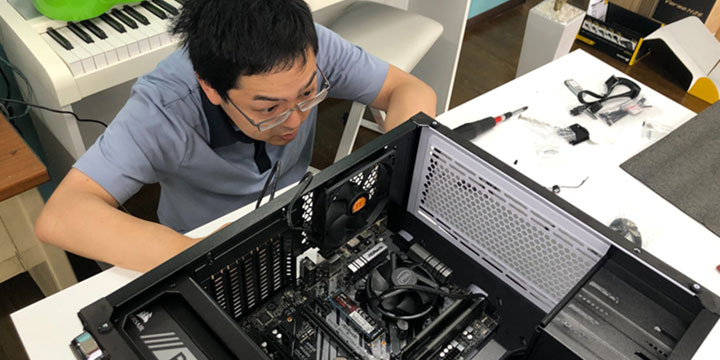
This is Nishimura from the development team. We have been using an instance of aws (Amazon Web Services) for the development of learningBOX, but we are about to switch to development on our in-house server because of some inconveniences. Table of contents is here 1. inconvenient truth about aws 2. considered commercial PCs... 3. assembled 4. installed ProxmoxVE 5. steps to speed up drives on Proxmox 6. moving instances from existing proxmox environment 7. so, is it faster now? Inconvenient truth about aws Even though aws is convenient for operation, it is not so fast as a development environment... Actually, it is not so fast. If you use C5 series or Z1d, you can accelerate up to 4GHz, but honestly speaking, it is expensive. If you want to use multiple cores, the cost will be several times higher. In fact, it may not be very fast, but using an instance with a large memory and fast CPU will cost you several tens of thousands of yen per month. There is no instance that is just right. If the memory required for development is 2.1 GB, you need an instance with 4 GB of memory. Isn't this wasteful? You may be able to avoid some of this by using virtual memory, but the moment it can no longer fit in the real memory, the processing capacity will drop by an order of magnitude. I want to use just the right size instance. I considered using a commercial PC, but... I thought about buying a commercial PC and virtualizing it, but I couldn't find one that was just right. I don't need Windows. I don't need it. I can't remove it, or even if I do, it's not nearly as cheap. I don't need a GPU. Most PCs with fast CPUs have a high-performance GPU. You don't need one. (It may be necessary if desktop virtualization is installed, but I haven't tested it yet. I tried to assemble it. If I don't have just the right one, I can assemble it! So I assembled a PC for the first time in a year. The parts I used are as follows. All parts are shown except the case. For some reason, the case of a ping-pong racket is in the picture, but it has nothing to do with the case. Explanation of main parts Motherboard I am not particular about it CPU Core i9 10900 I chose it for its single threaded performance. I considered 10900K, but I thought 0.1GHz was not worth the 20,000 yen difference in price, so I decided to go with 10900. I installed 32GB of DRAM, which is a moderately fast DRAM. I will add more if it becomes insufficient. SSD I installed 1TB of a reasonably fast SSD (3GB/s). Power supply I chose a good power supply, as I was told by God to buy a good one. GPU For now, it is not installed. ProxmoxVE is installed. Using the whole PC may be the fastest way, but it is not the best way to use the equipment effectively, so I built a virtual environment with ProxmoxVE. I am running Amazon Linux 2 on the virtual environment, but I will introduce the procedure for running Amazon Linux 2 in another article. I thought the installation would be a piece of cake, but I wasted a lot of time because of a bad block on the USB memory stick I created for the installation. It would be better to make a habit of checking for bad blocks when making installation media. Procedure to speed up the drive on Proxmox This is the one that good kids should not imitate, but you can improve disk IO on a virtual environment by enabling disk cache as much as possible. It will probably be faster than reading/writing directly without the virtual environment. However, if the power goes out before the write completes, it will break, so good kids should not imitate it. Moving an instance from an existing proxmox environment I got into a lot of trouble, but I won't go into it here because it would take too long to explain. If you read the error messages carefully, you will be able to handle most of the problems. If you don't understand what is wrong even after reading the error messages, you can usually figure it out by reading the source code. Do your best. Migration is not possible if the VM is linked to other VMs. You can't migrate if you are using a physical drive or mounting a device for CloudInit. Remove the device. If you haven't already created a Cluster in your company, create one in your existing Proxmox environment and add a new virtual environment to it. Frankly speaking, I am not good at infrastructure, so we are looking for engineers who can manage this area! (Working at our headquarters in Tatsuno, Hyogo) So, are you fast? We compared the time taken to test our learningBOX (automated backend testing with PHPUnit). Comparison result aws environment (t2.small): 2.63 minutes old Proxmox environment (Core i5 9600K): 1.22 minutes new Proxmox environment (Core i9 10900): 1.1 minutes The difference between the two environments below is not big, but the difference with aws environment is obvious. The difference with the Proxmox environment is still significant, although it improves a little more with c5 or something like that. When there is no load, it is stable at 2.8GHz, but when a load is applied, it instantly rises to around 5GHz. High-speed automated testing directly affects work efficiency Whether or not strict TDD is performed, automated testing is indispensable for development above a certain scale. When a test result shows an error or a new test is created, you cannot proceed to the next task until the automated testing process is completed. On a typical day, we run 20 or 30 tests per day, and if we can save a minute per test, we can save that much time to develop new features or improve code quality. Future Policy With the construction of the Proxmox environment, we now have two pieces of hardware to support the virtual environment, and we have also achieved migration between virtual environments. However, building an HA (High Availability) environment requires three servers, and we intend to build a third environment and realize a stable private cloud at the same time as the Zen3 generation of Ryzen is released.


 Choose the Right System to Train Global Talent - 3 key factors for SMEs
 The Ultimate Guide for Selecting the Right Multilingual Trainng Management System
 Human Resource Development Grant for e-Training
 Memorization Strategies
 How to Create Your Own Aptitude Test





