Admin Blog

77 articles
blog

Visualize learners' "weak points," analyze their progress.
Let's enhance effective e-learning.

Visualization of Weaknesses: e-Learning System to Graph Learners' "Weaknesses" and Analyze Their Grades to Enhance Learning Effectiveness Using the quiz function and gradebook of our e-learning system, it is possible to output "score distribution and item analysis" from learners' answer data to grade results. In this article, we will introduce "learner answer analysis" using learningBOX's quiz function [tagging function] and gradebook. The administrator can check the learner's level of understanding, overcome weak points, and grasp the scores for each subject and overall trends at a glance. If you have a need to "examine and aggregate" learners' answer tendencies and score distribution, please refer to this report to find out more! Please try the quiz function and gradebook of learningBOX by referring to this article. Click here for the table of contents Easy Creation of Exam Questions on the Web Visualize answer data at a glance with grade management Radar chart analysis of grade reports is recommended for score analysis Summary Easy creation of exam questions on the web The quiz feature of learningBOX makes it easy for anyone to create tests. Even if you are not confident in your computer or IT skills, you can create a test in a few minutes using the question creation form. Tests can be created in a combination of 13 different question types, including multiple-choice, multiple-answer, and fill-in-the-blank questions. You can also set up clear conditions to limit the number of students who can move on to the next practice question. Setting Tags as Questions Using the "tagging" feature within the quiz function, you can set tags to questions you have created. When you study a question with a tag, you can tabulate and analyze the number of correct answers, number of incorrect answers, and percentage of correct answers for each tag using the chart function of the score management system. This feature can be used for self-analysis and discovery of weak areas of the learner. Tags can be set for each section of [Quiz/Test] or for questions in the same category. How to use the tagging function Tagging is set when creating a quiz/test from the content management screen. Step 1: Open the content management screen. Click "Contents Management" on the TOP page or the side menu. Step 2. Create a quiz/test This time, we will create a quiz/test using the question creation form. Click on the "+" icon in the upper left corner of the screen > "Educational Materials" > "Quiz/Test" > "Create Quiz" or "Create Test". *Make sure to create a course on the TOP screen of Content Management, and create the quiz/test within that course. Step 3. Set tags Click "Edit Tab" under the question. For section tags, click "+Add Section" and then click "Edit Tags" under the section. *To set up a section, set "Mode" to "Normal Mode" in the option values. Answer data is visualized at a glance in the grade management. Learners' grades can be checked using the "Grade Control" and "Medical Record" functions. The "Gradebook" can be used for "overall grade management", while the "Chart" can be used for "grade management and analysis of each learner". How to use the tagging and chart functions When a learner takes a quiz/test that has been tagged, the results for each tag will be displayed on the chart screen. By using the chart, you can visualize how much students study each day, what kind of problems they are good at or bad at, and so on, based on graphs and grade data. The grade data can also be downloaded in CSV format. About the display of grades in the medical record This page introduces the procedure for checking the details of grades in the medical record. Step 1: Open the chart screen. Click "Grading and Analysis" > "Medical Record Function" in the side menu. Step 2: Select the target learner Click "Details" to the right of the learner in the list of learners. Step 3: Display grade information by tag Click on the "Tags" tab. Here, you can check the number of correct/incorrect answers, total number of answers, time required, and percentage of correct answers for each tag. The list of tags can also be narrowed down by content, time period, or search filter. *If you wish to view only specific content, please select the target content in the "Study Progress" column at the bottom of the "Basic Information" tab screen. Step 4: Displaying only section tags Clicking on "Section Tag Only" will allow you to view only the grade information for the section tag. Radar chart analysis of grades is recommended for score analysis. Using the gradebook in learningBOX, the scores and scoring percentages for multiple items can be graphed together, allowing you to grasp at a glance the learner's areas of strength and weakness. Here are some of the features of the gradebook 1. The balance of scores/percentage of points for each item can be checked. 2. to know which areas are your weak points. For more detailed information on how to use this feature, please refer to this report card. (1) To check the balance of scores/percentage of points for each item. 2. to know which areas are your weak points. Conclusion In this article, we have introduced "learner answer analysis" utilizing the quiz function [tagging function] and gradebook of learningBOX. The administrator can check the learner's level of understanding, overcome weak points, and grasp the scores for each subject and overall trends at a glance. Our e-learning system [learningBOX] is available free of charge to everyone from individuals to companies. If you are considering implementing an e-learning system, please give our learningBOX a try. ⇒Please try our e-learning system for free.
learningBOX-ver2.17

learningBOX upgraded to Ver. 2.17

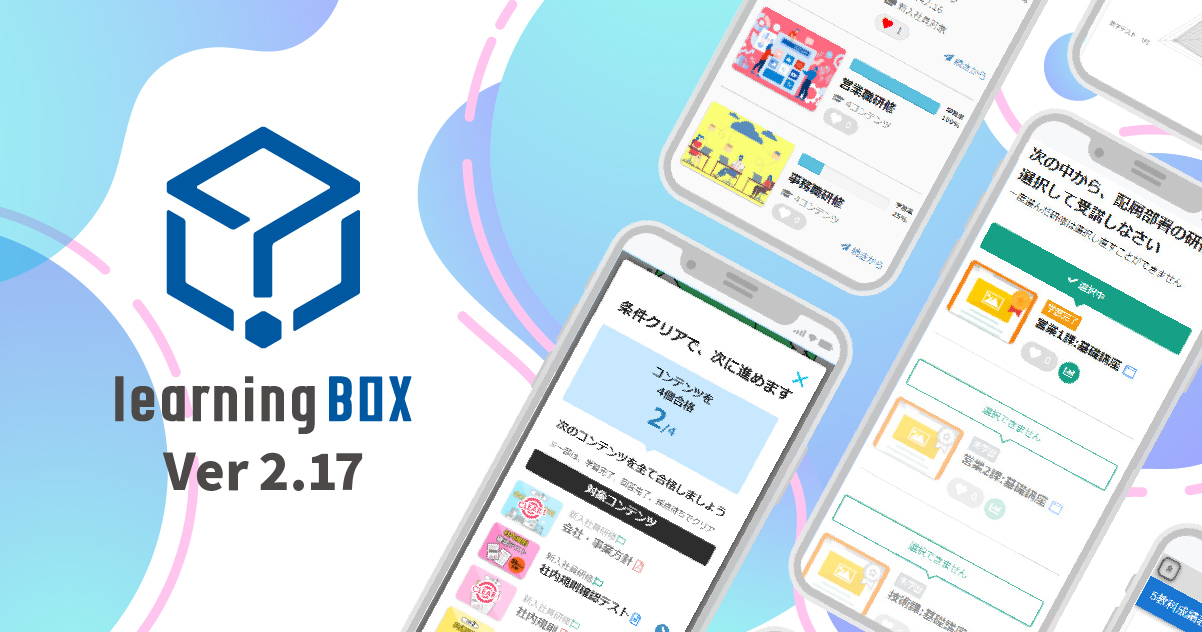
About this Version Upgrade Thank you for your continued use of learningBOX. Today, learningBOX has been upgraded from Ver. 2.16 to Ver. 2.17. In this article, we will provide details about Ver. 2.17.13 (released on March 9, 2022), to which various new features have been added. Click here for a list of new features and functional improvements. New Features Functional Improvements 1. expansion of course functionality 13. expansion of functionality for checking compatible devices Expansion of two-factor authentication 3. Selective content settings 15. Expansion of test mode settings 4. Gradebook 16. Permission to view group management and grade management 5. page designer 17. group batch registration and download function Breadcrumbs are added to the display. 7. Display of question answers/corrections 19. Display of detailed course descriptions 8. Message Box Management Authority 20. Video Basic Settings 9. Video time display function 21. Immediate availability of design customization 10. Automatic video playback function 22. Addition of authentication failure information to access log 11. Curriculum/course description 12. Welcome page redisplay function In this version update, the "Course Function" has been revamped, which significantly changes the way the study screen looks. Many other features have also been added, including improvements to existing functions and expansion of functions that can be linked via API. We will now introduce the 2.17 series version update in detail. Expanded course functionality The TOP of all study screens are now unified with the course materials, making them easier to customize as well as simpler looking. Headings/Clearance Conditions The existing learning control function has been completely redesigned and is now a clear condition. More complex conditions can be set than before. Selective Content Setting This function allows the learner to select only one of multiple learning materials. Gradebook Original gradebooks can now be created and distributed as content within a course. Page Designer You can now more easily change the design of pages that can be created in the Site Customizer. Media Management Videos and teaching materials can now be registered in learningBOX and used via CDN without having to upload media files for each content. Function for displaying answers to questions/corrections Answers to specific questions and corrections can be displayed. Message Box Management Authority Authorized users can send messages to groups and other users. Video Duration Display Function Video content times are now displayed on the "Find Curriculum" and "Select Course" screens. Automatic Video Continuous Playback When there are multiple video contents, they are now automatically played in succession. Curriculum/Course Descriptions Explanatory text can be displayed on the "Find Curriculum" and "Select Course" screens. Re-display of Welcome Page The welcome page can be redisplayed. Expanded functionality for checking compatible devices A [Back] button has been added to the list of compatible devices screen, as well as to automatically read the recommended environment for learningBOX. Expansion of two-factor authentication functionality Two-factor authentication can now be set for specific groups. Expansion of Test Mode Settings Test mode settings can now be configured to display more detailed results. Group Management/Grades Management Viewing Authority Member management and grade management permissions can now be allowed for viewing only. Group Batch Registration and Download Function The group CSV batch registration format has been changed to a clearer display. Breadcrumbs are now displayed in the "General Public Courses," "Select Course," and "Course Details" screens. Breadcrumbs are now displayed on the "Public Courses," "Select Course," and "Course Details" screens. Switching the display of detailed course descriptions The course and folder descriptions displayed at the top of the "Learn" screen can now be toggled on and off. Basic Video Settings Basic settings related to videos, such as the range of video double speed settings and shadows, can now be configured. This function is available for video content with MOVIE Player version 2.1.0 or higher. Design customization is now available on the same day. Design customization is now available for same-day use when ordered from the order screen. Authentication Failure Information Added to Access Log Information on authentication failures is now displayed in the access log. Miscellaneous Please contact our CS sales team if you have any questions or need more information. Inquiry Form We will continue to listen to our customers and improve the functionality of the system to make it even more comfortable to use. The new features and functional improvements added to learningBOX Ver. 2.17 are described in detail in this release note. We look forward to your continued support of learningBOX/QuizGenerator.

A study method that gets you results in less time! E-learning is the best way to prepare for the exam

A study method that gets results in a short time! E-learning is the best way to prepare for the exam! This is Kidaoka, Marketing Manager. This article is for those who are studying for school tests, certification exams, or other examinations and are wondering if their study methods are correct or not, or those who are having trouble reaching a passing score. In this article, we also explain the key concepts of learning methods and the mechanism of memory, which is closely related to remembering things. Using our e-learning system, learningBOX, you can easily create "learning tailored to your own objectives and goals" on the web according to the situation of use. Click here for the table of contents 1. What is the learning method utilizing e-learning? 2. Effective learning methods based on the brain's memory mechanism LearningBOX's test creation function is recommended for memory consolidation 4. Summary What is the learning method using e-learning? E-learning is a method of learning and training via the Internet using digital devices such as computers. By utilizing e-learning, students can learn effectively during "travel time and spare time" outside of school hours. Features of e-Learning In recent years, with the spread of mobile devices such as smartphones and tablets, many learning applications have been developed. However, it is difficult for all learning apps to be used directly as learning materials in schools, and many educators have probably had their heads turned. Unlike learning apps, e-learning allows students to "create and edit" their own learning materials and exam questions, and collect detailed performance information and data on each student. With the spread of the Internet and advances in information technology, companies, schools, and society as a whole have high expectations for its potential in terms of ease of use and learning effectiveness. E-Learning Learning Rapidly Advancing in the Wake of the New Coronavirus Conventional learning methods involve "person-to-person" education, in which an instructor gives a lecture directly to the student at a specific place and time. In contrast, e-learning is a learning style that enables students to "receive education anytime, anywhere, anytime and anytime" via a network of terminals such as PCs, tablets, and smartphones. It is a system that combines IT and information technology, and is used in the same sense as "educational IT" and "web learning/online learning" because it is learning via a network. For more information on e-learning, please refer to this article. Effective learning methods based on the brain's memory mechanism Our brain stores information in two areas: the hippocampus, which temporarily stores memories, and the cerebral cortex, which stores information for the long term and can utilize it when necessary. Newly learned information is once stored in the hippocampus, and only that which is deemed necessary is sent to the cortex. Information that comes in through the eyes, ears, and other sensory organs is temporarily stored in the hippocampus, a region deep in the brain, but most of it disappears. Because the brain is constantly receiving large amounts of information, it is necessary to determine the value and priority of the information and discard it. Three processes are essential to the memory process The memory process can be divided into three stages: inscription, retention, and recall. Inscription is the process of converting information from an external stimulus into meaning and capturing it as a memory, retention is the process of storing what has been inscribed, and recall is the process of outputting the stored memory after a certain period of time. Memory is a process that involves the following three steps: remembering ⇒ keeping ⇒ recalling. Effective Learning Methods Derived from the Ebbinghaus Forgetting Curve The Ebbinghaus Forgetting Curve is a curve that shows the degree of "savings" in long-term memory. It is a graph that shows how much of what you have memorized remains in your mind over time. The "savings rate" is a percentage that indicates how much time is saved in terms of the time it takes to completely re-memorize the content once memorized. Hypotheses and findings derived from the Ebbinghaus forgetting curve ▼ Key points from the experiment The more time passes, the longer it takes people to recall, and relearning at an earlier stage decreases the time and burden of recall. In addition, the potential memory retention period is thought to be about 30 days, during which time it is important to review. In order to remember, it is also important to repeat the same content over and over again. Furthermore, an output-oriented learning method is effective in order to increase the chances of recall. Repetitive learning is effective for memory retention. As can be seen from the Ebbinghaus Forgetting Curve, memory becomes more forgettable with the passage of time, and most of what we remember disappears unconsciously. The key to memory retention is the timing of review. People often say, "Review before you forget," but this is actually a big mistake. This is because memories are more likely to stick when you are trying your best to remember them. Data show that memories are more likely to stick in brain circuits when output is repeated rather than input. This hypothesis is supported by experiments conducted by Dr. Karpik at the University of Washington. The experiment conducted by Dr. Karpik is described in detail in this article. LearningBOX's test creation function is recommended for memory retention! Testing is a good way to consolidate memory, but it can be a daunting task to administer a test every time. If this is the case, try creating a test using our e-learning system! learningBOX allows anyone to easily create the tests needed for output on the web. It is easy to create, and you can set up the question text, answers, and explanations according to a dedicated form. About the Test Creation Feature Using the test creation function, you can easily set a limit on the number of times a test can be taken and the date and time when the test will be open to the public. You can also display or hide the results of students who are taking a test, depending on your needs. Please refer to this article for more detailed information on how to use the system. ⇒Test Mode learningBOX is an LMS that makes it easy for anyone to start e-learning Our e-learning system (learningBOX) allows anyone from individuals to companies to start using e-learning for free. All you need to prepare is a computer and an Internet environment, and you can start e-learning from the day you register! For more information on how to use learningBOX, please refer to this article. ⇒What you can do with learningBOX Please refer to this article for examples of how learningBOX can be used. Conclusion In this article, we have introduced learning methods and information on how to use e-learning. Using our e-learning system, learningBOX, you can easily create "learning tailored to your own objectives and goals" on the web according to the situation in which you utilize the system. We also offer a free plan that allows you to use learningBOX for an unlimited period of time. If you are having trouble implementing e-learning, please take this opportunity to try our learningBOX.
Advantages and disadvantages of e-learning implementation

Dramatic change with e-learning! What are the advantages and disadvantages of implementing

E-learning can make a dramatic difference! What are the advantages and disadvantages of introducing it? My name is Kidaoka, and I am in charge of marketing. In this article, we will discuss the "merits and demerits" of implementing e-learning. The introduction of e-learning has many advantages not only for the company that operates it, but also for the participants. The new coronavirus has led to the shift to IT in society as a whole, and the need for online classes and online training is on the rise. Even in the future with-corona era, schools and companies will need to train people. E-learning has its advantages and disadvantages, but what we are concerned about is the actual results after the introduction of the system. By understanding the "advantages and disadvantages" of e-learning in advance, you can make preparations for using it for different purposes and enhancing learning effectiveness. In this paper, we will explain in detail what kind of effects can be expected from the use of e-Learning. Click here for Table of Contents 1. Background to the Growing Demand for e-Learning 2. Advantages and disadvantages of e-Learning 3. How to introduce e-learning 4. Introduction of learningBOX case studies 5. Summary Background of the growing demand for e-learning Due to the impact of the new coronavirus infection, many companies have begun to consider and introduce teleworking. The Japanese government is also encouraging telework to prevent the spread of the coronavirus. In addition, to prevent the spread of the new coronavirus, it has become difficult to conduct group training. However, in order for a company to continue to grow, it is important to create a system that fosters a flexible attitude and organizational climate in which each employee is willing to take on challenges in learning. In order to solve these social conditions and problems, "e-learning learning" is now attracting a great deal of attention. Characteristics of e-Learning E-learning is a learning system that uses electronic devices such as PCs and smartphones and the Internet to enable students to "improve their skills at their own pace, unrestricted by time or place. Advantages and Disadvantages of e-Learning In order to demonstrate the benefits of introducing e-Learning, it is most important to make sure that it is well utilized in in-house training programs. When considering the introduction of e-Learning for training, certification, and school education, understanding the advantages and disadvantages will make the introduction and operation go smoothly. We have compiled a list of possible customer utilization scenarios, so let's take a quick look. E-learning for in-house training Once a learning environment has been created, e-learning can be used repeatedly. Therefore, it has the potential to significantly reduce the cost of in-house group training and training for new employees. The following costs are incurred when conducting group training Transportation costs incurred when gathering participants at the training venue. 2. venue costs incurred in order to conduct the training 3. Printing and distribution costs for training materials 4. expenses for outside lecturers who will be in charge of the training Conducting training via e-learning can reduce the time and costs associated with venue expenses and course textbook distribution. It can also provide flexible learning opportunities for people with irregular working hours or mid-career hires, who would otherwise be difficult to accommodate with group training. E-Learning in School Education E-learning learning can be easily exported from the delivery system, LMS (Learning Management System). The learning history file stores data necessary for learning management, such as learning progress (not yet / in progress / completed, etc.), time of implementation, time required, test scores, etc. E-learning can also quantify the performance data here and display it in a graph. ▼ Advantages in School Education 1. Students can study anytime, anywhere at their own convenience. 2. Students can study according to their level of understanding and learning progress. 3. Easy to grasp the grade data and grade management You can take as many preparatory, review, and re-study courses as you like. E-learning is a very suitable learning method for qualification acquisition, preparation for examinations, and overcoming weak subjects, because you can study at your own pace and repeat as many times as you like. Disadvantages of e-Learning Because each learner has to make time for the e-learning course, there is a possibility that the motivation and desire to learn may be difficult to sustain on one's own. There may be cases where learners do not study because they are too busy with their work. Unlike group training, which provides semi-forced learning opportunities, it is important for learners to actively engage in learning. Therefore, companies need to take measures to keep learners motivated, such as incorporating gamification elements into learning and creating a community among learners. The advantages and disadvantages of e-learning can be briefly summarized as follows How to implement e-learning Based on the advantages and disadvantages of e-Learning, many of you who are considering actually implementing e-Learning may be wondering how to go about it. Here we would like to focus on the advantages of creating e-Learning materials in-house. Creating e-Learning materials in-house E-learning systems can be produced in-house. The main things you will need are the learning management system I mentioned earlier and learning materials for e-learning created with slides and other materials. One of the advantages of in-house production is the ability to create training content unique to the company. The easier it is to upload, the less work is required to create content and the more regularly it can be updated. If you are considering using e-Learning for training, but are not sure whether to create the materials in-house or outsource them, please take a look here. Advantages of Creating e-Learning Materials In-House First of all, outsourcing requires a lot of time and money to revise the materials once they are created. The disadvantages of outsourcing are the same in any field, but once created, revisions and updates are costly in terms of additional fees and time and effort to request them. 2. when created in-house, we can easily create and modify it ourselves. On the other hand, if you create the materials in-house, you can easily create and revise them yourself, and you can control the maintenance of the materials after they are created. If you are creating your own materials, the ease of use of eLearning is critical! When creating e-Learning materials in-house, isn't the most important point to make the materials easy to use? If you want to create your own e-learning materials, the most important thing is to be able to create them easily, isn't it? One of the concepts of learningBOX is "a system that allows anyone to easily build a web-based learning environment. Have you ever had the experience of not knowing how to operate a new tool or application, or having the feeling that it is different from what you expected? I often do. It is a great feeling when you find a system or application that is easy to use. ▼learningBOX is an LMS that focuses on ease of use and low cost. LearningBOX is designed to be intuitive and easy to operate without manuals, so that administrators creating e-learning materials do not feel stressed when using it. ▼learningBOX also allows you to sell the content you create through EC! Learn more about learningBOX's EC function in this article. Introduction of learningBOX case studies We would like to introduce some examples of e-learning cases in which learningBOX is actually being used by companies that have created their own teaching materials. Please feel free to contact us if you have any questions about e-learning implementation. Online meetings are also available. What has changed since we started using ▼learningBOX? Improvement! Conclusion In this article, we have explained the "advantages and disadvantages" of implementing e-Learning. The introduction of e-learning offers many advantages not only to the company operating it, but also to the learner! In order to prevent the spread of the new coronavirus, it has become difficult to conduct group training. However, in order for a company to continue to grow, it is important to create a system that supports each employee in learning and fosters an attitude and organizational culture that flexibly responds to change and challenges. We, of course, use learningBOX for training, but most of our teaching materials are created in-house. LearningBOX can be used for up to 10 accounts for an unlimited period of time, free of charge. Please try our easy-to-use, instruction-free service!
elearning - market research

Current and future trends in the e-learning market in 2021.

Current and Future Trends in the E-Learning Market in 2021 Hello, everyone. This is the Tokyo team of Tatsuno Information Systems. The year 2020 was marked by sad news due to the spread of the new coronavirus. I don't think anyone expected such an era to come. Many companies have made a turnaround from the traditional way of working and shifted to remote work from the perspective of infection control. It was also a year of diversity in working styles, with people moving away from Tokyo and changing their lifestyles. More educational institutions such as high schools and universities introduced online classes using e-learning instead of face-to-face classes. The rapid spread of remote work and online learning is forcing major changes throughout society. E-learning is gradually becoming a familiar part of our lives. So how is e-learning changing? We have researched the results of a survey on the changing market. Click here to see the table of contents 1. Current status and future trends of the e-learning market in 2021 2. Changes in BtoB and BtoC 3. e-Learning will be increasingly used in 2021 4. Summary Explanation of the Current Status and Future Trends of the e-Learning Market in 2021 Kenneth Research has published a report on "Global Corporate eLearning Market" on September 02, 2020, consisting of in-depth analysis and industry insights for the forecast period 2020-2027. The global enterprise e-learning market is segmented by "by training, by end-user, by technology (mobile e-learning, learning content management system (LCMS), virtual classroom, web-based, podcast, learning management system (LMS), and others) and by region" and the global The e-learning market is expected to witness a significant CAGR during the forecast period 2020-2027. (Reference: Kenneth Research) Global Enterprise E-Learning Market The global eLearning market is projected to grow at a CAGR of 131 TP2T to reach US$93.64 billion between 2020 and 2024. Growth in this market is expected to be fueled by increased student engagement in the classroom through gamification and increased adoption of microlearning. Regional analysis is considered for key regions such as Asia Pacific, North America, Europe, Latin America, and Rest of the World. North America is the leading/important region globally in terms of market share due to the region's advanced technology infrastructure coupled with the availability of high-speed Internet connectivity. On the other hand, Asia Pacific is also expected to exhibit the highest growth rate/ CAGR over the forecast period of 2020-2027. According to Eurostat, the total value of the European ICT sector, including ICT manufacturing and ICT services, is estimated to exceed €475 billion in 2017. ICT services consist of computer programming, consulting, and related activities, which accounted for about 49.1% share in 2017 while telecommunications activities accounted for about 30.3% share in this segment. These factors are estimated to have a positive impact on market growth in the coming years. Changes in BtoB and BtoC The e-learning market size in FY 2019 continues to expand steadily with a steady increase in the number of users and diversification of services offered. In BtoB, the market will gain momentum from the revitalization of corporate investment in human resource development. In FY2019, the size of the domestic e-learning market is expected to increase 7.7% year-on-year to ¥235.4 billion. The breakdown is 68.4 billion yen (+5.2% YoY) for the BtoB market for corporations (including individuals within companies and organizations) and 167 billion yen (+8.8% YoY) for the BtoC market for individuals, and both markets are expected to continue expanding. Source: Yano Research Institute|from a survey on the domestic e-learning market In the BtoB market, e-learning has penetrated more industries and companies than ever before due to the diversification of learning tools with the popularization of smartphones and tablet devices, the evolution of video content, and the ease of use of e-learning due to the development of cloud environments, combined with the revitalization of corporate human resource development needs. e-Learning has penetrated more industries and companies than ever before. Steady sales growth in the BtoC market The size of the domestic e-learning market in FY2020 is forecast to increase 4.5% over the previous year to 246 billion yen. In the current fiscal year, both BtoB and BtoC markets are expected to see an increase in the number of e-learning users as the impact of the new coronavirus infection increases demand for distance learning. Source: Yano Research Institute|from a survey on the domestic e-learning market The BtoC market will see a steady increase in the number of users and the generalization of e-learning as a form of personal learning, due to the penetration of learning styles utilizing smartphones, tablets, and SNS, the evolution of services provided by improved information communication technology, and the emergence of learning services using AI (Artificial Intelligence). The number of users is steadily increasing, and the environment is progressing to generalize e-learning as one of the forms of personal learning. Both the BtoB and BtoC markets are expected to continue to expand in the future. E-learning will be used more and more in 2021 E-learning, which makes full use of multimedia materials such as video and audio as well as text and slides, has many application scenarios. E-learning is a form of learning that is still evolving, and it is also a field in which new methods of utilization are being tested. E-learning has the potential to provide "optimal learning for each student," which has been an issue in traditional schools. Obtaining qualifications through e-learning By offering national qualifications, private courses, and certification exams as e-learning, even busy businesspeople can make effective use of their spare time to study, and they can repeat difficult-to-understand sections as many times as they like in their own time. Many of the certification exams and courses that used to require attending lectures at certification schools are now offered through e-learning. Language Learning with e-Learning As with certification acquisition, learning a foreign language used to be done by making an appointment and attending a school. However, as with the acquisition of qualifications, this also had the disadvantage that it was difficult for working people with jobs to continue attending school, and one-on-one lessons, which enhance the learning effect, are expensive. For language acquisition, where continuous learning is important, online learning through e-learning is expected to become the mainstream in the future. Human Resource Development through e-Learning The conventional learning style, including schools, is based on group learning, where participants gather at a predetermined time and place, and the same is true for corporate employee training. Corporate training is not always held like a school. Preparation and costs for new employees and in-house training tend to be high, and it is difficult to manage the learning progress of each participant. To solve these problems, e-learning is attracting attention from companies. E-learning is ideal for corporate employee training, as it allows employees to learn in their spare time without putting pressure on work hours, and the progress can be easily monitored by managers. In addition to having employees take in-house training courses related to business skills, management, and sales, some companies have established their own learning management systems to optimize employee education with original content. ▼ The features of e-learning can be briefly summarized as follows 1. The same quality of education can be provided to a large number of trainees. 2. Optimal education can be provided according to the learning progress of each participant. 3. Significantly reduce the cost of education. 4. Keep the educational content up-to-date. Let's create "training, examinations, and correspondence courses" with learningBOX! learningBOX is an e-learning creation system that focuses on "ease of use" and "low cost. It is an LMS with all the functions necessary for e-learning, including the creation of teaching materials, questions and tests, and grading and grade management. What has changed since we started using ▼learningBOX? Improvements! Please feel free to contact us if you have any questions about e-learning implementation. Introduction support online meetings are also available. Conclusion In this article, we introduced the current status and future trends of the e-learning market in 2021. Today, when information from all over the world can be obtained in an instant through the Internet, it can be said that the globalization of not only the economy but also all "things" and "matters" is accelerating. The reason why more and more companies are focusing on strategic human resource development is to respond quickly to the changes brought about by globalization, and e-learning is the best solution to achieve this. On the other hand, children and students who will have to cope with the drastic changes brought about by globalization also need to develop the ability to think independently and acquire the ability to respond and adapt in a short period of time. The best solution for this is e-learning and adaptive learning.
LearningBOX is upgraded to Ver2.13.

LearningBOX is upgraded to Ver2.13.

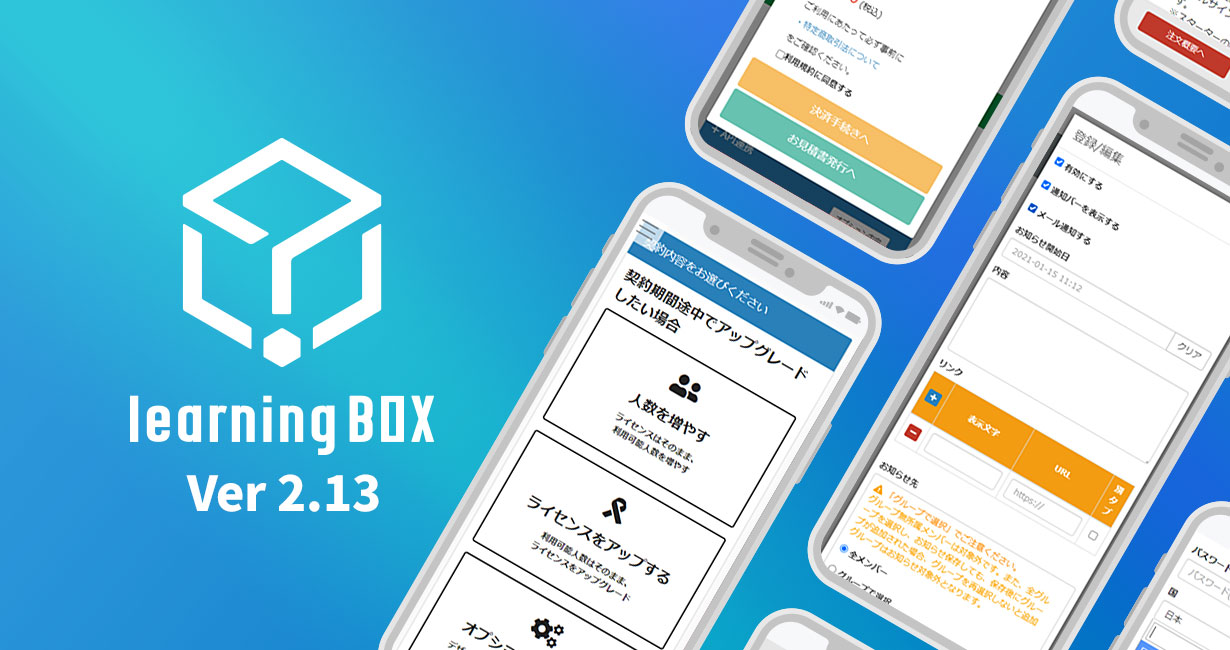
About this Version Upgrade Thank you for using learningBOX, our e-learning creation system. Today, learningBOX has been upgraded from Ver. 2.12 to Ver. 2.13. In this article, we would like to provide you with details about Ver. 2.13. (released on January 19, 2021), which adds various new features. Click here for a list of new features and functional improvements. New Functions Functional Improvements 1. renewal of order screen 8. input of typing materials in English 2. Expand functionality of grade management notification 9. Add related content to quiz/test materials 3. Notification function for notification management 10. Function to limit the number of input characters Function to specify the number of times an audio file can be played 5. GDPR compliant login form 12. Add question ID 6. Optimize display of title tag 13. Introduce HLS video 7. LearningBOX version display function The "grade management" and "notice management notification" functions, which have long been requested, are now even easier and more convenient to use. In addition, the order screen can be operated via the web for plan changes and upgrades from the middle of the contract period. Many other functions have been added, including improvements to existing functions. We will now introduce the details of the 2.13 version upgrade. Renewal of the order screen The order screen has been renewed, and various upgrades are now available even during the contract period. The order screen is divided by contract type, making operation and selection easier than before. In addition, the payment procedure screen now allows you to confirm the details of your contract after changes have been made. Expanded functionality of grade management notifications Study start date and time, study status (grades), and test pass/fail results are now also displayed. Using the email template function, an email can be automatically sent to a set email address "upon member registration, report grading completion, and study completion". The content of the email sent can be freely edited and set, and it is possible to set not to send an invitation email. Notification function of Notice Management You can now register multiple links to notification notifications and fix the notification from the administrator at the top of the page. Overseas Support Customers who live outside of Japan can now process payments in U.S. dollars in addition to Japanese yen. When registering as a new owner, a "Region and Language" field will be added, and the date will change according to the place of residence at the time of account registration. GDPR-compliant login form A new GDPR-compliant login form can be set up. GDPR stands for "General Data Protection Regulation" and refers to the General Data Protection Regulation enacted by the European Union on May 25, 2018. By setting up a GDPR compliant login form, you can provide your customers with a safer and more secure e-learning experience. Title Tag Display Optimization Page titles used to be set to a uniform subdomain site title, but with the development of the new feature, administrators will be able to track user screen transitions with Google Analytics. Version display function of learningBOX A new version display function has been added. Using this function, you can check at a glance which version of learningBOX you have used to create your teaching materials. English input for typing materials English input has been added to the Typing Materials Creation Form. The questions that can be set for English input can be configured to suit the customer's usage scenario, such as sentences with mixed spaces, case sensitivity, and so on. Additional Functions for Related Content A new feature has been added to the quiz/test. The Add Related Content feature allows you to set content in the commentary section that is related to the quiz content. Character limit function You can set a limit on the number of characters you can enter for Short Answer questions in quizzes and tests. This function can be set for three types of questions: "Short Answer", "Short Answer+", and "Multiple Short Answer". Ability to specify the number of times an audio file can be played You can set a limit on the number of times an audio question can be played back in the quiz/test. Addition of question IDs You can optionally set an ID for each question in the quiz/test. Introduction of HLS Video You can set your videos to HLS video. HLS video can be played without problems not only on Apple products such as Mac, iPhone, and Safari, but also in Windows and Android environments. With HLS video, you can upload videos of appropriate quality depending on your connection and device performance. Miscellaneous Please contact our representative: CS Sales Team for more detailed operation procedures or any other questions. Inquiry Form We will continue to listen to our customers' voices and improve our functions to make your use of our products even more comfortable. Thank you for your continued support of LearningBOX/QuizGenerator.
E-learning - free

Advance notice for the functional modification of "Mail Template" from Ver2.13.

Important Notice The mail template function will be modified for easier use in the 2.13 series version upgrade scheduled around January 2021. This is an advance notice to all current users of learningBOX to be prepared for the modification of this function. We are providing this advance notice because email templates are an important feature for members (learners), owners, and grade administrators. Please check this page regardless of whether you are using this function or not. Click here for the Table of Contents About Email Templates 2. types of mail templates 3. for customers who have already changed the default template 4. detailed specifications About Email Templates LearningBOX has an "Email Settings" function that allows you to send an email when you invite or register a member, when you have completed grading a report, or when you have completed learning materials. To access the "Email Settings" function, click on "Administrative Functions" > "Email Settings" to go to the settings screen. Please note: Depending on whether or not you have edited the mail template before, this modification may or may not apply to you. In the 2.13 series, the default mail template will be changed, and the following changes will be applied. Change : Default mail template will be changed + Default footer template will be automatically registered Subject: Emails for which the default template has not been changed If the template has been changed, it will not be applied unless it is set to the default setting. If you have previously changed the default email template, the change will not be applied. If you have previously changed the default email template, the change will not be applied. (The new email template we have prepared for Ver. 2.13 may not be optimal for customers who are already using the system, so there will be no change to the emails of customers who have changed their default email template). If you have never changed your default email template, please check and adjust the new email template as necessary. Please note, this is for customers who have never changed their default email template. For example, in the grade management notification emails, the email template used to not display grades and scores to learners, but with this modification, grades and scores will also be displayed in the new default email template. (See below for details.) If you do not want grades and scores to be displayed in the email, please adjust the text of the new default email template. Types of Email Templates We have prepared new mail templates for each purpose, for example, as shown below. (Multiple templates are available depending on the type of email.) The grade management notification e-mail will show the start date and time of the study, the status (grade) of the study, and other information. Previously, grade management notification e-mails to students only displayed information such as the name of the course materials, but starting with Ver. 2.13, the start date and time of study, study status (grades), and test results (pass/fail) will also be displayed. (The information displayed will vary depending on the email template.) (The information displayed will vary depending on the email template. ▼ Below is an example of an email distribution using the new email template "Notice Regarding Pass/Fail of Examination" from 2.13. The actual pass/fail is displayed. The footer template will be set to a default value. The default footer template will be set in the common item template with the template name default_footer and is ready to use without configuration. The default_footer footer template is editable, but you cannot rename it or delete the template. Changes to this footer template will be reflected as a footer in all default email templates. It can also be inserted into customized mail templates as a {default_footer} label. For customers who have already changed their default email template *The automatic registration of multiple customized email templates for invitation and grade management notifications is only available for new owners who have started using learningBOX for the first time after Ver. 2.13. This does not apply to existing administrators, as there may be some administrators for whom automatic registration is not convenient. Therefore, if you would like to add more types of new email templates, you will need to add them yourself in the system. Detailed specifications We plan to introduce a page on how to use this feature when 2.13 is released, and will announce the scheduled upgrade date of 2.13 as soon as it is finalized.
E-learning - free

Advance notice of the fee structure with the addition of the new feature "Upgrade in the middle of the contract period" from Ver2.13.

Important Notice Various upgrades will be available during the contract period starting with the version upgrade to Ver. 2.13 series scheduled around January 2021. This is an advance notice of the fee structure for upgrading in the middle of the contract period in conjunction with the addition of this functionality. This is an advance notice because of the importance of the fee structure. We appreciate your understanding and cooperation. Please be assured that there will be no change to the existing fee structure for contracts from free to paid plans and for renewal of paid plans. (This explanation is only for the case of upgrading in the middle of the contract period.) (This is only an explanation for upgrading in the middle of the contract period.) *From Ver. 2.12, the function to add only the number of users via the web is already supported for upgrading in the middle of the contract period. The fee structure for Ver. 2.12 may be more economical than Ver. 2.13, depending on the applicable period for adding the number of users. (Depending on the contents of your contract, we may not be able to accommodate your request via the web.) Click here for Table of Contents 1. what does "upgrade in the middle of the contract term" mean? 2. 4 types of mid-contract upgrades are available 3. notes on fee structure 4. other remarks What does "upgrade in the middle of the contract term" mean? For example, have you ever done this? We need to use learningBOX in other departments at a moment's notice, and the number of accounts we have now is not enough. We are using more and more videos in our teaching materials, and we are running out of space if we stay on the starter plan. There was an urgent request from within the company for an LMS with an original design. In order to respond to these requests, we have added a new feature that allows customers to add more users or upgrade their licenses even in the middle of the contract period, without calling us. If you have any of the problems listed above, we hope you will consider this feature. In addition, we are available for upgrades by phone or email. Please feel free to contact us. (Please note that we may not be able to support your request depending on the contents of your contract or combination of contracts. Please understand in advance.) Four types of upgrades are available during the contract period The following four types of items are supported by this new functionality for upgrading during the contract period. Increase the number of users Upgrade the license (from Starter to Standard) Upgrade both the number of people and the license Add various options *This is for customers who are already using a paid plan. (The "paid plan" referred to here refers to the state of being on a paid plan for a learningBOX license; a contract for a QuizGenerator license only does not refer to a "paid plan.) *This may not be possible depending on the combination of license types and optional contracts. Please understand this beforehand. Notes on the fee structure Please be aware of the following items in connection with the functional modification from Ver. 2.13. If you are using an annual contract and add or upgrade in the middle of the contract, the monthly contract unit price may be applied (depending on the period when the change is applied). Please see the table below first. The table summarizes the fees for annual and monthly contracts. The numbers in red are the amounts for one year, which are used as the basis for the calculation. (Taxes are not included). In the case of ▼License only Currently annual contract, but monthly contract unit price will be applied at the time of upgrade. If you are currently on an annual contract (e.g., Starter/Standard), and you wish to add additional users, depending on the details and conditions (e.g., you only wish to add users for 3 months before the contract renewal), the monthly unit price will be applied to the bill for the additional users, instead of the annual unit price. Calculation example 1) I want to change from annual starter 100 to starter 200 in the middle of the contract period (contract period remains unchanged). The payment amount in Calculation Example 1 is calculated as follows Monthly per year ÷ 365 (pro-rated daily) × Number of days remaining 60,000 ÷ 365 × 171 days = 28,109.58904 ⇒ 28,109 yen *"Per year of monthly amount" is, for example, 60,000 yen, which is equivalent to 12 months of the Starter Plan's monthly contract unit price: 5,000 yen (excluding tax). *In this case, since the applicable period is less than one year, the monthly unit price is applied. The actual amount to be billed will be the monthly unit price plus consumption tax. The decimal point will be rounded down to the nearest whole number. The monthly unit price may seem expensive. Therefore, we have prepared a mitigation measure. (Relaxation measure) In the case of an annual contract, the annual contract unit price will be applied even when the number of users is added. Important】The fee calculation method will be changed from March 8, 2021. Click here for details. If you select "1 year" for "Period for which the change will be applied," the annual unit price will be applied. (Calculation Example 2) I want to change from annual starter 100 to starter 200 in the middle of a new year. The payment amount in Calculation Example 2 is calculated by the following calculation. (Contract amount of the new plan to be used from the day of upgrade to the next renewal date) - (pro-rated amount of the unused portion of the old plan as the annual unit price) = billed amount Let us explain an example of the above calculation. (Contract amount of the new plan to be used from the upgrade date to the next renewal date): June 1, 2020 - May 31, 2021 ⇒ Starter 200 (1 year): 60,000 yen (pro-rated amount of the old plan for unused portion as annual unit price): June 1, 2020 - November 18, 2020 ⇒30,000 ÷ 365 × 171 days = 14,054.7945 ⇒ 14,054 yen (per year ÷ daily rate × number of days remaining =) (Contract amount of the new plan to be used from the day of upgrade to the next renewal date) - (pro-rated amount of the unused portion of the old plan as the annual unit price) = billed amount 60,000 yen - 14,054 yen = 45,946 yen In this case, the annual unit price is applied because the applicable period is one year. The actual amount to be billed will be the amount shown here plus consumption tax. *Figures are rounded down to the nearest whole number. Other points to note If you have a contract for options (e.g., hosting/design customization), depending on the status of the option contract, the "period during which changes are applied" you can choose from may be limited, and the annual unit price may not be applied. Please refer to this table for details. ▼ Example: Adding only the number of people in the middle of the contract term Selection of the period to apply the current contract changeControl itemsBilling rate (based on unit price)Annual contractContract end date does not changeApply monthly unit price*If you have subscribed to an option, you can only select "No change in contract period "Update contract period to new annual period (select 1 year)Annual Apply a monthly unit price without changing the end date of the contract. (Select "1 month to 11 months".) If 1 month to 11 months, apply the monthly unit price. Other remarks This feature is currently under development and verification, so the specifications may be subject to change. The fee structure announced this time may also be subject to change. In that case, we will inform you separately. Details of the upgrade function will be introduced at the time of the 2.13 release. We will inform you of the upgrade schedule for the Ver2.13 series as soon as the schedule is determined. If you have any questions, please feel free to contact us using the inquiry form. We look forward to your continued patronage of learningBOX.
What is e-learning?

A thorough explanation of the basics of e-learning, how it works and how to use it! [2020-2021]

Thorough explanation of the basics of e-learning, how it works and how to use it! [2020-2021 My name is Kidaoka, I am in charge of marketing. This article is an easy-to-understand explanation of the basics and structure of e-Learning. What exactly is e-learning? and also covers the history and development of e-learning in detail! This article is aimed at those who want to learn and use e-learning. This article is aimed at those who want to learn and use e-learning. When you hear the word "e-learning," you may think: ...... You may be thinking, "This sounds difficult, complicated to set up, and I wonder if I can do it myself. You may feel uneasy about e-learning. Let's learn the basics of e-Learning and how it works together with the help of this article! Click here for the Table of Contents 1. What is e-Learning? 2. History of e-Learning 3. Learning Management System (LMS) Supporting e-Learning 4. Summary What is e-Learning? E-learning is a learning system that allows you to "improve your skills at your own pace, unrestricted by time or place" by using electronic devices such as computers and smartphones and the Internet. E-learning is an abbreviation of "electronic learning," and refers to "a form of learning that uses a variety of devices, such as computers, smartphones, and tablets," and is an educational method that makes learning electronic. *Although e-learning nowadays has a strong image of online learning, "offline learning," which combines content stored on recording media such as CD-ROMs and DVD-ROMs, was originally common. The Beginning of e-Learning History The origins of e-learning can be traced back to the 1950s, when development began mainly in the United States, based on an idea called CAI, or "Can't computers support education? Although the development of computer-based learning systems has been around since the 1950s, at that time they were still not well known to the public. E-learning, which is used as a matter of course now, was called Computer Assisted Instruction (CAI or WBT) at that time. CAI (computer-assisted instruction or computer-aided instruction) CAI is based on pedagogy (educational technology), learning theory (learning psychology), and information science (information theory). It is the original concept behind today's e-learning, and was utilized to "use computers for school education and training. ⇒ (later to WBT) *CAI research in Japan began in the 1960s, and a pioneering system was put into practical use in the 1970s; however, it did not spread to general educational institutions due to the strong functionality of individual systems tailored to customer specifications and lack of flexibility as a system. WBT (Web Based Training) WBT refers to a system that enables students to learn by distributing educational materials via computers and other devices connected to the Internet. WBT has developed so that learning histories, as well as teaching materials and programs, can be centrally managed on a server. Features of WBT Individual learners can browse materials, take exams, etc. via the Internet Not bound by geographical or time constraints Comprised of a Learning Management System (LMS) that manages both course materials and learner history With the development of WBT and other technologies, the term e-learning emerged in the 1990s. e-learning was initially limited to learning at companies, schools, and home computers. However, as IT infrastructures advanced and smartphones and tablet devices rapidly became popular, mobile learning became possible, regardless of where or when the learning took place. About the History of e-Learning The term eLearning was first used at TechLearn 1999, held in Florida, USA, in November 1999. The various names that had been used until then, such as CAI, WBT, online learning, and distance learning, were combined and presented under the term e-learning for the first time. History of e-Learning Movements in the World 1) 1950s: Started in the U.S. The development of e-learning began mainly in the United States with the idea that computers could be used to support education. (2) 1950s: Appearance and launch of Windows 95 In 1995, Windows 95, which became explosively popular, went on sale, and personal computers spread to ordinary households. (3) 2000s: Full-scale introduction of PCs in Japan In 2000, the Mori Cabinet of the time launched the "e-Japan Concept," which aimed to create a Japanese-style IT society. 4) 2000s: Smartphones and tablets become popular In the late 2000s, smartphones such as the iPhone and Android, as well as larger tablets, began to appear, and e-learning underwent further major changes. 5) 2020s: Rapid market growth due to the coronavirus The spread of the new coronavirus will lead to a rapid increase in home-based learning at schools and telecommuting at companies. A major change in Japan occurred in the year 2000. The "e-Japan Concept" was launched by the then Mori Cabinet to create a Japanese-style IT society, and in 2001 the Japan E-Learning Consortium, a non-profit organization, was established to promote e-learning in earnest. Windows 95 was released in 1995. Windows 95 changed the history of e-learning and was the catalyst for the spread of computer-based learning and training. With the advent of e-learning, our learning has shifted from analog to digital. With the advent and evolution of e-learning, learners are now able to improve their skills 24 hours a day, 7 days a week, without worrying about who is watching. Until digital devices became commonplace, it was commonplace for our learning and training to take place in the form of so-called group classes and group training. Many learners gathered in one place, and everything from test distribution to grading and checking learning progress was costly. Nowadays, e-learning is becoming mainstream, using mobile devices such as smartphones, allowing students to study "easily, anywhere". Current Status of e-Learning and Future Challenges With the spread of the Internet, PCs, and smartphones, interactive interaction between instructors and learners has been realized. However, what is attracting attention now is a form of learning in which learners can communicate smoothly with each other to enhance the quality of learning. Communication between learners is expected to be highly effective in improving and maintaining motivation for learning. The Future of E-Learning AI is expected to be utilized in the future. By analyzing large amounts of learning data, AI is expected to further improve learning efficiency by automatically selecting learning content and materials tailored to each individual student. In addition, the use of VR is also advancing, and we are approaching an era in which e-learning will be able to solve problems that have been impossible with conventional e-learning, such as learning involving practical skills. According to Technav, a UK-based technology research firm, the VR education field is expected to grow to a $1.7 billion market by 2021, nine times its current size, making VR x education a field with great potential as a business. Learning Management System (LMS) supporting e-learning Learning Management System (LMS) LMS is an abbreviation for Learning Management System, which is a system that integrates and centrally manages the creation and distribution of learning materials and grade data necessary for e-learning. The structure of an LMS can be broadly divided into e-learning functions and management functions. By implementing an LMS, administrators can centrally manage the progress of learners and their learning outcomes. Background of LMS Development Before the telecommunications environment and in-house network were in place, the Internet was not widely used, and course materials were distributed on recording media such as CD-ROMs and DVD-ROMs. In the 2000s, ADSL and fiber-optic lines spread to homes, and all PCs in companies were connected to the network. As PCs were connected to the Internet, LMS (Learning Management System) emerged as software specialized for providing e-learning on the Internet. The creation of an online e-learning learning environment, along with the widespread use of the Internet, and other factors, has expanded the opportunities for companies to adopt e-learning. When LMSs first appeared, they were primarily used by large corporations. Large companies used their capital and technological capabilities to develop their own LMS and teaching materials on that LMS, which could only be used by a small number of companies and organizations. *ADSL: An Internet service that uses an analog telephone line to transmit data through an ADSL modem. Main Functions of LMS The Japan E-Learning Consortium, a non-profit organization promoting the spread and standardization of e-learning, introduces the main functions of LMS as follows Registration, modification, and deletion of learners Registration of teaching materials, assignment of teaching materials to learners Management of individual learner's learning history, learning progress, and grades Grade tallying and statistical analysis functions Setting up a bulletin board for information sharing and sending e-mails to learners Reference source: Japan E-Learning Consortium Four major functions of LMS The LMS has four major functions: "managing teaching materials," "distributing teaching materials," "managing accounts," and "managing grades. LMS Function #1: Managing Course Materials Some LMS functions only allow the use of educational materials that have been pre-registered by the operator. A system that allows users to register their own content or create content within the system may be called an "LCMS" among LMSs. LMS Function #2: Distribution of Learning Materials All learning materials for e-learning are stored in the LMS, and the materials stored in the LMS are distributed to students' devices via the Internet. The "doing" functionality, such as playing videos, learning content, and administering exams. Although these functions are always present in any LMS, the types of learning materials that can be handled differ depending on the LMS. LMS Function 3: Managing Accounts Allow users to register themselves The administrator registers each user one by one. The administrator registers each user by CSV file. ・Administrator registers by CSV LMS Function #4: Managing Grades The LMS also records all of the learner's learning status. Therefore, even if there are many students in a large company, the learning status can be centrally managed, and learners can be managed and analyzed in various segments. Unification of standards by SCORM If LMSs are provided by many different companies and are based on different standards, user convenience and ease-of-use will be compromised. Therefore, the LMS industry proposed the establishment of a standard called SCORM. SCORM is a standard for e-learning platforms and content. It has been established by the Advanced Distributed Learning Initiative (ADL), a U.S. Department of Defense-affiliated standards organization. The SCORM standard is now the standard so that materials can be compatible even if different LMSs are used by different providers. You can read more about SCORM here. Conclusion In this article, we introduced the history of e-learning, the history of e-learning, and learning management systems that support e-learning. In the next article, we will discuss how to use e-learning and the benefits of e-learning, based on the articles introduced in this issue, in accordance with the customer's usage scenario. Thank you very much for your patience.
E-Learning - Gamification

Using gamification in e-learning to make studying fun!

Gamification for e-Learning: Making Learning Fun! This is Kidaoka, Marketing Manager! In this article, I would like to introduce "gamification," which has been finding increasing use in the education industry in recent years. The main purpose of gamification is to motivate learners using the fun of games! With learningBOX, you can send badges and certificates to members who have met the passing criteria. By incorporating elements used in gamification into e-learning, it is possible to create content that will keep learners engaged. These badges and certificates can be used to visualize the mastery status from grade management, which will help motivate learners to keep up their motivation and pass their assignments. Click here for Table of Contents 1. What is gamification? 2. Game elements essential for gamification 3. learningBOX is e-learning with gamification elements 4. Summary What is gamification? Gamification is a word that was coined from the word "Gamify," which means to turn into a game. Gamification is the application of structures used in games to other fields than games. Gamification is the application of game elements and structures to other fields, and is not something that can be done by "just making a game anyway. Gamification is a type of marketing technique that increases user motivation and loyalty by incorporating game-like elements into services for which games are not the original purpose. Quote: From the IT Dictionary Binary BINARY ▼ A brief explanation of the above definitions. The idea is to apply the elements of games that entertain and enthuse people, such as play and competition, to fields other than games. It refers to a method to attract users through ideas and mechanisms unique to games, to activate their behavior, and to make them aware of appropriate usage. The advantage of gamification is that by incorporating "game-like elements," it is possible to change something uninteresting into something interesting. Games have been played by many people and can provide a stable and interesting experience when pushed as a logic. If you want to know more about gamification, please see this article. ⇒Gamification and e-Learning Features and Benefits of Gamification The ways in which gamification can be incorporated into learning vary in effectiveness, depending on the situation in which it is utilized. Here we introduce three typical effects: "less likely to fail in study," "suitable for rote learning," and "easier to understand complex concepts. 1. easy to continue learning and maintain motivation for learning ⇒ "less likely to fall behind in one's studies Games are inherently task-oriented, and learners are able to feel that they have completed the task, which is expected to lead to continued learning because it is easy for them to feel a sense of growth. The use of gamification in education is expected to have the effect of making it easier to motivate students to learn. 2. it is "suitable for rote learning" through repetitive learning Important information to be memorized can be naturally acquired through the game. For example, there are many services that utilize gamification to have students repeatedly check mistakes or important content. 3. Complex concepts become easier to understand Gamification can be expected to promote understanding of complex concepts. For example, gamification can be used to explain in video what is difficult to understand in words alone, or to help people remember what is difficult to remember through conversations with characters or in a storyline. Game elements indispensable for gamification Visualize the learner's attitude and efforts toward studying, and provide feedback on detailed changes each time they occur. The key to making students engaged in studying is to create a system that allows them to receive some kind of reward for their actions, such as "I studied every day without fail," "I passed the test," or "My grades went up. Three elements of gamification The three elements of gamification are "challenge, reward, and community. Challenges An assignment is a barrier to achieving something in the game (such as an ambition or a great goal). Rewards Rewards are items, points, badges, etc. for completing a given task. Community Community refers to competition and interaction with others. It is easy to understand if you imagine a ranking. Relationship between Gamification and e-Learning Gamification has been introduced in school education and corporate training in recent years, and is attracting attention as a good match with e-learning, especially in learning. The Association for Talent Development (ATD), the world's largest organization for talent development, reported the following findings in its "The 2018 Gamification At Work Survey" (2018 Gamification at Work) for Talent LMS The Association for Talent Development (ATD) reported the following Properly designed gamification-based education can help both the organization and the learner at many levels. 80% of employees enjoy using gamification software in the workplace. Employees feel that gamification increases their productivity (87%), positivity (84%), and happiness (82%) at work. 75% of respondents who play games believe that gamifying their work will increase their productivity. Older employees are more motivated by the game element than younger employees. learningBOX is an e-learning program with gamification elements learningBOX is an e-learning system that focuses on "ease of use" and "low cost," making it easy to start even for those with no technical knowledge of IT. It is possible to set up courses, manage groups of learners, and distribute learning materials to each group. Here are some of the gamification functions that can be set up with learningBOX Badge function The badge display function allows you to assign badges to each material (PDFs, quizzes, memorization cards, etc.) or each folder. This function allows you to check the status of your learners at a glance. Badges are awarded when a learner gets a passing score on ▼Quizzes Ranking Board Function The ranking board allows group members to compete for grades and learners to see their own grades relative to each other on the "Learn" screen. What is your current rank? Who is in first place? and so on, and the results of the members can be displayed in a ranking format. The scores and solution times of the members are displayed. Certificate function The certificate function allows you to send certificates to learners based on their learning status and progress. learningBOX allows you to set prerequisites, so that certificates can be sent to members who have completed the content or passed a specific question. Conclusion In this article, we introduced "gamification," which has been finding increasing use in the education industry in recent years. learningBOX makes it possible to create content that will keep learners engaged. LearningBOX is an easy way to start an e-learning program, even for those with no technical knowledge of information technology, and up to 10 accounts can be used free of charge indefinitely. It takes less than 5 minutes to register for an account, so take this opportunity to try our e-learning service for free! Thank you for your patience with this paper.
Find more about learningBOX