learningBOX 

148 articles

learningBOX upgraded to Ver. 3.0

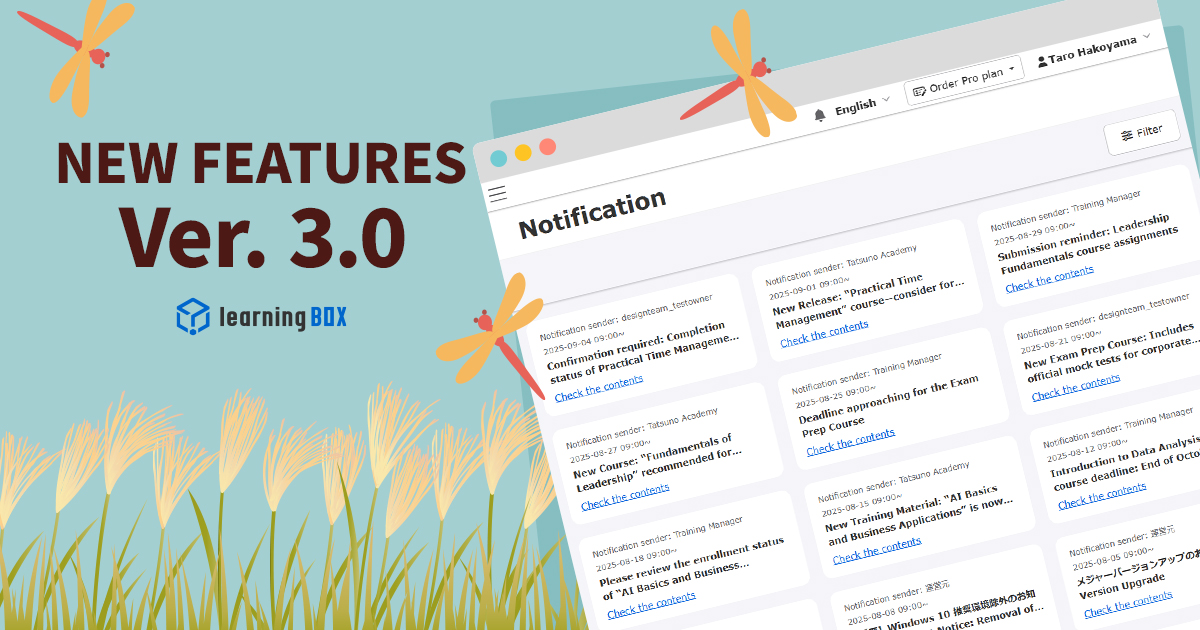
Thank you for using learningBOX. Today, learningBOX has been updated to Ver. 3.0. We would like to introduce you to the various functions that have been added and improved with this update. Enhanced functions Enhanced Notification Management Functions A new "Notices List" screen has been added. This allows users to check the list of announcements being distributed and search by keywords. In addition, a bell icon has been placed in the header, and this icon can be used to move to the Notification List screen. However, the new notification function is not supported at this time. The dashboard displays only the title of the announcement, with links to the detail page and the list page. It is not possible to determine whether a notification has been read or not. For the management function, it supports the setting of the sender. For e-mail notifications, the sender's name will be displayed as the sender's source. On the other hand, for announcements in the system, the distributor is indicated in the body of the message. In addition, the editor supports rich text format. *For details, please refer to "Notice Management. ●If you have a customization contract prior to September 17, 2025, you can use the functions by adding menu items in "Menu Management" of the Site Customizer. learningBOX3.0 series side menu_Header menu changes Function to set the date and time when users can log in Since the system allows users to limit the times when they can log in, the system allows users to set up a schedule of log-in times and days according to their business hours and assign them to different groups. Users cannot log in outside the set hours and are automatically logged out at the end of the day, even if they are still using the system. A warning pop-up will appear 5 minutes before the end of the day. Note that users with access rights to the settings page are exempt from the restriction and can log in at any time. This feature prevents students from taking classes outside of working hours and enables operation in line with the company's attendance policy. *For details, please refer to "Setting Login Availability Dates and Times". Visualization of distribution status and management efficiency Now you can easily check "to whom," "to what extent," and "what" content has been distributed at a glance. The distribution status is displayed as "all allocated," "partially allocated," or "unallocated. In addition, a pop-up screen shows whether content is directly allocated or inherited from a parent group. In addition, you can filter by keywords, categories, and assignment status, and the assignment settings in the environment can be exported in CSV format. *For details, please refer to "Content Allocation Management. If you have a customization contract prior to September 17, 2025, you can use the function by adding menu items in the "Menu Management" section of the Site Customizer. learningBOX3.0 series side menu_header menu changes List of New Functions/Functional Changes For detailed information on the new features/functional improvements added this time, including the aforementioned features, please refer to the release notes below. Release Notes Adjustment of Side Menu  (This is for customers who have subscribed to the "Customize" paid option.) With this update, there are some changes to the configuration of the side menu. Please check the following link and make adjustments as necessary. LearningBOX3.0 series side menu_Header menu changes Notification of changes Support for Windows 10 With the end of Microsoft's support for Windows 10 on October 14, 2025, we will no longer support Windows 10 as a recommended environment for our services. However, there is a possibility that unexpected problems or security risks may occur after the end of OS security support. In order for our customers to use our services with peace of mind, we ask that you consider updating your OS to Windows 11 or moving to a PC with the recommended OS environment. Notice of Version Number Change By switching from large batch releases to smaller, more frequent updates, we aim to reduce risk and lighten the burden of quality control. We also aim to get new features, performance improvements, web standards compliance, and security fixes to users faster than ever before. To achieve this policy, we have changed the way we number our versions. At present, we plan to release a major version every three months, but in the future we intend to update major versions at shorter intervals than in the past. Other For further information or questions, please contact the following Inquiry Form We will continue to do our utmost to provide products and services that satisfy our customers. We look forward to your continued patronage.

thumbnail (i.e. miniature image)

Advance Notice] Specification Changes for Ver. 3.0 Release

Thank you very much for your continued use of our services. We would like to inform you in advance that the specifications of some functions will be changed starting with Ver. 3.0 scheduled for release on September 17, 2025 (Wed.). Please refer to the following for details. Changes (1) Target Function Group Authority Settings The following privileges will be newly added to the administrative privileges required when setting "Group Authorization Settings". Notification management authority (for all users) Therefore, from Ver. 3.0 onward, only accounts that have all of the following 8 privileges will be able to change "Group Permission Settings". Group Management Edit Authority (for all users), Content Management Edit Authority (for all contents), Grade Management Edit Authority (for all users/all contents), Content Allocation Authority (for all users/all contents), Mail Template Edit Authority (for all users), Message Box Management Authority (Authority to grant permission, Authority to manage notifications (for all users) After upgrading to Ver. 3.0, "Group Authorization Settings" cannot be changed if "Notification Management Authorization (for all users)" has not been granted to the target account. Please review the authority settings and grant the authority if necessary, in advance. [Change Point #2 ■Target Function Generator Version Control The following versions that can currently be selected in "Generator Version Management" will no longer be selectable after the version upgrade. QUIZ-5.16.25 If you are currently using this version, it will automatically switch to the latest version below. QUIZ-7.0.0 (the latest version) Impact Content that has already been created can be taken as the version it was created as long as it is not updated or edited. Newly created or updated contents will be automatically created with the latest version (QUIZ-7.0.0). We recommend that you update to the latest version of QUIZ-7.0.0 for stable use in the future. Note (when updating version) When updating an existing quiz from Series 5 to Series 6 or 7, the following settings will not be inherited, so you will need to re-configure the settings. Customized CSS, JavaScript, and system language *This service is available to customers who have a QuizGenerator license. For details, please refer to the following page. [For more details, please see the following page.]

learningBOX upgraded to Ver. 2.32

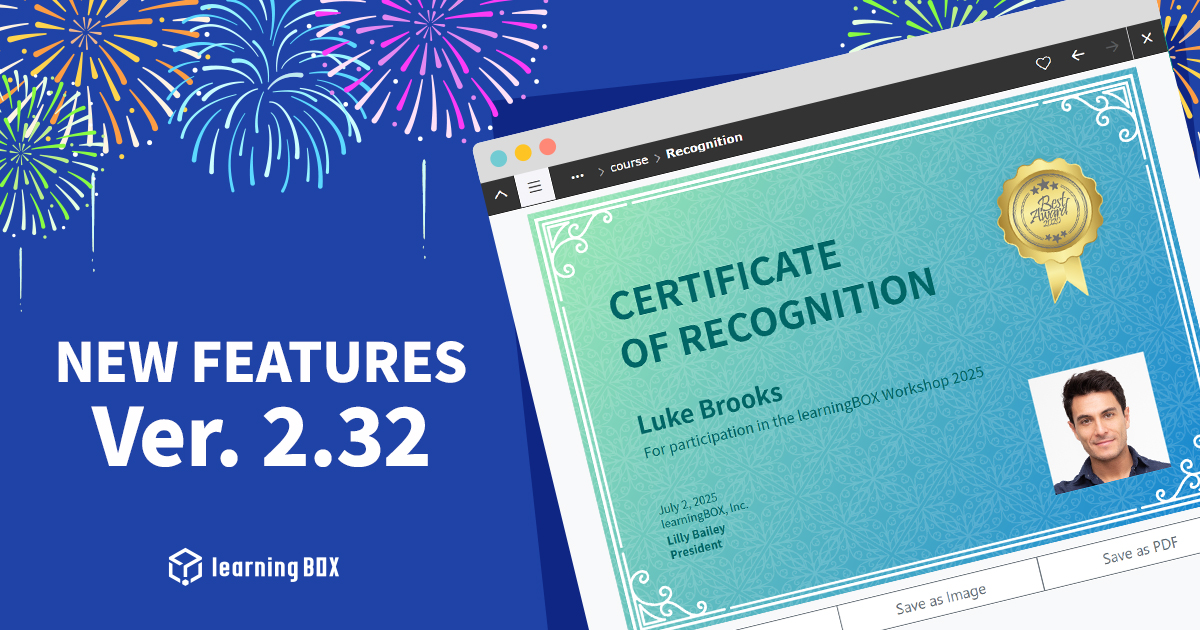
Thank you for using learningBOX. Today, learningBOX has been upgraded to Ver. 2.32. We would like to introduce you to the various functions that have been added and modified with the version upgrade. Enhanced functions Personal Photo Insertion on the Certificate The certificate function has been updated to automatically insert the user's photo into certificates for Standard Plan and above subscribers. This will enable the use of certificates for a wide range of purposes, such as certificates of completion of legal training, certificates of qualification examinations, and employee and member ID cards. The user's consent is required to use the photo, and once consent is obtained, the learner's photo will be automatically inserted in the designated area on the certificate. For more information, please refer to "Creating a Certificate Template". Enhanced anti-fraud measures on tablets The anti-cheating feature during testing is now available for touch devices such as tablets, which are widely used in schools. This enhancement reduces the risk of cheating by automatically adjusting the detection of full-screen disabling and maximization during browser monitoring on touch devices. This allows for safe and fair testing on a wider variety of devices. Features such as Split View and Slide Over are not supported at this time. For more information, please refer to "Fraud Prevention". Recording Speaking Voice A voice input feature for speaking has been added to the quiz/test report format questions. Learners can record and submit audio directly within learningBOX without the need for external tools, greatly reducing the time and effort required to answer questions. The creator of the material can set the recording time. Scorers can also playback the submitted audio directly in the LMS for evaluation, streamlining the audio evaluation process. *For more information, please refer to "Voice Input". List of New Features/Functional Improvements For detailed information on the new features/functional improvements added this time, including the aforementioned features, please refer to the release notes below. Release Notes Miscellaneous For further information or questions, please contact the following Inquiry Form We will continue to do our utmost to provide products and services that satisfy our customers. We look forward to your continued patronage.


Ver. 2.31

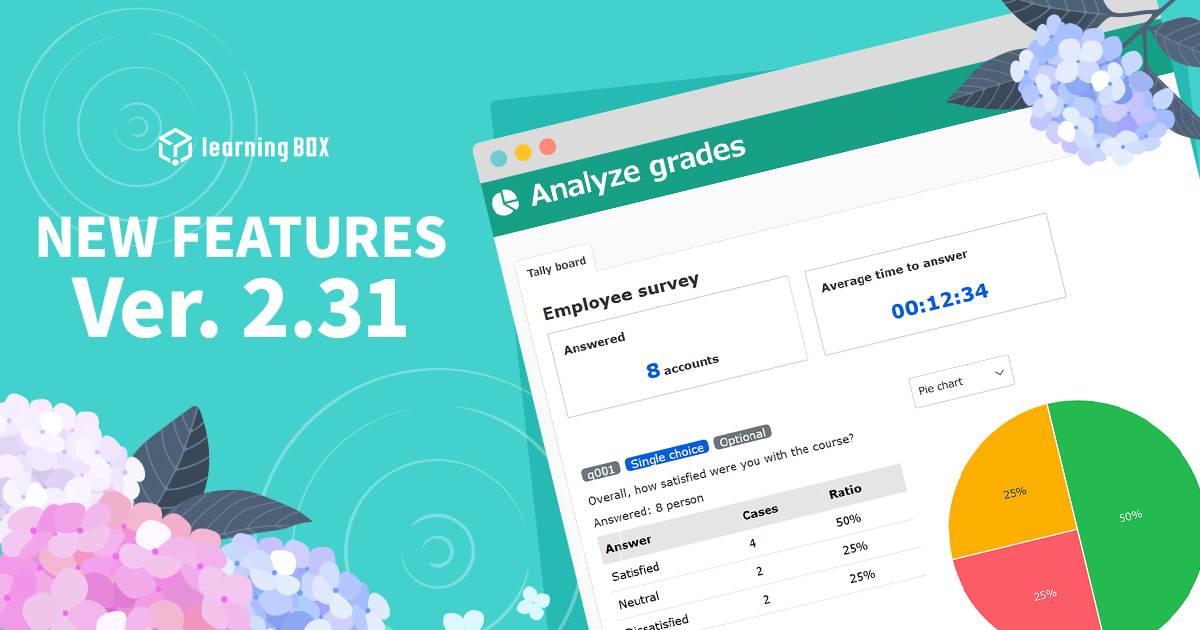
Thank you for using learningBOX. Today, learningBOX has been upgraded to Ver. 2.31. We would like to introduce you to the various functions that have been added and modified with the version upgrade. Enhanced functions Enhanced report output functionality The new system allows for easy output of data such as learning history and course status, which is necessary for applications for "subsidies to support human resource development" and other such programs. This greatly reduces the time and effort required to prepare application documents and supports smoother utilization of subsidies. For details, please refer to "Report Output". Enhanced analysis of aggregated survey data The aggregate data from the survey can now be visualized in easy-to-understand graphs and reports. You can intuitively grasp the results and issues of the training, and link them to effective feedback and the next learning plan. *For details, please refer to "Performance Analysis. Upgraded SCIM Linkage In addition to conventional user information integration, SCIM integration of group information is now possible with major Identity Providers (IdPs) such as Microsoft Entra ID and Okta. This automates group management tasks, reducing management man-hours and enhancing security. *For details, please refer to "Using SCIM" in "Linking with External Systems. List of New Functions/Functional Modifications For detailed information on the new features/functional improvements added this time, including the aforementioned features, please refer to the release notes below. Release Notes (For customers who have subscribed to the "Customize" paid option) With this major version-up, there are some changes to the side menu structure. Please check the following link and make adjustments as necessary. Contents of change Other For further information or questions, please contact the following Inquiry Form We will continue to do our utmost to provide products and services that satisfy our customers. We look forward to your continued patronage.
Find more about learningBOX