learningBOX

161 articles
thumbnail (i.e. miniature image)

[Advance Notice] Notice of Specification Changes Accompanying the Release of Version 7.0

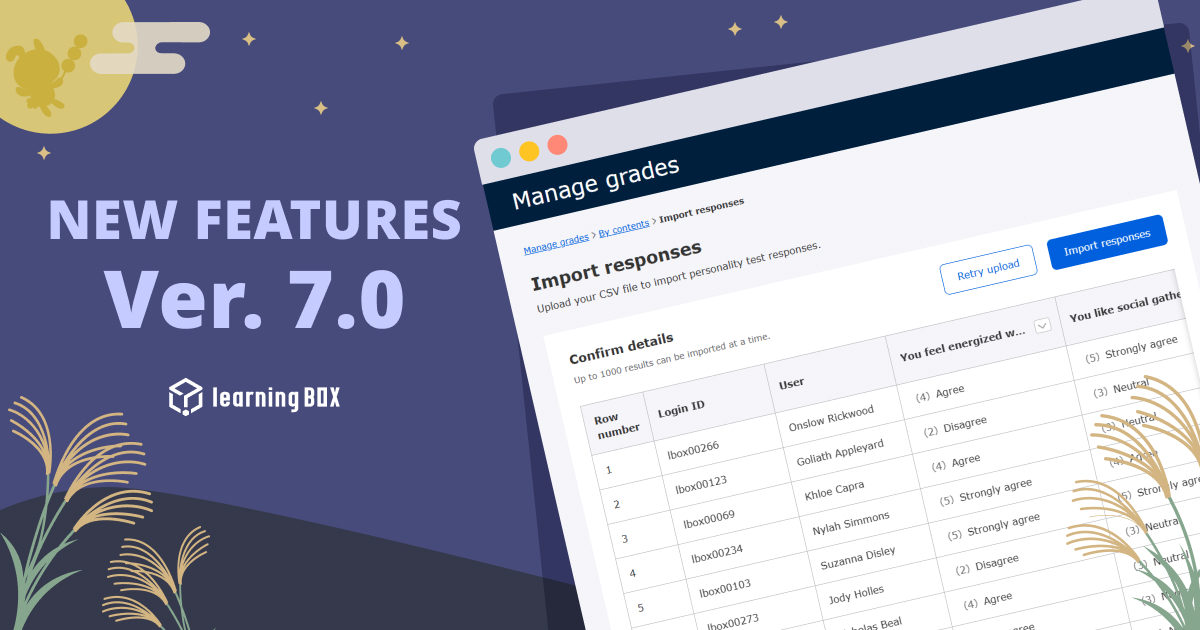
Thank you very much for your continued use of our services. In conjunction with the release of Version 7.0, scheduled for September 16, 2026, we will be making changes to the specifications of certain features. Accordingly, we would like to inform you of the main changes as follows. Addition of a setting to allow sending emails with “Grade Management Permissions (View)” ■ Affected Features: Grade Management Notifications, Learning Progress Notifications ■ Affected Users: Users with “Grade Management Permissions (View)” ■ Details of the Change: Previously, users with “Grade Management Permissions (View)” could only send “Learning Progress Notifications” from the Group Chart screen and could not send “Grade Management Notifications” from the Grade Management screen. Starting with the release of Ver. 7.0, the ability to send email notifications related to grades (Grade Management Notifications and Learning Progress Notifications) will be subject to administrator approval. *Feature scheduled for release in Ver. 7.0 Comparison of settings before and after the change Permission Setting Grade Management Notifications Learning Progress Notifications Before Change Cannot be sent Can be sent After Change Off *Default setting Cannot be sent Cannot be sent On Can be sent Can be sent ■Request to Customers: After the release of Ver. 7.0, the permission will be set to “Off” by default. Therefore, if users currently holding “Grade Management Permissions (View)” are sending Learning Progress Notifications, they will no longer be able to do so without further action. If you need to continue sending these notifications, please change the permission setting to “On” in the settings screen after the release of Version 7.0. Setting it to “On” will enable the sending of grade-related notifications (Grade Management Notifications and Learning Progress Notifications). Change to Email Notification Frequency for the Message Feature (Notifications Sent Each Time a Message Is Sent) ■ Affected Feature: Message Receipt Notifications ■ Details of the Change: We are changing the specification so that notification emails—which previously were sent once a day, aggregating unread messages—will now be sent each time a message is sent. Comparison of Before and After the Change Before the Change: A notification email was sent once a day (around 12:00 JST) to users with unread messages. After the Change: A notification email will be sent each time a message is sent. ■ Important Notes and Request to Customers (Regarding the Period During Which Notification Emails Will Not Be Sent) Due to migration processes associated with this specification change, notification emails will not be sent for messages sent during the following period. Affected Period: Around 12:00 on September 15, 2026 – Around 6:30 on September 16, 2026 (Until the Ver. 7.0 update is complete) Since unread notification emails will not be sent for messages sent during the above period, we kindly ask that you check the message function directly within the system. We apologize for any inconvenience this may cause to our users and appreciate your understanding and cooperation. Changes to the Rich Text Editor ■ Affected Feature: Rich Text Editor ■ Details: We will be replacing the editor (TinyMCE) used in text input and editing screens throughout the system with a new editor (Froala). Scope: Creation, editing, and submission screens for all major features, including quizzes and tests, reports, web pages, flashcards, and other learning materials. Comparison Before and After the Change Before: Old Editor (TinyMCE) (Example) Quiz/Test Material Editing Screen After: New Editor (Froala) (Example) Quiz/Test Material Editing Screen ■Impact ① Screen Design and Usability: Due to the editor switch, the UI design, toolbar icon layout, and some aspects of usability will change. ② Display of Existing Content: If you continue to use existing content as-is after the update, there will be no changes to how it appears. However, if you edit and save content created with the old editor after the update, the internal HTML will be converted to the new editor’s format, so the display layout may change slightly. ■ Request to Customers: Since the placement of the toolbar and other elements will change on the administrator screen, we ask that you consider updating your internal manuals and guidelines as necessary. Additionally, please consider creating a backup before editing important content. After the update, please check to ensure there are no issues with the display or layout. We apologize for any inconvenience this may cause our users and appreciate your understanding and cooperation.
thumbnail (i.e. miniature image)

Update Notification

Thank you very much for your continued use of learningBOX. We will be updating our shared server. Please note that the system will be unavailable during the period listed below. ■ Maintenance Period: Wednesday, September 16, 2026, 12:30 a.m. – 6:30 a.m. *Please note that the end time may vary depending on the progress of the work. We appreciate your understanding. ■ To Customers Using “Customize”: In connection with this update, we would like to inform you of the following three points. 1. Changes to “Menu Management” Due to the Update 2. Changes to the API Specifications Due to the Update 3. Changes to the Kaonavi Integration Guide Due to the Update 1. Changes to “Menu Management” Due to the Update [Applies only to customers using the Site Customizer] As part of our ongoing feature development, the structure of the side menu and header menu in learningBOX may change. Customers using the Site Customizer will need to adjust the menu order and other settings on their end after the update. In Ver. 7.0, there are no changes to the structure of the side menu or header menu. For the history of previous changes to the side menu and header menu, please visit this site. 2. Changes to the API Specifications Due to the Update [Applies only to customers using API integration] In learningBOX, API specifications may change as part of feature enhancements; we have already asked customers using API integration to review these changes in advance. Please share this information with your IT department and development staff. ・ API Specifications 3. Changes to the Kaonavi Integration Guide Due to the Update [Applies only to customers using Kaonavi integration] learningBOX may modify the Kaonavi integration specifications as part of functional enhancements, and we ask customers using Kaonavi integration to review these changes in advance. There are no changes to the Kaonavi Integration Guide in Ver. 7.0. We apologize for any inconvenience this may cause to our customers and appreciate your understanding.

learningBOX ver. 6.2

Thank you very much for using learningBOX. Today, learningBOX has been updated to Version 6.2. We would like to introduce the various features that have been added or improved in this update. Enhanced Feature: Bulk CSV Operations for Content Assignment Previously, assigning or removing learning materials for hundreds to thousands of groups or users—a task that had to be performed one by one on the screen—can now be completed all at once simply by uploading an edited CSV file. With the addition of this new feature, the CSV export specifications have been partially updated, and a new “Action” column has been added. By entering “add” (to add) or “delete” (to remove) in this column, you can specify the action for each row. Rows left blank will remain unchanged, so you can edit only the rows you wish to modify in the exported CSV file before uploading it. *For details, please refer to “Content Assignment Management.” View Illustrated Guide (PDF) List of New Features/Functionality Improvements For detailed information on the new features and functionality improvements added in this release, including the features mentioned above, please review the release notes below. ● Release Notes Other For detailed instructions or if you have any questions, please contact us using the information below. ● Contact Form We will continue to do our utmost to provide products and services that satisfy our customers. We look forward to your continued support.

thumbnail (i.e. miniature image)

【Important】Manage Contents Renewal

[Updated August 19, 2026] Regarding the Discontinuation Date of “Content Management (Legacy)” We have updated part of the content in this article. The discontinuation date for “Content Management (Legacy),” which was originally announced as “September 16, 2026 (Ver. 7.0),” is now undecided. We plan to discontinue this screen in the future. We will announce the discontinuation date at a later time. Please continue to make the necessary changes to the URL settings in the dashboard and side menu. We are officially relaunching “Course Management (β)” as “Content Management,” a new feature with improved performance and usability. Accordingly, we will switch to the new interface on March 18, 2026 (Ver. 5.0). At the same time, the previous “Content Management” will be designated as “Content Management (Legacy)” and will be available via a dedicated URL for a limited time before being discontinued. We will announce the discontinuation date at a later time. ■ Affected Feature: Course Management (β) *There is a page explaining this feature. Please refer to it here. ■ Changes (Overview): “Course Management (β)” will be renamed to “Content Management” and will henceforth be provided as the new “Content Management.” Please note that for a limited time, if you access the URL for the previous “Content Management” (old URL), you will be automatically redirected to the URL for the new “Content Management.” *The previous “Content Management” will be renamed to “Content Management (Legacy)” and will be available via a dedicated URL for a limited time only. (For compatibility and temporary verification purposes) ■Schedule 1. Switch to the new interface: Starting March 18, 2026 (Ver. 5.0) 2. Name change Before change After change Course Management (β) Content Management Content Management Content Management (Legacy) 3. Redirect (Automatic Redirection) Period Period: March 18, 2026 (Ver. 5.0) – Until “Content Management (Legacy)” is discontinued Details: If you access the URL for the legacy “Content Management” (old URL), you will be automatically redirected to the new “Content Management.” 4. Discontinuation of the Old Interface “Content Management (Legacy)” is scheduled to be discontinued in the future. We will announce the discontinuation date at a later time. Upon discontinuation, the redirect will be stopped and “Content Management (Legacy)” will be discontinued. ■ Actions Required by Customers (Important) Due to the transition to the new interface, we ask that some customers take the following actions regarding their settings. ① Changing the Dashboard URL Affected Users: All customers Action Period: March 18, 2026 (Ver. 5.0) and later; please take action as soon as possible After the discontinuation of “Content Management (Legacy),” access (redirects) via the previous “Content Management” URL (legacy URL) will be removed, so you will no longer be able to access the service using that URL. We apologize for the inconvenience, but customers who have registered the legacy “Content Management” URL (old URL) in their dashboard are requested to update the setting to the new “Content Management” URL starting with Version 5.0. ・ URL after changing “Content Management” settings: /courses/course-management Please refer to this page for detailed instructions. *As of the Ver. 5.0 release, attempting to access the previous “Content Management” URL (legacy URL) will automatically redirect you to the new “Content Management.” ② Side Menu Configuration Change Target: Customers using the Site Customizer Action Period: Starting March 18, 2026 (Ver. 5.0); please take action as soon as possible After “Content Management (Legacy)” is discontinued, the redirection process for the legacy “Content Management” URL will be removed, so you will no longer be able to access the service via that URL. We apologize for the inconvenience, but please make the following configuration changes starting with Version 5.0: ・Moving (Hiding) the “Course Management (β)” Menu *As of Version 5.0, the URL for the “Content Management” menu will automatically be updated to the new URL. Please refer to this page for detailed instructions. ③ Resetting the System Language Set in “Content Management (Legacy)” Who this applies to: Customers using the Site Customizer Even if you changed the system language in “Content Management (Legacy),” that setting may not be reflected when switching to “Content Management.” If the system language displayed after the switch is not the one you intended, please take the time to reconfigure the language settings. Note: System Language Settings Some users may need to review and update the content of their current user manuals and training materials. To ensure a smooth transition after the switch, please try out the new interface (currently displayed as “Course Management (β)”) in advance to familiarize yourself with its operation. * Please see below for an overview of the main changes and additions to the new screen (currently labeled “Course Management (β)”). ・ Course Management (β) Summary of Changes (PDF) ・ Course Management (β) Explanation (Video) If you have any questions, please contact us via the inquiry form.
thumbnail (i.e. miniature image)

Update Notification

Thank you very much for your continued use of learningBOX. We will be updating our shared servers. This update will be performed without any downtime, so there will be no period during which the service will be unavailable. ■ Implementation Date: Wednesday, August 19, 2026 ■ To Customers Using “Customize”: In connection with this update, we would like to inform you of the following three points: 1. Changes to “Menu Management” Due to the Update 2. Changes to the API Specifications Due to the Update 3. Changes to the Kaonavi Integration Guide Due to the Update 1. Changes to “Menu Management” Due to the Update [Applies only to customers using the Site Customizer] As part of our ongoing feature development, the structure of the side menu and header menu in learningBOX may change. Customers using the Site Customizer will need to adjust the menu order and other settings on their end after the update. In Ver. 6.2, there are no changes to the structure of the side menu or header menu. Please visit this site to view the history of previous changes to the side menu and header menu. 2. Changes to the API Specifications Due to the Update [Applies Only to Customers Using API Integration] In learningBOX, API specifications may change as part of feature enhancements. We ask customers using API integration to review these changes in advance. Please share this information with your IT department and development staff. ・ API Specifications: Please stop referencing and storing legacy Excel data. 3. Changes to the Kaonavi Integration Guide Due to the Update [Applies only to customers using Kaonavi integration] learningBOX may modify the Kaonavi integration specifications as part of functional enhancements; we ask customers using Kaonavi integration to review these changes in advance. There are no changes to the Kaonavi Integration Guide in Ver. 6.2. We apologize for any inconvenience this may cause to our customers and appreciate your understanding.

Ver. 6.1

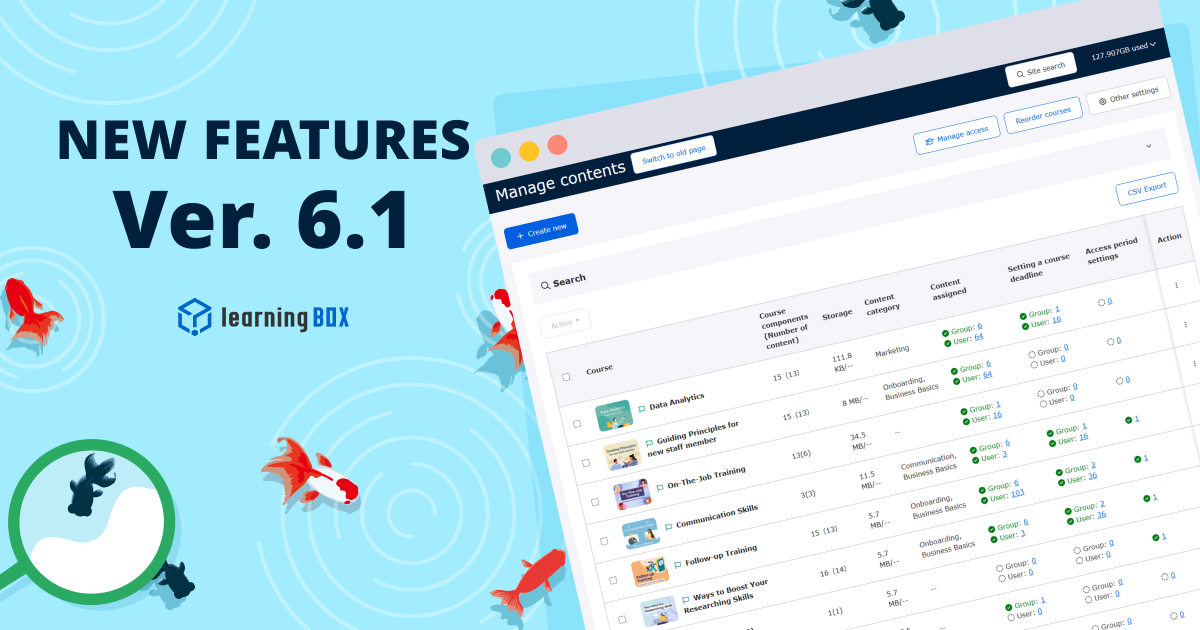
Thank you very much for using learningBOX. Today, learningBOX has been updated to Version 6.1. We would like to introduce the various features that have been added or improved in this update. Enhanced Features: Smoother Configuration and Verification from the Content Management Screen With this update, you can now see at a glance whether “Content Assignments,” “Course Expiration Dates,” and “Publication Periods” have been set and how many entries exist in the Content Management screen. Additionally, the text color changes when a setting is present, making it visually easier to identify. Furthermore, text links next to the displayed counts now allow you to easily navigate to the Content Assignment management screen. *For details, please refer to “Content Management.” View Illustrated Guide (PDF): UI Improvements for Content Assignment Settings Clarify Scope of Impact With these UI improvements, checking a parent element now makes it visually clear which elements are affected. For content assignments, checking a parent folder automatically applies a “gray checkmark” to all directly subordinate content (immediate subfolders are excluded). On the other hand, for group assignments, selecting a parent group applies a check mark to all its child groups. In this way, affected and unaffected elements are clearly distinguished by color and other visual cues, helping to prevent unexpected configuration errors—such as “I thought I set it up, but it wasn’t assigned”—before they occur. *For details, please refer to “Bulk Settings (Content Assignment Management).” View illustrated guide (PDF) Email notifications for unread messages are now sent once a day! With this update, notifications for unread messages in all rooms have been changed to be sent once a day in a single batch. Even when numerous messages are exchanged across multiple rooms, you will no longer receive multiple notification emails, reducing the burden of checking your email. The new notification email includes the total number of unread messages across all rooms and the opening portion of the most recent message, allowing you to grasp the situation at a glance. *For details, please refer to “Unread Message Notifications.” View illustrated guide (PDF) Subtitle size for video lessons can now be adjusted in 7 levels With this update, you can now freely adjust the subtitle size directly in the video lesson player. You can choose from seven sizes ranging from 50% to a maximum of 400%. The size automatically adjusts relative to your screen width to ensure readability. Additionally, once set, the size is saved in your browser, so you can watch videos without having to reset it each time. *For details, please refer to “Display Settings on the Learning Screen (Video and Slide Settings).” View Illustrated Guide (PDF) Manage training reservations and attendance status all at once on a single overview screen! On the “Training Reservations and Attendance Management” screen, you can now view a list of registration statuses for all currently available training sessions on a single screen. Administrators can manage reservation and attendance statuses collectively via the “List” tab on this screen. Furthermore, a feature has been added that allows you to download reservation and attendance data for all training sessions in CSV format. *For details, please refer to “Training Reservation and Attendance Management.” View illustrated materials (PDF) List of New Features and Enhancements For detailed information on the new features and enhancements added in this update, including those mentioned above, please review the release notes below. ● Release Notes Announcement: Notice Regarding Certain Specification Changes In conjunction with this update, we have made changes to the specifications of certain features. ● Consolidation of Email Notification Frequency in the Messaging Feature Please review the details via the link below and take appropriate action as needed. ● [Advance Notice] Notice of Specification Changes Accompanying the Release of Ver. 6.1 Other For detailed operating instructions or if you have any questions, please contact us using the information below. ● Contact Form We will continue to do our utmost to provide products and services that satisfy our customers. We look forward to your continued support.

thumbnail (i.e. miniature image)

Update Notification

Thank you very much for your continued use of learningBOX. We will be updating our shared server. Please note that the system will be unavailable during the period listed below. ■ Maintenance Period: Wednesday, July 15, 2026 1:00 a.m. – 5:00 a.m. *Please note that the end time may vary depending on the progress of the work. We appreciate your understanding. ■ To Customers Using “Customize”: In connection with this update, we would like to inform you of the following three points: 1. Changes to “Menu Management” Due to the Update 2. Changes to the API Specifications Due to the Update 3. Changes to the Kaonavi Integration Guide Due to the Update 1. Changes to “Menu Management” Due to the Update [Applies only to customers using the Site Customizer] In learningBOX, the structure of the side menu and header menu may change as a result of new feature development. Customers using the Site Customizer will need to adjust the menu order and other settings on their end after the update. Please refer to the following document for details on changes to the side menu and header menu. In Ver. 6.1, there are no changes to the structure of the side menu or header menu. For the history of previous changes to the side menu and header menu, please visit this site. 2. Changes to the API Specifications Due to the Update [Applies only to customers using API integration] learningBOX may change its API specifications as part of feature enhancements. We ask customers using API integration to review these changes in advance. Please share this information with your IT department and development staff. ・ API Specifications: Please stop referencing and storing legacy Excel data. 3. Changes to the Kaonavi Integration Guide Due to the Update [Applies only to customers using Kaonavi integration] learningBOX may modify the Kaonavi integration specifications as part of functional enhancements; we have already asked customers using Kaonavi integration to review these changes in advance. There are no changes to the Kaonavi Integration Guide in Ver. 6.1. We apologize for any inconvenience this may cause to our customers and appreciate your understanding.

Ver. 6.0

Thank you very much for using learningBOX. Today, learningBOX has been updated to Version 6.0. We would like to introduce the various features that have been added or improved in this update. Enhanced Features: More Flexible Course Management with Per-Scene Permissions Previously, permissions were primarily granted at the course, folder, or group level. However, with this update, you can now grant “Content Management” “Grade Management,” and “Content Assignment” to specific scenes only. By granting scene-level permissions tailored to each company, administrators can reduce the effort required for course preparation and permission configuration. This minimizes the risk of configuration errors while allowing representatives from each company to quickly create and manage courses on their own. *For details, please refer to “Administrative Permissions.” View illustrated materials (PDF) Streamline Large-Scale Operations with Bulk CSV Configuration of Scene Permissions You can now configure the newly added scene-specific permission assignments in bulk using user CSV or group CSV files. In addition to configuring permissions individually on the screen, using CSV files allows you to easily add, remove, or overwrite existing permissions for multiple users or groups with a single upload. This helps prevent manual configuration oversights and errors, even when handling thousands of scenes or operating within large organizations with a vast number of learners. *For details, please refer to “Granting Permissions via CSV” and “Bulk Registration and Update of Groups.” View Illustrated Guide (PDF) Bulk Scene Configuration for Multiple Courses Now Possible! A new feature has been added that allows you to configure and modify “scenes” for multiple courses at once from the Content Management screen. Previously, you had to open the settings screen for each course individually, but now you can select multiple courses and assign scenes in bulk from a dedicated modal screen. A scene search function is also included, enabling smooth configuration even when multiple scenes are available. *For details, please refer to “Content Management.” View Illustrated Guide (PDF) The Group Record filtering feature has been further enhanced! Previously, it could be time-consuming to download all data and then process it manually, but now you can filter records directly on the screen based on “Account Creation Date,” “First Login Date,” and “Learning Rate” (e.g., 100%). These filter results are automatically reflected in Excel reports and CSV exports for individual courses or folders, as well as in the recipients of notification emails, eliminating the need for manual data processing. This makes it much easier to generate lists of “users who joined during a specific period and have completed their training” or to send bulk emails to those who have not yet completed their training. *For details, please refer to “Medical Records.” View Illustrated Guide (PDF) Batch Operations for Content Assignment, Course Expiration Dates, and Publication Periods Are Now Possible! Previously, you had to open individual screens for each course or folder to make settings. With this new feature, you can assign multiple courses or pieces of content to specific groups or users at once, and set course expiration dates and publication periods in a single operation. Additionally, since you can easily check the set completion deadlines and publication periods on the list screen, this helps prevent missed settings and errors. Furthermore, even if you want to set different periods for each learner, this significantly reduces the number of steps required. *For details, please refer to “Content Assignment Management.” View illustrated guide (PDF) Shortcut Creation Feature Added to Content List A new “Shortcut Creation” feature has been added to the Content List screen. This allows you to easily place existing videos, quizzes, and other content into other courses or folders as “shortcuts.” Since you can place multiple pieces of content together as a single shortcut, this reduces the effort required to manage them individually and allows for smoother management. Additionally, you can now preview content directly from the Content List screen, and the default setting now displays content sorted by registration date in “Newest First” order. *For details, please refer to “Content List (Across Courses and Folders).” View Illustrated Guide (PDF) “Sort by Oldest Due Date” Added to the Course List Panel on the Dashboard In the course list panel on the learner’s dashboard, “Sort by Oldest Due Date” has been added as a new sorting option. This makes it easier for learners to determine at a glance which courses they should prioritize, helping to prevent missed courses. Meanwhile, administrators can flexibly configure the panel to display only courses that meet specific criteria, such as “courses with a remaining number of days until the deadline within a specified range” or “courses that have passed their deadline.” In addition, the labeling of course deadlines has been improved, with phrases such as “○ days remaining” and “Expired” now displayed more clearly. This makes it easier for learners to reliably track their progress. *For details, please refer to “Dashboard.” View illustrated materials (PDF) Ability to filter by “Unfinished Only” on the “Select a Course” screen The usability of the “Select a Course” screen accessed by learners has been improved. A new sorting option, “By Oldest Expiration Date,” has been added to the search results, allowing learners to prioritize courses with upcoming expiration dates. Furthermore, a new toggle switch labeled “Incomplete Only” has been added next to the search bar. Simply turning this on allows learners to quickly filter and display only courses and content for which their completion rate has not reached 100% (e.g., in progress, not started, or failed). This enables learners to intuitively understand what they should study next and which tasks they have yet to complete. *For details, please refer to “Selecting a Course.” View illustrated materials (PDF) Adding enrollment expiration dates and other fields to report merge keys New merge keys will be added to the “Single Course/Folder Learning History” template in the Group Chart report generation feature. The three keys being added are “Login ID,” “Recommended Enrollment Date,” and “Enrollment Expiration Date.” Previously, when compiling annual training plans and performance data, staff had to manually cross-reference multiple data sets in Excel or similar software, which created a significant workload. With this update, you can easily export each participant’s course expiration date, actual learning progress, and login ID all at once to a single Excel file, significantly reducing the data processing required for performance aggregation and report generation. *For details, please refer to “Report Output.” View Illustrated Guide (PDF) Export Learning Histories for Multiple Courses in a Single Report! The report output feature in Group Records has been updated to be even more convenient. A new “Report Output” button has been added to the course list screen that appears after selecting a group, allowing you to export learning histories for multiple courses at once as an Excel report. A new template titled “Learning History for Multiple Courses” is now available, allowing you to extract data such as course expiration dates, start and completion dates, and login IDs all at once. Bulk export is possible as long as the total number of rows—calculated as “number of courses × number of users in the group”—does not exceed 5,000. *For details, please refer to “Report Output.” View Illustrated Guide (PDF) List of New Features/Functionality Improvements For detailed information on the new features and functionality improvements added in this release, including those mentioned above, please refer to the release notes below. ● Release Notes Announcement: Notice Regarding Certain Specification Changes In conjunction with this update, we have modified the specifications of certain features. ● Relaxation of access permissions for the “Content List” (across courses and folders) screen, and addition of a shortcut creation feature ● End of support for Mozilla Firefox Please review the details via the link below and take appropriate action as needed. ● [Advance Notice] Notice of Specification Changes Accompanying the Release of Ver. 6.0 Other For detailed instructions or if you have any questions, please contact us using the information below. ● Contact Form We will continue to do our utmost to provide products and services that satisfy our customers. We look forward to your continued support.
thumbnail (i.e. miniature image)

Update Notification

Thank you for using learningBOX. We will be updating the shared server. Please note that the system will be unavailable during the following period. The update will be implemented from 00:30 to 06:30 on June 17, 2026 (Wednesday). Please understand this in advance. Customers using "Customize" will be notified of the following three points in connection with the update. 1. 1. changes to "Menu Management" due to the update 2. changes to API specifications due to the update 3. changes to Kao Navi Linkage Guide due to the update 1. changes to "Menu Management" due to the update [For customers using the Site Customizer only] 2. changes to "Menu Management" due to the update [For customers using the Site Customizer only] 3. changes to "Menu Management" due to the update [For customers using the Site Customizer only The structure of the side menu/header menu may be changed in learningBOX due to the development of new functions. Customers using the Site Customizer will need to change the menu order, etc. after the update. Please refer to the following document for details on the changes to the side menu and header menu. Please refer to this site for the history of changes to the side menu and header menu. 2. 2. API specification changes due to updates [For customers using API integration only] The API specifications of learningBOX may be changed in accordance with functional improvements. Please share this information with your information system department and development staff. API Specification Starting with this version, the method of providing API information has been changed to URL distribution only. Please stop referring to and storing the existing Excel data. 3.3 Changes to Kao Navi Linkage Guide due to Update [For customers using Kao Navi Linkage only] The specifications for Kao Navi Linkage may change due to functional improvements in learningBOX, and customers using Kao Navi Linkage are asked to check in advance. There are no changes to the Kaonavi Linkage Guide in Ver. 6.0. We apologize for any inconvenience this may cause and ask for your understanding.
Find more about learningBOX