Other

12 articles

Choose the Right System to Train Global Talent - 3 key factors for SMEs

With the urgent need to develop global human resources, the selection of a "global human resources training system" is an important issue for SMEs that will determine their future growth. In this article, we will explain in an easy-to-understand manner the purpose and role of introducing a training system, as well as the three selection criteria that SMEs should focus on, including cost performance, multicultural compatibility, and operability. Basics of Global Human Resources Training Systems|Clearly Define the Purpose of Introduction Global human resources training systems are indispensable tools for companies to develop diverse human resources and enhance their ability to conduct business in overseas locations and multicultural environments. In today's globalized world, training systems are required that go beyond mere language training and knowledge imparting to include cross-cultural understanding, communication skills, and on-site readiness for work. Therefore, the first step to success is to identify in advance what kind of results you are aiming for and what specific issues you want to solve by introducing the system, and reflect them in the system selection and operation policy. Clearly set objectives The success or failure of introducing a global human resources training system depends on how clearly you can set objectives at the initial stage. For example, it is important to specifically define goals that meet the needs of the field, such as "making local employees at overseas sites more capable of making immediate contributions," "strengthening cross-cultural communication," and "centralized management of training progress at multiple sites. If the goals are left vague, operation and effectiveness measurement after the system is introduced will easily become a formality, and the motivation of those in charge will tend to decline. By verbalizing the current issues and the ideal image, and sharing them with the parties concerned, prioritizing system requirements and formulating operation rules will become smoother. These steps will also help foster a sense of conviction about the investment required to implement the system and foster cooperation within the company. Concretization to Achieve Goals is Important Once the objectives have been determined, it is important to concretize the goals at the numerical and action levels. For example, set KPIs that can measure achievement, such as "increase the participation rate to 801 TP3T or more in six months," "increase the average score by 10 points on the cross-cultural understanding test," or "improve the on-site retention rate of newly hired employees by 201 TP3T. This will not only enable objective evaluation of the effectiveness of the training system, but also clarify action plans for those in charge of the field. Clarified goals will also make it easier to optimize operational aspects such as selection of teaching materials, progress management, and analysis of learning data. It is essential to specify goals from both quantitative and qualitative perspectives for continuous review and improvement. Understanding the Role of the Training System The role of the training system is not limited to mere delivery of training materials and course management. It is important for front-line personnel to understand the role of training itself and to be aware of the connection points with the company's internal training issues and human resource strategy. By utilizing the system, it is possible to support the growth of each employee and raise the skill level of the entire organization. In order to achieve optimal operation, it is advisable to share the system's functions and the image of its post-introduction utilization with all parties concerned before introducing the system. Back to Table of Contents Three selection criteria for a global human resources training system When selecting a global human resources training system, SMEs place importance on the following three selection criteria. Cost performance Flexibility to support multiple cultures Simple operability A system that is easy to introduce and operate, and that can be used intuitively by on-site personnel and participants is essential. Cost Performance The introduction and running costs of a global human resources training system are critical factors for corporate human resources and education staff. Especially for small and medium-sized companies, a fee structure that can smoothly manage a large number of trainees while keeping initial investment low is required. High cost performance is also directly related to the ease of ongoing training operations and accountability to management. A system with free plans, low-cost plans, and clear fee structures will provide peace of mind in managing costs after implementation. Flexible multicultural support For training targeting global personnel, a system that can flexibly respond to cultural and language differences is essential. Multilingual displays, regional customization functions, and site-specific privileges and materials management will help create an environment that is equally conducive to learning for all participants. Such a system with high multicultural adaptability will prevent confusion and communication loss in the field and maximize the effectiveness of training. Simple operability Ease of use is a factor that should not be overlooked when selecting a training system, and an intuitive interface that can be operated without hesitation from a variety of devices, even by personnel and trainees unfamiliar with IT, is important. A system that is easy to use will also help reduce training and support costs, and increase the productivity of the entire company. Back to Table of Contents Points for comparison of global human resource training systems While the implementation of a global human resource training system tends to increase operating costs, the time and effort required to manage the system and create teaching materials cannot be ignored. Here, we will explain specific points of comparison that small and medium-sized companies should pay attention to from the perspectives of both cost and operational efficiency. Cost-effectiveness and future scalability In many cases, SMEs face not only initial costs at the time of introduction, but also long-term running costs that can be a barrier to continued use. Specifically, these costs include monthly per-account fees that tend to be set for large companies, costs for procuring and updating content, costs for adding accounts, and additional costs for adding teaching materials and using support. In order to select the best system, the first step in maximizing cost-effectiveness is to make sure that the fee structure is clear and can be scaled without difficulty according to corporate growth and scale of use. Also, to minimize initial implementation risk, choose a service that offers free trials or low-cost plans to reduce initial costs and the burden of starting operations. Design to reduce the operational burden The operational burden of the system is directly related to the time and effort required onsite for daily creation of course materials, course management, and grade tabulation. If the person in charge is not familiar with IT, the complexity of the operation may hinder the introduction of the system. A system that reduces operational burdens is equipped with functions such as intuitive operability, automatic tallying and reporting of course status, and so on. In addition, the system's support for multiple devices and centralized group management functions will enable efficient training at multiple locations and with multiple participants. The level of operational support and manuals will also help reduce the burden on the field, so be sure to include these in your comparisons. High system scalability In the field of global human resources training, system scalability is required to accommodate business expansion, the establishment of new overseas offices, and an increase in the number of trainees. A system with high scalability not only allows for flexible account addition and functional expansion, but also supports multilingual support and API integration with external services. Comparison PointsFlexible scalabilityEasy to add accounts and expand functionsMultilingual support and API integrationFlexible options and customizationFlexible addition and customization of non-standard features This allows the system to smoothly respond to future changes in organizational size and new training needs, thereby increasing the long-term return on investment. This allows for a smooth response to future changes in organizational size and new training needs, thereby increasing the return on investment over the long term. It is also important to confirm in advance whether there is flexibility in adding options and customization, even in cases where standard functions are not available. If you are not sure which system is best for your company, please take advantage of this white paper summarizing the key points of global human resources training. Download Now Back to Table of Contents Essential Functions of a Global Human Resources Training System to Support Multiple Locations A global human resources training system that supports multiple locations cannot simply deliver training materials online. A global HR training system that supports multiple locations must do more than simply distribute training materials online. In order for companies to effectively train employees with different languages, cultures, and work habits at each location, it is essential to optimize operations at each regional site. Here, we will explain the essential system functions from the perspectives of "multilingual support," "region-specific customization," and "cultural considerations" that should be kept in mind when actually introducing and operating the system, regardless of the size of the company. Multilingual Support For companies that are expanding globally, multilingual support is one of the basic functions of a human resources training system. By providing an environment where local staff can learn in the appropriate language, it is expected to improve the level of understanding and the attendance rate. The accuracy of information transfer through multilingualization determines the performance of the entire global organization. Regional Customization Functions The ability to tailor training content to local business practices, laws and regulations, and on-site conditions is also essential to a global human resources training system. For example, each location must be able to distribute its own educational materials, group courses, and manage schedules flexibly. This will enable local optimization while maintaining a sense of uniformity, and will greatly improve the sense of satisfaction and training retention rate at each site. Back to Table of Contents Features of a global human resources training system that is easy even for personnel who are not good with IT When introducing a new system such as a global human resources training system, many personnel tend to have concerns about whether they will be able to use it. In particular, HR and education departments are often required to operate the system in addition to their daily work, and a system that is not easy to use will increase the workload on the frontline. What is important here is an intuitive operation screen and excellent customer support. The following is a concrete explanation of the points that should be emphasized in practice. Intuitive interface The system screen that the staff member first touches influences the ease of operation. An intuitive interface refers to a design (operation screen) in which buttons and menus are clearly arranged so that users can determine at a glance what functions they can use by pressing buttons and menus. For example, the ideal interface should be designed so that major operations, such as uploading teaching materials, managing students, and checking grades, can be completed with a few clicks from the top screen. By choosing a service with simple and clear Japanese language display and easy-to-understand icons, even IT novices will be able to proceed with their work without hesitation. A well-developed user guide A well-developed user guide is also indispensable for smooth operation. Especially in the field of human resources training, sudden changes in settings or the addition of new teaching materials often occur, and having easy-to-understand instructions and video guides available each time is a great source of reassurance. A manual that provides detailed explanations for each operating screen and covers frequently asked questions and troubleshooting will increase opportunities for personnel to solve problems on their own. This will greatly reduce stress during system operation and the number of external inquiries. A well-developed support system Whether or not there is a support system that can be relied on in the event of any problems or questions is an important criterion in selecting a system. If multiple contact points are available, such as telephone, e-mail, and chat, you can consult with the person in charge in the most appropriate way for your situation. In addition, there are an increasing number of services that support operations regardless of on-site IT literacy, such as support for initial setup at the time of introduction, operation on behalf of the client, and manual preparation on behalf of the client. With such a system in place, you will be able to operate your global human resources training system with peace of mind, as you can calmly deal with day-to-day operations and sudden problems. Back to Table of Contents Why learningBOX can solve the challenges of implementing a global human resources training system for SMEs? There are many challenges involved in implementing a global human resources training system, such as costs, creation of teaching materials, management and operation, security, and operability. SMEs, in particular, require flexibility to accommodate multiple locations and a diverse workforce with limited budgets and personnel. Intuitive design that does not require specialized knowledge, support for creation of teaching materials and grading by AI, low-cost plans, robust security, functions that allow centralized management of multiple sites and multiple personnel, and a generous support system. LearningBOX" contributes to on-site work efficiency and education quality improvement with these features, and promotes the global training of small and medium-sized companies. Up to 10 accounts of "learningBOX" can be used free of charge for an unlimited period. Compared to other services, the initial introduction and operation costs can be significantly reduced. Even with the free plan, you can create teaching materials and manage learning. Initial cost is 0 yen, and you can use the service immediately after registration. AI function makes it easy to create teaching materials By utilizing the AI assist function of "learningBOX," quizzes, memorization cards, and courses can be automatically generated simply by uploading videos, PDFs, and other teaching materials. Even if you do not have advanced IT knowledge or e-learning experience, you can create a wide variety of educational materials in a short time with intuitive operations. AI makes question creation speedy, greatly reducing the workload of educators. LearningBOX features centralized management of multiple sites and groups across the country and overseas. Users and groups can be created to distribute and manage course materials and course content at each site or department. Progress and results can be monitored in real time. Data can be utilized through CSV output and API linkage, and administrators can be designated at each site for smooth operation. Security measures "learningBOX" is equipped with the latest security measures such as SSL/TLS communication and unauthorized access countermeasures. Account lock for suspicious login attempts Two-factor authentication via e-mail IP address restrictions for each group and content Paid enterprise option supports individual security requirements such as Deep Security and WAF, etc., so that even industries that require legal compliance and information protection can rest assured. Intuitive operation Intuitive operation "learningBOX" is designed so that even inexperienced IT staff can use it without hesitation. The administration screen is simple and highly visible, and allows for intuitive operation, from registering course materials to managing students and checking grades. The drag-and-drop interface eliminates the need for complicated procedures, and the operation manuals and support are also available. Even companies that are introducing an e-learning system for the first time can start using it smoothly. For more information about learningBOX and its free trial, please visit the official website. Please feel free to consult with us about the introduction of learningBOX. We will propose the optimal method of utilization and recommended fee plans according to the issues faced by your company. In the field of global human resources training, there is a need to improve operational efficiency and respond flexibly to diverse training needs. LearningBOX has been highly evaluated for its intuitive operability and multifunctionality, and its introduction is progressing at companies and educational institutions. Here, we will introduce specific examples of how LearningBOX has improved operational efficiency, reduced the burden of training operations, and accommodated a diverse workforce, based on actual case studies. By learning about the challenges they faced before and the changes they have made since the introduction of the system, you will be able to get hints on how to improve your own training operations. Efficiently educate and manage foreign human resources with specific skills using learningBOX → Click here for a case study of ONODERA USER RUN Co. When introducing a system, three conditions are particularly important for personnel and education staff of small and medium-sized companies: cost performance, support for multiple locations, and ease of operation. By selecting a system that meets these requirements, it is possible to improve the operational efficiency of training operations, centrally manage progress and results, reduce the man-hours required to create training materials, and improve the quality of training and increase the participation rate. LearningBOX" offers intuitive operability that even inexperienced IT staff can use easily, AI-based support for creating training materials, and industry-leading low costs, with up to 10 accounts free for an unlimited period and 100 accounts starting at 5,500 yen per month (tax included). The system covers all functions necessary for global human resources training, including multilingual and multi-site management, anti-fraud measures, and certificate issuance. As demonstrated in our case studies, one of its major strengths is its flexibility to meet the diverse training needs of small and medium-sized enterprises (SMEs). If you are looking to improve the efficiency and quality of your global human resource development and internal training, why not start with the free "learningBOX" plan? For details, please see the service details page. Please feel free to contact us to discuss and introduce learningBOX Contact Form We provide useful materials on global human resources training free of charge Download Materials Back to Table of Contents

The Ultimate Guide for Selecting the Right Multilingual Trainng Management System

In the field of corporate training, where globalization is progressing, training management systems that support multiple languages are indispensable. However, many people in charge must be wondering which system will meet their needs and whether the cost and support system will be sufficient. This article provides a thorough comparison of the latest features, prices, and support systems, including multilingual display, AI-assisted material creation, and security, and explains the key points that even those unfamiliar with IT can introduce with confidence, along with actual examples. What is a Multilingual Training Management System - Basic Functions for Global Human Resource Development A multilingual training management system is an indispensable tool for companies aiming for global expansion and organizations with multinational participants. These systems create an environment in which trainees can learn in their own language and ensure the quality of education in line with local needs. Multilingual Displays Enable International Support Multilingual training management systems differ in various ways depending on the content of the service, but the main feature is the ability to switch screen displays between multiple languages. This allows employees at overseas locations and foreign staff to operate the system intuitively in their own language. By making the educational materials themselves available in multiple languages, uniform educational content can be accessed without language barriers, which will help correct international educational disparities and promote equal opportunities in education. Enabling Language Selection for Each Trainee When managing a multinational team, it is essential for corporate human resources personnel to be able to select the appropriate language for each trainee. A multilingual training management system allows you to set the language of display for each account, so you can efficiently support employees with diverse cultural backgrounds with a single system. This not only minimizes the operational burden on site while providing a learning environment suited to each participant, but also leads to smoother training at each location. The ideal tool for companies with global operations The multilingual training management system is ideal for companies with multiple locations and organizations with overseas subsidiaries. It allows you to train local staff at the same level as the headquarters and ensure uniform quality of training throughout the company. In addition, the system facilitates measurement of training effectiveness on a global scale by enabling centralized management of learning progress across language and location barriers, thereby creating a sense of unity in organizational development and human resource development. Contribution to the improvement of participants' motivation to learn The introduction of a multilingual training management system also makes a significant contribution to the improvement of participants' motivation to learn. This is because providing a learning environment in the native language enables participants to understand the training content more deeply and accurately. By breaking down language barriers, the stress and alienation of "I don't understand what you are saying" are eliminated, and positive attitudes and motivation toward learning are increased. It also increases trust in the company, as people feel that their own language is respected. Back to Table of Contents The latest trends and selection points for multilingual training management systems As employees become increasingly multinational, there is an urgent need to create an environment where everyone can learn equally. Recently, there are a variety of points to keep in mind when introducing a multilingual training management system, such as support for access from mobile devices, enhanced security, a full support system, and products with excellent cost performance. This section details the latest trends in multilingual training management systems and points to consider when selecting a system. Whether or not the system is multi-device compatible Mobile support is becoming an essential requirement when considering the efficiency of in-house training. When selecting a multilingual training management system, choose one that is fully compatible with smartphones and tablets so that employees can continue learning not only in the office, but also on the road or at home. This will enable effective use of travel and spare time, which will directly lead to higher attendance rates. Another important factor in selecting a system is whether or not it is intuitive and easy to use, even for learners who are concerned about IT literacy. Are security measures in place? Security measures are essential for online corporate training. Since highly confidential information such as personal data, course data, and course materials are handled, it is necessary to select a system with multi-layered security features such as SSL/TLS communication, access restrictions, and measures against unauthorized access. In addition, it is also important to check whether the system meets the security standards required by your company. Check in advance whether the system has the following "basic security functions. Basic security features SSL/TLS encryption Access control and authorization management WAF (Web Application Firewall) By choosing a system with these features as standard, you can deploy online training with peace of mind while minimizing cyber attacks and unauthorized access. Does the system offer adequate online support? For personnel unfamiliar with IT, a support system during system implementation and operation is a major source of reassurance. Recently, an increasing number of services provide not only chat, e-mail, and telephone support, but also extensive manuals and FAQs, demonstrations of how to use the system, and data registration and operation services. Especially when multiple locations or a large number of people need to be managed, support that reduces the operational burden will greatly improve the work efficiency of the person in charge. Is it a low-cost, highly functional system? The cost of implementation is the most important factor when selecting a multilingual training management system. The monthly cost of a multilingual training management system varies depending on the number of users, functions, and implementation format, but generally costs anywhere from several tens of thousands to several hundred thousand yen. In particular, the more multilingual support and advanced security features are required, the higher the cost tends to be. However, "learningBOX" can be installed at one of the lowest prices in the industry, well below the industry market rate. LearningBOX" offers a free plan for up to 10 accounts, and even for 100 accounts, the price starts at 5,500 yen per month (including tax), yet it covers all the functions necessary for corporate training, such as multilingual support and security management functions. You can start global human resource development without worrying about expensive initial investment and operation costs. Item Contents (as of January 2026)Free PlanFree up to 10 accounts indefinitelyLow-cost PlanFrom 5,500 yen/month (including tax) even for 100 accountsMain FeaturesInterfaceMultilingual display, automatic creation of teaching materials with AI assistance, security enhancementIf you are unsure about choosing the best system for your company, Global Human Resources If you are not sure which system is best for your company, please take advantage of our white paper summarizing the key points of training. Back to Table of Contents Thorough Comparison of Functions, Pricing, and Support of Major Multilingual Training Management Systems When considering the introduction of a multilingual training management system, it is generally important to know what kind of functions it has and what its price range is. What features do they offer and what is the price range? In this chapter, we will compare and explain the price range, functions, support system, security, etc. of the major multilingual training management systems. Feature Comparison: AI Assist The most notable feature of a multilingual training management system is whether or not it supports the creation of training materials using AI Assist. With the AI Assist feature, quizzes and courses can be generated automatically from existing content such as videos and PDFs, significantly reducing the time required to create educational materials. Price Comparison: Free Plans and Low-cost Plans Cost is an important point that directly affects the hurdles to introduction and the possibility of continued use. While many services offer free trials, some do not disclose their price lists, so be sure to check the actual costs as early as possible. Make sure you understand the limitations of the free plan and the range of functions available in the low-cost plan, and confirm that they match the scale of your company's operations and objectives. It is also important to have some idea of the costs involved in transitioning to a paid plan or increasing or decreasing the scale of use. The e-learning system "learningBOX" is available for free for an unlimited period for up to 10 accounts, or for as little as 5,500 yen per month (tax included) for 100 accounts, and offers both multiple functions and low cost. For more information, please visit the official website. Support Comparison: Operation Support and Manual Provision A support system is also essential for smooth introduction and operation of a training management system. Check for the following support systems. Provision of operation manuals and FAQs Multiple support systems: e-mail, chat, telephone, etc. Response desk for troubleshooting Availability of substitute services: e.g., data registration, manual creation, etc. Comparison of full security functions Measures against cyber attacks and unauthorized access are important factors in selecting a training management system. Security function contentSSL/TLS communicationCommunication content encryptionAccess controlSecurity enhancement through authorization settings and user managementWAF (Web Application Firewall)Prevention of unauthorized access to the systemIP restrictionsLimit IP addresses that can access the systemLimit simultaneous accessLimit the number of accounts that can access the system at one time Specify the number of accounts that can access the system at one time. Centralized Student Management Functions Centralized management of student information, grouping, and automatic tabulation of progress and performance data are indispensable functions for corporate training programs for large numbers of students. Flexible management functions such as creating groups by department or location, batch distribution of course materials, setting management privileges, and exporting CSV files. When selecting a training management system, not only operability and cost performance, but also multilingual support and functional enrichment are important points of comparison for corporate personnel and educators. LearningBOX" offers a wide range of functions at a low price, including an intuitive design that can be used without specialized knowledge, grade management including progress status, creation of teaching materials using AI, and consideration for security. Here, we will explain in detail the features of the main functions of "learningBOX," which are also suitable for global companies. Multilingual display for international use Multilingual support is an essential feature for companies seeking to expand their global operations. LearningBOX" can be displayed in 18 languages, including Japanese, making it possible to use a single system for training at overseas locations and for foreign employees. Language switching can be flexibly set up for each participant. Progress management and grade tallying can also be centrally managed. The AI-assist function of "learningBOX" can automatically generate quizzes, memorization cards, and courses from videos and PDFs, and can also automatically grade long reports based on model answers and create feedback texts. This greatly reduces the burden of material preparation and grading compared to the conventional manual process. Security measures come as standard equipment With the proliferation of online training, security measures and measures against unauthorized attendance are also becoming more important. LearningBOX" has acquired ISMS certification (ISO/IEC 27001, JIS Q 27001), and we are continuously working to strengthen various security measures, such as SSL/TLS communication and unauthorized access prevention. Enterprise services are also available as an option. Simple operation makes even IT novices feel at ease The complexity of the system is a major barrier for those in charge who lack confidence in their IT literacy. LearningBOX features a simple UI design that does not require advanced IT knowledge, allowing anyone to operate it without hesitation. Even companies that are introducing e-learning for the first time can smoothly start using the system. Back to Table of Contents Multilingual functions and operational support are important when selecting a training management system Here, we explain checkpoints for selecting a system, focusing on multilingual functions and operational support. The multilingual function of a training management system must be able to flexibly switch the display content according to the native language of the trainees and the language of the business. Some systems have both the administration screen and the course screen in multiple languages. By taking into consideration the size of your workforce and the diversity of your locations, you can maximize learning retention and training effectiveness by selecting a system with flexibility that best suits your needs. Efficient implementation support through operation services When selecting a multilingual training management system, the man-hours and resources required for actual implementation and operation should not be overlooked. In particular, the initial setup, data migration, and registration of teaching materials often place a heavy burden on on-site personnel. Selecting a system that offers an operation service to reduce these burdens will ensure a smooth and quick introduction of the system. For companies with limited human resources or personnel who are not familiar with IT, the key to success is to focus on the operation support system. With "learningBOX," an e-learning system that offers both multilingual support and an operation support system, you can operate the system intuitively without advanced IT knowledge, and customer support will assist you throughout the implementation and operation of the system. The cost performance is one of the best in the industry. For more information, please visit the official website. Back to Table of Contents LearningBOX Multilingual Training Management Case Studies and Operational Effects For companies considering the introduction of a multilingual training management system, actual operational cases and concrete effects are very helpful. Here, we will introduce examples of companies and educational institutions that have used learningBOX to address diverse human resources and business issues. We will clarify the power and operational effectiveness of the multilingual training management system through the background of each introduction and the results obtained. Efficient education and management of foreign human resources with specific skills using learningBOX → Click here to see the case study of ONODERA USER RUN Co. The system is an indispensable tool for global human resource development, employee training at overseas bases, and training for foreign national employees. When selecting a system, it is important to compare and consider a wide range of perspectives, including the system's multilingual capabilities, automatic generation of training materials with AI assistance, centralized course management, security measures, and mobile compatibility. LearningBOX" is a multilingual training management system that enables easy creation and management of training materials without the need for specialized knowledge. The features of "learningBOX" are as follows Easy operation: Even those without advanced IT knowledge can easily create and manage training materials. AI assist function: Supports the creation and operation of complicated learning content. Full security: Full security management functions provide peace of mind. Unbeatable cost performance: Up to 10 accounts are free for an unlimited period of time, and even 100 accounts start at 5,500 yen per month (tax included). If you are looking to streamline your global human resource development or multinational team training, please visit the service details page. Please feel free to contact us about considering and introducing learningBOX Contact Form We offer free materials to help you consider the introduction of a multilingual training management system Download Materials Back to Table of Contents

Report on Employee Training Survey by Industry - Manufacturing, Retail, Finance, Medical Care, and Municipalities

One of the main purposes of employee training is to increase productivity and corporate profits by improving the skills of employees. Due to social factors such as the declining birthrate and aging population, it is expected to become more difficult to secure a workforce in the future. In recent years, the need for employee training to strategically develop an organization's limited human resources is said to be increasing. LearningBOX therefore conducted a survey of men and women in their 20s to 60s working in manufacturing, retail, finance, medical care, and local government who have attended employee training. A portion of the survey results are disclosed in this article. The full report of the survey results, which provides hints for better training implementation, including issues that participants felt through the training and points that they consider important in training, can be downloaded from the link below. Survey Method: Web-based survey conducted using General Research Corporation monitors Survey Target: Among General Research Corporation registered monitors, men and women in their 20s to 60s working in manufacturing, retail, finance, medical care, and local government nationwide Number of valid responses: 1,086 (264 in manufacturing, 191 in retail The number of valid responses for each question is indicated by "n=". (Single answer) Across all industries, face-to-face training alone accounts for more than 40%, while online training alone accounts for only slightly more than 10%, indicating that face-to-face training is the main form of training. More than 70% of those in the financial industry have experienced online training, including both online and face-to-face training, suggesting that the shift to online training is more advanced than in other industries. On the other hand, compared to other industries, the medical care industry mainly conducts face-to-face training. Back to Table of Contents Types of training programs you have attended Q. What types of employee training programs have you attended? (Multiple answers) Compared to other industries, more than 60% of the respondents in the financial industry have taken compliance training, and a high percentage of the respondents in the medical care and nursing care industry and municipalities have taken job-specific training. Back to Table of Contents How well the content of the training is utilized in the workplace Q. Do you think the content of the employee training is utilized in your work? (Single answer) Around 70% of the respondents in each industry answered "Yes, I am making use of the contents of the training program in my work. On the other hand, 30% of the respondents in each industry did not feel that the training was effective. It is necessary to interview the employees about what kind of knowledge and skills they want to acquire, and review and improve the content of the training. Back to Table of Contents Summary (1) Percentage of training format varies by industry Although face-to-face training methods are still the most common training method, the majority of training methods incorporating online methods were used. By industry, the trend toward online training can be seen in the financial industry. On the other hand, more than half of the respondents in the medical and nursing care industry still use face-to-face training, suggesting that some industries have not yet adopted online training methods. (2) Types of training are distinctive depending on the industry. All industries are mainly conducting training by job level, such as new employees, mid-level employees, and managers, as well as compliance training. In the financial industry, compliance training was the most common type of training, which shows the reality of training in an industry that deals with "money" such as lending, asset management, and the sale of financial products. The full report, which includes survey results not published in this article, such as issues that participants perceived through the training and points of importance in the training, can be downloaded from the link below. We hope you will find it useful as ideas and hints for better employee training. Back to Table of Contents
blog

Memorization strategy

成績アップや学びのスピードを上げるために暗記は必要不可欠な要素ですが、中には「暗記が苦手」「覚えてもすぐに忘れてしまう」といった悩みを抱えている方もいるのではないでしょうか。 本記事では、暗記の種類や記憶に定着させるための8つのコツ、暗記を効率よく行えるツールについて解説します。なるべく避けたい暗記法も紹介しますので、暗記効率を向上させたい方はぜひ参考にしてください。 目次 01暗記の流れは2種類に分かれる 理解を後にして暗記する 先に理解して暗記する 02今日からできる!記憶に定着させるための8つの暗記法 声に出して覚える 書いて覚える 何度もチェックして覚える 図やイラストで覚える 運動しながら覚える 寝る前に覚える 特定の動作と関連させて覚える 他人にアウトプットして覚える 03できるだけ避けたい暗記の方法 同じ科目を連続して暗記する 一夜漬け 04暗記効率を高めるコツ 睡眠時間をしっかりとる スキマ時間を暗記にあてる 短い期間で全て覚えようとしない 05こまめな復習と十分な睡眠で着実に暗記しよう 暗記の流れは2種類に分かれる 暗記の流れは大きく分けて、理解を後にして先に暗記するもの、先に理解してから暗記するものの2種類あります。どちらが優れているというわけではなく、覚える対象によって使い分けることで効率よく暗記できるようになるでしょう。 以下では、それぞれの流れやそれに適した勉強科目について解説します。 理解を後にして暗記する とにかく先に暗記してしまい、その後で理解をしていく方法は、英単語や元素記号といった解説や流れの理解が伴わなくても暗記できるものに向いています。英単語とその意味、元素記号とその元素の役割などを同時に理解し暗記することは、前提知識が乏しい状態では難しいでしょう。 まずは、未知のものから「見たことがある」と思えるところまで暗記し、そこから意味を覚えて理解を深めていきます。暗記量が多くなってきたら、関連性のある派生語などを意識しながら覚えるとよいでしょう。原理・原則など把握しにくいものを覚えるには、暗記してから理解を深めることがポイントです。 先に理解して暗記する 闇雲に暗記するよりも、理解をしてから覚えていくほうがよい場合もあります。数学における公式や解法パターンがこれにあたるでしょう。解法は論理を組み立てていき答えを導くものなので、暗記よりもまずは理解が重要になります。「どのような流れで論理を展開しているのか」「なぜこの場面で使用するのか」などを理解しておくと覚えやすくなるでしょう。 公式についても同様で、公式だけを覚えていても、その使い方が理解できていないと意味がありません。一つひとつの公式や解法パターンを理解しておけば、その応用で解ける問題が増えていくため、暗記に頼る部分も少なくなるでしょう。 化学反応式や英文法のような一定のルールがあるものも、ルールを理解していれば必要な暗記量は少なくなります。これらも丸暗記しようとすると覚える量が膨大になってしまうため、先に理解をしてから暗記することを意識しましょう。 目次に戻る 今日からできる!記憶に定着させるための8つの暗記法 暗記は生まれ持っての才能ではなく、工夫次第で高めていける能力です。暗記というと紙に書かれた文字をにらんで必死に覚えるイメージが強いですが、声に出したり暗記のタイミングを意識したりすることで、より記憶に定着しやすくなります。 以下では様々な感覚を活用する暗記法を8つ紹介するので、科目や自分の勉強スタイルに合った覚え方で効率よく学習していきましょう。 声に出して覚える 声を出すと自分の声が耳に入るため、目だけで覚えるよりも入ってくる情報が多くなります。また、声を発するには何を言うのかを意識する必要があり、脳が刺激されることから記憶に残りやすくなるでしょう。 声を出したくても出せない環境の場合は、自分だけに聞こえるくらいの大きさでも構わないので、つぶやきながら暗記してみましょう。 書いて覚える 書くという動作も、記憶の定着に役立ちます。眺めているだけなら脳に入ってくるのは視覚からの情報だけですが、得た情報を「書く」という動作に移すことにより、効率よく暗記することが可能です。筆記は暗記の助けになるだけではなく、実際に書いてみることで記憶があいまいになっている箇所を見つけられるため、覚え間違いや記憶の定着度合いを確認することもできます。 なかなか覚えられない部分は色を変えて書くことによって、視覚からの情報が印象づけられ、覚えやすくなるでしょう。ただし、書くことが目的になると暗記の効果は薄れてしまうため注意してください。 何度もチェックして覚える 情報への接触回数が多ければ多いほど、人はその情報を忘れにくくなります。一度覚えたものでも繰り返し確認することで記憶が定着していきますが、見直しをしないと時間の経過とともに忘れてしまうため、記憶の定着にはこまめな復習が必要です。 暗記カードや暗記ペン、チェックシートを活用すると効率的に覚えられるでしょう。 図やイラストで覚える 図やイラストの活用も、暗記に効果的でしょう。図やイラストなら、たくさんの情報が一度に視界に入るため、全体像や流れの把握を同時に行えます。例えば文字だけで具体的な状況が想像しにくい歴史なら、漫画で読むと理解がスムーズにでき、人物の動きや発言も記憶に残りやすいです。 数学の解法を覚える際は、よく用いられるグラフや図を一緒に見ておけば理解の助けになるだけではなく、そのグラフや図に関する問題が出された際に、解法を記憶から引き出しやすくなります。 運動しながら覚える 運動をして血流がよくなると脳が活性化するため、記憶が定着しやすくなります。座ったままだと血流が悪くなりがちなので、適当なタイミングで立ち上がって軽い運動を行うとよいでしょう。 集中力が切れてしまったときには軽い運動をしながら暗記をすると、気分転換にもなり効率的な学習が可能です。ただし、ダッシュなど負荷の大きい運動だと意識が運動に集中してしまうため、ジョギングや軽いスクワットといった適度な運動を心掛けましょう。 寝る前に覚える 人間は睡眠中に脳内の情報が整理されることで記憶が定着するため、寝る前に暗記を重点的に行うのも効果的です。食事やお風呂を済ませ、あとは寝るだけというリラックスした状態は、暗記にとって非常によい環境といえます。 寝る前の暗記には暗記カードや参考書などを使用し、睡眠の妨げとなるような明るい光を発するスマートフォンやパソコンの使用はなるべく避けましょう。 特定の動作と関連させて覚える 動作と暗記したい内容を関連づけることにより、記憶を効率よく定着させられます。特定の動作がトリガーとなり、それに対応する記憶を呼び起こしやすくなるのです。 代表的なものは歴史の年号や元素記号を覚える際の語呂合わせですが、暗記したい言葉を言いながら特徴的なポーズをしたりリズムをつけて動いたりと、より印象に残る動作と記憶を結び付けることで、さらに記憶に残りやすくなるでしょう。 他人にアウトプットして覚える 覚えた知識を他人に説明することで、記憶の定着が促進されます。説明に抜けている情報はないか、暗記した内容が正しいかどうかの確認も可能なため、重点的に取り組むべき内容も把握できます。 相手が理解しやすいように説明するためには、覚えた情報を論理的に組み立てることが必要です。アウトプットは暗記だけではなく、詰め込んだ知識を自分の知識として使えるようにする作業ともいえます。また、覚えたことを誰かに説明したという記憶が残ることも、アウトプットのメリットでしょう。 目次に戻る できるだけ避けたい暗記の方法 せっかく暗記をしても、方法を誤って記憶が定着しなければ意味がありません。効果的な暗記法だけではなく、避けたほうがよい暗記法とその理由についてもきちんと把握しておきましょう。 以下では、できるだけ避けたい暗記の方法を2つ紹介します。 同じ科目を連続して暗記する 同一科目を連続して暗記しても、得られる効果は少ないでしょう。似たような内容を同時に暗記することで情報の整理が困難になり、記憶が定着しにくくなります。また、一つの科目を勉強し続けると飽きてしまい、集中力も低下してしまうでしょう。 できれば複数の科目を、時間を区切って暗記するのが望ましいですが、科目を絞って暗記したい場合は、複数の分野を扱うなどの工夫が必要です。 一夜漬け 睡眠をとることで記憶が定着しやすくなるため、一夜漬けで暗記をしてもあまり効果は期待できません。一夜漬けにならないよう、日々コツコツと暗記しておくのが望ましいでしょう。 たとえ覚えられたとしても、一夜漬けの知識はテストが終わると忘れてしまいがちです。「テスト前日の丸暗記」はなるべく避け、前日に暗記するとしても睡眠は十分にとり、範囲も絞って取り組みましょう。 目次に戻る 暗記効率を高めるコツ 暗記効率を高めるコツは、睡眠時間をしっかりとることと、情報に触れる機会を長期にわたって作ることです。1日のうちで暗記に取り組める時間が少なくても、スキマ時間をうまく活用すれば、効率よく学習できるでしょう。 以下では、暗記効率を高めるコツを3つ紹介します。 睡眠時間をしっかりとる 睡眠は記憶を定着させるために不可欠な要素です。たくさん暗記したいからといって、徹夜で勉強するなど睡眠時間を削る行為は好ましくありません。睡眠時間が短いと脳のパフォーマンスが落ちてしまうため、暗記した内容の定着率が悪くなるだけではなく、勉強効率も下がってしまいます。 最適な睡眠時間には個人差がありますが、無理をせず十分な睡眠をとるようにしましょう。 スキマ時間を暗記にあてる まとまった時間がとりづらい場合は、スキマ時間を暗記にあてましょう。スキマ時間を活用すると、こまめに反復しながら暗記ができるため、記憶が定着しやすい傾向にあります。 情報に触れる頻度が多いと記憶は残りやすく、暗記効率が高まります。使わない情報は忘れていってしまうため、新しく覚えることと復習することをバランスよく行うことが大切です。通勤・通学の移動時間やトイレ、お風呂など、スキマ時間をうまく見つけて活用していきましょう。 短い期間で全て覚えようとしない 結果を出そうと暗記量を多くすることは大切ですが、短期間で詰め込みすぎても記憶に残りません。例えば、1週間で英単語帳を1冊暗記したとしても、もう一度初めから読み返してみると、全く覚えていない単語がたくさん見つかるでしょう。せっかく暗記に時間をかけたのに忘れてしまう情報量が多いと、モチベーションも下がってしまいます。 しっかりと覚えるためには、少しずつ着実に暗記していくことが必要です。復習を含めた中長期での暗記計画を立てておくと、効率よく暗記できるでしょう。 目次に戻る こまめな復習と十分な睡眠で着実に暗記しよう 暗記には、理解を先にするか、後にするかで2通りの方法がありますが、英単語や元素記号などは覚えることを優先し、数学の公式や解法などは先に理解してから暗記すると効率がよいでしょう。 学習した内容を定着させるには、こまめに復習を行うことと、睡眠をしっかりとることが重要です。暗記量が多いものについては短期間で済まそうとせずに、計画的に少しずつ進めていきましょう。 弊社のeラーニングシステム「learningBOX」は、暗記カードを使ったeラーニングが学習やテストを実施することができます。繰り返し学習し成績を管理することも可能なので、苦手分野の復習にも最適です。使いやすさもありながら低コストでの導入が可能なので、効率よく暗記を進めたい方はもちろん、eラーニングの導入に迷いがある方も、まずは無料でご利用いただけるフリープランをお試しください。 ▼こちらもおすすめ!あわせて読みたい 目次に戻る

The Best 15 Memorization Techniques

皆さんは物事を暗記するとき、どのような方法を取り入れていますか?学生はもちろんのこと、社会人になっても資格試験や昇級試験などで暗記力を求められることがありますよね。生涯にわたり暗記とは付き合っていくものなので、自分にとってより効果的な暗記方法を知っておくと良いでしょう。 今回はおすすめの暗記方法を15選でピックアップし、記憶する仕組みや効率良く覚えるコツなどについて詳しく紹介していきたいと思います。これから何か暗記を始めようという方は、ぜひ参考にしてみてください。 おすすめの暗記法15選 おすすめの暗記法を15種類紹介していきます。それぞれの特徴を知って、自分に合う暗記法を選んでみましょう。 【暗記法1】書く まず書くことで記憶に残りやすくなります。手を動かすと神経が刺激され、脳が活性化されるからです。 特に英単語や古文単語などは書くことでより鮮明に記憶に残ります。書く暗記方法は、目で文字を追うよりも効果的です。 【暗記法2】音読する 実際に声に出す音読もおすすめです。視覚情報だけでなく聴覚情報も得られて、より記憶に残りやすくなります。 黙読よりも効果的なので、自宅で学習するときは積極的に声を出して暗記するようにしましょう。とはいえ、もし声を出しにくい環境であれば小声でも十分に効果があります。 【暗記法3】身体を動かす スクワットやストレッチなど身体を動かして暗記するのもおすすめです。運動をすればリラックス効果が得られ、脳が活性化されます。 椅子に座って暗記をしても効果はありますが、あまり記憶に残らないという方は一度外に出て、軽く身体を動かしてみましょう。 【暗記法4】人に伝える 覚えたことを人に伝えると、すんなり暗記できるようになります。自分の言葉で説明することによって頭が整理されるからです。 また第三者に話をすることで自分の理解度が把握できるようになり、どれだけ記憶に定着したのかわかるようになります。 【暗記法5】関連付けて記憶する 古文や英語などで効果的な方法として、関連付けて暗記するものがあります。単語とセットで関係しているものを覚えるようにしましょう。 例えば「round-trip(往復の)」であれば、対義語の「one-way(片道の)」を一緒に覚えるといった感じです。一つの単語を覚えるよりも効率的で、記憶の定着にもつながります。 【暗記法6】色ペンを使う 色ペンを使うと暗記がしやすくなります。覚えたい単語は赤色、重要な文章は黄色といった使い分けをすることで、記憶に残りやすくなるでしょう。 ただし、テキストに直接多くの種類の色ペンを使ってしまうと重要な箇所なのかわかりにくくなってしまうので、色ペンの使い過ぎには注意が必要です。 【暗記法7】赤シートを使う 文字を隠せる暗記ペンと赤シートの活用も暗記では有効です。自分が暗記したい箇所を隠しながら、重要な単語や語句が覚えられます。 【暗記法8】図やイラスト、動画を活用する 文字だけでなく図やイラスト、動画を使った暗記もおすすめです。特に理科や社会(歴史)などは、映像と合わせて学習することでイメージがつきやすく、用語を暗記しやすくなります。 今ではYouTubeでわかりやすく解説しているチャンネルもあります。書く暗記と合わせて、見る暗記も組み合わせていきましょう。 【暗記法9】付箋を使う 付箋を使った暗記方法もおすすめです。まず表面に単語を書き、裏面に答えを書いて洗面所や冷蔵庫など日常で目の触れる場所に貼っておきましょう。 単語と意味の答え合わせをして間違えたものはキープ、正解したものは剥がすようにして常に10枚前後貼っておくのがポイントです。この作業を繰り返し行うことで、記憶が定着するようになります。 【暗記法10】語呂合わせをつくる 語呂合わせは暗記する上で有効な手段です。歴史の年表や数式を暗記するときに使えるもので、脳に刺激を与えながら暗記ができます。 「いい国(1192)作ろう鎌倉幕府」「いっぱい来い(1851)て太平天国」など定番の語呂合わせのほか、自分が覚えにくいと感じた用語については自作しても良いでしょう。 【暗記法11】反射的に答える 第三者に協力してもらえそうなときは、一問一答形式で問題を出してもらい反射的に答えてみましょう。即座に答えることで記憶に定着しやすくなります。 一人で行う場合は、付箋やチェックシートを使ってすぐに答えられる練習をしてみましょう。 【暗記法12】スクワット勉強法を使う 何度も繰り返し勉強を行う「スクワット勉強法」も暗記に役立ちます。暗記の手順は次のとおりです。 ① 覚えたい単語のページをチェックシートや大き目の紙で隠し、順番に答える② もし間違えたら意味を理解したあと、最初からやり直す③ 間違えずに全て覚えられたら、次のページに進む 以上の①~③を繰り返すことで、記憶を定着させることができます。スクワット勉強法は暗記でありがちな「覚えたつもり」を一つひとつ潰していく方法で、有効な暗記方法です。 【暗記法13】ミルクレープ勉強法を使う スクワット勉強法との併用におすすめなのが、ミルクレープ勉強法です。ミルクレープのように何層も重ねるように学習することから名づけられました。 例えば2日で30個単語を覚えたいとして、次のような手順を踏みます。 ① 1日に30個単語を覚える② 2日目は新たに30個を覚える③ 1日目に覚えた単語30個の復習をする 目標の単語数まで①~③を繰り返します。全ての単語を暗記したと思ったら、また1日目からやり直して2週目に入りましょう。 【暗記法14】メモリーパレス記憶術を使う メモリーパレス記憶術で暗記する方法があります。メモリーパレスでは建物の中に記憶したいものを配置していくのが特徴です。日常の中で目に触れる道や建物に順番をつけ、その場所と記憶したいことを関連付けていきます。 例えば朝家を出るときに玄関を1、家の前の道を2と設定するとしましょう。その後、場所ごとに覚えたい単語を設定していきます。それぞれの位置に強いイメージや感情を織り交ぜたストーリーを盛り込むのがポイントです。非現実的なストーリーと紐づけることで記憶にインパクトを残します。 【暗記法15】アプリを使う 今ではスマートフォンのアプリを使って記憶する方法もあります。アプリは通学や通勤のちょっとしたスキマ時間を使って覚えられるのがメリットです。また参考書やノートのように荷物がかさばることもありません。 学習結果を記録したりマーカーを引いたりできるアプリも増えているので、自分の目的に沿ったものを選んでみましょう。 目次に戻る 科目別のおすすめの暗記法 暗記は対象の科目によっても方法が異なります。次は科目別におすすめの暗記法を見ていきましょう。 国語 国語では文章以外に、漢字の暗記があります。漢字を覚える際は、まずその漢字を声に出して読むことが大切です。声に出したあとに書くことでより効果を高められます。 また本を読み漢字に親しむだけでも、記憶は定着していきます。国語に苦手意識を持つ人は、好きなジャンルの本を選んで一度読んでみましょう。 算数・数学 算数・数学の場合、記憶するというよりは公式の使い方を覚え、応用できるようにしなければいけません。 公式を使ってどのように問題を解いたのかを第三者に説明できるようになることで、記憶が定着していきます。 古文 古文は語句や語法を繰り返し覚えることが大切です。覚える量を増やすのが効果的なので、一度に多くの単語が覚えられるスクワット勉強法やミルクレープ勉強法との相性が良いでしょう。 また古文には独特のリズムや言い回しがあります。漢字と同様に声を出して覚えることで、記憶に残るようになるでしょう。 理科 理科は図やイラスト、動画での暗記方法がおすすめです。理科には図表や実験など、視覚的に理解したり体験しないとわからない内容が数多くあります。 単語を覚えただけでは理解しづらいことが多く、「なぜそうなるのか」という根底部分を理解しておかなければ記憶の定着にはつながりません。 社会(歴史) 社会は一つの事柄を暗記するのではなく、それに付随する内容も関連付けながら覚えるようにしましょう。歴史なら語呂合わせで年表を覚えられます。参考書も使いつつ、自分の覚えやすい方法を模索しましょう。 また映画やドラマ、ドキュメンタリーなどを見ると興味を持ちながら自然と暗記が可能です。興味のあることなら、前後の因果関係や時系列も把握しやすくなります。 英語 英語で暗記が必要なのは英単語です。英単語を一つだけ覚えるのではなく、そこに関係する類義語や反対語まで覚えることで関連付けて暗記ができます。 また例文と一緒に覚えるようにしましょう。実際の単語の使い方がわかれば、イメージが湧きやすく記憶に定着しやすくなります。 目次に戻る 暗記の仕組み 暗記は脳の記憶に大きく関わります脳には、情報を一時的に保管する短期記憶と情報を長く定着させる長期記憶の2種類があります。暗記では、この短期記憶をできる限り長期記憶に変えることが重要だと言われており、一定期間の間に何度も情報を入れることで脳が「優先して記憶するもの」という勘違いを起こすのです。 19世紀ドイツの心理学者であるヘルマン・エンビングハウスが行った実験では、人は1日経てば覚えたことの66%は忘れてしまうと言われています。(エビングハウスの忘却曲線)そのためスクワット勉強法やミルクレープ勉強法などで繰り返し、反復して記憶することが重要です。 目次に戻る 効率良く覚えるコツ 具体的な暗記方法を紹介しました。次は効率良く覚えるコツを見ていきましょう。 五感を刺激する 五感を刺激することで脳が活性化されて暗記の効果が高まります。記憶に残らない人は、ただ文章を目で追っているだけの可能性があり聴覚的な情報を使っていないのかもしれません。 声に出すこと、身体を動かすことで効率良く暗記できるようになるでしょう。 繰り返し暗記する 脳には「海馬」があり、何度も繰り返し情報を入れることで長期記憶として刷り込まれます。そのため何度も繰り返し同じ単語や用語を暗記するようにしましょう。 単語や用語は自分では覚えたつもりであっても、数日経てば思い出すことが難しくなります。 一気に暗記しようと思わない 一気に暗記しようとして頭に詰め込んでも効果はありません。人が1日に覚えられる量には限りがあるからです。 全てすぐに暗記できないということを知っておき、毎日少しずつ繰り返して記憶に定着させましょう。 しっかり睡眠をとる 暗記はしっかりと睡眠をとった状態で行いましょう。寝不足だと集中力や記憶力が大きく低下してしまい、十分な効果が得られないからです。 また、人間の脳は記憶したことを睡眠中に整理し、定着させる働きがあります。記憶を定着させるなら、朝起きてすぐの脳が一番フレッシュな状態のときか、夜の就寝前が良いでしょう。 脳に良い食事をとる 効率良く暗記をするためには、脳に良い食事をとりましょう。 特に青魚には脳を活性化するDHA(ドコサヘキサエン酸)が含まれていて暗記に役立ちます。ほかにはビタミンCが含まれるフルーツや、記憶力・集中力を働かせる大豆もおすすめです。 暗記法を組み合わせる 今回ご紹介した暗記法を組み合わせてみましょう。一つの暗記法だけだと単調になりがちで、飽きてしまうからです。 ポイントは様々な五感を使えるように組み合わせることです。書くことや朗読、身体を動かすといった暗記方法を選びましょう。 興味を持つ できる限り暗記するジャンルに対して興味を持ちましょう。興味があれば、モチベーションを保ちながら暗記することが可能です。例えば英語であれば海外ドラマや洋画、理科であれば博物館や解説動画を見るなどがあります。 もし苦手意識のあるジャンルなら友人や知人、先生を頼ってどのように暗記をしているのか聞いてみても良いでしょう。 ゴールデンタイムを活用する 朝以外にも脳が情報をインプットしやすいゴールデンタイムがあり、食事前と寝る前だと言われています。 空腹時に暗記した内容は、脳が命に関わる情報と判断しインプットされやすくなります。また睡眠中は脳が情報整理を行うため、就寝前に暗記を行うのも効果的でしょう。暗記する時間を意識することが大切です。 目次に戻る まとめ おすすめの暗記方法15選と、効率良く学習するためのコツについて紹介しました。ただ文字を目で追うだけでなく、音読や各種便利なツールを使って暗記することが重要です。科目ごとにおすすめの暗記法は異なるので、自分が暗記したいジャンルからより効果的なものを選ぶようにしましょう。 弊社が提供するeラーニングシステム「learningBOX」は、暗記カードを使ったeラーニング学習やテストを実施することができます。繰り返し学習し成績を管理することも可能なので、自分がどれだけ学習内容を吸収できているのか把握することができます。 使いやすさもありながら低コストでの導入が可能なので、きっとお役に立てるはずです。無料で試せるフリープランもありますので、まずは無料トライアルからお気軽にお試しください。 ▼こちらもおすすめ!あわせて読みたい 目次に戻る
blog

How to Create an Effective Survey Questionnaire

企業で働いていると、社内でアンケートの作成もしくは回答をする機会があるのではないでしょうか。アンケートにより職場の現状がわかれば、従業員満足度の向上や問題点の洗い出しが可能となります。さらにそれらが実現されることで、社員の離職率低下につながることもあるでしょう。 また、顧客満足度調査やサービス調査をする際にも役立ちます。社内外問わずアンケートは必要不可欠な存在ですが、作るときの注意点やポイントを知っておくことが大切です。 今回は社内でアンケート作成をするときの注意点について、詳しく紹介していきたいと思います。社内でアンケートを作っている人、これから作るという人はぜひ参考にしてみてください。 目次 01社内の現状把握ができるアンケートの作り方 STEP1:アンケートの目的を設定する STEP2:質問する内容を設定する STEP3:質問タイプを設定する STEP4:順番を整える STEP5:質問文を作成する STEP6:選択肢を用意する STEP7:最終確認 02アンケート例(テンプレート) ①従業員満足度アンケート ②360度評価 ③ストレスチェック 03社内アンケート作成時のポイント 必ず基本情報に関する項目を設定する 選択肢には「その他」を設ける 選択肢は似たものは混合させない 社員の満足度に関するアンケートでは二要因理論を意識する 社員にアンケートの意味を説明する 04【参考】社内アンケートの依頼文 例文1 例文2 05【参考】社内アンケートはWeb利用がおすすめ 回収率が上がる 結果的にコスト削減につながる 06まとめ 社内の現状把握ができるアンケートの作り方 社内の現状を把握し、職場環境の改善につながるようなアンケートをつくることが大切です。具体的なアンケートの作り方を7つのステップでご紹介していきます。 STEP1:アンケートの目的を設定する 大前提として、なぜアンケートを実施するのか目的を設定しましょう。 経営方針が社員に浸透しているか? 現状の働き方に不満はないか? 上司、部下との人間関係は良好か? アンケートを取れば、以上のように様々な情報が手に入ります。社内の現状把握と課題解決のためには目的の設定が何より重要です。 STEP2:質問する内容を設定する 設定した目標に基づき、質問する内容を考えましょう。回答を選択式にするか記述式にするかなど、アンケートの大枠を作成した後に実際の設問を考えていくとよりスムーズです。質問はできるだけ少なめにし、5分程度で答えられるようにしておくと社員の負担にならず内容が頭に入りやすくなります。 集計後はデータ分析が必要なので、作成者側が分析しやすい質問内容にしておきましょう。 STEP3:質問タイプを設定する どのような形で質問をするかタイプを設定しましょう。社内アンケートでは、主に下記のタイプが用いられます。 ラジオボタン型 チェックボックス型 マトリックス型 スケール型 テキストボックス型 必要に応じ、タイプを組み合わせてアンケート作成をしましょう。 ラジオボタンタイプ ラジオボタンは、アンケートの中では最もポピュラーなタイプです。中抜きの円形ボタンのことで、1つだけ答えてもらいたいときに使います。 【質問例】会社へはどのような通勤手段ですか? 〇 徒歩〇 自転車〇 電車〇 バス〇 その他 チェックボックスタイプ チェックボックスは、複数回答をもらいたいときに使うタイプです。中抜きの四角ボタンを用いて「複数回答可」で使います。 【質問例】ストレスとなる要因を教えてください(複数回答可)。 □ 業務内容□ 人間関係□ 通勤時間□ 残業□ その他 スケールタイプ スケールは段階で表記し、度合いを確認したいときに使うタイプです。社員の満足度や感想を知る目的で度々使われます。 【質問例】今の給与に満足していますか?【5段階】 〇 満足〇 やや満足〇 どちらともいえない〇 やや不満〇 不満 マトリックスタイプ マトリックスは複数の項目に対し、同じ選択肢で答えてもらうときに使うタイプです。同じ質問をまとめて聞きたいときによく用いられます。 【質問例】あなたが仕事において重視することは何ですか?【5段階】 あてはまる ややあてはまる どちらともいえない あまりあてはまらない あてはまらない 成果 〇 〇 〇 〇 〇 人間関係 〇 〇 〇 〇 〇 福利厚生 〇 〇 〇 〇 〇 テキストボックスタイプ テキストボックスは、自由記述式のタイプです。前の質問をさらに詳しく聞きたい場合や、自由に意見をもらうためアンケートの最後に設置することがあります。 【質問例】問〇のように回答した理由を教えてください。 STEP4:順番を整える 社内アンケートは答えやすい順番に揃えましょう。じっくり考える、あるいは答えにくい質問が初めに来ると回答者は苦痛に感じてしまいます。そのため答えにくい質問は最後に持っていくのが基本です。 また順番を考えずに配置すると、前の質問が後の質問の回答に影響を及ぼす「キャリーオーバー効果」を引き起こし、分析の精度が下がってしまうこともあります。回答者が答えやすいよう、作成者が分析しやすいように順番を考えることが大切です。 STEP5:質問文を作成する 質問タイプに応じて質問文を作成していきましょう。回答者にとって馴染みのない言葉や回りくどい表現を避け、シンプルかつ中立的な表現で記載しなければいけません。質問文は1~2行程度で簡潔にわかりやすく記載するのがポイントです。 STEP6:選択肢を用意する 適切な選択肢を用意しましょう。質問内容によっても異なりますが一般的には少なくて5問、多いときは15問用意すると良いと言われています。似ている選択肢は回答者が答えにくくなるため、できる限り1つにまとめるようにしましょう。 STEP7:最終確認 ステップ1から6まで完了したあとは、最終確認を怠らないようにしましょう。誤字脱字はないか、わかりやすい文章になっているかなどをチェックしていきます。特に社内アンケートでは、質の悪いアンケート作成をしてしまうと社員の信頼度を損ねてしまう原因ともなるので注意が必要です。 目次に戻る アンケート例(テンプレート) 実際に企業ではどのようなアンケートをとっているのか、一部ですがテンプレート例を見ていきましょう。この章では社内アンケートで利用することの多い「従業員満足度アンケート」「360度評価」「ストレスチェック」の3つのテンプレートを紹介します。 ①従業員満足度アンケート 1. あなたの性別を教えてください。 2. あなたの年齢を教えてください。 3. あなたの所属部署を教えてください。 4. あなたは入社して何年目ですか? 5. あなたは現在の仕事に対して、どの程度やりがいを持っていますか? 6. あなたは現在の仕事に対して、どの程度人間関係に満足していますか? 7. あなたは現在の仕事に対して、どの程度満足していますか? 8. あなたは現在の職場を友人にどの程度おすすめできますか? 9. 以下の項目は、あなたの考えにどのくらいあてはまりますか?(「自由度や裁量」「成果や協調」など) 10. 今後も現在の職場で働き続けたいと思いますか? 11. 現在の職場に対して悩みや要望がございましたら、ご自由にお書きください。(自由記述) 従業員満足度アンケートは、仕事のやりがいや働きやすさについて知ることができます。分析することにより職場環境改善が見込め、定着率の低下を防ぐことが可能です。 ②360度評価 1. あなたの性別を教えてください。 2. あなたの年齢を教えてください。 3. あなたの所属部署を教えてください。 4. あなたは入社して何年目ですか? 5. 〇〇さんは、あなたから見てどのような立場ですか? 6. 以下の項目は、〇〇さんにどのくらいあてはまりますか?(素直さ、責任感、発想力、協調性など) 7. 最後に〇〇さんについて、ご意見をご自由にお書きください。(自由記述) 360度評価とは仕事上で関係を持つ社員に対して行われるもので、特定の対象者を評価する方法です。立場の異なる人の視点から評価対象者を見てもらうことで、評価対象者の能力やスキルに関する情報が集められます。 客観性のある評価を下せる、社員自身が改善点に気づけるといったメリットもあるアンケートです。 ③ストレスチェック 最も当てはまるものに〇を付けてください。【4段階】 A. あなたの仕事について伺います。(あてはまる ややあてはまる ややあてはまらない あてはまらない) 1. 非常に多くの仕事がある 2. 常に集中しなければいけない 3. 自分のペースで仕事ができる 4. 業務内容は自分に合っている など B. あなたの状態について伺います。(いつもある しばしばあった ときどきあった ほとんどなかった) 1. 元気がある 2. イライラしている 3. 常に不安がある 4. 食欲がない など C. あなたの人間関係について伺います。(非常に かなり 多少 全くない) 1. 上司に仕事の相談をしたことがありますか? 2. 同僚に仕事の相談をしたことがありますか? 3. 友人に仕事の相談をしたことがありますか? 4. 家族に仕事の相談をしたことがありますか? など D. あなたの満足度について伺います。(満足 やや満足 やや不満 不満) ストレスチェックとは、労働安全衛生法の改正により50人以上の社員がいる職場で義務付けられるようになったものです。定期的にアンケートを実施することで社員のメンタルヘルスの不調を知ることができ、安心・安全な職場環境づくりが目指せます。 目次に戻る 社内アンケート作成時のポイント 社内アンケート作成時に見ておきたいポイントを5つ紹介します。 必ず基本情報に関する項目を設定する 選択肢には「その他」を設ける 選択肢は似たものは混合させない 社員の満足度に関するアンケートでは二要因理論を活用する 社員にアンケートの意味を説明する 必ず基本情報に関する項目を設定する アンケートの前半で、必ず基本情報に関する項目を設定するようにしましょう。細かく属性を分類できるようになり、それぞれの傾向を分析できるようになるからです。社内アンケートでいえば性別や役職、所属する部署、勤続年数などがそれに当たります。 選択肢には「その他」を設ける 選択肢には「その他」の項目を設けましょう。「その他」がなければ、回答者がどの項目にも答えられないということが起こるからです。ただし選択肢自体が少ないと、ほとんどの回答者が「その他」を選んでしまうので注意しましょう。適切な項目数を設定した上で「その他」を設けることがポイントです。 選択肢は似たものは混合させない 選択肢の中に、似た内容の回答を入れないようにしましょう。例えば人によって解釈が違うような「友人」「知人」などです。これらを一緒の選択肢に入れると、回答者の選択にばらつきが出てアンケートの精度が下がるおそれがあります。もしどちらの回答もアンケートに入れたいときは、ラジオボタンタイプではなくチェックボックスタイプの設問にすることがポイントです。 社員の満足度に関するアンケートでは二要因理論を意識する 社内アンケートでは、臨床心理学者フレデリック・ハーズバーグが提唱した「動機付け要因」と「衛生要因」の二軸を意識して作成しましょう。 動機付け要因 動機付け要因とは、仕事における満足感をもたらすものです。達成や承認、昇進など仕事をするモチベーションが動機付け要因に該当します。アンケートにこれらの要素を組み込むことで、社員のモチベーションを上げるための改善策が見つけられるようになるでしょう。 衛生要因 衛生要因とは、仕事における不満感をもたらすものです。給与や人間関係、職場環境などが衛生要因に該当します。アンケートにこれらの要素を組み込むことで「社員はどこに不満を感じているのか」が明確になり、対策を取れば離職率の低下を未然に防ぐことができるでしょう。 社員にアンケートの意味を説明する 事前の社内アンケートで、実施する意味や目的について説明しましょう。企業の目的が見えると、社員はアンケートに協力しようという姿勢が生まれるからです。 本音を聞き出すためには、個人が特定されるのか、人事評価に影響するのかといった情報もきっちり伝えるようにしましょう。そうすることでアンケートの回答率を上げることができます。 目次に戻る 【参考】社内アンケートの依頼文 社内アンケートを実施する前に、事前の依頼文が必要です。依頼文をきっちり作り込めば、アンケートの回答率を上げられるでしょう。この章では、メールによる社内アンケートの依頼文の例を紹介します。 例文1 件名:【2月12日(月)13時〆切】アンケートのお願い 関係者各位 お疲れ様です。人事部の〇〇です。 この度、人事部から全社員を対象としたストレスチェックアンケートをお願いすることになりました。 アンケート書式は社内メール便でお送りしますので、お忙しいところ恐縮ですが、2月12日(月)13時までにメールにてご返信くださいますようお願いいたします。 なお回答は20分程度を想定しております。皆様のご協力よろしくお願いいたします。 例文2 件名:社内アンケートのご依頼 〇〇様 新商品アンケート協力のお願い 現在企画部では、新商品〇〇の開発を行っています。つきましては、〇〇における見た目のイメージや感想を伺います。 アンケートは添付ファイルにお送りしますので、お忙しいところ恐縮ですが、12月10日(金)16時までに社内メールでご返信くださいますようお願いいたします。 なおアンケートは匿名方式であり、回答いただいた内容が第三者へ公表されることはありません。何卒、ご協力よろしくお願い申し上げます。 社内アンケートを送る際のポイントは、締切日を入れる、回答にかかる時間などを記載することです。 また、2つめの例文のように個人情報の取り扱いに関する記載があると、回答者に安心感が生まれ本音で答えてくれるようになります。忙しい時間の合間を使ってアンケートに協力してくれることなので、一通のメール文章で詳細が全て把握できるように努めましょう。 目次に戻る 【参考】社内アンケートはWeb利用がおすすめ 社内アンケートは紙媒体(アンケート用紙)で行うよりもWebの方をおすすめします。集計がしやすくなることに加え、結果を分析して課題を発見するのはWebの方が適しているからです。 また、システムを利用することで回答進捗管理や結果集計が容易になります。他には次のようなメリットがあります。 誤字脱字が減る 回収率が上がる 結果的にコスト削減につながる 今ではWebを活用した無料のアンケートサービスも充実しているので、ぜひ活用してみましょう。 回収率が上がる Webにすると回収率が上がります。アンケート用紙を印刷し手書きするという手間がなくなって、回答者の負担が少ないからです。Webであれば忙しい社員でもパソコンのほか、スマートフォンなどでも移動中や休憩中に回答できるため、回答率も上がります。 結果的にコスト削減につながる Webアンケートにすれば大幅なコスト削減につながります。アンケート用紙を印刷するといった費用面のコストだけでなく、メールアドレスで一斉配信ができるため時間面のコストも省けます。Webアンケートは必要以上のコストがかからず、オンラインで全ての工程が完結するのです。 目次に戻る まとめ 社内アンケートの作り方について、テンプレートを紹介しながら注意点やポイントを紹介しました。 アンケートでは社内の現状把握だけでなく、今抱えている問題点や課題点の解決につながるような内容にするのがポイントです。作り方がわかれば社内のほか、顧客満足度調査など様々な場面でも活用できるでしょう。 社内アンケートは文書よりもWebの方がメリットが多く、現在では主流になりつつあります。弊社のeラーニングシステム「learningBOX」にもアンケート機能が実装されており、使いやすく低コストでご利用いただけますので、eラーニングを含めた社内アンケート作成をご検討中の方は無料利用からお気軽にお試しください。 ▼こちらもおすすめ!あわせて読みたい 目次に戻る
blog

How can companies reduce costs and increase efficiency?

企業がコストを削減し、効率を上げる方法とは? 企業にとって、コスト削減(コストダウン)は利益を最大限確保するために欠かせない要素です。しかし、コストと一口に言ってもさまざまな種類があるため、どのコストを削減するべきか、どのようにコスト削減を実現するべきか、悩んでしまうことは珍しくありません。 当記事では、企業がコストを削減し、効率を上げる具体的な方法について解説します。コスト削減を実施するときの流れや事例も紹介するため、コスト削減に取り組みたいと考えている企業の担当者は、ぜひ参考にしてください。 目次はこちら コスト削減の概要 コスト削減を実施するときの流れ コストの削減方法3つ コスト削減の事例2選 まとめ   コスト削減の概要   コスト削減とは、企業が業務を行う上で発生するムダな経費・費用などを削減することです。発生するコストの種類は業種によって異なるものの、基本的に下記の項目がコストとして発生します。 ・人件費 ・採用コスト ・オフィスコスト ・IT機器関連コスト コストの中で特に削減が難しいのは、人件費です。人件費は細かく分けると、交通費や教育費などが含まれます。もっとも費用がかかりやすい項目でありながら、企業運営には欠かせない項目でもあり、人件費の削減に頭を悩ませる経営者は珍しくありません。 コスト削減をするメリット コスト削減を実現できれば、さまざまなメリットを享受できます。メリットの代表例は以下の通りです。 ・利益を増やすことができる コスト削減は、企業の利益を増やすために必要です。企業の利益は売上からコストを引いたものとなり、コストを削減するほど得られる利益は多くなります。 ・業務効率化につながる コスト削減は利益の増加だけでなく、業務効率化も実現可能です。コスト削減に取り組むことで、業務の進め方を見直した結果、ムダな業務を削減できる場合があります。 ・企業価値が高まる コスト削減によって浮いた費用は、新しい事業開発などに充てることができます。イノベーションを実現できれば、企業価値が高められるでしょう。   コスト削減を実施するときの流れ   コスト削減は、一般的に下記の流れで実施されます。 ・現状把握と目標設定 ・プラン決めと目標の周知 ・プランの実施と分析 ・プランの改善 ここでは、それぞれの流れについて詳しく解説します。コスト削減のポイントを押さえて、コスト削減を実現させましょう。 STEP1:現状把握と目標設定 コスト削減に取り組む場合は、現在どのようなコストが発生しているのか、現状把握に努めましょう。何にどれほどのコストがかかっているのか明確にしなければ、削減するべきコストの種類が決定できません。発生している全てのコストの種類・金額を把握することが重要です。 また、コスト削減の目標設定も欠かせません。ゴールを設定しないままコスト削減を進めると、従業員はどこまで取り組めばいいのかわからず、モチベーションの低下につながる場合があります。 STEP2:プラン決めと目標の周知 どのコストを削減するのか決めた後は、コスト削減のプランを作成します。プランを作成する際は、コスト削減によって自社に不利益が生じることがないか、予測を立てるようにしましょう。予測を立てずにプランを立てると、削減する必要のないコストを削減してしまい、かえって悪影響が出ることがあります。 作成したプランは従業員に周知することが必要です。コスト削減は、時に従業員に不便をかける場合があります。コスト削減の理由や目標を伝えると従業員の理解が進み、協力してもらえるでしょう。 STEP3:プランの実施と分析 プランを実施して、効果などを分析するステップです。コスト削減に取り組んだとしても、すぐに効果が出るとは限りません。取り組みを行ってどのような成果が出ているのか、定期的に確認することを心がけましょう。 プランの分析は具体的に実施することが重要です。ただ単に「想定した目標に届いていなかった」だけでは、次に取るべきアクションが明確にできません。達成率を数字で表しておくなど、誰でも確認しやすい形にしておきましょう。 STEP4:プランの改善 コスト削減の成果が思うように出ていない場合は、プランの改善に努めなければなりません。まずは改善案を考えて、実行しやすいものを選びましょう。改善案を考える際は、1人でも多くの従業員からアイデアを募集すると、斬新なアイデアが生まれる可能性があります。 また、改善案を実施する場面では、改めて従業員の協力を仰ぐことも重要です。従業員一人ひとりの協力がなければ、改善につなげることは難しくなります。   コストの削減方法3つ   コストの削減方法は主に3つあります。それぞれの詳細は以下の通りです。 業務をマニュアル化する コストの削減を進めたい場合は、業務をマニュアル化しておきましょう。 従業員にとってまず負担になるのは、業務を覚えることです。業務がマニュアル化されていないと、業務を教える教育担当者ごとで教育内容が変わってしまう可能性があります。その結果、従業員が教育内容に対して疑問を抱き、疑問を解消するための余分な時間が発生することもあるでしょう。 業務をマニュアル化した上で、教育用のマニュアルを別途作成しておけば、比較的スムーズに教育を実施することができます。 ペーパーレス化を進める 経費を削減する方法として、ペーパーレス化の推進も挙げられます。チャットツールを利用し、書類を紙ではなくPDFで送信するなど、ITを使った業務プロセスが実現できればコスト削減が可能です。 しかし、ペーパーレス化の推進には時間がかかる傾向にあります。裏紙を積極的に利用するなど、まずは簡単に始められることから取り組みましょう。 eラーニングを活用する 従業員が各自で学習を進められるよう、eラーニングを活用することも1つの方法です。 eラーニングでは、学習者がスマホやタブレットなどのデジタル端末を活用し、好きなタイミング・場所で学習を進められます。育成・研修のために従業員を集める必要がない上、資料を用意する費用が発生しないなど、たくさんのメリットがあります。育成・研修コストの削減に努めたい企業の担当者は、eラーニングの活用を検討しましょう。   コスト削減の事例2選 コスト削減に取り組む場合は、前もって事例を確認しておきましょう。ここでは、コストの削減に成功した事例を2つ紹介します。 事例1:株式会社ビッグ・エー 株式会社ビッグ・エーは、全国に多数のハードディスカウントストアを展開する企業です。同社では、以前より「教育にかける時間が長い」という課題がありました。そこで、紙のマニュアルから、スマホを使って画像・動画で内容を確認できるマニュアルに変更したところ、教育時間の削減が実現しました。 事例2:税理士法人アーリークロス 税理士法人アーリークロスは未経験のスタッフを採用しており、採用する度に同じ内容を教育しなければならない課題がありました。そこで、マニュアル作成が簡単にできるシステムを導入した結果、人材育成にかかる時間の削減に成功しています。 従業員にとってわかりやすく、教育効果の高いマニュアルを作成したい場合は、learningBOXをご利用ください。learningBOXでは、学習者の学習状況を一目で把握できるほか、クイズ形式を用いて学習者の理解度を高められるなど、マニュアル作成の場面で効果的な機能が多くあります。   まとめ 当記事では、育成・研修コストを削減する方法や流れに加えて、コスト削減のメリットや事例なども紹介しました。 コスト削減は、企業にとって重要な意味を持ちます。利益の増加や業務効率化など、コスト削減にはさまざまなメリットがあるため、できる範囲から取り組んでみましょう。 新型コロナウイルスの影響によって、現在はオンラインでの教育が主流となっています。オンラインでの教育に取り組みたい場合は、オンラインでも効果的な育成・研修が実現できるlearningBOXをおすすめします!まずは、管理者を含め10名様まで無料でご利用いただけるフリープランをお試しください。  
blog

What is "Japanese-Style School Education in 2021"? Explanation of Japanese-style school education, future direction, and use of ICT

みなさんは「令和の日本型学校教育」という言葉を聞いたことはありますか?教育関係者の方なら耳にする機会は多いと思いますが、この記事をご覧の方は「聞いたことがない」「聞いたことはあるが詳しくは知らない」といった方がほとんどではないでしょうか。 今回の記事では、日本型学校教育の成果・課題から今後の方向性、ICT活用に関する基本的な考え方まで「令和の日本型学校教育」の概要について分かりやすく解説します。 これからの日本を支えていく子供たちがどのような教育を受けていくのか興味がある方は、ぜひこの記事を参考にしてみてください。 令和の日本型教育について そもそも「令和の日本型学校教育」という言葉がどこから生まれたのかというと、中央教育審議会(中教審)という文部科学省に設置された有識者の組織から生まれました。 簡単に説明すると、教育行政を担う文部科学大臣は重要な施策を制定するにあたり、まず中教審に「諮問(しもん)」という形で意見を求めます。中教審は何度も審議を重ねて「答申(とうしん)」という形で報告書を公表します。 これからの日本の教育について重要な役割を果たす中教審が令和3年1月にとりまとめた「答申」で「令和の日本型学校教育」という言葉が示されました。 【参考】 「令和の日本型学校教育」の構築を目指して~全ての子供たちの可能性を引き出す,個別最適な学びと,協働的な学びの実現~(答申)|文部科学省 令和の日本型教育とは それでは「令和の日本型学校教育」とはどのようなものなのでしょうか。その概要を中教審がとりまとめた答申に沿って見ていきましょう。 複雑で予測困難となってきている時代の中でも、子どもたちの資質・能力は確実に育成する必要があります。育成には「新学習指導要領の着実な実施」と「ICTの活用」が不可欠であるとされています。 その上で、今まで日本の学校教育が果たしてきた役割やその成果をもとに、新たな動きも生まれています。これらを踏まえて、2020年代を通じて実現を目指す学校教育を「令和の日本型学校教育」と定義しています。 今後育むべき資質・能力 「Society5.0」(※1)など社会の変化が加速度を増し、さらに新型コロナウイルス感染症の感染拡大などで予測困難な時代が到来しています。急激に変化する社会の中で育むべき資質・能力とはどのようなものなのでしょうか。 中教審がとりまとめた答申の中では、新学習指導要領の着実な実施とICTの活用により次のような資質・能力を育成することが求められています。 一人ひとりの児童生徒が、自分の良さや可能性を認識するとともに、あらゆる他者を価値のある存在として尊重できるようにする 多様な人々と協働しながらさまざまな社会的変化を乗り越え、豊かな人生を切り拓き、持続可能な社会の創り手となることができるようにする ※1 Society5.0とは…猟社会(Society 1.0)、農耕社会(Society 2.0)、工業社会(Society 3.0)、情報社会(Society 4.0)に続く、新たな社会を指すもの(内閣府:Society 5.0) 目次に戻る 日本型学校教育とは 「令和の日本型学校教育」を考えていく前に、平成までの日本型学校教育はどのようなものだったのかを紹介します。 中教審は「答申」のなかで日本型学校教育とは子供たちの知・徳・体を一体で育む学校教育と定義しています。知・徳・体とはそれぞれ以下の通りです。 知・・・学習機会と学力の保障徳・・・全人的な発達・成長の保障体・・・身体的・精神的な健康の保障 明治5(1872)年に「学制」が公布されて以降、義務教育制度の草創期では就学率も低い状況でした。このような中で共通の学習内容は「読み書き」「計算」など最低限なもので、等級制(進級における徹底した課程主義)が取られていました。 明治23(1890)年前後に知・徳・体を一体で育むカリキュラム体系化され、さらに学級集団としての学級が成立しました。20世紀初頭以降には、就学率の上昇に伴い学年学級制(年齢主義)が一般化しています。 戦後の昭和20年(1945年)以降、学校教育法により義務教育期間9年の今日まで続く学校教育制度の基本が形成されました。さらに教育機会の均等と教育水準の維持・向上の基盤となる制度が構築され、質の高い学校教育が全国どこでも受けられるようになりました。 これまでに学校が学習指導だけでなく、生徒指導の面でも主要な役割を担い、子どもたちの状況を総合的に把握して指導を行ってきたことで、知・徳・体を一体で育む日本型学校教育が形成されてきたのです。 答申ではこれまでの日本型学校教育の成果と課題についても示されていますので、詳しく見ていきましょう。 日本型学校教育の成果 日本型学校教育の成果について次の3点が挙げられています。 国際的にトップクラスの学力 学力の地域差の縮小 規範意識・道徳心の高さ 学校は学習指導だけではなく、生徒指導の面でも重要な役割を担っています。子どもたちの状況を総合的に把握して指導を行うことで日本型学校教育は諸外国から高く評価されています。 OECD(経済協力開発機構)による教育政策レビューによると、日本の児童生徒及び成人は、OECD各国の中でも成績はトップクラスで、日本の教育が成功を収めているのは、学校給食や課外活動など広範囲にわたる全人的な教育を提供している点だといわれています。 また「平成31年度(令和元年度)全国学力・学習状況調査」では、成績下位の都道府県の平均正答率と全国の平均正答率との差が縮小していることも報告されています。 【参考】 平成31年度(令和元年度) 全国学力・学習状況調査 コロナ禍により再認識された学校の役割 新型コロナウイルス感染症の感染拡大により、学校の臨時休業措置が取られたことでその役割が再認識されました。再認識された学校の役割については、以下の3点が挙げられています。 学習機会と学力の保障 全人的な発達・成長の保障 身体的・精神的な健康の保障(安全・安心につながることができる居場所・セーフティネット) 学校の臨時休業に伴い、学校は学習機会と学力を保障する役割だけではなく、全人的な発達・成長を保障したり、居場所・セーフティネットとしての福祉的な役割を担ったりしていることが再認識されました。 同時にこれらの3点は従来の日本型学校教育の持つ強みであるということも分かります。 日本型学校教育が直面している課題 現在の学校現場では、以下のような6つの課題に直面しています。 子どもたちの多様化 生徒の学習意欲の低下 教師の長時間勤務による疲弊 情報化の加速度的な進展に関する対応の遅れ 少子高齢化、人口減少の影響 新型コロナウイルス感染症の感染拡大により浮き彫りとなった課題 特別支援学校や小・中学校の特別支援学級に在籍する児童生徒の増加、外国人児童生徒の増加、さらに18歳未満の子供の相対的貧困率の上昇や、いじめや不登校児童生徒数の増加など多くの課題が挙げられています。 このような中で学校は、全ての子どもたちが安心して楽しく通えること、これまで以上に福祉的な役割や子どもたちの居場所としての機能を担うことが求められています。 さらに、コロナ禍において行われた公立学校を対象とした文部科学省の調査【文部科学省「新型コロナウイルス感染症の影響を踏まえた公立学校における学習指導等に関する状況について(令和2年6月23日時点)|文部科学省」】では、ICT環境の整備が十分でないことなどで「同時双方向型のオンライン指導」の実施状況が、公立学校の設置者単位で15%に留まっていることも分かりました。 学校では日頃より児童生徒や教師がICTを積極的に活用し、非常時における子どもたちの学習機会の保障に向けた取り組みが求められています。 日本型学校教育の新たな動き 「令和の日本型学校教育」では、日本型学校教育の良さを受け継ぎ、更に発展させた新しい時代の学校教育の実現を目指しています。 今後の教育発展に向けての新たな動きとして、以下の3つを示しています。 新学習指導要領の全面実施 学校における働き方改革 GIGAスクール構想 新学習指導要領の着実な実施 学習指導要領とは10年ごとに改訂される、文部科学省が定める教育課程(カリキュラム)の基準です。小学校は2020年度から、中学校は2021年度から全面実施されており、高等学校は2022年度から年次進行で実施されていきます。 学校における働き方改革 昨今、教職員の長時間労働等が問題視されており、文部科学省も問題解決に向けて取り組んでいるところです。具体的な取り組みとしては、勤務時間管理の徹底や業務の明確化・適正化に加えて、教職員定数の改善、専門スタッフや外部人材の配置拡充などです。 GIGAスクール構想 GIGAスクール構想とは、全国の児童生徒1人に1台のコンピューターと高速ネットワークを整備する文部科学省の取り組みのことです。 ハード面の環境整備だけでなく、デジタル教科書や児童・生徒が個別に苦手分野を集中学習できるAI(人工知能)ドリルといった「ソフト」と、地域指導者養成やICT支援員などの外部人材を活用した「指導体制」の強化も含めた3本柱で改革を推進しています。 目次に戻る 2020年代を通じて実現すべき「令和の日本型学校教育」 中教審は答申の中で、2020年代を通じて実現を目指す学校教育「令和の日本型学校教育」の姿を「全ての子供たちの可能性を引き出す、個別最適な学びと、協働的な学びの実現」と示しています。 また3つの観点から実現すべき姿がまとめられていますので、次で見ていきましょう。 「令和の日本型学校教育」の3つの観点 「令和の日本型学校教育」実現のためには以下の項目が重要とされています。 子どもの学び 「個別最適な学び」と「協働的な学び」が一体的に充実されている 各学校段階において、それぞれ目指す学びの姿が実現されている 教職員の姿 環境の変化を前向きに受け止め、教職生涯を通じて学び続けている 子ども一人ひとりの学びを最大限に引き出す教師としての役割を果たしている 子どもの主体的な学びを支援する伴走者としての能力も備えている 子どもの学びや教職員を支える環境 ICT環境の整備により全国の学校で指導・支援の充実、校務の効率化等がなされている 新しい時代の学びを支える学校教育の環境が整備されている 人口減少地域においても魅力的な教育環境が実現されている これまでの社会構造の中で行われてきた「正解主義」や「同調圧力」から脱却し、子ども一人ひとりの多様性と向き合いながら、一人ひとりの子どもを主語にする学校教育の実現を目指していくことが重視されています。 【参考】 「令和の日本型学校教育」の構築を目指して(答申)【総論解説】|文部科学省 「令和の日本型学校教育」における子どもの学びの姿 「個別最適な学び」と「協働的な学び」というと一見相反するものに見えますが、どちらの良さも適切に組み合わせていくということが、この答申では示されています。 個別最適な学び 指導方法や指導体制の工夫改善により「個に応じた指導」の充実を図るとともに、ICT環境の活用、少人数によるきめ細かな指導体制の整備を進めていくこと。 協働的な学び 「個別最適な学び」が「孤立した学び」に陥らないよう、探究的な学習や体験活動等を通じ、他者と協働しながら他者を価値ある存在として尊重しつつ、異なる考え方が組み合わさり、よりよい学びを生み出していくこと。 これら2つの学びを実現するためにはICTは必要不可欠と言及されており、今まさに学校は変わろうとしているといえます。 目次に戻る 「令和の日本型学校教育」構築に向けた今後の方向性 地域差や家庭の経済状況等にかかわらず、全ての子どもたちの知・徳・体を一体的に育むためには、これまで日本型学校教育が果たしてきた役割を継承していくことが求められます。 その上で「令和の日本型学校教育」を実現するためには今後、以下の方向性で改革を進める必要があります。 学校や教師がすべき業務・役割・指導について、範囲・内容・量の精選・縮減・重点化を行う 学校と地域社会の連携・協働により、一体となって子どもの成長を支えていく 「二項対立」に陥らないどちらの良さも適切に組み合わせて生かしていく教育┗ 一斉授業 or 個別学習┗ デジタル or アナログ┗ 履修主義 or 修得主義┗ 遠隔・オンライン or 対面・オフライン 答申では、これらの教育政策のPDCAサイクルを着実に推進していくことが求められており、中央教育審議会においても初等中等教育分科会を中心に必要な検証を実施していくと記されています。 改革に向けた6つの方向性 全ての子どもたちの可能性を引き出す「個別最適な学び」と「協働的な学び」の実現に向けては、具体的に以下の6つの方向性が示されています。 学校教育の質と多様性、包摂性を高め、教育の機会均等を実現する 連携・分担による学校マネジメントを実現する これまでの実践とICTとの最適な組み合わせを実現する 履修主義・修得主義等を適切に組み合わせる 感染症や災害の発生等を乗り越えて学びを保障する 社会構造の変化の中で、持続的で魅力ある学校教育を実現する 将来を見据えつつ、質が高く魅力的な学校教育を地方でも実現させるため、学校の配置や施設の維持管理、学校間の連携方法なども検討していく必要があります。 目次に戻る 「令和の日本型学校教育」のICT活用に関する基本的な考え方 学校教育の基盤的なツールとしてICTは必要不可欠なものです。これまでの実践とICTとを最適に組み合わせていくことを基本的な考え方として、Society5.0時代にふさわしい学校教育の実現には以下の3つが重要とされています。 学校教育のさまざまな課題を解決し、教育の質向上につなげる PDCAサイクルを意識し、効果検証・分析を適切に行う ICTを活用すること自体が目的化してしまわないよう留意 日本の学校教育がICT活用において国際的に大きく後れをとってきた中で、さまざま課題を解決し、これからの学校教育を大きく変化させて教育の質向上につなげていくことが求められるでしょう。 【参考】 「令和の日本型学校教育」の構築を目指して(答申)【概要】|文部科学省 学校教育の質向上 ICT活用に関する基本的な考え方を踏まえた上で、学校教育の質を向上させるためには具体的に以下の3つの方向性が示されています。 ①学校教育の質の向上に向けたICTの活用 ICTを主体的・対話的で深い学びの実現に向けた授業改善に生かすとともに、今までできなかった学習活動の実施や家庭など学校外での学びを充実する 特別な支援が必要な児童生徒へのきめ細かな支援や、個々の才能を伸ばす高度な学びの機会の提供など、児童生徒一人ひとりに寄り添った指導を行う ②ICTの活用に向けた教師の資質・能力の向上 教員養成・研修全体を通じ、教師が必要な資質・能力を身に付けられる環境を実現する 教員養成大学・学部は新たな時代に対応した教員養成モデルの構築や、不断の授業改善に取り組む教師のネットワークの中核としての役割を果たす ③ICT環境整備の在り方 GIGAスクール構想により配備される端末は、クラウドにアクセスし、各種サービスを活用することを前提 各学校段階(小・中・高)における1人1台端末環境の実現と、端末の家庭への持ち帰りが望まれる 義務教育の9年間を見通して「1人1台端末」を活用し、学習履歴の蓄積・分析・利活用をはじめ、児童生徒一人ひとりの特性や学習定着度等に応じたきめ細かい指導の充実が重要です。 また「新しい生活様式」を踏まえた身体的距離の確保に向けた対策、新たな指導体制や教師の人材確保など、新時代の学びを支える体制や施設・設備の計画的な整備を図っていく必要があるでしょう。 目次に戻る まとめ 上記で説明してきたことをまとめると「令和の日本型学校教育」は 日本型学校教育 + 新しい動き = 令和の日本型学校教育 という形で表現することができます。 また、全ての子どもたちの可能性を引き出す、個別最適な学びと、協働的な学びの実現を目指してICTを活用していくというのが「令和の日本型学校教育」といえるでしょう。 今回ご紹介してきた「令和の日本型学校教育」の概要を知ることで学校教育だけではなく、さまざまな教育に携わる方々がこれからの教育の在り方について考える際の一つのヒントになるのではないでしょうか。 令和の日本型学校教育実現に向けておすすめしたいのがeラーニングシステムの「learningBOX」です。learningBOXは、教材の作成配布・成績管理・受講者管理の機能がすべて揃っています。誰でも簡単に、Web学習環境を構築できるのがおすすめのポイントです。 無料でご利用いただけるフリープランも用意しているため、導入によってどのような効果が得られるのかを気軽に試すことが可能です。教員の負担を減らしつつ、デジタル化によって教育のクオリティを高めていきたいとお考えの方は、まずは無料トライアルからお試しください。 ▼こちらもおすすめ!あわせて読みたい 目次に戻る
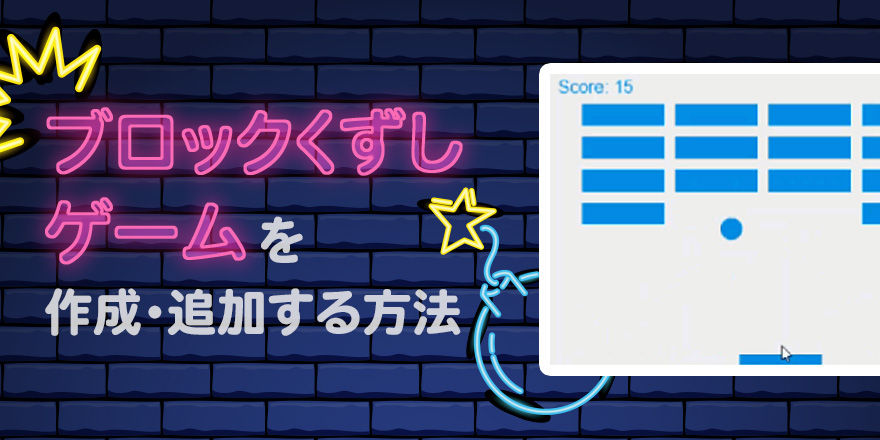
How to create and add a block shuffling game

How to create and add a SCORM-compliant "block shuffling game

How to create and add a SCORM-compliant "Block Crashing Game" Hello! This is Kobashi🌵 from Development. The temperature has dropped dramatically over the past few days, and the mornings and evenings have become colder. The season is slowly turning into autumn, and the year will be over in two months at the earliest. In this article, we would like to introduce a SCORM-compliant block-crunching game that will make autumn even more enjoyable. Our e-learning system [learningBOX] is a SCORM 1.2-compliant LMS! Therefore, if you add a code to send learning data to the LMS, you can have users use it as a learning material. Table of Contents 1. What exactly is SCORM? 2. a SCORM-compliant block-crunching game 3. learningBOX is an LMS that supports SCORM materials 4. summary What is "SCORM" anyway? SCORM is a standard in e-learning that defines specifications for combining an LMS (Learning Management System) and teaching materials. SCORM was developed by Advanced Distributed Learning in the U.S. In Japan, the Japan E-Learning Consortium certifies LMSs and content, as well as SCORM-related qualifications. SCORM-compliant materials can be used on any SCORM-compliant LMS. Purpose of SCORM ▼ SCORM has two major purposes. 1. To register teaching materials to the system 2. to exchange grades between teaching materials and the system *For more information about SCORM, please refer to "What is SCORM" here! SCORM-compliant block-crunching game The content introduced here is more of a "game" than a teaching tool. Please watch this video first! About the details of the "Block Crumble Game" This "Block Crumble Game" is a slightly modified version of the one published by MDN Web Docs using "Canvas". If you know some javascript and html, please give it a try. Reference: https://developer.mozilla.org/ja/docs/Games/Tutorials/2D_Breakout_game_pure_JavaScript/Mouse_controls ■Here are the changes made to the block-crushing game ・The game is over. The game was automatically executed repeatedly after the game was finished. The game was automatically repeated after the game was over. To make the score 100 points, the number of blocks was changed from 15 to 20 for easier calculation, and 5 points were added per block. The message at the end of the game was changed from an alert to a text display. The game is now mouse-controlled only. LearningBOX is an LMS compatible with SCORM materials SCORM materials can be quickly reproduced by anyone who has written simple programs. The block-crushing game can be downloaded from here. Once you have downloaded the content, let's check the actual operation on learningBOX. ⇒[download id="61379" template="Download the teaching materials"] Let's check the operation of the block-crushing game Try the block-crushing game from the learning screen The learning status of the teaching materials will change to pass or fail. After learning, the grade data will be reflected. Check the grade data of the block-crushing game Since learningBOX is a SCORM-compliant LMS, the grade data will be saved as well. The administrator can check the user's course history on the grade management screen and download the grade data in CSV format. The grading criteria for this block-crunching game is 80 points or higher for passing the course. For more information on how to view and overview the grade management, please refer to the grade management page here. Let's customize the block-crunching game! When you are learning the content, you may find some parts of the game that you would like to modify, such as "I would like this movement better here. If you have basic knowledge of Javascript, you can customize the content to your own specifications! If you have a basic knowledge of Javascript, you can customize the content to your own specifications! Please see here for more articles related to SCORM teaching materials. With learningBOX, you can publish your own games and set up ranking displays and so on! The "block-crushing game" introduced here is just one example, but you can publish your one-of-a-kind program on learningBOX! With learningBOX, you can create a wide variety of SCORM-compliant content simply by adding SCORM. Why don't you start by creating simple SCORM content while having fun? Our e-learning system is easy for learners to use. If you are interested in implementing an e-learning system or using SCORM materials as learning content, please give our learningBOX a try. You can use learningBOX for up to 10 accounts for free for an unlimited period of time. ⇒Please try our free plan. Thank you for reading this article.
Hash function, stretching salt

Hash function, stretching salt

こんにちは。こんにちは。西村です。年度末で大忙しですが、なんとかやってます。 パスワードはわからない learningBOXのサポートチームへのお問い合わせで、パスワード忘れたんだけど、教えてもらえますか??ってのがあります。お客様からすれば、サービス運営者ならパスワードぐらい分かるんじゃない?と思われるのかもしれませんが、実は、我々もパスワードに何が設定されているか知るすべはありません。 パスワードはハッシュ化されている learningBOXにおいて、パスワードはハッシュ化されて保存されています。ハッシュ化というのは、元の値に対して何らかの演算を行い、元の値の特徴は分かるものの、元の値が何であるかわからない値を作ることです。例えば、「整数に対して各桁の和を求める」というハッシュ関数を考えてみます。左から右は簡単に求まりますが、右から左は求めることができませんよね?これをハッシュ関数の一方向性といいます。 上記の例では、右の値から左の値を推測できませんが、右の値が同じになるような左の値は簡単に求められてしまうので、パスワード認証システムとしては安全ではありません。右の値を当てることがどれだけ難しいかは衝突耐性、衝突安全性などといわれ、適切なハッシュ関数を使うことが大切です。 ストレッチングで時間稼ぎ ブルートフォース攻撃。いわゆる総当り攻撃で、ありとあらゆるパスワードを試されると、どんなパスワードでも破れてしまいます。この総当り攻撃にかかる時間を引き伸ばすのがストレッチングという手法です。現代のCPUは速いです。GPUはもっともっと速いです。たかだかゲーミングPCレベルのGPUでも10TFlops、つまり、1秒間に10兆回程度の計算ができてしまいます。10万回の計算で実行できるハッシュ関数は、1秒間に1億回実行できてしまします。つまり、数字8桁のパスワードは1秒で破られます。やばいです。アルファベットと数字が使われているなら1日ぐらいかかるかもしれませんが、1日で破られます。やばいです。そこで、ストレッチングです。ストレッチングとは、ハッシュ関数を繰り返し通すことで時間稼ぎをする方法です。1024回通せば1日が1024日に伸びます。そこそこ安全です。 ソルトで安全に 1024日かかるといっても、それはゲーミングPCでのこと。予算が100億円あれば破れます。楽勝です。予算100億円あれば、10桁までのすべてのあり得るパスワードに対してストレッチングした後のハッシュ値を求め、レインボーテーブルなどという魔法の逆引き辞書を作れてしまいます。(※厳密に算出した金額ではありません)これに対抗するために、パスワードにソルト(Salt)をふって味付けします。こうすることによって、レインボーテーブルによる逆引き攻撃を防ぐことができます。もちろん、1このパスワードを破るために100億円注ぎ込まれると破ることができるわけですが、そこはバランスです。 オンライン攻撃とオフライン攻撃 ストレッチングとソルトの話は、実は、オフライン攻撃の話でした。オフライン攻撃というのは、ハッシュ化された値が外部に漏れていて、その値に対してPC上で総当りによるパスワード推定をする方法です。ハッシュ化された値が漏れていて・・・とか軽くかいてますけど、この時点で情報流出事故です。インシデントではなく、アクシデントです。大変な状態です。そんな事態に落らないよう、開発プロセスを整備し、コーディングルールを徹底し、コードレビューを行い、脆弱性診断をしているわけです。その一方、「オンライン攻撃」は簡単に実行できます。オンライン攻撃とは、ログイン画面にて、IDとパスワードを入力して、ログインしようとする攻撃です。誰でもできますね。 オンライン攻撃を防ぐ:回数制限 パスワードをN回間違えたらログインをロックする。それだけで試行回数を制限でき、不正ログインされる可能性が格段に下がります。learningBOX 2.10.xより、パスワードの誤入力回数の上限を設定できるようになりました。 オンライン攻撃を防ぐ:二要素認証 learningBOXでは、IDとパスワードが正確に入力された場合に、E-mailにて追加認証キーを通知することができます。この機能を使うことで、認証キーの送信先のメールボックスにログイン認証が破られない限りは、不正ログインできないです。 オンライン攻撃を防ぐ:IPアドレス制限 learningBOXを専用サーバ契約いただくことで、接続元のIPを制限することができます。つまり、会社からしか接続できないよう制限できるということです。 最後に セキュリティー技術は日進月歩で進んでいます。一度学習しただけで満足せず、常に新しい知識を取り入れ続けることが大切です。また、情報セキュリティマネジメント試験、情報処理安全確保支援士試験などの公的な資格を取得することで、俯瞰的な知識を効率的に身につけることができます。私も非登録ですが、情報処理安全確保支援士試験を受験し、合格しております。✌
Find more about learningBOX