

The Ultimate Guide for Selecting the Right Multilingual Trainng Management System
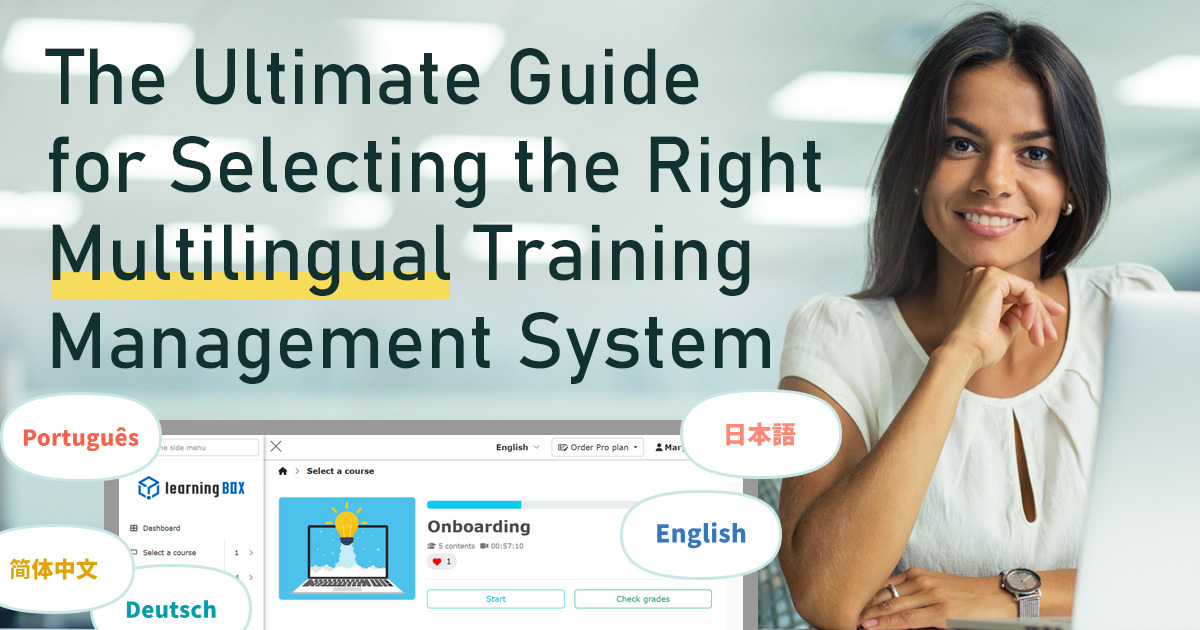


In the modern landscape of globalized corporate training, a multilingual training management system (LMS) has become indispensable. However, many administrators struggle with questions such as which system truly meets their frontline needs or if the costs and support systems are sufficient.
This article provides a thorough comparison of the latest features—including multilingual interfaces, AI-assisted content creation, and security—alongside pricing and support structures. We will explain key points for a successful implementation, even for those who are not tech-savvy, using real-world examples.
What is a Multilingual Training Management System?

A multilingual training management system is an essential tool for companies aiming for global expansion or organizations with a multinational workforce. These systems ensure high-quality education tailored to local needs by providing an environment where learners can study in their native languages.
Global Compatibility via Multilingual Interfaces
While services vary, the primary feature of these systems is the ability to switch the interface across multiple languages. This allows employees at overseas branches and international staff to navigate the platform intuitively in their own language.
By ensuring the learning materials themselves are also multilingual, companies can provide uniform educational content without language barriers, promoting equal educational opportunities globally.
User-Specific Language Selection
When managing multinational teams, HR administrators require a mechanism that allows language selection for each learner. Multilingual systems allow display languages to be set for individual accounts, enabling efficient support for employees from diverse cultural backgrounds within a single platform.
This minimizes the administrative burden while providing an optimized learning environment for every individual.
Ideal for Global Expansion
These systems are ideal for organizations with multiple locations or overseas subsidiaries. They allow training for local staff to be deployed at the same standard as headquarters, ensuring uniform quality across the board.
Furthermore, centralized management of progress across borders makes it easier to measure educational effectiveness on a global scale.
Boosting Learner Motivation
Providing a native language environment significantly improves learner motivation.
When learners can understand the content deeply and accurately in their own language, the stress and alienation caused by language barriers are eliminated.
This fosters a sense of respect and trust toward the company, leading to higher engagement.
Back to ContentsLatest Trends and Selection Criteria

As workforces diversify, establishing an equitable learning environment is a priority. Modern selection criteria now include mobile access, robust security, and cost-performance.
The following explain the latest trends in multilingual training management systems and key features when selecting one.
Multi-Device Compatibility
Mobile compatibility is now a requirement for efficient corporate training.
Systems should fully support smartphones and tablets so employees can learn during commutes or gaps in their schedule.
A key factor is whether the interface is intuitive enough for learners with varying levels of IT literacy.
Robust Security
Handling sensitive personal data and proprietary training content requires multi-layered security.
When handling highly confidential information such as personal data, course enrollment records, and instructional materials, a system must be equipped with multi-layered security features such as SSL/TLS encryption, access controls, and countermeasures against unauthorized access. Also, it is essential to verify if the system meets your specific corporate security standards.
Basic Security Features
- SSL/TLS encryption
- Access control and permissions management
- WAF (Web Application Firewall)
By selecting a system with these features as standard equipment, online training can be conducted while minimizing cyberattacks and unauthorized access.
Comprehensive Online Support
For administrators unfamiliar with IT, support during and after implementation provides peace of mind.
Many services now offer chat, email, and phone support, along with detailed manuals, FAQs, and operational outsourcing for data registration.
Especially when managing multiple locations or large teams, having support to reduce operational burdens significantly improves the efficiency of staff responsibilities.
High Functionality at a Low Cost
Implementation costs are often the most critical factor.
The monthly cost of a multilingual training management system varies depending on the number of users, features, and deployment model, but generally ranges from hundreds to thousands of dollars. Costs tend to increase significantly when multilingual support or advanced security features are required.
However, with "learningBOX," you can implement it at an industry-leading low price that significantly undercuts the market rate.
learningBOX offers a highly competitive price point. It provides a free plan for up to 10 accounts and a starter plan for 100 accounts from USD50 per month (tax excluded), covering all essential features for corporate training.
High initial investment and operational costs are no longer barriers to efficient global talent development.
| Item | Contents (as of January 2026) |
|---|---|
| Free Plan | Up to 10 accounts free forever |
| Low-cost plan | Starting at just USD50 per month (tax excluded) for up to 100 accounts |
| Features | Multilingual interface, AI-assisted automatic creation of teaching materials, robust security |
If you are not sure how to choose the best system for your company
Please take advantage of our white paper summarizing the key points of global human resources training!
Comparison of Key Multilingual Training Management Systems

When considering the implementation of a multilingual training management system, key points to consider include what features are typically included and the price range.
This chapter covers the major multilingual training management systems,Price range, features, support system, security,We will provide specific comparisons and explanations of these and other aspects.
Feature Comparison: AI Assist
The key feature to note in the multilingual training management system isAvailability of AI-assisted teaching material creation support, will be one of the solutions for employees both at home and abroad.
With AI-assisted features, you can automatically generate quizzes and courses from existing content like videos and PDFs, significantly reducing the time required to create teaching materials.
Price Comparison: Free Plan vs. Low-Cost Plan
Regarding cost,Key points directly impacting implementation barriers and the feasibility of continued use, will be one of the solutions for employees both at home and abroad.
While many services offer free trials, some do not publish their pricing tables, so be sure to confirm the actual costs early on.
Understand the limitations of the free plan and the scope of features available on low-cost plans to ensure they align with your company's operational scale and objectives. It's also important to have a rough estimate of costs when transitioning to paid plans or when your usage scale increases or decreases.
The e-learning system "learningBOX" is,Up to 10 accounts are free with no time limit, and even 100 accounts start at just ¥5,500 per month (tax included), delivering both rich functionality and low cost.We are doing. For details,official website
Support Comparison: Operational Support and Manual Provision
For the smooth implementation and operation of the training management system,Support systems are also essential.Next, check whether the following support systems are in place.
- Providing operation manuals and FAQs
- Multiple support channels: email, chat, phone, etc.
- Contact for Troubleshooting
- Availability of proxy services: e.g., data registration, manual creation, etc.
Comparison of Security Feature Richness
Countermeasures against cyberattacks and unauthorized access areKey factors in selecting a training management system, will be one of the solutions for employees both at home and abroad.
| Security Features | Content |
|---|---|
| SSL/TLS communication | Encryption of communication content |
| Access Control | Enhanced security through permission settings and user management |
| WAF (Web Application Firewall) | Preventing unauthorized access to the system |
| IP limit | Restrict accessible IP addresses |
| Simultaneous Access Restriction | Specify the number of accounts that can be accessed at one time |
Compare them, including compliance with your company's security policies and standards, as well as vulnerability countermeasures.
Centralized Learner Management Function
Centralized management of participant information, group assignments, and automatic aggregation of progress and performance data are essential for corporate training programs targeting large numbers of participants.essential function, will be one of the solutions for employees both at home and abroad.
- Creating groups by department or location
- Bulk distribution of teaching materials
- Features flexible management functions such as setting administrative privileges and CSV output
- Scalability, integration with other systems via APIs, and the ease of use of the management interface are also comparison points.
- Selection requires comparison with the company's operational workflow.
The Advantages of learningBOX

When HR and training professionals evaluate a training management system, multilingual support and a robust feature set are just as critical as usability and cost-performance. learningBOX is designed for intuitive use, requiring no technical expertise, while offering a wide range of features at a competitive price, including AI-driven content creation, advanced grade management, and rigorous security. Below, we provide a detailed look at the key features that make learningBOX the ideal choice for global enterprises.
International Usability with Multilingual Interfaces
learningBOX supports 18 languages, enabling global companies to manage training for overseas branches and international employees within a single system.
- Language switching can be flexibly configured for each learner
- Progress tracking and grade calculation are centrally managed
- Smooth implementation of training programs tailored to each country and region, and establishment of an educational system that accommodates diversification
Automated Content Creation via AI Assist
The AI Assist feature can generate quizzes, flashcards, and courses from videos or PDFs. It can also automatically grade long-form reports and provide feedback based on model answers, reducing the burden on administrators.
Standardized Security Measures
learningBOX is ISMS certified (ISO/IEC 27001). The company continuously works on security enhancements such as SSL/TLS encryption and access controls, providing security checksheets to ensure a safe operational environment.
- Enables secure operation of user data and teaching materials
- Security checklists can be downloaded to provide the detailed security information
User-Friendly for IT Beginners
The simple UI design requires no advanced IT knowledge. From content creation to progress management, the platform is designed for intuitive operation.
- From creating teaching materials to managing progress, everything is designed for IT beginners
- The simple UI supports even the first-time implementation
- Manuals and customer support are also well-established
Please feel free to contact us about introducing learningBOX!
We will propose the best utilization method and recommended fee plan according to your company's issues.
Critical Multilingual Features and Support for Selection

The following describe the key features when selecting a system.
The Importance of Multilingual Interfaces
The multilingual functionality of training management systems must allow flexible switching of displayed content to match participants' native languages or working languages. Depending on the system,Some systems offer multilingual support for both the admin interface and the course interface.
Considering employee scale and the diversity of locations maximizes learning retention and training effectiveness.
Efficient Implementation via Operational Outsourcing
When selecting a multilingual training management system, the actual man-hours and resources required for implementation and operation cannot be overlooked. Particularly initial setup and data migration can be heavy tasks.
Selecting a system that offers operational outsourcing services to reduce these burdens enables smooth and rapid implementation.For companies with limited human resources or those primarily staffed by personnel unfamiliar with IT, prioritizing operational support systems is key to success.
learningBOX provides dedicated customer support to assist from the implementation phase through to daily operation. In addition to the support, it contributes to the cost-saving. learningBOX offers up to 10 accounts for free and USD50 (monthly) per 100 accounts. For more details, visit official website.
Back to ContentsCase Studies and Operational Impact

For companies considering implementing a multilingual training management system, case studies are highly valuable references. The following introduce two companies that have utilized learningBOX to address diverse personnel and operational challenges.
- On-site operational efficiency
- Learning retention
- Streamlining statutory training
- Reduce the burden on administrators
The background of each implementation and the results achieved demonstrate the capabilities and operational effectiveness of the multilingual training management system.
Efficient Training and Management for Specified Skilled Workers
→ONODERA USER RUN Co., Ltd.
Enhancing Statutory Training via e-Learning, Addressing the Growing Demand for Foreign Talent Recruitment
→Nippo Kosoku Unyu Co., Ltd.
Summary

A multilingual training management system is vital for streamlining global talent development. Beyond language support, administrators should evaluate AI capabilities, centralized management, security, and mobile compatibility.
learningBOX features include:
- Easy Operability: Manage content without advanced IT knowledge.
- AI Assist: Supports complex content creation and operations.
- Robust Security: Comprehensive management features for peace of mind.
- Exceptional Cost-Performance: Free for 10 accounts; starting at USD50/month for 100 accounts.
To improve the efficiency of your multinational team's training, please visit Service Details
Consideration and introduction of learningBOX
Feel free to contact us
To consider the introduction of a multilingual training management system
Free useful materials are available




-
Discover rich featuresService Guide

-
Feel free to contact usGet in Touch

-
Try our Free PlanTry Free Plan

