Notice

134 articles
learningBOX is now version 2.11

learningBOX has been upgraded to version 2.11

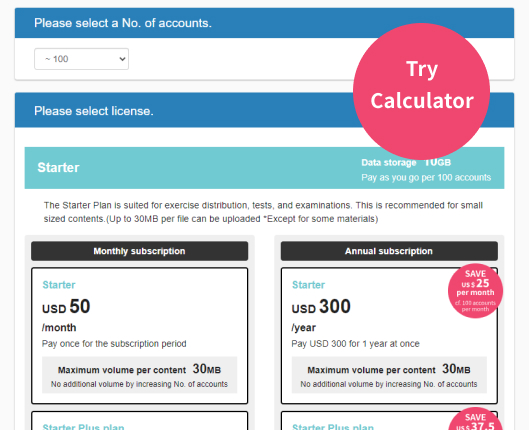
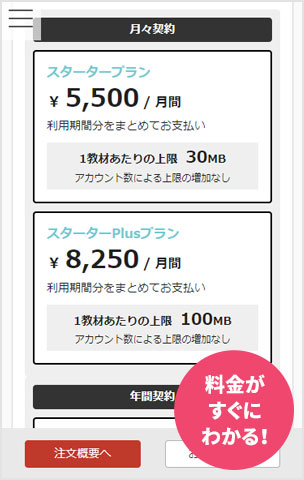
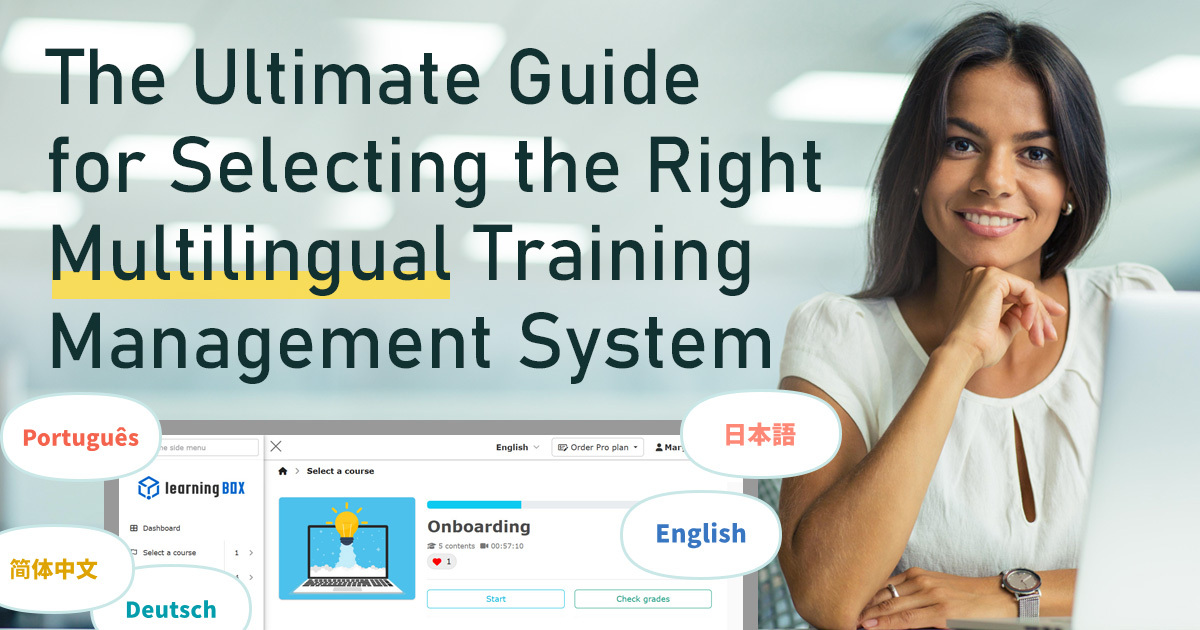
About This Version Update Thank you very much for your continued use of the learningBOX e-learning authoring system. Today, learningBOX has been updated from Version 2.9 to Version 2.11. In this article, we will provide a detailed overview of Version 2.11 (released on May 19, 2020), which includes various new features.   List of New Features and Improvements ☑ “Certificates” ☑ “English Language Support” ☑ “B2B Sales via the E-Commerce Function” ☑ “Order Screen Redesign” Starting with Version 2.11, English language support for learningBOX—a feature frequently requested by customers with international employees—has been added. In addition, the certificate feature has been further enhanced. Numerous other features have also been added, including improvements to existing functions. Now, let’s take a closer look at the Version 2.11 update. Certificates: From stylish to cute designs, create certificates that make learners feel special. Starting with Version 2.11, you can customize the design and layout of certificates to suit your preferences. Previously, certificates were created according to a predetermined format, but now you can freely customize them. In addition, you can save certificates you’ve created as templates and edit them later. English Support You can now view and operate learningBOX in English while retaining all its original features! While retaining all the features of the Japanese version, the system can now be operated in English, making it accessible to an even wider audience. English Websites Now Available We have also launched English versions of the manual site and the service introduction site. ▼learningBOX ▼QuizGenerator B2B Sales via the e-Commerce Feature learningBOX’s e-commerce feature now supports B2B sales! Previously, the feature was specialized for B2C and used to build new online sales businesses, but now learning content can be purchased by companies or groups. Order Screen Redesign: Starting with Ver. 2.11, the order screen has been redesigned. We’ve made it easier to select plans and review option details. *Due to the redesign, there are currently some plans for which you cannot renew your subscription online. In such cases, the “Upgrade” and “Sign Up” buttons will not be displayed. We apologize for the inconvenience, but please contact us via the inquiry form or by phone to let us know you wish to renew.   Other Information: For detailed instructions or if you have any questions, please contact our CS Sales Team. ● Contact Form We will continue to listen to our customers’ feedback and work to improve our features to make your experience even more enjoyable. We appreciate your continued support of learningBOX and QuizGenerator.
learningBOX 2.9

learningBOX has been upgraded to version 2.9

About This Version Update Thank you very much for your continued use of the learningBOX e-learning authoring system. Today, learningBOX has been updated from Version 2.8 to 2.9. In this article, we will provide a detailed overview of Version 2.9.10 (released on February 13, 2020), which includes various new features.   List of New Features and Improvements ☑ “Integration with LDAP / Active Directory” ☑ “SAML Authentication Settings” ☑ “Badge Configuration Feature” ☑ “Resume-from-Pause Feature” ☑ “Designated Course Material Notification Feature” This update includes the long-awaited “Integration with LDAP / Active Directory” feature. In addition, numerous other features have been added, including improvements to existing functions. Now, let’s take a closer look at the details of this 2.9 series update.   Integration with LDAP / Active Directory With the learningBOX 2.9 series update, integration with LDAP servers is now supported. You can use directory services compatible with LDAP v3 (such as OpenLDAP and Active Directory) as a user authentication method. Using LDAP authentication allows you not only to authenticate users but also to manage them in conjunction with the directory service. *LDAP authentication integration requires a dedicated server subscription. SAML Authentication Settings: The SAML authentication settings, added in Version 2.8, have been enhanced for ease of use with the addition of supported IdPs (Identity Providers) and an authentication configuration screen. SAML (Security Assertion Markup Language) is an XML-based international standard authentication method for user authentication across different domains on the Internet, and it is a protocol for implementing single sign-on (SSO). Single Sign-On (hereinafter referred to as SSO) is a mechanism that allows users to log in to multiple services simultaneously using a single ID and password. *SAML authentication integration requires either design customization or a dedicated server subscription.   SAML Authentication Settings in Trust Login “Trust Login” is an enterprise-level single sign-on service that includes “Single Sign-On”—which enables users to log in to multiple services with a single ID and password—as well as core features such as “ID Management” and “Log and Reporting Functions.”   SAML Authentication Setup for Google G Suite: You can register learningBOX as a G Suite SAML app. SAML Authentication Setup for OneLogin: You can register learningBOX as a OneLogin SAML app. Badge Feature: A feature incorporating gamification elements has been added. With the badge feature, learners are awarded badges based on their learning achievements, which is expected to boost motivation. Additionally, learners can check their course progress at a glance. The badge display feature can be configured on a per-course or per-folder basis. *Please note that the conditions for earning badges vary by course.   Pause and Resume Feature The “Pause and Resume” feature, which is useful when administering tests and exams, has been further improved. While it is common to limit each test to a single attempt, this update allows learners to pause and resume a quiz even if they are forced to leave the system screen during the exam. This option allows you to configure pause and resume settings when taking quizzes or tests. You can pause your responses midway and resume from where you left off. A new “Resume from Pause” mode has been added in this update. ・If you select “Enabled,” you can choose between “Resume from where you left off” or “Start over from the beginning” when resuming. • If you select “Resume from where you left off only,” you can only choose “Resume from where you left off.” Designated Course Completion Notification Feature We’ve added the “Designated Course Completion Notification Feature” to address requests such as, “I want the administrator to be automatically notified when a learner completes a specific course.” This feature allows you to configure “email notifications to administrators” whenever there is a change in a learner’s performance status. By using this email notification feature, you can set it up to send email notifications to administrators only for specified learning materials. You can configure the system to send email notifications to administrators only for specified learning materials.   Other Information: For detailed instructions or if you have any questions, please contact our CS Sales Team. ● Contact Form We will continue to listen to our customers’ feedback and work on improving our features to make your experience even more enjoyable. We appreciate your continued support of learningBOX and QuizGenerator.

Want to learn more about learningBOX?

Speak with an Expert

Book a demo

Discover Rich Features

Download

Try it out