Column

Summary of Subsidies and Grants for Introducing E-Learning [2025 Edition]|The Latest Guide to "Subsidies for Supporting Human Resource Development" and "Subsidies for IT Introduction 2025" for Both Improving Business Efficiency and Human Resource Development

In recent years, driven by work-style reforms and the promotion of digital transformation (DX) in education, the adoption of e-learning systems and LMSs has been rapidly expanding among companies and organizations. The e-learning market is projected to reach 384.9 billion yen in fiscal year 2025 (*1), and many organizations are likely considering the implementation or replacement of an optimal e-learning solution. While the use of e-learning is gaining attention from the perspectives of operational efficiency and workforce development, implementation costs and operational burdens often pose challenges. This is where subsidies and grants provided by the national government and local municipalities come into play. There are a variety of programs available to support e-learning implementation, such as the “Human Resource Development Support Grant” and the “IT Introduction Subsidy 2025.” In this column, we’ll provide a detailed explanation of everything from the main types and overviews of grants and subsidies available for e-learning implementation to key points for selecting an e-learning system or LMS (Learning Management System), as well as systems that are compatible with these grants and subsidies. If you’re considering implementing e-learning using grants and subsidies, please be sure to read this article to the end. *The content of this article is current as of June 2025. (*1) Reference: Yano Research Institute Ltd., “Survey on the E-Learning Market (2025)” learningBOX compatible with both the “Human Resource Development Support Grant” and the “IT Introduction Subsidy 2025.” Get a free consultation with our expert staff. Click here for learningBOX materials compatible with the Human Resource Development Support Grant. Download now. What is the difference between grants and subsidies, and what are the benefits of using them? Grants and subsidies are funds provided by the national government or local municipalities that, in principle, do not need to be repaid. Here, we explain the differences between grants and subsidies, the benefits of utilizing them for e-learning and LMS implementation, and key points for applying. The Difference Between Grants and Subsidies: While both grants and subsidies are provided by the national government or local authorities to companies and individuals, they differ in purpose and nature. About Grants Grants are a system designed primarily to stabilize the working environment by providing financial support to businesses working to promote and maintain employment, develop human resources, and improve working conditions. The Ministry of Health, Labor and Welfare is the primary governing body, and the funding comes from employment insurance premiums. About Subsidies: Subsidies are programs through which the national government or local governments provide funds to companies and businesses to support new ventures, promote regional development, and advance public interest projects. To support new ventures, business startups, and employment stability, these programs are primarily administered by the Ministry of Economy, Trade and Industry (METI), as well as other central government ministries and local governments. They are primarily funded by tax revenues. While grants are generally available to anyone who meets the eligibility requirements, subsidies have fixed budgets and a limited number of approved applications, so applying does not guarantee approval. Competition for subsidies is fierce, and applicants must effectively demonstrate the necessity of their project. Regarding Payment Amounts: Generally, grants range from several hundred thousand yen to, at most, several million yen, whereas subsidies are characterized by their large scale, with budgets sometimes reaching several billion yen. Grant and subsidy programs are frequently revised. Be sure to check the official websites of the relevant ministries and local governments for the latest information. Benefits of Utilizing Subsidies and Grants for e-Learning and LMS Implementation One major benefit of utilizing subsidies and grants for e-learning and LMS implementation is the ability to establish a state-of-the-art educational environment while reducing the financial burden. As a result, companies and organizations can implement high-quality systems within their budgets and effectively advance the skill development of their employees and staff. Furthermore, utilizing grants and subsidies lowers the barriers to implementation and enables rapid system deployment. Another major benefit is that receiving this support allows organizations to develop a competitive workforce while mitigating the risks associated with long-term investments in education. Key Points for Applying for Grants and Subsidies There are four important points to keep in mind when applying for grants and subsidies. 1. Confirm the Purpose of the Program: Thoroughly verify that the project you are applying for aligns with the purpose of the grant or subsidy program. Projects that deviate from this purpose are unlikely to be approved, so prior verification is essential. 2. Allow Ample Time for Preparation: It is important to allow plenty of time to prepare the necessary documents and meet application deadlines. If you miss the deadline, you cannot apply, and incomplete documents can lead to delays in the review process or rejection of your application. 3. Plan Your Funding Strategically: Since grants and subsidies are not typically disbursed in full immediately, you need to prepare your own funds and understand the timeframe until disbursement. Plan your funding strategy carefully to ensure you do not run out of funds during project implementation. 4. Fraudulent Claims Are Strictly Prohibited Fraudulent claims are severely penalized, so it is crucial to accurately understand the requirements and rules. If you have any questions, consult the grant or subsidy administration office or an expert. If you are unsure about the application or preparation process, it is also helpful to consult a certified social insurance and labor consultant. Receiving professional support improves the accuracy and speed of your application, which ultimately saves you time and effort. Major Grants and Subsidies Available for e-Learning and LMS Implementation The following are two major types of grants and subsidies from the national government and local municipalities that can be used for e-learning and LMS implementation. Human Resource Development Support Grant; IT Introduction Subsidy 2025. Each of these grants and subsidies will be explained in detail in the next section. Please feel free to contact us to find out how much funding you can receive by implementing learningBOX. Get a Free Consultation Return to Table of Contents “Human Resource Development Support Grant” The “Human Resource Development Support Grant” is a program provided by the Ministry of Health, Labor and Welfare to support corporate workforce development. As of April 2022, e-learning-based training has also become eligible for this grant. If you are considering a reskilling training program designed to utilize the “Human Resource Development Support Grant,” please be sure to refer to this information. Overview of the “Human Resource Development Support Grant” The “Human Resource Development Support Grant” provides subsidies for training expenses and a portion of wages during the training period when employers or other entities implement vocational training or similar programs according to a plan to help their employees acquire specialized knowledge and skills related to their job duties. The Human Resource Development Support Grant consists of the following six courses: Human Resource Development Support Course; Educational and Training Leave Grant Course; Investment in People Promotion Course; Business Expansion and Reskilling Support Course; Certified Training Course for Construction Workers; Skills Training Course for Construction Workers [Reference] Ministry of Health, Labor and Welfare, “Human Resource Development Support Grant” Courses Under the “Human Resource Development Support Grant” That Cover e-Learning The “Human Resource Development Support Grant” consists of six courses. Among these, e-learning is eligible under certain parts of the “Human Resource Development Support Course,” as well as the “Promotion of Investment in People Course” and the “Business Expansion and Reskilling Support Course.” Please note that for e-learning, only the expenses are eligible for the grant. Human Resource Development Support Course The “Human Resource Development Support Course” provides grants for training costs and other expenses when training is conducted according to a plan to help employees acquire knowledge and skills related to their job duties. There are the following three types of training: Human Resource Development Training, Vocational Training Combined with Certified Internships, and Fixed-Term Internship Training: Under “Human Resource Development Training,” e-learning-based training is eligible for subsidies. For “Vocational Training Combined with Certified Internships” and “Fixed-Term Internship Training,” only certain components may be eligible. For details, please refer to the “Guide to the Human Resource Development Support Grant (Human Resource Development Support Course).” Investment in People Promotion Course The “Investment in People Promotion Course” was established based on proposals from the public to accelerate investment in people. This is a time-limited grant program available from Reiwa 4 through Reiwa 8. There are five types of programs, all of which include e-learning training. Advanced Digital Talent Training / Training for Talent in Growth Sectors, etc. Certified Vocational Training Combined with Internships in the Information Technology Field, Fixed-Rate Training, Voluntary Vocational Skills Development Training, and Long-Term Educational Training Leave Systems. For more details, please refer to the “Guide to the Human Resource Development Support Grant: Promoting Investment in People Course (Detailed Version).” Business Expansion and Reskilling Support Course The “Business Expansion and Reskilling Support Course” covers training related to business expansion—such as launching new ventures—as well as training associated with DX (Digital Transformation) and GX (Green Transformation), which aims to reduce carbon dioxide emissions. Training expenses and other costs are subsidized when an employer conducts training—in accordance with a plan—to enable its employees to acquire the knowledge and skills required in new fields. This is a time-limited subsidy available from Reiwa 4 through Reiwa 8. Training conducted via e-learning is also eligible for the subsidy. For more details, please refer to the “Guidance on the Human Resource Development Support Grant (Business Expansion, etc. Reskilling Support Course) (Detailed Version).” There are various requirements regarding which employers are eligible to use the “Human Resource Development Support Grant” and which training programs qualify for funding. Please review the latest information on the Ministry of Health, Labor and Welfare website and make the necessary preparations. What Kind of e-Learning System Meets the Requirements for the “Human Resource Development Support Grant”? First, it is important to understand what requirements are set for e-learning systems and LMSs (Learning Management Systems) for the specific grant you wish to apply for. In the case of the “Human Resource Development Support Grant,” there are no specific system requirements, so you can choose a system that best suits your company. Let’s take a look below to see what features are necessary. Some courses offered through flat-rate services are ineligible Please note that for the “Human Resource Development Support Course,” flat-rate services (subscription-based services) are not eligible for the grant. Training Progress Tracking and Proof of Completion Are Essential For e-learning training, the most important feature is the ability to prove that participants have actually completed the course. In addition to features that allow you to track participants’ progress and completion status, you’ll need functionality to issue certificates of completion and provide training history records after the course is finished. Ability to Track Training Hours: Since training must be conducted during employees’ working hours, it is necessary to manage training hours. Ensure you can prove that the training was conducted within working hours. Smooth Data Export: Required documents, such as subsidy application forms, must be submitted within two months starting from the day after the training completion date. Since you’ll also need to submit LMS data—including documents certifying course completion and training history—a system with features that allow for the smooth export of necessary data is highly beneficial. In addition to meeting application requirements, there are many features—such as those that verify the trainee’s actual participation and reduce operational workload—so please use this as a reference when selecting an e-learning system. To be sure, it’s best to inquire in advance whether the system or LMS you wish to implement is compatible with the “Human Resource Development Support Grant.” Click here for learningBOX materials regarding the Human Resource Development Support Grant. Download Now Return to Table of Contents “IT Introduction Subsidy 2025” The IT Introduction Subsidy is a government program that subsidizes a portion of the costs incurred by small and medium-sized enterprises (SMEs) and small-scale businesses when introducing IT tools. Here, we explain the program overview and the “Standard Category,” which covers e-learning systems. Overview of the “IT Introduction Subsidy 2025” The IT Introduction Subsidy is a program designed to support the introduction of IT tools (such as software and services) to improve operational efficiency and promote digital transformation (DX), with the aim of enhancing labor productivity for small and medium-sized enterprises (SMEs) and small-scale businesses. IT tools (such as software and services) eligible for the “IT Introduction Subsidy 2025” are limited to those that have undergone prior review by the Secretariat and are registered and published on the official website (excluding the Multi-Company Collaboration IT Introduction Category). Small and medium-sized enterprises (SMEs) and small-scale businesses wishing to apply for the grant must form a partnership with an “IT Implementation Support Provider” registered with the IT Implementation Grant Secretariat and submit their application jointly (excluding the Multi-Company Collaboration IT Implementation Category). For details on eligible businesses, please refer to the “Eligible Applicants” section on the Secretariat’s website for the “Subsidy for IT Implementation to Improve Productivity of Services, etc.” (IT Implementation Subsidy 2025). The “Standard Category,” which covers e-learning systems: The “IT Implementation Subsidy 2025” consists of the following five application categories: Standard Category, Invoice Category (Invoice Compliance Type), Invoice Category (Electronic Transactions Type), Security Measures Promotion Category, Multi-Company Collaboration IT Implementation Category. Among these, we will explain in detail the “Standard Category,” which covers “e-learning systems.” Examples of eligible “e-learning systems” include LMS (Learning Management Systems), educational management systems, online training platforms, and internal training content delivery systems. The “Standard Category” of the “IT Introduction Subsidy 2025” supports small and medium-sized enterprises (SMEs) and small-scale businesses by subsidizing a portion of the expenses incurred in introducing IT tools tailored to their specific challenges and needs, thereby helping to improve labor productivity. The subsidy rates and amounts are as follows. The subsidy amount varies depending on the number of processes (business steps). Subsidy Amount 50,000 yen to less than 1.5 million yen 1.5 million yen to 4.5 million yen or less Functional Requirements 1 or more processes 4 or more processes Subsidy Rate Up to 1/2* If the applicant demonstrates that, for at least three months, 30 percent or more of all employees have been employed at a wage of no more than the regional minimum wage plus 50 yen, the subsidy rate is up to two-thirds. Eligible Expenses: Software purchase costs, cloud service fees (up to two years’ worth of cloud service charges), Implementation-Related Expenses: Implementation-related expenses include not only costs for maintenance support and manual creation but also post-implementation “utilization support” aimed at promoting the adoption of IT. Regarding IT tool requirements, the software must support at least one type of business process shown in the figure below (software supporting only generic processes is not eligible). For details on the “Standard Category,” please refer to the “IT Introduction Subsidy 2025 Application Guidelines (Standard Category)” published by the Secretariat of the “Subsidy for IT Introduction to Improve Productivity of Services, etc.” (IT Introduction Subsidy 2025). Support from an “IT Implementation Support Provider” is required to apply for the subsidy. To apply for the “IT Implementation Subsidy,” the eligible company and the vendor providing the IT tool (IT Implementation Support Provider) must submit the application jointly. Furthermore, only IT tools that have been registered and certified by an IT Implementation Support Provider are eligible for application and subsidy. You can search for “IT Implementation Support Providers and IT Tools” that have been approved by the Secretariat under the “IT Implementation Subsidy 2025” using the “IT Tool and IT Implementation Support Provider Search” feature on the Secretariat’s website for the “Subsidy for IT Implementation Support to Improve Productivity of Services, etc.” (IT Implementation Subsidy 2025). When considering the implementation of a system that aligns with the objectives of the “IT Introduction Subsidy,” be sure to verify that the IT tool in question is eligible for the subsidy. We recommend selecting a partner (IT Implementation Support Provider) that has a robust support system in place to assist you thoroughly, from the application process to reporting requirements. Please feel free to consult with us regarding system implementation using the IT Introduction Subsidy. Get a Free Consultation Return to Table of Contents Let’s Implement the Optimal e-Learning System Using Grants and Subsidies In the previous sections, we introduced the grants and subsidies available for e-learning implementation. Now, let’s take a closer look at e-learning systems. We’ll cover typical cost ranges, ways to keep costs down, and recommended e-learning systems. Breakdown of E-Learning Costs Implementing an e-learning system involves various expenses. Let’s take a closer look at exactly what costs are involved. Initial Costs: These are the costs associated with system implementation and environment setup. Fees vary significantly depending on the type of system. Usage Fees: These are monthly or annual service fees that vary based on the number of learners and the duration of use. Customization Costs: These are the costs associated with adding features or modifying the design to meet your company’s specific needs. Optional Fees: These refer to costs associated with using additional features or support services. Course Material Costs: These include expenses for purchasing existing course materials, outsourcing production, or creating in-house materials (such as labor costs), and vary depending on the depth of content and the scale of production. It is important to consider all these factors comprehensively and choose the optimal plan. Average Costs for e-Learning Systems and 3 Ways to Keep Costs Down Do you feel that implementing e-learning costs more than you expected? Here are three specific ways to get started with e-learning smoothly while keeping costs down. 1. Implement a Cloud-Based Solution There are several types of e-learning systems and LMSs, including cloud-based systems (systems provided on online servers) and on-premises systems (systems built on your company’s own servers). Cloud-based systems have a shorter implementation time and can help keep costs down. 2. Choose a Plan That Fits Your Company’s Needs Wisely. E-learning system costs are typically based on a pay-as-you-go model, a fixed monthly fee, or an annual contract. For up to 100 users, the typical range is around 30,000 to 60,000 yen per month, and for 200 users, it’s around 50,000 to 80,000 yen per month. Calculated per user, this amounts to 250 to 600 yen per month. However, costs may vary depending on the service details and contract terms, so when considering implementation, be sure to thoroughly review the plan details and select the optimal plan based on usage frequency and the number of users. 3. Create Training Materials In-House By creating training materials in-house using tools like PowerPoint, you can reduce costs associated with outsourcing or purchasing materials. Additionally, this allows for the creation of flexible materials tailored to your company’s specific learning content and goals, and enables quick revisions and updates to the content. This enables efficient management of training materials while keeping costs down compared to outsourcing to a production company. Currently, many companies offer a wide variety of e-learning services, with a broad range of features and prices. As a result, many people may find it difficult to decide which service to choose. Before comparing numerous services, start by clearly defining your company’s requirements. By creating an implementation plan that meets your company’s requirements, you’ll have clear criteria for selecting a system, and internal proposals and explanations to other departments will proceed more smoothly. learningBOX is eligible for grants and subsidies | Comprehensive support for implementation and applications The e-learning system “learningBOX” meets the eligibility requirements for the “Human Resource Development Support Grant,” which covers e-learning-based training and meets the eligibility requirements for all three courses: the “Human Resource Development Support Course,” the “Promotion of Investment in People Course,” and the “Business Expansion and Reskilling Support Course.” Additionally, the “learningBOX” e-learning system has been certified as an eligible tool under the “IT Introduction Subsidy 2025.” We have established an application support system in collaboration with a specialized social insurance and labor consultant firm, so even first-time applicants can use our service with confidence. The “learningBOX” e-learning system is a Japanese-developed system with a proven track record of over 700,000 registered users and more than 1,500 participating companies (as of the end of March 2025). Even without specialized knowledge, you can easily create e-learning courses. In addition to reducing training operational costs and time, users are experiencing tangible benefits such as standardized training quality and the visualization and quantitative evaluation of learning outcomes. Check out the list of learningBOX features and pricing now! Click here to download the free 5-minute introduction to learningBOX. learningBOX Case Studies The e-learning system “learningBOX” is used by many organizations across all industries and sectors for employee training, training management, recruitment and promotion exams, knowledge sharing, and more. learningBOX is a system with a proven track record of successfully applying for “Human Resource Development Support Grants.” ■ Combining learningBOX with grants to launch a new reskilling initiative → Click here for the case study of chipper Co., Ltd. Success Stories in Employee Training ■ Reducing Time and Costs in Training Operations At companies—primarily listed firms—that provide support for the preparation and disclosure of statutory documents, replacing their existing e-learning system reduced the time spent verifying uncompleted courses by 97%. In addition, internal data shows that the administration of compliance training was reduced by 60 hours, resulting in cost savings of approximately 1.5 million yen. → Click here for the ProNexus Co., Ltd. case study ■ Widely used in areas such as in-house training, manual creation, and exam preparation → Click here for the No.1 Co., Ltd. case study. You can view other case studies on the use of the “learningBOX” e-learning system on the “Case Studies” page. Back to Table of Contents Summary We have introduced grants and subsidies that can be utilized for e-learning implementation. It is important to thoroughly verify the requirements and procedures for each program and effectively utilize the support that aligns with your company’s objectives. To accelerate operational efficiency and talent development, we encourage you to actively consider implementing e-learning. The “learningBOX” e-learning system features a comprehensive support structure and functionality compatible with both the “Human Resource Development Support Grant” and the “IT Introduction Subsidy 2025,” ensuring a smooth process from implementation to application. Make the most of these grants and subsidies to ensure the successful implementation of e-learning at your company. Please feel free to consult with us about implementing learningBOX using grants and subsidies. Free consultation with our expert staff. If you’re in a hurry, you can also consult with us via a web meeting. Schedule a time ▼ We also recommend! Related Articles Return to Table of Contents

How to Use the IT Implementation Subsidy 2025 for an e-Learning System

In 2025, as digital transformation accelerates, workforce development and operational efficiency have become critical management challenges for small and medium-sized enterprises (SMEs). Amid calls for work-style reform, addressing labor shortages, and improving productivity, the adoption of e-learning systems utilizing the “IT Introduction Subsidy 2025” is gaining attention. While implementing e-learning is an effective way to improve operational efficiency and advance work-style reform, many companies hesitate to adopt it due to concerns such as “cost being a barrier” or “uncertainty about whether the system will be used effectively even after implementation.” Therefore, this article provides a clear and easy-to-understand explanation of the “IT Introduction Subsidy 2025,” covering everything from its overview and schedule to the main changes from the 2024 fiscal year, as well as the application procedures for introducing e-learning using the subsidy. In addition, we will introduce the IT tools (e-learning systems) eligible for the “IT Introduction Subsidy 2025.” We encourage small and medium-sized business owners, as well as HR and general affairs managers, who are considering introducing IT tools using the “IT Introduction Subsidy 2025” to use this article as a reference. [Article Supervised by: Osami Suda, Certified Social Insurance and Labor Consultant, sumac Co., Ltd.] *The content of this article is current as of May 2025. Please check the website of the Secretariat for the “Subsidy for IT Introduction to Improve Productivity of Services, etc.” (“IT Introduction Subsidy 2025”) for the latest program overview and requirements. The period during which you can receive the IT Introduction Subsidy is limited. We’ll explain learningBOX’s features, costs, and implementation process. Schedule a consultation on implementation using the IT Introduction Subsidy. What is the “IT Introduction Subsidy 2025”? The IT Introduction Subsidy is a government program that subsidizes a portion of the costs incurred by small and medium-sized enterprises (SMEs) and small businesses when introducing IT tools. Here, we explain the program overview, changes to the IT Introduction Subsidy for 2025, and eligible businesses. Overview of the “IT Introduction Subsidy 2025” The IT Introduction Subsidy is a program designed to support the introduction of IT tools (such as software and services) to improve operational efficiency and promote digital transformation (DX), with the aim of enhancing labor productivity for small and medium-sized enterprises and small-scale businesses. IT tools (such as software and services) eligible for the “IT Introduction Subsidy 2025” are limited to those that have undergone prior review by the secretariat and are registered and published on the official website (excluding the Multi-Company Collaboration IT Introduction Category). SMEs, small-scale businesses, and other applicants wishing to apply for the grant must form a partnership with an “IT Implementation Support Provider” registered with the IT Implementation Grant Secretariat and submit their application jointly (excluding the Multi-Company Collaboration IT Implementation Category). Businesses Eligible for the “IT Introduction Subsidy 2025” Eligible applicants are small and medium-sized enterprises (SMEs) and small-scale businesses (including sole proprietors) whose capital stock and number of regularly employed employees fall below certain thresholds. Please refer to the table below for the scope of SMEs and small-scale businesses eligible for the “IT Introduction Subsidy 2025.” Small and Medium-Sized Enterprises (SMEs) (Includes service industries such as food and beverage, lodging, wholesale and retail, transportation, healthcare, nursing care, and childcare, as well as manufacturing and construction) Industry Classification Capital (Amount of capital or total investment) Employees (Permanently employed employees*1) Manufacturing (excluding rubber product manufacturing), Construction, Transportation 300 million yen or less 300 or fewer employees Wholesale Trade 100 million yen or less 100 or fewer employees Service Industries (excluding software, information processing services, and lodging) 50 million yen or less; 100 or fewer employees; Retail: 50 million yen or less; 50 or fewer employees; Rubber product manufacturing (*2) 300 million yen or less; 900 or fewer employees Software Industry, Information Processing Services Industry: 300 million yen or less; 300 or fewer employees Hotel Industry: 50 million yen or less; 200 or fewer employees Industries other than those listed above: 300 million yen or less; 300 or fewer employees (*1) “Regularly employed employees” refers to those defined in Article 20 of the Labor Standards Act as “persons for whom advance notice of dismissal is required” (*2) Excluding manufacturers of tires and tubes for automobiles or aircraft, as well as manufacturers of industrial belts. In addition, medical corporations, social welfare corporations, school corporations, small and medium-sized enterprise associations, foundations, incorporated associations, and specified nonprofit organizations are also eligible if they meet the requirements (for corporations without capital, eligibility is determined by the number of employees being below the specified threshold). For further details, such as the definition of small-scale businesses, please refer to the “Eligible Applicants” section on the website of the Secretariat for the “Subsidy for IT Introduction to Improve Productivity in Services, etc.” (IT Introduction Subsidy 2025). Application Categories for the “IT Introduction Subsidy 2025” There are five application categories for the “IT Introduction Subsidy 2025”: Standard Category: Introduces IT tools suited to the company’s specific challenges to support improvements in labor productivity. Invoice Category (Invoice Compliance Type): Introduces software, PCs, hardware, etc., with “accounting,” “order processing,” and “payment” functions compatible with the invoice system to support compliance with the invoice system. Invoice Category (Electronic Transactions Category): Projects that introduce software with “order processing” functions compatible with the invoice system to support improvements in labor productivity and compliance with the invoice system. Security Measures Promotion Category: Projects aimed at addressing potential risks associated with the increase in cyberattacks, and to support various risk mitigation measures related to cyber incidents. Multi-Company Collaborative IT Implementation Category: Supports initiatives in which multiple small and medium-sized enterprises (SMEs) and small-scale businesses—such as those within supply chains or commercial clusters—collaborate to implement IT tools to improve productivity. [Reference] Secretariat for the “Subsidy for IT Implementation to Improve Productivity in Services, etc.” (IT Implementation Subsidy 2025), “IT Implementation Subsidy 2025”; Changes to the “IT Implementation Subsidy 2025” and Maximum Subsidy Limits and Amounts: The following changes have been made to the “IT Implementation Subsidy 2025”: Implementation-related expenses under the Standard Category, Multi-Company Collaboration IT Implementation Category, and Invoice Category (Invoice Compliance Type) are now eligible for subsidies, and the subsidy rate and amount for the Security Measures Promotion Category have also been expanded. Change Point 1: Expansion of Eligible Expenses (Standard Category, Multi-Company Collaboration IT Implementation Category, Invoice Category and Invoice Compliance Type) “Utilization support” after implementation—such as costs for IT tool maintenance and support, or manual creation—which promotes the adoption of IT, is now also eligible. Change Point 2: Changes to Subsidy Amounts and Rates (Security Measures Promotion Category) Under the “IT Introduction Subsidy 2025,” the maximum subsidy amount has been increased from 1 million yen to 1.5 million yen. Additionally, the subsidy rate for small-scale businesses has been raised from 1/2 to 2/3. Change Point 3: Change in Subsidy Rate for Businesses Paying Wages Near the Minimum Wage (Standard Category) Starting with the “IT Introduction Subsidy 2025,” the subsidy rate for small and medium-sized enterprises (SMEs) that meet the following conditions will be increased from 1/2 to 2/3. Businesses that can demonstrate that 30% or more of their total workforce consists of employees who have been employed for three months or longer at a wage within 50 yen of the regional minimum wage. For information on the maximum subsidy limits and subsidy amounts for each application category under the “IT Introduction Subsidy 2025,” please refer to “To Those Aiming to Improve Productivity” (Small and Medium Enterprise Agency, as of March Reiwa 7). We’ll handle your entire grant application process for you. We’ll explain learningBOX’s features, costs, and implementation process. Schedule a consultation on implementation using the IT Introduction Subsidy. Return to Table of Contents E-learning systems are eligible for subsidies under the “IT Introduction Subsidy 2025.” IT tools eligible for the “IT Introduction Subsidy” are primarily those that contribute to “business process improvement” and “operational efficiency.” Since e-learning systems and LMS (Learning Management Systems) directly contribute to streamlining employee training and improving the quality of talent development, many applications for these systems have been approved. About IT Tools Eligible for the “IT Introduction Subsidy 2025” For details on the IT tools (software, services, etc.) eligible under each of the five application categories, please check the relevant page on the Secretariat’s website via the link below. ・ General Category ・ Invoice Category (Invoice Compliance Type) ・ Invoice Category (Electronic Transactions Type)・ Security Measures Promotion Category・ Multi-Company Collaboration IT Implementation Category Explanation of the “General Category,” Which Covers e-Learning Systems Here, we will explain in detail the “General Category”—one of the five categories—which covers “e-learning systems.” Examples of eligible “e-learning systems” include LMS (Learning Management Systems), educational management systems, online training platforms, and internal training content distribution systems. The “Standard Category” of the “IT Introduction Subsidy 2025” supports small and medium-sized enterprises (SMEs) and small-scale businesses by subsidizing a portion of the expenses incurred in introducing IT tools tailored to their specific challenges and needs, thereby helping to improve labor productivity. The subsidy rate and amount are as follows. The subsidy amount varies depending on the number of processes (business steps). Subsidy Amount 50,000 yen to less than 1.5 million yen 1.5 million yen to 4.5 million yen or less Functional Requirements 1 or more processes 4 or more processes Subsidy Rate Up to 1/2* Up to 2/3 if it is demonstrated that 30 percent or more of all employees have been employed for at least 3 months at a wage of no more than the regional minimum wage plus 50 yen Eligible Expenses Software purchase costs, cloud service fees (up to 2 years’ worth of cloud service fees), Implementation-Related Expenses: Based on the concept of introducing IT tools to improve operational efficiency and promote digital transformation (DX), implementation-related expenses are eligible in addition to software purchase costs and cloud service fees (for up to two years). Implementation-related expenses include costs for maintenance support and manual creation; starting in 2025, “utilization consulting” provided after implementation to promote the adoption of IT tools is also eligible. Please refer to the figure below. Additionally, IT tools must be software that supports at least one of the business processes shown in the figure below (software supporting only generic processes is not eligible). Category P Code Process Name Business Process Common Process P-01 Customer Service and Sales Support P-02 Payments, Accounts Receivable/Payable, and Collections P-03 Supply, Inventory, and Logistics P-04 Accounting, Finance, and Management P-05 General Affairs, Human Resources, Payroll, Labor Relations, Education and Training, Legal Affairs, IT Systems, and Integrated Operations Industry-Specific Processes P-06 Industry-Specific Processes General-Purpose Processes (Cannot be used on their own) P-07 General-Purpose, Automation, and Analysis Tools (Dedicated software not limited to specific industries or business functions, but recognized for contributing to productivity improvement) For details on the “Standard Category,” please refer to the “IT Introduction Subsidy 2025 Application Guidelines (Standard Category)” published by the Secretariat of the “Subsidy for IT Introduction to Improve Productivity of Services, etc.” (IT Introduction Subsidy 2025). Support from an “IT Implementation Support Provider” is required to apply for the subsidy. To apply for the “IT Implementation Subsidy,” the eligible company and the vendor providing the IT tool (IT Implementation Support Provider) must submit the application jointly. Furthermore, only IT tools that have been registered and certified by an IT Implementation Support Provider are eligible for application and subsidy. You can search for “IT Implementation Support Providers and IT Tools” that have been approved by the Secretariat under the “IT Implementation Subsidy 2025” using the “IT Tool and IT Implementation Support Provider Search” feature on the Secretariat’s website for the “Subsidy for IT Implementation Support to Improve Productivity of Services, etc.” (IT Implementation Subsidy 2025). When considering the implementation of a system that aligns with the objectives of the “IT Introduction Subsidy,” be sure to verify that the IT tool in question is eligible for the subsidy. We recommend selecting a partner (IT Implementation Support Provider) that has a robust support system in place to assist you thoroughly, from the application process to reporting requirements. Back to Table of Contents: If You’re Introducing an e-Learning System Through the “IT Introduction Subsidy 2025,” Choose “learningBOX” learningBOX Co., Ltd., which develops and operates the e-learning system “learningBOX,” has been selected as an IT implementation support provider under the “IT Introduction Subsidy 2025.” You can apply for the grant by utilizing the “Standard Category.” “learningBOX” is certified as an eligible tool under the [IT Introduction Subsidy 2025]. As an IT implementation support provider, learningBOX Co., Ltd. offers comprehensive support—from initial consultations to the preparation and submission of application documents, and through post-implementation reporting. With extensive experience in implementing solutions for small and medium-sized enterprises, we can provide proposals tailored to your specific on-site challenges. For administrative procedures, we partner with a specialized social insurance and labor consultant firm to provide services, ensuring a system that even first-time users can utilize with confidence. Eligible Expenses: License fees (software usage fees) for “learningBOX”—an IT tool approved under this program—as well as various paid options and implementation-related costs, including “Implementation Support,” “Operational Support,” and “Maintenance Support,” are eligible for subsidies. Please refer to the “Pricing Page” for details on “learningBOX” license fees and paid options. We offer free simulations to help you determine the amount of subsidy you may receive, as well as to explore license configurations and support scopes tailored to your needs. Please contact us using the information below. The period during which you can receive the IT Implementation Subsidy is limited. Please feel free to contact us regarding “learningBOX” implementation costs and other matters. Request a Free Simulation What the “learningBOX” e-learning system can achieve The “learningBOX” e-learning system features an intuitive UI/UX, allowing even those without specialized IT knowledge to easily create and manage learning materials, manage members, and save and view grades. It is a Japanese-developed system with a proven track record of over 700,000 registered users and more than 1,500 client companies (as of the end of March 2025). Not only does it reduce the time and costs associated with training administration, but users also experience benefits such as standardized training quality and the visualization and quantitative evaluation of learning outcomes. Benefits of Implementing the “learningBOX” e-Learning System: Reducing Time and Costs in Training Operations At companies—primarily publicly traded firms—that assist with the preparation and disclosure of statutory documents, replacing their existing e-learning system reduced the time spent verifying uncompleted courses by 97%. In addition, internal data shows that the administration of compliance training was reduced by 60 hours, resulting in cost savings of approximately 1.5 million yen. → Click here for the ProNexus Co., Ltd. case study. Front-desk Support Tasks Reduced by 44% At a risk consulting firm, the implementation of the “learningBOX” e-learning system reduced front-desk support tasks by 44%. Furthermore, the company has achieved operational efficiency gains, including a reduction in operational workload. → Click here for the case study of Tokio Marine DR Co., Ltd. Case Studies of “learningBOX” in Use by Small and Medium-Sized Enterprises The e-learning system “learningBOX” is used by many small and medium-sized enterprises and small businesses across all industries and sectors for employee training, training management, recruitment and promotion exams, knowledge sharing, and more. Digitizing Training Materials Reduces Administrative Workload and Expenses → Click here for the case study of Hareyaka Japan Co., Ltd. You can view other case studies on the use of the “learningBOX” e-learning system on the “Case Studies” page. Process from Application to Grant Award for the “IT Introduction Subsidy 2025” The application process is as follows. learningBOX, an IT introduction support provider, will assist you with the subsidy application procedures. ① Selecting an IT Tool: Determine the learningBOX implementation plan. Based on a consultation, we will propose a “learningBOX” license configuration and scope of support tailored to your needs. We will also simulate the implementation schedule and the subsidy amount. (Please refer to the “Pricing Table” for details on the “learningBOX” e-learning system plans.) ② Obtain “G-Biz ID” Prime “G-Biz ID” is a service provided by the Ministry of Economy, Trade and Industry (METI) that allows you to log in to various government services using a single ID. Since this is a requirement for the grant application, please register via the “G-Biz ID Official Website.” ③ Submitting the “SECURITY ACTION” Declaration You must submit a “SECURITY ACTION” declaration administered by the Information-technology Promotion Agency (IPA). This is a system where you self-declare your commitment to information security measures; the requirement is to declare either “★ One Star” or “★★ Two Stars.” ④ Submit the Grant Application (Joint Preparation) Applying for the grant requires the preparation of a business plan and other documents. learningBOX will assist you in preparing each document. Once you receive an invitation to the “Application My Page” from learningBOX, please enter the applicant’s basic information, such as the representative’s name. Please enter the information and attach the documents required for the grant application. learningBOX will enter the details of the IT tools to be implemented. After final confirmation of the entered information on the “Application My Page,” please take the oath regarding the application and submit it to the secretariat. ⑤ Grant Approval and Implementation of learningBOX Once the grant is approved, you will implement “learningBOX.” Please note that if you sign a contract or place an order before receiving the grant approval notification, you will not be eligible to receive the grant. ⑥ Reporting on Project Results After implementing the product, you will be required to submit a performance report. learningBOX will also assist you with this process. If you have any questions about the grant or learningBOX, please feel free to contact us. Go to the Contact Form [Reference] “Grant for IT Introduction to Improve Productivity of Services, etc.” (IT Introduction Grant 2025) Secretariat, “Details on New Applications and Procedures” Return to Table of Contents “IT Introduction Subsidy 2025” Application Schedule and Important Notes Here, we outline the application schedule and important points to note when applying for the “IT Introduction Subsidy 2025.” Since some steps—such as gathering the information to be entered—can be time-consuming, please plan your preparations carefully. Application Period for the “IT Introduction Subsidy 2025” (Standard Category) The latest application schedule for the 2025 IT Introduction Subsidy (Standard Category) is as follows. The schedule has been finalized through the 5th deadline. 3rd Deadline: Deadline – July 18, 2025 (Fri) at 5:00 PM; Grant Decision Date – September 2, 2025 (Tue) (tentative); Project Implementation Period – From the date of grant decision until February 27, 2026 (Fri) at 5:00 PM (tentative) Project Performance Report Deadline: Friday, February 27, 2026, at 5:00 PM (tentative) 4th Deadline: Application Deadline: Wednesday, August 20, 2025, at 5:00 PM Grant Approval Date: Tuesday, September 30, 2025 (Tentative) Project Implementation Period: From Grant Approval to 5:00 PM on Tuesday, March 31, 2026 (Tentative) Project Performance Report Deadline: Tuesday, March 31, 2026, at 5:00 PM (tentative) 5th Round Deadline: Monday, September 22, 2025, at 5:00 PM Grant Award Date: Friday, October 31, 2025 (tentative) Project Implementation Period: From grant approval to 5:00 PM on Thursday, April 30, 2026 (tentative) Project Performance Report Deadline: 5:00 PM on Thursday, April 30, 2026 (tentative) Since applications were accepted up to the “7th Deadline” in FY2024, please check the “Project Schedule” on the Secretariat’s website for the “Subsidy for IT Introduction to Improve Productivity of Services, etc.” (IT Introduction Subsidy 2025) for the latest information. Important Notes for Applying for the “IT Introduction Subsidy 2025” Start Preparations Early Some steps, such as obtaining a “G-Biz ID” Prime account or making a “SECURITY ACTION” declaration, take time to complete. To avoid the risk of missing the application deadline, please begin preparations well in advance. Be Sure to Check Eligibility and Application Requirements: Upgrades to existing tools and the use of “IT Implementation Support Providers” that are not eligible for the subsidy are not covered. Additionally, contracts or payments made before a grant decision is issued are not permitted. Be sure to check the latest application guidelines and official information. Be mindful of incomplete or missing information in your application documents. Incomplete or missing information can lead to your application being rejected. Work closely with your IT vendor (IT implementation support provider) to carefully review all required documents and their contents. In particular, it is crucial that your business plan be specific and include numerical data. Do not forget your reporting obligations after implementation. Once the grant is awarded, you are required to report on the implementation results and effects. Be sure to properly manage the necessary documents and data—such as the status of achieving improvement goals—even after implementation, and establish a system to ensure reports are submitted by the deadline. Early preparation and systematic planning are essential for a successful application for the “IT Implementation Grant 2025.” It typically takes about two weeks to obtain a “G-Biz ID” Prime account, so we recommend that companies considering an application begin registering for an account while simultaneously selecting their IT tools. Please also refer to the “Guide to Grant Applications” issued by the Secretariat for the IT Introduction Support Project for Service Productivity Improvement. A Quick Tip from the Editor: The FY2025 IT Introduction Subsidy offers greater benefits for businesses, with expanded eligible expenses and an increased subsidy rate. On the other hand, the screening process has become stricter than last year, and the application rules have been defined in greater detail. Compared to previous IT Introduction Subsidy programs, it is now crucial to clearly communicate to the review panel why a specific IT tool is necessary and what benefits are expected from its implementation. Be sure to keep this in mind when submitting your plan application. Return to Table of Contents Summary The “2025 Wall” lies behind the implementation of the IT Introduction Subsidy. Issues such as the aging of legacy systems, a shortage of IT talent, and stagnation in digital transformation (DX) have been raised. Against this backdrop, the implementation of e-learning systems is a key factor for small and medium-sized enterprises (SMEs) in achieving workforce development and operational efficiency. By utilizing the “IT Introduction Subsidy 2025,” it is possible to implement the latest educational DX while keeping costs down. Why not take your company’s talent development and operational efficiency to the next level through early preparation and collaboration with a trusted IT vendor (IT implementation support provider)? With the combination of the “IT Introduction Subsidy 2025” and “learningBOX,” we provide one-stop support from application to implementation and operation. Please feel free to contact us. We handle everything from application to post-implementation support with no upfront fees and a success-based fee structure. IT Introduction Subsidy Consultation: If you’re in a hurry, you can sign up for a web meeting right away. Schedule a meeting ▼ Also Recommended! Related Articles Return to Table of Contents


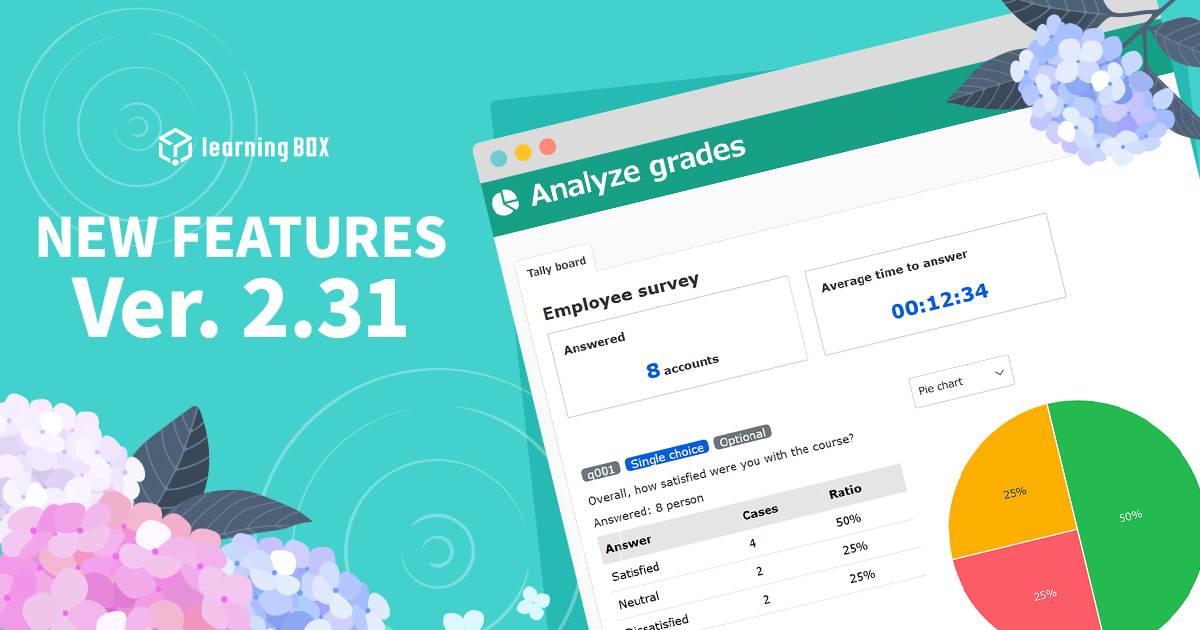
Ver. 2.31

Thank you for using learningBOX. Today, learningBOX has been upgraded to Ver. 2.31. We would like to introduce you to the various functions that have been added and improved in the new version. Enhanced functions Enhanced report outputting functionality You can now easily output data such as learning history and attendance status, which are necessary for applications for "subsidies for human resource development support," etc. This will help you to prepare application documents. This greatly reduces the time and effort required to prepare application documents and supports smoother utilization of subsidies. *For details, please refer to "Report Output. Enhanced Analysis of Questionnaire Data Questionnaire data can now be visualized in easy-to-understand graphs and reports. This allows you to intuitively grasp the results and issues of training, and link them to effective feedback and the next learning plan. *For details, please refer to "Performance Analysis. Upgraded SCIM Linkage In addition to the previous user information linkage, SCIM linkage of group information with major Identity Providers (IdPs) such as Microsoft Entra ID and Okta is now possible. This automates group management tasks, reducing management man-hours and enhancing security. *For details, please refer to "Using SCIM" in "Linking with External Systems. For details of the new functions and functional improvements added this time, including the aforementioned functions, please refer to the following release notes. (For customers who have subscribed to the "Customize" paid option) The structure of the side menu has changed with this major version-up. Please check the contents from the link below and adjust as necessary. For further information or questions, please contact us at the following address. We will do our best to continue to provide products and services that satisfy our customers. We look forward to your continued patronage.

Human Resource Development Grant for e-Training

In recent years, "reskilling" has been attracting attention due to corporate DX promotion, new business development, and responses to human resource shortages. The use of e-learning has become indispensable for effective and efficient training to obtain skills to cope with new technologies and business operations. However, many people in charge of planning e-learning training may be concerned about such issues as "which system should be introduced," "how cost-effective is it," and "cost is a bottleneck in planning e-learning training. In such cases, the Ministry of Health, Labor and Welfare offers a subsidy to support human resource development. In this article, we will provide an overview of the "Subsidy for Supporting Human Resource Development," the key points for selecting an e-learning system suitable for it, and recommended e-learning systems that meet the requirements for the subsidy. This article is intended as a reference for those who are considering reskilling training projects that are designed to take advantage of the "Human Resource Development Support Subsidy". The "Subsidy for Supporting Human Resource Development" is a system provided by the Ministry of Health, Labour and Welfare to support human resource development of companies. The subsidy covers training through e-learning as well. This section provides an overview of the system and the courses that are eligible for e-learning. The "Subsidy for Supporting Human Resources Development" provides subsidies for training expenses and part of the wages during the training period, when employers provide vocational training to their employees in accordance with a plan to help them acquire specialized knowledge and skills related to their jobs. The following six courses are available as subsidies to support human resource development. Subsidies for human resources development support course, course for granting leave for education and training, course for promoting investment in human resources, course for supporting reskilling for business development, etc., course for certified training for construction workers, course for technical training for construction workers, and course for technical training for construction workers. The "Subsidy for Supporting Human Resources Development" is often mistaken for the "Subsidy for Career Up". The "subsidy for supporting human resource development" is available not only to full-time employees, but also to contract workers, part-time workers, and other workers as long as they are covered by employment insurance. On the other hand, the "Career Up Subsidy" does not depend on whether or not they are covered by employment insurance, but covers non-regular workers such as part-timers, part-time workers, and dispatched workers. The purpose of the "subsidies for human resource development support" is to promote the development of employees' professional skills. The "Career Up Subsidy" is aimed at converting non-regular workers into regular employees and improving their compensation. These two subsidies can be used in conjunction with each other. If you wish to receive both subsidies, please check the requirements and conditions for receiving both subsidies in advance. The Ministry of Health, Labour and Welfare, "Career Up Subsidy" Courses for which e-learning is covered by the "Subsidy for Supporting Human Resources Development" The "Subsidy for Supporting Human Resources Development" includes six courses, of which e-learning is covered by a part of the "Human Resources Development Support Course," "Course for Promoting Investment in Human Resources," and "Business Development and Risk-Riskilling Support Course. Support for Business Development, etc. In the case of e-learning, only expenses are covered by the subsidy. The "Human Resources Development Support Course" provides subsidies for training expenses when training is conducted in accordance with a training plan to help employees acquire knowledge and skills related to their jobs. The following three types of training are available Human Resource Development Training: Training to acquire knowledge and skills related to the job, conducted through OFF-JT. Accredited practical vocational training: Vocational training for practical use accredited by the Minister of Health, Labour and Welfare, which effectively combines on-the-job training and off-the-job training. Fixed-term practical training: Training for fixed-term contract workers to convert to regular workers, etc., through an effective combination of on-the-job training and off-the-job training. In the case of "human resource development training," e-learning training is also eligible for subsidies. Some "approved vocational training with practical training" and "fixed-term practical training" may be eligible for the subsidy. For details, please refer to the website of the Ministry of Health, Labor and Welfare. Course for Promotion of Investment in Human Resources The "Course for Promotion of Investment in Human Resources" was established based on a proposal from the public in order to accelerate investment in human resources. The subsidy is available for a limited period from FY2022 to FY2026. The following five types of courses are available, all of which include e-learning training. ■Training for advanced digital human resources/training for human resources in growing fields, etc.: Training to develop advanced digital human resources or training at graduate schools ■Vocational training with certified practical training in the information technology field: Training combining OJT and OFF-JT to make inexperienced workers in the IT field ready for work ■Subscription-based training: Training through subscription-based training services ■Voluntary Training that workers voluntarily take (subsidies for employers who bear the training costs) ■Long-term leave for education and training systemSubsidies for workers who take long-term leave for education and training or shorter working hours for education and training. For details, please refer to the Ministry of Health, Labor and Welfare website. The "Support Course for Reskilling of Business Expansion, etc." covers training associated with business expansion such as launching a new business, DX (Digital Transformation), and GX (Green Transformation) to reduce carbon dioxide emissions. The subsidy covers training expenses for employers to provide their workers with the knowledge and skills needed in new fields, when such training is carried out in accordance with a plan. E-learning training is also eligible for this subsidy. For details, please refer to the Ministry of Health, Labor and Welfare website. There are various requirements for employers who are eligible to utilize the "Subsidy for Supporting Human Resource Development" and for training that is eligible for the subsidy. For details, please check the latest information on the Ministry of Health, Labor and Welfare website and prepare accordingly. Points to consider when selecting an e-learning system to take advantage of the subsidy In order to take advantage of the "Human Resources Development Support Subsidy," it is important to confirm that the functions of the e-learning system or LMS (Learning Management System) meet the requirements of the subsidy. By selecting an appropriate system, you can proceed with your plan efficiently. What e-learning systems meet the requirements? First, it is important to understand what kind of e-learning system or LMS (Learning Management System) requirements are set for the grant you wish to receive. In the case of the "Human Resource Development Support Grant," there is no specification for the system to be covered, so you can choose the system that best fits your company. Let's check below to see what features are required. Fixed-price services are not eligible for the course Please note that fixed-price services (subscription-type services) are not eligible for subsidies under the "Human Resource Development Support Course. Progress management and proof of completion of training are important In the case of e-learning training, what is important is the ability to prove that trainees have completed the course without fail. In addition to the ability to track the progress and completion status of trainees, the system must be able to provide a certificate of completion and course history upon completion of the training. Tracking of training hours is necessary because training must be conducted during workers' working hours. Be able to prove that the training was conducted during working hours. Smooth output of data You must submit the necessary documents, such as an application for payment, within two months from the day following the date of completion of training. Since it is also necessary to submit LMS data such as documents proving completion of the course and course history, it would be helpful to have a function that enables smooth output of the necessary data. There are many functions that not only satisfy the application requirements, but also ensure that the person is taking the course and reduce operational man-hours, so please refer to them when selecting an e-learning system. It is best to inquire in advance whether the system or LMS you wish to introduce is compatible with the "Human Resource Development Support Subsidy. About e-Learning System Costs There are two main types of e-Learning systems: cloud-based and on-premise systems. Cloud-based systems, which utilize a system built on a service provider's server, are considered a service use and are therefore treated as an expense for accounting purposes. On-premise type The "on-premise type," which is built on the company's own servers, is considered the purchase of a software package and is treated as an asset for accounting purposes. Therefore, it is depreciated over its useful life. The initial and monthly costs are different for each type. First, clarify your company's requirements and consider services that meet them. LearningBOX for career development support business through reskilling The e-learning system "learningBOX" can be used for the "human resource development support subsidy," which covers e-learning training in the following three courses: "human resource development support course," "course for promoting investment in human resources," and "course for supporting business development and reskilling. The "Human Resource Development Support Subsidy" covers training through e-learning. *This does not guarantee receipt of the "Human Resources Development Support Subsidy" application. The learningBOX is equipped with the following functions related to the application for the "Human Resources Development Support Subsidy". Certificate of completion of the course is required for the grant application, and learningBOX can issue a "certificate of completion". You can take advantage of the "Clear Conditions" feature, which grants certificates only to users who have attended all the content in a course. The certificate can have a handwritten signature inserted, allowing for certification with the participant's own signature. In addition, course content (what was learned and how to apply it in the future) entered by the participant can also be inserted (creation of a certificate template), and the created data can be downloaded in PDF format. This reduces the burden of the payment application process. Since training must be conducted during workers' working hours, learningBOX enables log-in only during set hours by using the "log-in date and time setting" function. Output of reports In order to apply for payment, it is necessary to submit documents that show the status of training, and learningBOX can easily output data such as learning history and attendance status (output of reports). The "Email Notification" function can be used to send notifications to those who have not attended the training, and the "skip playback" function for video materials can be used to prove that the trainee has attended the training. Other features include an "anti-fraud" function to prevent spoofing and cheating (with some restrictions depending on the plan). These features reduce the burden on managers by reducing the man-hours required to conduct training and the time and effort required to apply for subsidies. learningBOX is a system that has a proven track record in applying for "subsidies to support human resource development. learningBOX is a cloud-based system, so you can start using it immediately after registering an account. The fee structure is easy to implement, and the number of accounts can be increased sequentially according to the scale of the business. While the UI is simple, it is designed to be easy to use from the perspective of both participants and administrators, allowing you to develop training programs as you wish. The introduction of learningBOX assists in the smooth launch of reskilling projects that anticipate the use of human resource development support subsidies. Ease of use and flexibility learningBOX has the advantage that its operation screen is intuitive and easy to understand, allowing smooth introduction even at sites without a high level of IT literacy. In addition, the system is highly customizable and offers a rich set of functions for creating original teaching materials. Back to Table of Contents Conclusion E-learning training utilizing the "Human Resource Development Support Subsidy" is an effective way to succeed in the reskilling business. learningBOX has been supported by many companies as a system that is both easy to use and effective, and has a proven track record in applying for the "Human Resource Development Support Subsidy". It is a system that is both easy to use and effective. Why not use learningBOX in combination with the subsidy to start up a reskilling business? If you are considering setting up a reskilling training business with the "Human Resource Development Support Subsidy" in mind, or if you would like to know more about learningBOX, please download our brochure! Back to Table of Contents
Find more about learningBOX