Column

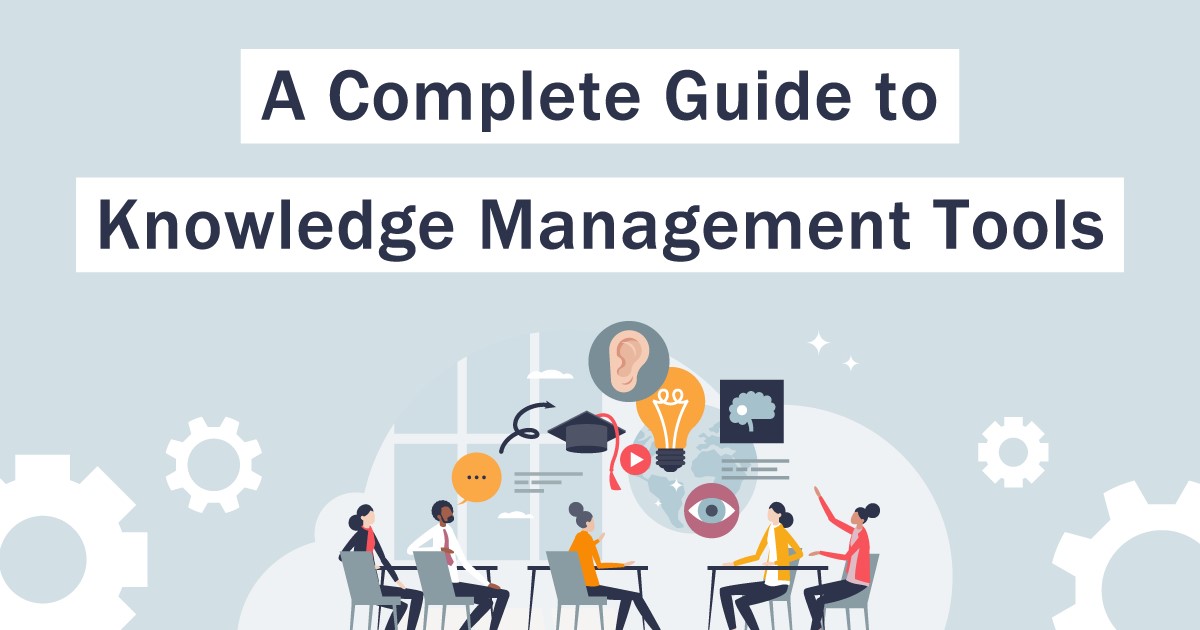
A Complete Guide to Knowledge Management Tools

Knowledge management tools are implemented to effectively collect, share, and utilize information—such as the knowledge, skills, and experience—held by organizations and individuals. With various companies releasing tools suited for knowledge management, many people may find themselves unsure of what criteria to use when selecting one. In this article, we’ll explain how to choose a knowledge management tool and provide tips on how to make the most of it after implementation. Please use this as a reference when considering the implementation of a knowledge management tool. What Is Knowledge Management? Knowledge management (KM) refers to a series of processes in which companies and organizations aggregate and share the knowledge, experience, and know-how possessed by individuals to enhance organizational capabilities. The knowledge held by a company or organization consists of two types: knowledge that individuals have gained intuitively through their work (tacit knowledge) and objective knowledge (explicit knowledge) that has been verbalized and documented so that anyone within the company can understand it, and which is shared throughout the organization. In knowledge management, it is crucial to convert tacit knowledge into explicit knowledge so that it can be shared and utilized. The “SECI Model” as a Knowledge Management Methodology: The SECI (Sekki) Model is a representative framework for implementing knowledge management. It can be broadly divided into four steps. Socialization: The process of transmitting tacit knowledge through shared experiences. Externalization: The process of verbalizing an individual’s tacit knowledge and sharing it among team members. Combination: The process of combining externalized explicit knowledge to create new knowledge. Internalization: The process of assimilating newly acquired explicit knowledge as tacit knowledge. When implementing the SECI Model, the key to achieving results is to cycle through these four steps. Back to Table of Contents Benefits of Implementing Knowledge Management Tools The two main benefits of implementing knowledge management tools are “operational efficiency” and “prevention of knowledge silos.” These tools promote communication and knowledge sharing within the organization, leading to improved productivity and sustainable growth. Let’s take a closer look at these two benefits below. Operational Efficiency In terms of improving the efficiency of knowledge management operations, the following benefits can be realized: Improved Searchability: Accessing the database makes it easier to retrieve necessary information, leading to reduced work time. Avoidance of Duplicate Work: Since you can verify whether information already exists, this prevents duplicate efforts in registering or updating information. Strengthened Teamwork: Sharing information and collaborating becomes much easier. When multiple members are involved in the same project, sharing information instantly and exchanging opinions and ideas improves teamwork and enables efficient task execution. Prevention of Knowledge Dependency on Individuals: By introducing knowledge management tools, organizations can share advanced information—such as the wealth of experience and skills held by individuals—thereby gaining the following benefits in terms of preventing knowledge dependency on specific individuals. Prevention of Knowledge Loss: Even when employees are transferred or retire, know-how is not lost, ensuring that business operations can continue smoothly. Visualization of Work: Implicit knowledge acquired intuitively by individuals is articulated, clarifying workflows; this promotes knowledge sharing and contributes to the development of a robust management framework. Raising the Overall Level of the Organization: By enabling other employees to learn the work methods of veteran and high-performing employees, it is possible to raise the overall level of knowledge and skills across the organization. Eliminating reliance on specific individuals and achieving operational transparency will also help prevent operational errors and issues. Return to Table of Contents Types of Knowledge Management Tools Knowledge management tools aggregate information—such as knowledge, skills, and experience—within organizations and among individuals, systematize it, and build a database. Depending on their functions and purposes, they can be broadly classified into the following four types. Help Desk (FAQ) Type: This type of tool systematically organizes frequently asked questions (FAQs) in an easy-to-understand manner, enabling users to resolve inquiries from both inside and outside the company on their own. It is implemented to provide quick access to operational procedures and related knowledge within the organization, such as for customer support or help desk teams handling user inquiries. Document Management (File Sharing) Type: This type is used to share, organize, and search for documents and files within an organization. By implementing tools that not only allow users to upload and share documents but also include management features such as access restrictions and update notifications, information sharing within the organization can be made more efficient. Data Mining and Search-Specialized Type: This type of tool extracts valuable information from large volumes of data and documents and enables quick searches. By utilizing text management and machine learning technologies, it helps identify patterns within documents and find relevant information. It is used as an internal search engine for tasks such as information gathering. Knowledge Sharing (Groupware) Type: These tools are used to effectively share individual knowledge and information within an organization and to promote collaboration. They typically combine groupware features—such as messaging (group chat and bulletin boards), file sharing, and task management—and help improve team productivity. Back to Table of Contents: Criteria for Selecting Knowledge Management Tools Now that we’ve reviewed the types of knowledge management tools, what factors should you prioritize when considering implementation? Rather than choosing based solely on price or features, the following seven points are also important. 1. Clarify Objectives and Requirements Before selecting a tool, it is important to first clarify its intended use and necessary requirements. Establish criteria for choosing the optimal tool by clearly defining the challenges your organization aims to solve, the purpose of implementing the tool, and the requirements necessary to meet those objectives. 2. Is the Tool User-Friendly? Choosing a tool that is easy for users to use makes it easier to share knowledge and information within the organization. Check whether the interface is intuitive, whether users can easily register, update, and view content without specialized knowledge, and whether the search function is user-friendly. It is also helpful to take advantage of free trial periods and demonstrations, and to refer to reviews from existing users. 3. Customization and Scalability: With medium- to long-term operations in mind, it is important to consider whether the tool can be customized to meet your organization’s needs and whether it offers the scalability to add new features. Verify that the tool is flexible and can adapt to your organization’s unique processes and workflows. 4. Mobile Support and Offline Access In today’s business environment, mobile devices—such as smartphones and tablets—play a crucial role alongside desktop computers. Make sure the tool supports mobile devices so users can check information and enter data outside the office, whether they’re on the go or working remotely from home. Tools equipped with mobile apps or responsive design allow users to access information anytime, anywhere. Access in offline environments is also important. Be sure to verify whether information can be accessed even when not connected to a network. 5. Robust Security The information aggregated and shared via knowledge management tools may include confidential data and represents a critical information asset for your company. It is essential to implement risk mitigation measures against threats such as data breaches caused by unauthorized access. Be sure to verify the security features of any tool you are considering implementing. 6. Post-Implementation Adoption Support (Customer Success) Even after implementing a knowledge management tool, ongoing support is essential for its effective use. Whether the tool provider offers a Customer Success (CS) program is a key consideration during the selection process. Verify that the provider offers support—such as implementation assistance and user training from CS representatives, as well as regular updates and technical support—to ensure your organization can make the most of the tool. This will promote knowledge sharing, effective communication, and collaboration within your organization. 7. Evaluating Usage Costs and Cost-Effectiveness When selecting a knowledge management tool, it is also important to assess usage costs and cost-effectiveness. It is advisable to understand the costs associated with implementation and operation, including initial setup fees, subscription fees, additional costs for customization and customer support, and maintenance fees. To evaluate cost-effectiveness, we recommend using the following metrics to measure and compare changes in key figures before and after implementation: Changes in the time and resources required for information sharing and problem-solving Changes in the time required to complete specific tasks or processes Return to Table of Contents Points to Consider When Using Knowledge Management Tools Next, we’ll take a closer look at key points to keep in mind when using knowledge management tools. Use the following four points as a guide to make effective use of the tool. 1. Define the Purpose of Using the Knowledge Management Tool As mentioned in Chapter 4, “Criteria for Selecting a Knowledge Management Tool,” the first step is to define the purpose of its use. This is a crucial step for clarifying what information will be shared among employees and how the tool will be utilized. The key is to set these objectives from the user’s perspective. By establishing specific goals—such as “improving operational efficiency,” “facilitating the smooth progress of new projects,” or “streamlining new employee training”—you can clarify how the tool should be used and what information needs to be shared. 2. Clarify the Knowledge to Be Shared Once you have established the purpose of using the tool, the knowledge that should be shared will become clear. For example, identify the specific knowledge you want to share, such as technical expertise, operational manuals, internal training materials, and market trends. Once you have determined the knowledge to be shared, deciding “how to share it” is another key consideration. Specifically, the following three methods can be considered: Compile information in an FAQ format; improve searchability to make knowledge easier to find; and utilize the tool’s chat or bulletin board features. The optimal method for sharing varies depending on the purpose of the knowledge and the skill level of the employees using it. Select the best sharing method while taking user feedback into account. 3. Establish a System for Integrating Knowledge Management Tools into Daily Operations To effectively utilize the tool, a clear system for incorporating it into daily operations is essential. It is necessary to establish mechanisms for knowledge sharing and utilization, such as setting schedules for regular updates and revisions, conducting in-house training to improve tool proficiency, and phasing in the tool gradually based on actual business needs. 4. Improve and Streamline Workflows By documenting workflows and visualizing processes using these tools, you can identify bottlenecks and find efficient ways to improve them. By utilizing workflow and task management features, you can monitor the progress of work while making necessary adjustments and setting priorities, which will lead to improved productivity and enhanced competitiveness across the entire organization. Additionally, data accumulates as the tools are used. Let’s put the “PDCA cycle” into practice: create improvement proposals based on hypotheses built from this data, and after implementation, reflect on what worked and what didn’t to develop the next set of improvement proposals. Return to Table of Contents: Making Effective Use of Knowledge Management Tools This article explained how to select and utilize knowledge management tools. Ideally, you should select a tool by clarifying your organization’s implementation objectives and focusing on key points such as whether it is easy for anyone who wants to use it to do so, and whether appropriate support is available to ensure adoption after implementation. We recommend “learningBOX” as one of the tools well-suited for knowledge management. learningBOX is an e-learning system that offers a full suite of features for creating and distributing learning materials, managing grades, and managing learners. Its key advantage is that anyone can easily set up a web-based learning environment. Furthermore, when combined with “learningBOX ON,” which allows you to add a wide variety of training content, you can design original learning materials and further expand the scope of knowledge sharing. When implementing knowledge management initiatives, be sure to take advantage of services that facilitate in-house training content creation. With learningBOX’s free plan, you can use the service for up to 10 accounts at no cost. Feel free to give it a try. ▼ Also Recommended! Related Articles Return to Table of Contents


Report on Employee Training Survey by Industry - Manufacturing, Retail, Finance, Medical Care, and Municipalities

One of the main purposes of employee training is to increase productivity and corporate profits by improving the skills of employees. Due to social factors such as the declining birthrate and aging population, it is expected to become more difficult to secure a workforce in the future. In recent years, the need for employee training to strategically develop an organization's limited human resources is said to be increasing. LearningBOX therefore conducted a survey of men and women in their 20s to 60s working in manufacturing, retail, finance, medical care, and local government who have attended employee training. A portion of the survey results are disclosed in this article. The full report of the survey results, which provides hints for better training implementation, including issues that participants felt through the training and points that they consider important in training, can be downloaded from the link below. Survey Method: Web-based survey conducted using General Research Corporation monitors Survey Target: Among General Research Corporation registered monitors, men and women in their 20s to 60s working in manufacturing, retail, finance, medical care, and local government nationwide Number of valid responses: 1,086 (264 in manufacturing, 191 in retail The number of valid responses for each question is indicated by "n=". (Single answer) Across all industries, face-to-face training alone accounts for more than 40%, while online training alone accounts for only slightly more than 10%, indicating that face-to-face training is the main form of training. More than 70% of those in the financial industry have experienced online training, including both online and face-to-face training, suggesting that the shift to online training is more advanced than in other industries. On the other hand, compared to other industries, the medical care industry mainly conducts face-to-face training. Back to Table of Contents Types of training programs you have attended Q. What types of employee training programs have you attended? (Multiple answers) Compared to other industries, more than 60% of the respondents in the financial industry have taken compliance training, and a high percentage of the respondents in the medical care and nursing care industry and municipalities have taken job-specific training. Back to Table of Contents How well the content of the training is utilized in the workplace Q. Do you think the content of the employee training is utilized in your work? (Single answer) Around 70% of the respondents in each industry answered "Yes, I am making use of the contents of the training program in my work. On the other hand, 30% of the respondents in each industry did not feel that the training was effective. It is necessary to interview the employees about what kind of knowledge and skills they want to acquire, and review and improve the content of the training. Back to Table of Contents Summary (1) Percentage of training format varies by industry Although face-to-face training methods are still the most common training method, the majority of training methods incorporating online methods were used. By industry, the trend toward online training can be seen in the financial industry. On the other hand, more than half of the respondents in the medical and nursing care industry still use face-to-face training, suggesting that some industries have not yet adopted online training methods. (2) Types of training are distinctive depending on the industry. All industries are mainly conducting training by job level, such as new employees, mid-level employees, and managers, as well as compliance training. In the financial industry, compliance training was the most common type of training, which shows the reality of training in an industry that deals with "money" such as lending, asset management, and the sale of financial products. The full report, which includes survey results not published in this article, such as issues that participants perceived through the training and points of importance in the training, can be downloaded from the link below. We hope you will find it useful as ideas and hints for better employee training. Back to Table of Contents

How can AI Improve your Workplace Efficiency?
-Automating Content Creation-

The e-learning system "learningBOX" will have an "AI Assist" function linked to ChatGPT (scheduled for release on September 20, 2023). We hope you will take this opportunity to try this function as it allows you to utilize AI easily and safely. For this issue, we asked learningBOX members to cooperate with us and experience "AI assist" firsthand. In this article, we will introduce an interview about "automatic generation of teaching materials (quiz and test generation). Click here for the interview about "report analysis. What is learningBOX's "AI assist"? Let me reintroduce the AI assist function. Report analysis...AI analyzes submitted reports based on model answers. AI will automatically generate feedback comments and assist in the report grading process. Automatic generation of teaching materials (quiz/test generation, memorization card generation)...Quizzes and memorization cards can be automatically generated with a single click from videos and PDF materials uploaded to learningBOX, website URLs, etc. This enables time saving in creating questions and grading reports, which tends to be time consuming, and assists in the smooth operation of online in-house training and school education. Back to Table of Contents I tried using automatic generation of teaching materials (quiz and test generation)! Interview The people we interviewed this time are members of the Information Security team. Project Manager, Specification Design Section, Product Planning Department and Information Security Team, Administration Department Torii Before the interview, I would like to introduce a little about the information security system of learningBOX. We have established an "Information Security Committee" for learningBOX's security system, and are continuously working on various security enhancements to ensure that our customers can use our services with peace of mind. Click here for detailed security measures This time, we asked the participants to use the automatic generation of teaching materials (quiz and test generation), assuming the situation of creating a comprehension test for the security handbook in the information security training for all employees. Information security training is...one of learningBOX's new employee training and regular training programs, which includes about 50 contents such as documents, regulations, and procedures. The security handbook used in this training is updated once a year. Periodic training is also conducted every year in conjunction with the update. What challenges have internal training staff faced so far in creating educational materials? Please tell us about the challenges you have faced in the past in managing information security training. Torii: The Information Security Committee conducts training and comprehension tests once a year when the security handbook is updated. However, there was an opinion from within the company that the frequency of information security training should be increased a little more. However, I was currently working on security-related tasks in addition to my regular duties, so I was unable to find the time to increase the frequency of training sessions. It takes a lot of time to create teaching materials and tests, and I thought that if I could reduce that time, I would be able to solve the problem. The psychological burden of creating test questions is reduced because AI creates the base! How did you feel when you actually used the automatic generation of teaching materials (quiz and test generation)? What were the good points? Torii: I felt that it would reduce my workload because I did not have to think of test content from scratch by myself. However, there are still issues with the accuracy of the test questions created by the AI, so it will be necessary to make corrections by hand. Still, considering the increase in training frequency, it is difficult to create a number of tests by oneself, so having AI create the initial base will help reduce the psychological burden. It would also be nice to be presented with not only the test questions, but also the correct and incorrect answer choices. It is surprisingly difficult to think of wrong answers, isn't it? Torii: Yes, it is. It is helpful because it was a point that took quite a bit of time, such as trying to make subtle mistakes! ▼ Quiz and test generation is also so speedy! Is there anything else that could be improved by utilizing AI assist? Torii: Currently, we outsource the production of training materials and test questions related to the security handbook, but we have recently increased the number of members, and if we can use this automatic generation of teaching materials, I think it will be possible to bring the production in-house. If we are able to produce the materials in-house, we will be able to reduce costs. Automatic generation of teaching materials could also be used to disseminate internal rules! You have used the system for information security training, but what other situations could you use the automatic generation of teaching materials? Torii: Regardless of information security, I think we can easily create tests when we want to inform people about company rules. For example, network-related issues or compliance. Because of my position, I am often consulted or asked questions by employees, and I thought that preparing tests for each internal rule would deepen the understanding of individuals and reduce the number of inquiries. What were your concerns and points for improvement? Were there any points that you were concerned about or would like to see improved after actually using the system? Torii: Currently, the automatic generation of teaching materials only allows users to select a single-choice question format, so it would be easier to use if there were more variations, such as sorting questions or fill-in-the-blank questions. It would also be great if we could choose the difficulty level of the quizzes/tests we create. For example, if I wanted to increase the frequency of information security training, I thought it would be easier for trainees to learn if I conducted basic tests at first and increased the difficulty level as the number of training sessions increased. Although it would be difficult to observe the difficulty level using AI, I think it would be possible to adjust the difficulty level if there are more variations in the question format. More to the point, it would be ideal to be able to create quizzes/tests that match the proficiency level of the students. I think this would be an even more practical function. As a point of concern, this time I tried to create a test with AI using PDF materials, and the accuracy of test generation differed depending on whether the original PDF data was Word or PowerPoint. In this case, I felt that Word is more compatible with AI. Specifically, what do you mean? Torii: For the security handbook, the original data was PowerPoint, which was converted to PDF, and the test was created by AI. Actually, we also tried it on another document called the Information Security Procedures Manual. The original data of the Information Security Procedures Manual is in Word. When we converted it to PDF and then created the test with AI, the latter information security procedure document was more accurate in test generation. Perhaps, we felt that the AI could read the Word document more easily because it contained more information as a readable document, and the accuracy was higher. On the other hand, PowerPoint, by its nature, has many headings and illustrations, and the text is often expressed in a straightforward manner, so the accuracy of test generation may be lower. I see. That may be a new point of view. Finally, do you actually want to use this function in your work in the future? Torii: Yes, I do. I would definitely like to use it. It is difficult to think of and create test questions from scratch by myself, so I would like to wisely use the power of AI. Thanks to the automatic generation of teaching materials, I can now think positively about increasing the frequency of training. It's good to be able to achieve what I wanted to do but couldn't before. Back to Table of Contents Summary In this issue, you have seen an interview with Torii about the automatic generation of teaching materials (quiz and test generation). He said that AI plays the role of assisting and that it is essential for people to direct and correct the process. it would be wonderful if, by making good use of AI, issues that had not been solved due to manpower problems can be solved one by one. Although there are still some issues to be addressed regarding the accuracy of the AI, we are confident that it will be useful as an assistant in online employee training, education, and human resource development, as it was for Torii this time. We are now offering a free "Easy quiz generation by AI" service on the QuizGenerator page, where you can generate quizzes automatically by simply entering a short topic or a URL containing the content you want to create a quiz. Until the release of the AI-assisted function in September, please enjoy the AI experience here as well. We also recommend this service! Back to the table of contents

How can AI Improve your Workplace Efficiency?
-Automating Employee Onboarding-

Recently, AI has been rapidly developing and many AI tools have been created, but are you using AI in your business? Many companies may still be concerned about the hurdles to using AI in their business operations from the viewpoint of security, such as information leakage. In this situation, learningBOX, Inc. will release a new function "AI Assist" for the e-learning system "learningBOX" that is linked to ChatGPT (scheduled for September 20, 2023). This is a feature that we hope you will take this opportunity to try, as it allows you to utilize AI easily and safely. For this issue, we asked learningBOX members to cooperate with us and experience AI assist firsthand. In this article, we will introduce an interview about "Report Analysis. Click here to read the interview about "automatic generation of teaching materials. What is learningBOX's "AI Assist"? First, let me briefly introduce the new "AI Assist" function. Report analysis...AI analyzes submitted reports based on model answers. AI will automatically generate feedback comments and assist in the report grading process. Automatic generation of teaching materials (quiz/test generation, memorization card generation)...Quizzes and memorization cards can be automatically generated with a single click from videos and PDF materials uploaded to learningBOX, website URLs, etc. This will reduce the time required to create questions and grade reports, which tends to be time-consuming, and will assist in the smooth operation of online in-house training and school education. Back to Table of Contents I tried using "Report Analysis! Interview The following two members of the Sales Department Support Section were interviewed this time. From left: Takashima, Sales Department Support Section (Tokyo Branch Office) Kashiwabara (Head Office) The interview was conducted by connecting Tokyo and Head Office online. Assuming the situation of CS (customer support) training for new employees, we asked them to use "report analysis" for tasks from creating training questions to scoring. CS (Customer Support) training is one of the new employee training programs offered by learningBOX. It is a report assignment in which participants learn how they should respond as learningBOX customer support staff, based on actual customer inquiries. The report is submitted using the learning management system of learningBOX, and senior employees grade and give feedback on each question. This is a difficult training course. What problems have the graders had with the report assignment so far? Please tell us about the problems you two have had in grading reports. Takashima:When I grade reports, I not only judge whether they pass or fail, but also write feedback comments, but I had to create easy-to-understand sentences from scratch while adding hints so that the students could derive the answers themselves. This was difficult and time-consuming every time. Also, each company member received more than 50 answers in total, and since I had to make pass/fail judgments and provide feedback on the volume of responses in between work, before I knew it, reports were piling up waiting to be graded. Kashiwabara: The answers to the reports were phrased differently for each person, so it took time to check each one to make sure I was getting the points right. It used to take 5 minutes to grade one question, but it was reduced to 1 minute? How did you actually use the report analysis? What were the good points? Kashiwabara: First of all, I thought, "The age of AI has finally arrived! I thought (laughs). (Laughs) But putting that aside, I was glad that the AI automatically presents the similarity of the answers to the model answers and creates feedback comments, so I can immediately judge whether I have correctly filled in the key points for the correct answers. This seemed to reduce the time it used to take me from five minutes to grade one question to about one minute, sensibly. For example, if there are 10 questions, it might take 50 minutes to grade one question, but it could be reduced to 10 minutes. The feedback generated by the AI is also very accurate, such as "this sentence is missing" or "you have written it correctly" for each point, so I have the impression that it can be used without problems as a basis for judgment. Also, if you check the "Analyze on receipt of report" checkbox in advance, when you open the scoring screen, the AI's analyzed answers are already displayed, which I found very convenient. If you check the "Analyze on receipt of report" checkbox, the AI analysis is already completed when you open the grading screen, which saves time! Takashima: I also liked how easy it was to use and how quickly I was able to create the report assignment. Basically, all I had to do was add model answers to the normal flow of creating questions. I thought it was a time saver overall because it also showed the analysis quickly. As Kashiwabara-san said, the feedback sentences provided by the AI were also very accurate and helpful. For example, even if an answer lacks explanation, it will include specific advice in the text. It was very smooth because I could just copy the text and edit it. Creating report assignments is also very speedy! ▼Grades screen using report analysis This system can be used not only for in-house training, but also for various examinations and test preparation! You used the system for grading reports for CS training this time, but what other situations could we use report analysis in? Takashima: In addition to universities, qualification acquisition schools, and in-house training, industries that require accuracy, such as the nursing care and construction industries, have report assignments after training, so it could be used in such situations as well. I also thought it could be used for other purposes, such as employment and promotion exams, as well as in test preparation. Kashiwabara:learningBOX also has a diagnostic test function, but we sometimes receive comments from customers that it is difficult to create diagnostic tests. Certainly, it is difficult to create a diagnostic test from scratch unless you have studied statistics, etc. After using AI Assist, I feel that it is still very good at analysis, so I thought it would be even more convenient if AI Assist was also included in the diagnostic test. What were your concerns and points for improvement? Were there any points that you were concerned about or would like to see improved after actually using the system? Kashiwabara: It may be improved in future modifications, but currently, the bottleneck may be that you can only enter up to 1,000 characters in response to a report assignment. For example, I felt that this was not enough for a university report assignment. I also feel that there needs to be a basis for the "similarity to model answers" figure. This is because, if you answer the model answers as they are, you will naturally get 100%, but if you try to create some answers that are missing some wording from the model answers, the result is often around 85%. There was some variation in the numbers, and I thought it would be more persuasive if we could objectively see what the percentages were based on. The percentage of correct answers is displayed as "similarity to the model answer. I think this 85% is because the AI compares it to the model answer, but if a person were grading it, this would be a point to be added to the score. Given this, I felt it was safe to take the stance that "the AI is only an assistant. Also, there was a point where I thought I might be confused about the input format at first. The input format of the assignment submission method, but please note that you cannot use the report analysis unless you select "text input". To use report analysis, select "text input" and then check "Use AI report analysis (beta) (text input only)" Takashima: In CS training, we often put URLs or images (screenshots) as hints in the feedback of answers, so I would love to see this I would like to see this feature evolve so that it can be inserted! Do you actually want to use this feature in your work in the future? Kashiwabara: Yes, by all means! There are more than 50 report assignments in LearningBOX and QuizGenerator combined, so it is quite hard to grade them while doing my daily work. At this point, I feel that it is difficult to completely rely on AI to grade reports. However, it still saves a lot of time, so we definitely want to use it in the future. I am planning to use it in earnest during the CS training after I join the company in the summer! Back to Table of Contents Summary In this issue, you have seen an interview with Takashima and Kashiwabara about report analysis. The good news is that by making effective use of AI while keeping in mind that "AI is only an assistant," you will be able to efficiently turn around work that used to take a long time! Although there are still some issues to be addressed regarding the accuracy of the AI, we are confident that it will be useful in assisting with the grading of report assignments. We are also offering a free "Easy Quiz Generation by AI" service on the QuizGenerator page, which allows users to generate quizzes automatically by simply entering a short topic or a URL containing the content of the quiz they wish to create. Until the release of the AI-assisted function in September, please enjoy the AI experience here as well. We also recommend this service! Back to the table of contents
thumbnail (i.e. miniature image)

Free Seminar] Archived Seminars for Local Public Officials

On Thursday, June 15, 2023, learningBOX, Inc. and three other companies co-hosted a free seminar for local government officials, "The Necessity of Human Resource Management for the Future of Local Government Employees: Finding Solutions to the Challenges of Declining Staff Numbers. The seminar was held jointly with three other companies. The seminar featured a lecture by Mr. Hiroshi Sasaki, former Director of the Civil Service Bureau of the Ministry of Internal Affairs and Communications, on the importance of human resource management and the increasing burden on employees in a society with a declining population. The archived video is also available for viewing. (Archived videos are also available for those who are not government employees.) (Archived videos are available for viewing by non-governmental organizations only. Click here to apply for archived videos If you would like to view archived videos, please apply using the application form below. Application Form (Go to the website of CAPLAN Corporation) Seminar Overview 1 Date and Time: June 15, 2023 (Thursday) 1:30 p.m. - 3:30 p.m. *This seminar has been closed. Please use the archived streaming. 2 ContentsNecessity of Human Resource Management for the Future of Local Government Officials: Finding Solutions to the Challenges of Declining Staff Numbers 1 Keynote Speech: "Future Population Decline in 2040 and Future Vision of Local Government Officials" by Hiroshi Sasaki, former Director General of Civil Service Department, Local Administration Bureau, Ministry of Internal Affairs and Communications 2 Seminar: "Future Leaders of Local Government Officials Seminar: "Human Resource Management Solutions to Address Future Staff Shortages" by Yoshikazu Hirama, Executive Officer, General Manager of Talent Management Business Division, CAPLAN Corporation 3. Masashi Takemoto, General Manager, Public Dotank, Public Affairs Division, Pasona Inc. (This seminar is co-hosted by the following four companies (in no particular order, titles omitted): ・Pasona Corporation ・CAPLAN Corporation ・Cao Navi Corporation ・learningBOX Corporation [Speaker Introduction] Hiroshi Sasaki was born in Hiroshima Prefecture in 1961. Graduated from Fukuyama High School affiliated with Hiroshima University and the University of Tokyo Faculty of Law. 1985 joined the former Ministry of Home Affairs. He served as Director of the Welfare Division, Vice Governor of Kagoshima Prefecture, Director of the Civil Service Department, Deputy Director-General for Regional Power Creation, Minister's Secretariat of the Ministry of Internal Affairs and Communications, and President of the Local Autonomy University of the Ministry of Internal Affairs and Communications. He has a wide range of knowledge on issues related to the local civil service system and the decline in the number of employees, including a contribution in "To Future Local Government Officials in Charge of the Local Government Official System" in the Local Autonomy Essay Collection commemorating the 70th anniversary of the enactment of the Local Autonomy Law.

Collaborative content with KaWaL Diagnostics, which enables visualization of young people's growth, is now available on learningBOX ON!

New contents have been added to "learningBOX ON," a service that allows users to add essential corporate training content to their learningBOX! The new content is an objective diagnostic tool for basic skills for working adults that enables visualization of the growth of young people, in collaboration with "KaWaL Diagnosis" (KaWaL Diagnosis) by Change Co. ≫ For more information on KaWaL Diagnostics × learningBOX, click here. We would like to introduce some of its contents, so please check it out if you are in charge of human resources or employee development. KaWaL Diagnosis × learningBOX "KaWaL Diagnosis" is a questionnaire-type evaluation and analysis tool provided by Change that visualizes the abilities of young employees in comparative graphs and charts. By integrating "KaWaL Diagnosis" into learningBOX ON and building a platform that combines the services of the two companies, we will strengthen support for the training of young employees and other personnel in all types of companies and organizations. ≫ Back to Table of Contents What is "KaWaL Diagnosis"? KaWaL Diagnosis is a questionnaire-type evaluation and analysis tool provided by Change. It diagnoses the "three abilities (action, thinking, and teamwork)" and "12 ability elements" of the "basic skills for working adults" proposed by the Ministry of Economy, Trade and Industry, from the perspective of both the individual and the person in charge of training. Diagnostic results are compiled into comparative graphs and charts, making it possible to visualize the abilities of young people. The evaluation and analysis tool, which uses specific behavioral standards (performance standards) as a scale, minimizes blurring due to subjectivity and provides an objective diagnosis. By conducting the diagnosis multiple times, such as after a job offer, after the employee joins the company, and at the end of the first year, strengths and weaknesses, growth issues, and differences in perception between the employee and the person in charge of training can be analyzed and used for the employee's "future personal development and career formation". Back to Table of Contents Some of the functions Supervisor Evaluation KaWaL Diagnosis provides a high degree of objectivity by diagnosing from the perspective of the supervisor (person in charge of training), not just from the subjective viewpoint of the person being trained. By having the supervisor evaluate the employee using the same items as the employee himself/herself, gaps in perception of abilities can be visualized and appropriate training can be provided. Comparison over time Since the results can be compared with those of past diagnoses, changes in ability can be visualized and used as material for training and human resource allocation. Not only individuals, but also organizational averages can be analyzed over time. By visualizing the growth process through multiple diagnoses, it is possible to regularly check whether the abilities that need to be developed are really being acquired, and to link this to the next action. Back to Table of Contents Usage Any user registered on learningBOX can view the free training contents on learningBOX ON. Through this collaboration, users will be able to further utilize the free and paid content of KaWaL Diagnosis to build an efficient training program suited to their needs. Here we introduce how to use KaWaL Diagnostics x learningBOX. (1) Log in to learningBOX (2) Go to "Contents Management" (3) Press the "+" icon in Contents Management (4) Select "learningBOX ON," "KaWaL Diagnosis," or "Free Trial Course" in the menu (5) Select "KaWaL Diagnosis" in the course list. If you have not yet registered for learningBOX, you can use almost all functions (excluding paid options) for free and indefinitely for up to 10 people, so please give it a try. ≫ If you are a newly registered user, please log in and "KaWaL Diagnostics" is already registered in the course list, so you can use it immediately. Paid content is also available for KaWaL Diagnostics, so please click here for details. Back to Table of Contents Summary We have introduced the new learningBOX ON content "KaWaL Diagnostics x learningBOX. We hope that you will use the combination of your own learning content and KaWaL Diagnosis to train your young employees. In addition, learningBOX ON also offers other free content for employee training, such as compliance training and information security training. You can easily design your own original learning courses by combining them with our in-house content, so please take advantage of this service for your employee training. We also recommend this service! Back to Table of Contents
Find more about learningBOX