Ver. 5.1


Thank you for using learningBOX.
We are pleased to announce that learningBOX has been updated to Ver. 5.1 today.
Now let’s try the new features on your learningBOX.
New Features
AI-Powered Personalized Section Feedback Generation
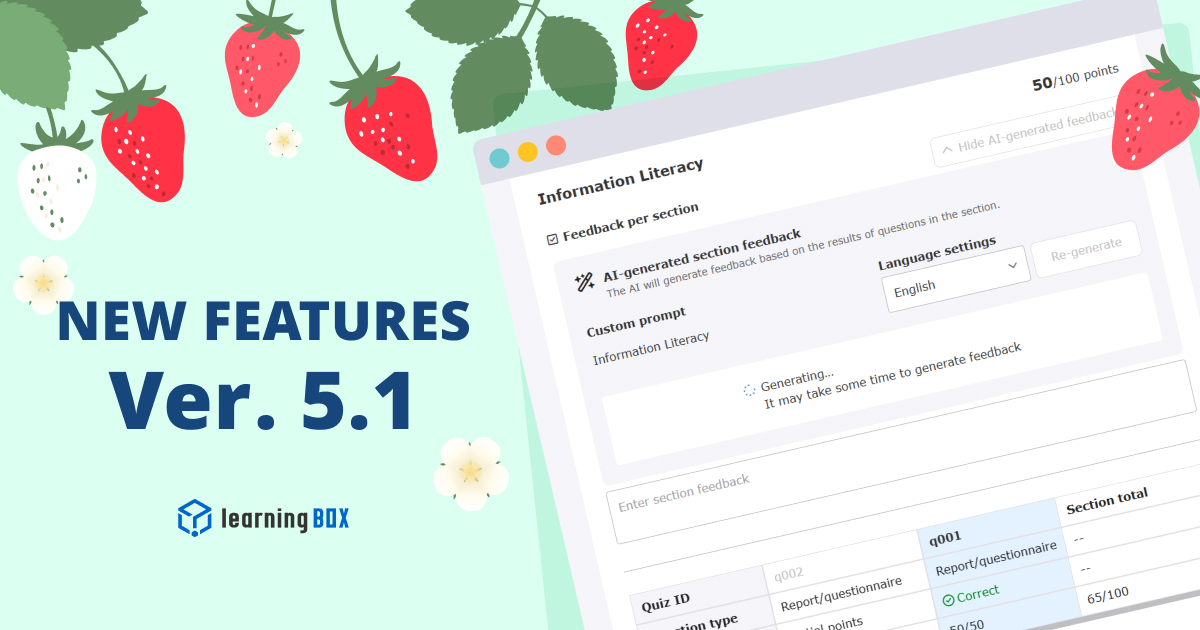
We have added an AI Assist feature to the "Section Feedback" field for quizzes and exams. Once all questions in a section are graded, the AI can automatically generate a draft of the most relevant feedback based on the learner's performance with a single click. Administrators can further refine these comments by setting custom prompts. This feature streamlines the creation of constructive, actionable advice—reducing the manual workload for graders while enhancing learner motivation.
*For more details, refer to Section Feedback.
Advanced Grading for Individual Growth
In addition to section-specific feedback, you can now provide an "Overall feedback" summary when grading quizzes and exams. Furthermore, with the AI Assist feature, the system can automatically draft this overall feedback based on the student's results. This significantly reduces grading time while ensuring high-quality, personalized comments for every learner. Since students can view this holistic advice directly from their detailed results screen, it fosters a stronger drive for continuous learning.
*For more details, refer to Comprehensive Feedback.
Message Reactions
Engage with your team more easily using our new "Like" reaction. Hover on desktop or tap on mobile to react to any message. To see who has reacted, hover over or tap the reaction count for a full list of users.
*For more details, refer to Message.
Improved Seminar Reservations & Detailed Views
To simplify the Seminar reservation experience, we have consolidated the workflow by removing the "Training reservation history" and associated cancellation email templates. Key information has been moved to the Reservation status within Reservations & attendance, where we have added new fields for "End date" and "Closing date." Users can now conveniently verify schedules and availability periods directly from this unified view.
*For more details, refer to Reservations & attendance.
New Features/Functional Improvements
For comprehensive details on all the new features and improvements in this release, please refer to the release notes linked below:
Adjustments to the side menu/header menu
*This is for those who subscribe the Customization option.
With this update, there are changes to the configuration of the side menu/header menu.
Please check the changes from the link below and make adjustments if necessary.
●Side/header menu changes of Ver. 5.1
Notice
Specification Changes
With this update, the specifications of some functions have been changed.
Other
If you have any questions, feel free to contact us.
We will continue to improve our services for customer satisfaction.
We look forward to your continued patronage.