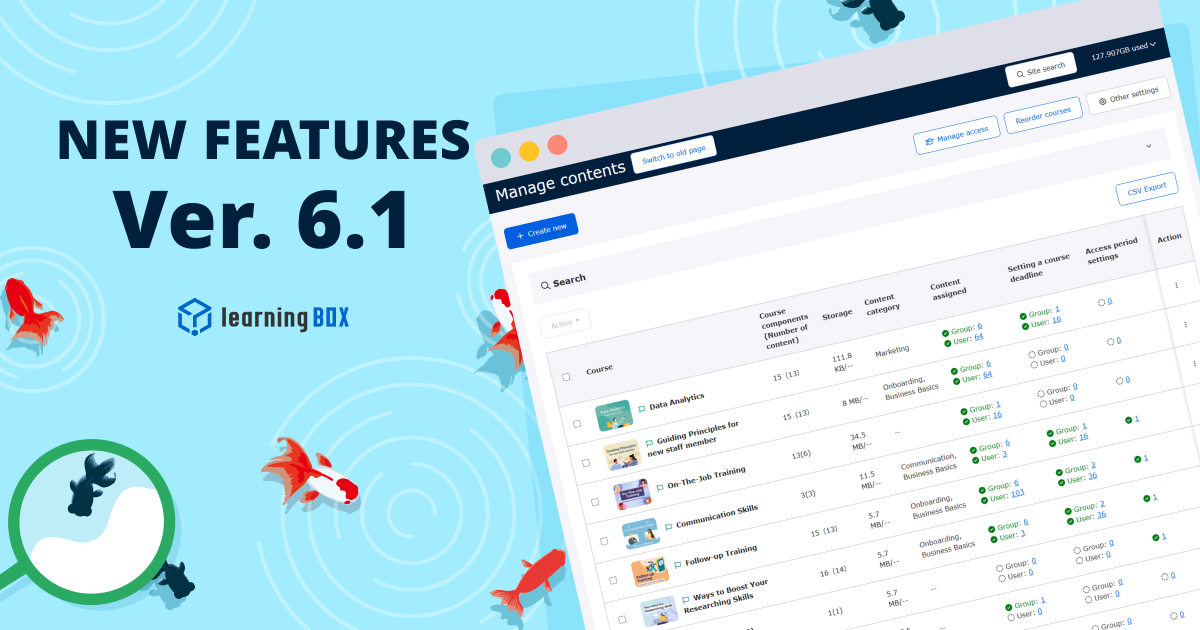
Ver. 6.1


Thank you for using learningBOX.
We are pleased to announce that learningBOX has been updated to Ver. 6.1 today.
Now let’s try the new features on your learningBOX.
New Features
Streamlined Configuration and Verification
Monitoring your content is now more intuitive than ever. The Manage content page has been updated to provide an at-a-glance view of active settings and item counts for content assignment, deadline, and access period. Active settings are now highlighted in a different text color for clear visual confirmation. Additionally, the displayed item counts now function as direct text links, enabling seamless, one-click navigation to Manage content assignment .
*For more details, refer to Manage contents.
Enhanced Content Assignment UI Clarifies Scope of Impact
Our latest UI improvements bring greater transparency to bulk assignments by clearly visualizing how changes to a parent element affect underlying items. In content assignment, selecting a parent folder automatically applies a "gray checkmark" to all immediate sub-content (excluding subfolders). Conversely, in group assignment, selecting a parent group automatically checks all nested subgroups. By clearly distinguishing affected and unaffected elements through color-coding, this update effectively prevents accidental configuration errors such as inadvertently leaving critical items unassigned.
*For more details, refer to Bulk actions (Manage content assignment ).
Consolidated Daily Email Digests for Unread Messages
To optimize your workflow, unread messages across all chat rooms will now be consolidated into a single daily email notification. This update eliminates the influx of multiple notification emails when active discussions occur across various rooms, significantly reducing inbox clutter. The new notification email displays the total unread message count across all rooms and previews the beginning of the most recent message, allowing you to catch up on important updates instantly.
*For more details, refer to Unread Message Notifications.
Adjustable Subtitle Font Sizes for Video Content
Learners can now customize their viewing experience by adjusting subtitle font sizes directly within the video player. Subtitles can be scaled across seven levels ranging from 50% to 400%. The text automatically resizes relative to the screen width to maintain optimal readability across all devices. Furthermore, your preferred size is automatically saved to your browser settings, ensuring a seamless, adjustment-free experience during future viewing sessions.
*For more details, refer to Display on the Learning Screen (Video and Slides).
Centralized Management for Training Reservations & Attendance
The Manage reservation and attendance page now features a unified dashboard that tracks enrollment status for all active training sessions. Within the List tab, admins can perform batch operations to update reservation and attendance statuses concurrently. Additionally, a new data export feature has been added, allowing admins to download comprehensive reservation and attendance logs across all training sessions in CSV format.
*For more details, refer to Manage training reservations and attendance.
New Features/Functional Improvements
For comprehensive details on all the new features and improvements in this release, please refer to the release notes linked below:
Notice
Specification Changes
With this update, the specifications of some functions have been changed.
● Summary of Email Notification Frequency for the Messaging Feature
Please review the details via the link below and take action as necessary:
● [Advance Notice] Notice of Specification Changes Accompanying the Release of Version 6.1
Other
If you have any questions, feel free to contact us.
We will continue to improve our services for customer satisfaction.
We look forward to your continued patronage.