Notice

132 articles

Important] Notice of API (Push Notification Function) Specification Changes

Thank you for using learningBOX. LearningBOX will change the API specifications starting with the Ver. 2.19 release. This announcement is for customers who use API integration. About API changes Before after change Depending on the implementation method, communication may fail In the case of hard-coding, there is a possibility that the notification will be judged as invalid. How to check the validity of PUSH notification Part 1: Obtain the contents of the transmission. No. 2: Remove the parameter 'hash' from the transmitted content and temporarily store it. No. 3: Add 'secret' to the back of the sent content without changing the order of the parameters. Part 4: After concatenating the parameter values of the sent content with '|', retrieve the hash value using sha256. Part 5: Check if the hash value is consistent with the hash value obtained from the sent content. Sample code for PUSH notification validity check /** * PUSH notification validity check * Example notification content: * ------------------------------------------------ * { * 'param1': 'aaa', * 'param2': 'bbb', * ' param3': 'ccc', * 'hash': 'ae12de' * } * ------------------------------------------------ * * Parameters other than hash may be reordered or increased or decreased. */ Example of normal operation $payload = file_get_contents('php://input'); // Get notification contents $payload = json_decode($payload, true); // Array notification contents $hash = 1 TP4Tpayload['hash']; // get hash value for verification unset($payload['hash']); // remove hash value for verification from sent content $payload = $payload + ['secret' = 'tatsuno 123']; // add the secret key of the recipient after the notification content if($hash === hash('sha256', implode('|', $payload))) { // content authentication success } else { // content authentication failure } example of a bug 1TP4 Tpayload = file_get_contents('php://input'); // get notification content $payload = json_decode($payload, true); // array the notification content $hash = $payload[' hash']; // get hash value for verification $param1 = $payload['param1']; // get parameter 1 for verification $param2 = $payload['param2']; // get parameter 2 for verification 1TP4 Tparam3 = $payload['param3']; // get parameter 3 for verification $secret = 'tatsuno123'; // secret key for notification if($hash === hash('sha256', $param1 . '|' . $param2 . '|' . $param3 . '|' . $secret)) { // authentication of sent content succeeded // if there is a change in the notification content, authentication may not pass. } else { // sent content authentication failed } We apologize for any inconvenience this may cause you, and appreciate your understanding and cooperation.

 click here

Notice Concerning Security Enhancements Thank you for your continued use of learningBOX. LearningBOX will introduce WAF (Web Application Firewall) in the shared environment starting with the Ver2.19 release as part of our security enhancement efforts. In this announcement, we have summarized the concerns that have arisen since the introduction of WAF. Reasons for introducing WAF In recent years, cyber attack methods have become more sophisticated, and the time between the discovery of a vulnerability and an attack has become shorter. In order to protect our customers' personal information and services from increasingly sophisticated cyber-attack threats, learningBOX has decided to introduce WAF. What is WAF? WAF is a security tool to protect websites by detecting and preventing attacks that exploit web application vulnerabilities. It protects services from attacks by blocking malicious requests before they reach the server. How WAF works WAF intervenes in the communication between the access source and the web server and uses "signatures" to detect attacks and prevent unauthorized access. When WAF detects an attack, it intercepts the communication and logs it, while simultaneously sending a warning message to the access source on behalf of the web server. At the same time, it returns a warning message to the access source on behalf of the Web server. A typical firewall does not check the content of the communication or how it is communicated. Communications that pass through the system's port of entry will reach the web application, even if the content is unauthorized. IDS (Intrusion Detection System) and IPS (Intrusion Prevention System) use signatures to detect unauthorized access, similar to WAF, but their accuracy in detecting unauthorized access to web applications is low and they cannot provide sufficient security measures. In shared environments, WAF will be introduced from learningBOX [Ver2.19]. With the introduction of WAF, there is a possibility that the global IP address you are using will be judged as a blocked target. Countermeasures when 403Forbidden is displayed If the message "403 Forbidden" is displayed on your browser, please wait a while and try accessing the site again. If you are accessing the site via a VPN or other means, accessing the site without a VPN may improve the situation.
learningBOX-2.19

learningBOX updated to Ver. 2.19

About this Version Upgrade Thank you for using learningBOX. Today, learningBOX has been upgraded from Ver. 2.18 to 2.19. Let us introduce you to the various new features. *As part of security enhancement, WAF (Web Application Firewall) will be introduced in the shared environment from this release. For details, please refer to the “Notice of Security Enhancements”. LearningBOX Ver2.19 List of New Functions Item Name New Functions/Functional Improvements Content Management Expansion of PDF functionality Expansion of test mode setting User Management Date format / Time format Reordering of groups Grade Management Score correction settings Expansion of chart functionality Display/Hide grade result settings Addition of items to be displayed/hide grade results File uploading of correction results when grading reports Upload file of correction results when grading reports Grading by report question Learning environment settings Detailed explanation of badges Other functions Use of login ID when reissuing passwords Design customization Limited functions Curriculum selection limit settings Expansion of training functions Expansion of site customizer functions Addition of API linkage items Registration screen URL Downloading of registration screen URL Addition of item for PUSH notification when badge is acquired Setting of sender name for from mail Dedicated server-only functionality Unique SSO Account billing support Expansion of CardGenerator memorization card functionality This version update includes the following features that have been requested by many customers: shuffling of memorization card questions, insertion of audio, and the ability to create a new memorization card. This upgrade includes the ability to shuffle the order of memorization cards, insert audio, correct questions after users have answered them, and reorder groups on the user management screen, as requested by many of our customers. In addition, we have added a number of features that are available with a shared server/customization or dedicated server subscription. Expanded PDF functionality Now you can not only view PDFs, but also highlight important content and make notes on them. Please note, however, that extensive use of highlighting and pens on PDFs may result in grade data not being imported. CardGenerator-Expansion of memorization card functions You can now shuffle the order of questions on memorization cards and insert audio files [mp3]/chemistry formulas/equations. Users can now correct the correctness of questions after they have completed the quiz/test. Group Reordering Allows users to reorder registered groups in any order. Expansion of test mode settings Previously, items hidden in the test mode settings remained hidden unless the settings were manually changed. Starting with this version, hidden items can be automatically switched to be displayed when the conditions set in the "Overall Settings" are met. Date/Time Format You can set the date and time display format on the learningBOX. Expansion of chart functions In the "Tag List" screen of the chart, the contents can now be narrowed down and displayed by "section tag," "question tag," and time period. Added a new item for displaying/hiding grade results. Uploading Correction Result Files when Grading Reports When grading reports, it was only possible to enter feedback comments, but now it is possible to upload correction result files. Individual" Grading of Reports When grading a quiz or test with multiple questions in the "Report/Survey" format, you were previously unable to save the results until you had completed grading for all the questions. However, starting with this version, it is now possible to save the results during the grading process. Detailed description of a badge can be included in the modal screen that opens when a badge is acquired or when a badge is viewed in the "Badge List" or "Select Course" screen. You can also set whether or not to display the detailed description. Use of Login ID for Password Reissue When you forgot your login password, you used to need to enter your registered e-mail address to reissue a password. From this version, you can specify not only your e-mail address but also your login ID to reissue your password. Curriculum Selection Limit Settings A new limit setting has been added from the Curriculum Function Basic Settings to limit the content that can be taken at the same time. Expansion of training functionality The archive function has been added, and training reservations can now be approved or disapproved in batches. Users can now also cancel training reservations. Expansion of the Site Customizer The Site Customizer function has been expanded to allow users to freely change the layout of newly added menus. In addition, it is now possible to edit not only the side menu but also the header menu. Addition of API linkage items By linking learningBOX user information as an API item, users can now study SCORM materials without the need to log in. Download of registration screen URLs It is now possible to download a CSV file of the list of registered groups and issued URLs for group registration URLs in the account application registration function. Unique SSO Account Billing Support Through a unique SSO linkage with the customer's core system, users can be redirected to the "Plan Selection" screen when they register an account. Account billing must be set as mandatory on the "Account Billing Management" screen. The following three items have been added to the JSON of the PUSH notification sent when a badge is acquired. score" = number of points of the content when a badge is acquired * "score" is not sent when a badge is set for a course/folder. In addition to changing the from mail address, you can now set the sender name of the mail. Please contact our CS sales team if you have any questions or need more information. We will continue to listen to our customers' voices and improve the functionality of the system to make it more user-friendly. We look forward to your continued support of LearningBOX/QuizGenerator.

Collaboration content with KaWaL eLearning, a company specializing in business skills, is now available on learningBOX ON!

Collaborative content with “KaWaL eLearning,” which specializes in business skills, is now available on learningBOX ON! “learningBOX ON,” a service that allows you to add training content to the e-learning creation and management system learningBOX, has just launched this highly anticipated new content! The new content is a collaboration with Change Co., Ltd.“s “KaWaL eLearning"! The content is designed to be fun to learn and immediately applicable to the workplace. Here’s a sneak peek at some of it. HR and training professionals, be sure to check it out. Announcement [Episode 0] KaWaL × learningBOX Collaboration Interview — Experts Provide In-Depth Insights on Trending Topics — In collaboration with Change Co., Ltd., we have launched a new service for e-learning materials. We’ve now added “KaWaL eLearning”—a subscription-based e-learning service specializing in business skills provided by Change—to learningBOX ON! Be sure to try out this curriculum, which focuses on business skills and is based on a track record of training over 1 million young professionals, including new employee training programs at major corporations.   What is KaWaL eLearning? Change’s KaWaL eLearning is a subscription-based e-learning service built on the concept of “from ‘understanding’ to ‘changing’.” By offering only carefully selected courses in fundamental business skills, it allows users to quickly acquire the business skills and knowledge generally required in the workplace. This collaborative content is based on the concept that “learning occurs through tackling challenges.” Rather than a one-sided lecture-style approach, it incorporates mechanisms that allow learners to create and iterate on deliverables. Content Introduction Here, we’ll introduce some of the free content available on KaWaL eLearning. The videos are meticulously produced with a strong focus on "video production" to ensure that even those from generations accustomed to video content can enjoy watching them from start to finish. To foster engagement, the content is presented in various creative ways tailored to each learning element—such as dramatic storytelling, immersive picture-book worlds, appearances by comedians, or quiz show formats. Each piece of content comes with a worksheet so you can put what you’ve watched into practice immediately. A key feature is its “task-based” style, which emphasizes output to maximize learning effectiveness. Any user registered with learningBOX can view the free training content on learningBOX ON. Through this partnership, users can now further utilize KaWaL eLearning’s free and paid content to build efficient training programs tailored to their needs. Business Communication Private URL: [KaWaL] Business Communication: “Listening” This module carefully explains the three essential mindsets required for professionals. The concepts of “purpose-driven mindset” for taking initiative in work, “cost-consciousness” for working efficiently, and “consideration for others” for smooth task sharing and collaboration are presented in an easy-to-understand, drama-style format. This content is essential not only for new employees but for everyone in the workforce, so please be sure to check it out.   Remote Work Etiquette Private URL: [KaWaL] Remote Work Etiquette Even with the rise of remote work in recent years, there are still rules of etiquette to follow. Knowing the basics will help ensure a pleasant work environment. The content is presented in a quiz format for an engaging learning experience, making it ideal for group activities. Other recommended videos are also available, so be sure to check them out. ⇒ More collaborative videos are being updated regularly! How to Use KaWaL × learningBOX Here’s how to use KaWaL × learningBOX. For those already using learningBOX: ① Log in to learningBOX ② Go to “Content Management” ③ Click the “+” icon in Content Management ④ Select “learningBOX ON” from the menu "KaWaL eLearning" and "Free Trial Course" from the menu. ⑤ "KaWaL eLearning" will be added to your course list. For New Users: Even if you haven’t registered for learningBOX yet, up to 10 users can use nearly all features (excluding paid options) for free and indefinitely, so please give it a try. ⇒ Click here for free registration New users: Once you log in, "KaWaL eLearning" will already be listed in your course list, so you can start using it right away. KaWaL eLearning also offers paid content; please click here for details.   Summary: We’ve introduced KaWaL eLearning, the new content on learningBOX ON—a platform designed for enjoyable learning and practical application in the workplace. Based on our track record of training over 1 million young professionals, we’ve created this content by thoroughly considering the question, “How can we ensure users watch the videos all the way through?” and “What learning elements are essential for behavioral change?” It was created with these questions in mind, and we hope you’ll take note of how it carefully explains what the key learning concepts are and why they’re necessary. You can also combine KaWaL eLearning content with your company’s own content to create original courses, so please make full use of this feature.    
learningBOX-2.18

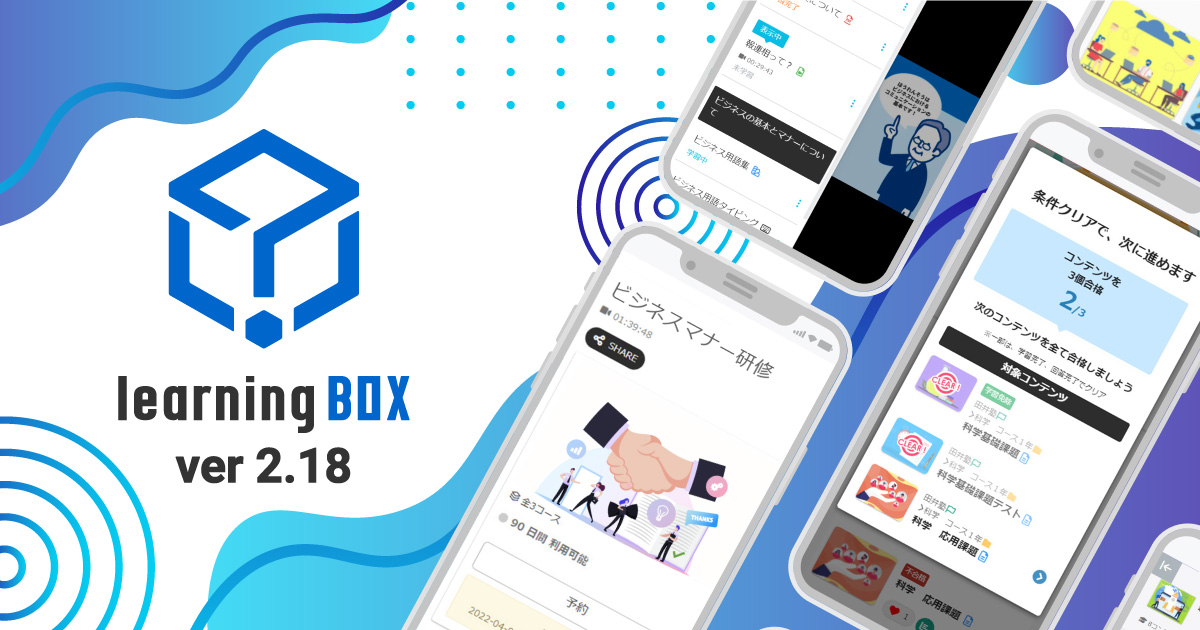
learningBOX upgraded to Ver. 2.18

About This Version Update Thank you very much for your continued use of learningBOX. Today, learningBOX has been updated from Version 2.17 to 2.18. In this article, we will provide a detailed overview of Version 2.18 (released on July 6, 2022), which includes various new features. ▼learningBOX Ver. 2.18 New Features List Item Name New Features/Functional Improvements Course Selection Course Navigation Content Management PowerPoint Course Materials Expanded Report Card Features Quiz/Test Interruption Data Detection Feature Content Pre-Explanation Management Content Redirect Feature Removal of the "List of Submitted Reports" and "Report Grading Management" screens Management of Exemptions from Grading and Analysis Expanded Grade Management Features User Management Unified User Management Content Management Viewing Permissions Adding/Removing Group Membership via CSV Expanded Registration Field Settings Design Customization Limited-Function Authentication Code Settings (Per Registration URL) Contract Status: Automatic Renewal of Paid Plans E-commerce Features Training Features In this version update, the appearance and functionality of two screens have been significantly revamped. Specifically, "My Page" has been replaced by the "Dashboard," and the "Study" screen has been replaced by the "Select Course" screen. Additionally, contract-related features have been expanded, including the addition of a paid option to import PowerPoint materials and automatic renewal of paid plan subscriptions.   Course Navigation: A list of other content within the same course is now displayed on the content learning screen. This allows users to view the entire course from the learning screen without having to return to the "Select Course" screen.   PowerPoint Course Materials: You can now upload course materials created in PowerPoint directly to learningBOX. Please note that this requires subscribing to the paid "PowerPoint Course Material Import" option. Expanded Report Card Functionality: The report card feature now reflects the latest results in real time and is viewable by administrators.   Quiz and Test Interruption Detection A feature has been added that detects data where quizzes or tests were interrupted and notifies the editor. Content Pre-Study Guidance Management This feature allows you to display an announcement regarding explanations or precautions related to a piece of content before a user clicks on it to begin studying on the learning screen.   Content Redirect Function When using SCORM learning materials, you can specify and redirect users to any desired content. Discontinuation of the "List of Submitted Reports" and "Report Grading Management" Screens Starting with Ver. 2.18, the "List of Submitted Reports" and "Report Grading Management" screens will be discontinued.   Exemption Designation Management: If there are users who need to study specific courses or content and others who do not, you can configure settings to exempt individual users from studying that content. Note that even if an exemption is designated, users can still choose to study the content.   Expanded Grade Management Features The name of the "By Question" tab has been changed to "By Learning Material," and a search function has been added to its contents. Additionally, grade data for each learning material can now be filtered and extracted based on conditions such as time period or group. Furthermore, new features such as the ability to download report content and grade analysis have been added.   User Consolidation Management You can consolidate grades, badges, and login information from two different accounts (an inactive account and an active account). Content Management View Permissions A new "View" permission has been added to content management permissions. The View permission does not allow users to edit content; it only allows them to view what content is available.   Adding/Removing Group Membership via CSV When registering users in bulk via CSV, you can set the "Add Group Membership" and "Remove Group Membership" fields. Expansion of Registration Field Settings In "Registration Field Settings," you can now set the login ID to be hidden. If you enable this setting, the login ID will no longer be displayed on the user profile edit screen. Authentication Code Settings (Per Registration URL) You can set a unique authentication code for each URL. Automatic Renewal of Paid Plans Paid plans can now be set to renew automatically. If you enable automatic renewal, customers will no longer need to submit a renewal request each time.   Training Feature The training feature allows you to set up training sessions by specifying the date and time. Users can search for and reserve the training sessions they want, and owners can approve or reject reservation requests.   Other Information For detailed instructions or if you have any questions, please contact our CS Sales Team. ● Contact Form We will continue to listen to your feedback and work on improving our features to make your experience even more enjoyable. We appreciate your continued support of learningBOX and QuizGenerator.

Want to learn more about learningBOX?

Speak with an Expert

Book a demo

Discover Rich Features

Download

Try it out