Admin Blog

76 articles
National Nursing Examination - eLearning Learning

I passed the national nursing exam in one go! How to prepare for the national exam using e-learning learning

Pass the National Nursing Exam on Your First Try!! How to Prepare for the National Exam Using E-Learning I’m Kitaoka 🍎 from the Marketing Department. The national exam season is just around the corner!! In this article, I’ll introduce effective study methods for preparing for the National Nursing Exam using our e-learning system (learningBOX). The nursing license is highly popular and in high demand among medical professional certifications!! For educational administrators at universities and vocational schools focused on nursing education, and for faculty members concerned about national exam pass rates, using our learningBOX allows students to prepare for the national exam “effectively and efficiently”—not only outside of class hours but also by utilizing even short pockets of free time. We offer learning tools specifically designed for memorization, as well as a quiz creation tool that can be used for repetitive practice to help students understand and retain the material. Using this question creation tool, you can easily create and publish online exam questions. We hope you enjoy this article. Table of Contents: 1. Difficulty Level and Trends of the National Nursing Examination 2. Challenges and Concerns Regarding National Exam Preparation 3. Introducing National Exam Preparation Using learningBOX’s Content Features 4. Summary Difficulty Level and Trends of the National Nursing Examination ▼ Click here for the pass rates of the 108th National Nursing Examination. The 108th National Nursing Examination was held on Sunday, February 17, 2019. There were 64,153 applicants and 63,603 examinees, with 56,767 candidates passing, resulting in a pass rate of 89.3% (compared to 91.0% last year). Among them, for new graduates, there were 58,622 applicants, 58,308 examinees, and 55,216 successful candidates, with a pass rate of 94.7% (96.3% last year). ▼Click here for the 2019 pass rate. This chart shows the pass rates for the National Nursing Examination over the past 10 years. Looking at it this way, it seems like a relatively easy exam with a pass rate hovering around 90%, but... Actually, there’s a secret behind this pass rate. ☑ KEY POINT: Looking at the breakdown of successful candidates, the pass rate for new graduates is 94.7%, while that for non-new graduates is 29.3%! That’s right—since new graduates account for over 90% of applicants, the pass rate appears high. *If you look only at the pass rate, you might be misled into thinking this is an exam that’s easy to pass. However, once you fail the national exam, your chances of passing it the next time drop significantly. Therefore, it’s extremely important to establish a study method and environment that will allow you to achieve the passing score on your first attempt!! Challenges and Concerns Regarding National Exam Preparation I mentioned earlier that new graduates—who learn specialized content in school and take the national exam immediately afterward—tend to have a higher pass rate. So, what does the study period for new graduates actually look like? Let’s take a look at the annual schedule for nursing students. ▼ Annual Schedule for Nursing Students The third year is primarily focused on clinical rotations. For more than half a year, students spend time at hospitals and facilities where they are assigned, learning practical skills, how to write medical records, and how to assist with patient care, all while developing communication skills on the job. Even after the rotations end, their busy days continue with case reports, nursing research, and graduation exams, even after they’ve finished visiting their rotation sites. It’s often not until December or later that students can fully focus on studying for the national exam, and the annual trend is for them to tackle exam preparation within this packed schedule. Due to the structure of the study curriculum, this inevitably results in a short, intensive study period. ▼Click here for the National Exam scope and passing criteria. The exam consists of three types of questions: “Compulsory Questions,” “General Questions,” and “Scenario-Based Questions.” Details are as follows. Passing Criteria: The National Nursing Exam consists of 240 questions and is scored out of 300 points. To pass, you must meet the following two conditions: ☑ Answer at least 80% of the “Required Questions” correctly ☑ Meet that year’s passing standard for “General Questions + Scenario-Based Questions” The “Required Questions” account for 50 points out of a total of 300, with each question worth 1 point. Since this accounts for 80% of the total, you must score at least 40 points on the required questions (answer at least 40 questions correctly); otherwise, even if you score a perfect score on the general questions and scenario-based questions, you will fail at that point. Scenario-based questions are worth 2 points each, and the passing standard for these varies each year. This is because the Ministry of Health, Labour and Welfare adjusts the number of successful candidates based on the supply-demand ratio for nurses. As you can see, it is clear that thorough exam preparation is essential to passing. However, neither instructors nor students can easily devote time to exam preparation. Let’s take a look at the concerns each group faces. ▼ Challenges and Issues Faced by Instructors in Preparing for the National Exam Recent trends show that exam questions are increasingly designed to reflect real clinical situations. Behind this shift lies the examiners’ intention to pass candidates who have a fundamental understanding of what they’ve learned—rather than those relying on superficial techniques—and who truly possess the aptitude to be nurses. Thinking, “I’ll just get by with rote memorization,” is a red flag. The study required to pass the National Nursing Examination is becoming virtually identical to the study needed to become a nurse who can excel in the field. So what should you do??? With time limited, how can you prepare for the exam efficiently and effectively? “e-learning”—and specifically, learningBOX—is here to solve that problem! Here’s how to use learningBOX’s content features to prepare for the national exam ▼ Click here for national exam prep using flashcards. This is an extremely useful learning tool for content, keywords, and memorization items that frequently appear on the national exam. You can use the check function to see “which words you’ve memorized” and track your progress. You can also insert images into the flashcards. ▼ The quiz feature is great for repetitive practice with past exam questions!! ⇒Take the quiz! You can start here. ▼Using the quiz creation feature, you can publish practice and exam questions online in 12 different question formats. You can also embed images, videos, and explanations. Since you can set links, you can direct users to specific pages. In addition, you can configure detailed settings tailored to your specific needs, such as time limits, passing scores, and a feature to shuffle answer choices. Please check the list of optional features for a full overview of the available options. Click the items below to launch the player and view the online questions. ・Required Questions ・Basic Nursing ・Adult Nursing ・Geriatric Care ・Pediatric Nursing ・Mental Health Nursing ▼Using the quiz feature allows learners to study by academic year or subject, and by varying the question formats, you can help them develop their practical skills. Another key benefit is that learners can easily study at their own pace outside of school hours. Repetitive learning through e-learning is highly effective for reinforcing memory, tracking quiz accuracy, and reviewing concepts! Quizzes can be created using three methods: the “Question Creation Form,” “Text Files,” or “Excel.” Quizzes can also be embedded on a website. By integrating with the e-learning system (learningBOX), you can save and edit the quizzes you’ve created, as well as manage member scores in great detail. Detailed instructions on how to create quizzes are available on the “How to Create a Quiz” page in QuizGenerator. Summary ▼ With learningBOX, you can manage everything from flashcards to quizzes! In this article, we’ve introduced how to prepare for national exams using learningBOX’s content features. By using our e-learning system, you can prepare for national exams online even outside of school hours. In this article, we focused primarily on the flashcard and quiz features. With just a quick glance at the manual and by following the examples, you can create and publish your own learning materials using either feature. The materials you create can be imported directly into our e-learning system (learningBOX) for easy management. learningBOX is an e-learning system that even first-time users can use with confidence. No computer knowledge required! ! Even if you’re not familiar with the system, you can easily learn how to set it up just by playing around with it. Try out the Free Plan to experience how user-friendly it is! Please check the learningBOX service introduction site for details on how to use learningBOX and its content features. Thank you for reading this article. ▼ We also recommend this! Related article: “Visibly Improve Your Grades with an Easy-to-Use System!”


How to create and add SCORM materials using TensorFlow.js

Happy New Year! I am Yokoyama🐈, a developer. I look forward to working with you in the New Year! This time, I would like to introduce an article titled "Using TensorFlow.js to add a question for judging handwriting to learningBOX. Originally, SCORM requires imsmanifest.xml, a file that defines the structure of the teaching material, but learningBOX can be registered without imsmanifest.xml. Table of Contents 1. adding a question to judge handwriting 2. what is SCORM 3. what is TensorFlow.js 4. summary Adding a question to judge handwriting Seeing is believing, so please watch this video first! Input numbers displayed on the screen by handwriting. The problem is to determine if the characters entered are correct or incorrect. This problem is actually running as a SCORM teaching material on learningBOX! This is made using SCORM and TensorFlow.js. I will explain in turn. SCORM is a standard in e-learning that defines specifications for combining learning materials with an LMS (Learning Management System). SCORM was developed by Advanced Distributed Learning in the U.S. In Japan, the Japan e-Learning Consortium certifies LMSs and content, as well as SCORM-related qualifications. Since learningBOX is a SCORM-compliant LMS, grades and other information can be saved as long as the materials are SCORM-compliant. Since this question was also created in accordance with SCORM, the grades are saved in learningBOX. If you would like to know more about SCORM, please check this article! ▼ Learn more about TensorFlow.js What is TensorFlow? TensorFlow is an open source machine learning library developed by Google Inc. The JavaScript version of this library is TensorFlow.js. This time, we used TensorFlow.js for a simple task of judging handwritten numbers, but you can also use it to create a kanji dictation test, an English speaking test, and so on! Please understand that I am a beginner in machine learning, so I may not be very good at some things 🙇 If you would like to try this problem, please download the ZIP file! If you are interested in trying out these problems, please download the zip file, register it with learningBOX, and upload it as a SCORM teaching material! *This problem has been tested with Google Chrome. Reference: Load MNIST-trained models with TensorFlow.js for handwriting recognition in a browser Summary In this article, we introduced a simple but effective way to create and add SCORM educational materials. Originally, SCORM requires a file called imsmanifext.xml, which defines the structure of the teaching material, LearningBOX is a SCORM-compliant LMS, so grades and other information can be saved as long as the material is SCORM-compliant. Since this question was created in accordance with SCORM, the grades are saved in the learningBOX. This time, the content was simple, judging a handwritten number, but if you apply SCORM, you can create a wide variety of SCORM teaching materials.

Causes and countermeasures for logging out of Excel when linking from Excel

When I step on a link from Word or Excel, for some reason I am taken to the login screen. We have also experienced this problem with learningBOX, but the problem has been resolved in version 2.8.9. We are now disclosing the cause and countermeasure for this problem, in case other systems may also be suffering from the same problem. Table of Contents 1. symptoms 2. causes 2. countermeasures 3. why was it discovered in the first place? 4. are all the web apps out there coping with it? Symptom While logged in to a system, opening a URL in the system from Word or Excel causes a transition to the login screen. Since the user is already logged in, we would like the user to open the URL in the system directly. Cause When a user clicks on a link in Word or Excel, Word or Excel sends a request to the link address, and since Word or Excel is not logged in to the linked site, it receives a response that redirects to the login page. The URL of the redirected page is the URL of the web browser. This redirect URL is passed to the web browser, which causes a transition to the login page. Countermeasure When a request for the page after login is received from Word or Excel, do not perform redirect processing. By doing so, the specified URL is passed to the web browser as it is, and the post-login page can be opened. In the figure above, you can change the process in point (2). If you are using PHP, you can use the following code to handle this issue. exit may have side effects, so please terminate the process in accordance with your framework. Returning an empty document with a status code of 200 is usually OK. How was it discovered in the first place? One of our customers distributes URLs for educational materials via Excel, and for some reason, when the customer steps on the link, they are redirected to a login screen. Since there is no special exception handling only when the link is opened from Excel, we investigated the cause by referring to the web server logs, etc., and found that the problem was caused by a strange behavior of Office. Are the web apps out there coping? As of January 14, 2020, Gmail and Slack have been addressed, but there are many services that everyone knows about that have not been addressed. This is not so much a problem on the web application side as it is a problem with the behavior of Office, but it can be easily handled using the method described above, so please consider taking action.
E-learning - free

Free e-learning system to get started

The year 2019 is just a few days away. How was the first year of 2028 for you? I am Kitaoka🍎, a marketing manager, and I haven't written any New Year's greeting cards yet. This article is for those who are interested in e-learning! If you want to implement e-learning but are wondering which company's service to choose, this article is for you! Our e-learning system (learningBOX) is free for anyone from individuals to companies to start using e-learning. All you need to prepare is a computer and an Internet environment. You can start e-learning from the day you register. In this article, we will introduce the features and functions of our e-learning system, learningBOX. We hope you will enjoy this article as well. Table of Contents 1. Do you have any of these employee training problems? 2. learningBOX is an e-learning system that even first-time users can use with confidence. 3. If you are in charge of training and are only conducting group training, please contact us! Do you have any of these problems or issues when implementing and operating employee training? We would like to solve the problems of those in charge by using e-learning! But ...... operational concerns They are not familiar with computer-related knowledge or electronic devices. I am not familiar with computer-related knowledge or electronic devices, and I am not confident about creating training materials and setting up the created content. I am not sure if I will be able to use it without IT knowledge. I am afraid to purchase a product or service that I cannot easily see what is inside. Differences in usability by age group make it difficult for the company to introduce and manage the system. Can anyone, not just a few people, manage the system? There are many people who are interested in e-learning, but are reluctant or uncomfortable with computer operations and settings. In addition to that, they tilt their heads at the high price of e-learning systems, and their enthusiasm for introducing e-learning cools down. We believe that there are indeed many such persons in charge. learningBOX is an e-learning system that even first-time users can use with confidence. Most e-learning systems on the market today are very expensive, and most services are mainly designed for large companies. The concept of learningBOX is a "cheap and easy-to-use" system. Since the service was launched in Japan, it has been used by many small and medium-sized companies and organizations that feel that it is too expensive to introduce a major e-learning system, such as private cram school owners and restaurant operators. How to operate learningBOX No computer knowledge is required! Even if you are not familiar with the system, you can easily learn how to set it up by touching it. There are no difficult operations or settings. It is a very simple design. You can learn more about the functions and usage of learningBOX on the usage page here. LearningBOX Price Plans Our e-learning system is sold at a price range (from 33,000 yen per year for 100 users) that is suitable for large companies as well as small businesses and organizations. You can fully grasp and check the usability of the system by using the free plan. The learning environment created with the free plan can be upgraded with the paid plan. In addition, you can customize the environment to meet your company's needs by adding options for paid plans, such as original design settings and your own domain name settings. For more information on the services and fees of paid plans, please refer to the pricing plan here. Ease of use of learningBOX learningBOX is an e-learning "box" that allows you to build and manage a conventional learning environment on the web. Inside this box, learning materials such as videos and PDFs, questions and tests, and grades are stored, and the system manages the learning process. Here are the features of learningBOX ・There are more than 12 types of question formats for the web test and quiz creation function. The system can easily create tests and practice questions to check the effectiveness of the training program. The web-based distribution of training materials eliminates the need for printing and preparation of training venues. Tests can be created for all types of industries and fields. You can also convert your own teaching materials to e-learning and sell them. Click here to see the application scenarios using learningBOX Click here to see an introduction example LearningBOX was used for a training test at the Motivation Switch Group Inc. The learningBOX system has been very well received by the students. The training exams are not designed to fail, but rather to quickly understand and consolidate knowledge, so using learningBOX is a great way to build up and reach understanding on your own. Also, the time it takes for students to take the exam has become very short. 8 months was the average before the introduction of learningBOX, but now, it's a whopping 2.1 months. .........➡Check out the rest of the case studies here! This page introduces the case studies of companies and schools that are actually using learningBOX, including the background to the introduction of learningBOX, their problems, and the effects after the introduction. Conclusion In this article, we have briefly introduced the features and functions of learningBOX. learningBOX is an e-learning system that even first-time users can use with confidence. No computer knowledge is required! Even if you are not familiar with the system, you can easily learn how to set it up by touching it. Please try the free plan to see how easy it is to use. The concept of learningBOX is a "cheap and easy-to-use" system. Thank you for reading this article.
learningBOX - size and size of video files

How large are the video files when creating e-learning materials?

About the capacity of video files when creating e-learning materials This is Nagai🎮 of Quality Control, who is suffering from a cold that is not completely gone. This time, I would like to share with you a question that we have received many inquiries from our customers: "When uploading e-learning materials, how long is a video file and how much space does it take? This article is an explanation and a small piece of information in response to this question. Please take a look at this article as well. What is a video file? A video file is a series of still images that are shown one after another, using the same principle as a flip book, to give the impression that the pictures are moving. A video file contains a number of images. A video file contains a number of image files, which naturally makes the file size larger. The size (capacity) of a video file depends mainly on the numerical values of factors such as bit rate, resolution, codec, and so on. Let's take a closer look at them one by one. Relationship between video file size and image quality Bit rate In simple terms, it is a unit that expresses "how much data can be transferred. The higher the bit rate number, the higher the image quality and the larger the video file size. Resolution Resolution is a numerical value that expresses the density of pixels in a video. In digital video, it is expressed as "a collection of very small colored dots (pixels). The unit of "dpi" or "ppi" is used. The higher the resolution, the higher the density of dots, and the smaller the resolution, the smaller the size of the video. Codec A codec is a device or software that performs the encoding (compression) and decoding (playback) of data. Handling large-sized videos uncompressed requires large memory, hard disks, etc., or compressing the video capacity to reduce its size. POINT In general, to improve video quality, it is necessary to increase the resolution (fineness) of the video, and to increase the resolution of the video, it is necessary to increase the file size of the video. In particular, the size of the bit rate, which represents the file size per second of video, will greatly affect the quality of the image. However, if the bit rate is too large, it will place a large burden on the performance of the communication line and terminal when distributing the video over the Internet, causing the video to not play smoothly. How to calculate video files It is possible to calculate how much the file size of a video file will be. The data capacity is calculated as follows. ▷Here is the formula: Video bit rate x length (seconds) ÷ 8 (convert bits to bytes) The amount of data per second is the bit rate, so multiply the time and convert it to bytes to find the video file size. Exercise For a 10-minute video at 2.5 Mbps, what is the file size? →2.5Mbps × 600 (seconds) ÷ 8 = 187.5MB (megabytes) ▼ Here is a quick guide to video capacity. Please use this table as a guide when uploading videos. The actual size may go up or down slightly when audio is added, but you can get a rough idea of the size of your video file with this chart. How to upload a video file to learningBOX When uploading a video file, the size of the file may vary depending on the settings used at the time of shooting and the performance of the equipment used during shooting. You can check the capacity of the video file by right-clicking ➡ Properties. Click here to see how to check the capacity of a video file. How to upload a video using YouTube This time, we will show you how to upload a YouTube video using video content provided free of charge by the "IPA (Information-technology Promotion Agency, Japan). (Source: IPA youtube channel) Registering YouTube videos STEP1: First of all, login to learningBOX. STEP2: Click on the content management screen and go to Other educational materials ➡ YouTube video STEP3: Paste the title name and [embed code of YouTube video] You can easily register your YouTube video by following the above steps. ▼How to upload YouTube videos to learningBOX! If you want to check YouTube videos from the learning screen, don't forget to set the assignment of teaching materials for the folder containing YouTube videos! This setting is often forgotten. If not set, the folder will not appear on the learning screen. Please be careful. You can also upload videos taken with your smartphone, PC, or video camera! Please login to learningBOX as before and go to the content management screen ➡ ⊕ button ➡ Video. Conclusion In this article, we have briefly explained the relationship between video file size and image quality. We believe that many people want to use video for education and training. Our e-learning system (learningBOX) allows anyone to easily set up video materials. Please take this opportunity to try learningBOX. learningBOX is free for up to 10 registered accounts and the service can be used indefinitely.
ec function-learning box

Let's use learningBOX to "sell learning content."

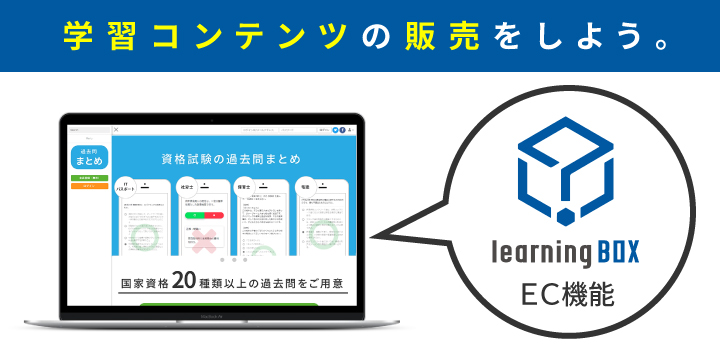
Hello everyone, this is Ueda🐯 from learningBOX Introduction Support! It's December and there are only a few days left in this year! Every year seems to go by faster and faster.... It's almost time for the flu to start spreading. Let's take good care of ourselves and get through this cold winter. Did you know that you can sell the content you create on learningBOX? In this article, we would like to give you an overview of learningBOX's EC material sales function. The registration procedure and other details will be introduced in the [Part 2] article! Table of Contents 1. what is learningBOX's EC function? 2. the appeal of learningBOX's EC function 3. reasons why learningBOX is chosen for web sales 4. various sales examples 5. summary What is learningBOX's EC function? An electronic commerce site (EC site) is a website that sells products on the Internet. The term "EC site" is often used in the sense of a website that allows online shopping. The EC function of learningBOX is a platform that allows you to easily sell your learning contents on the web, rather than selling them! Do you have any of the following problems or requests? ☑ You have learning materials, but you don't know how to sell them on the web. ☑ I want to sell my materials, but it seems difficult to set up a server, payment system, etc... ☑ I want to make effective use of my company's proven training materials! ☑ I want to tell people who don't know about my skills and knowledge! ☑ I want to sell my company's technology and know-how to external parties! ▶All of these can be realized with learningBOX's e-commerce materials sales function! You can realize site construction with content creation functions, your own domain, and customizable design. Furthermore, it is simple to use and easy to register! Attractiveness of learningBOX's EC functions The most attractive feature of our system is its ease of use, isn't it? Even if you go to the trouble of installing a system, if it is difficult to create content and register it for sale, you may stop using it. LearningBOX offers a wide variety of teaching materials, and it is easy to create and upload teaching materials. Even those who are not good at using computers can learn how to use and set up learningBOX by touching it. learningBOX's instructions and settings are detailed on the learningBOX instructions page. Reasons for being chosen for web sales - Abundant functions - While there are many variations in content, there are also many EC functions. In addition to bank transfers and credit card payments, payment can be made by invoice or at convenience stores if you use GMO Payment Gateway! In addition, the preview function allows users to check the actual course before purchasing. We believe this will reduce problems after the purchase. Various Sales Examples Using learningBOX's EC function, you can easily build a site to sell past exam questions for correspondence courses and certification exams. As shown in the sales example below, you can customize the design as you like! Conclusion In this article, we have introduced an overview of the learningBOX EC functionality, and if you are at all interested in the EC functionality, please contact us! We also have a demo environment where you can actually try it out! Thank you very much for taking the time to read this article.

Create a Christmas quiz using e-learning.

Creating a Christmas Quiz Using e-Learning It’s been a while. This is Kitakoka 🍎 from the Marketing Department. The big December event—”Christmas”—is just around the corner! I bet moms and dads everywhere are scrambling to get Christmas presents ready, aren’t they? In this article, with Christmas just around the corner, I’ll share knowledge and information—through quizzes on our e-learning system (learningBOX)—that will make your 2019 Christmas even more fun once you’ve read it and answered the questions. This article is packed with content that’ll ensure you never run out of things to talk about this Christmas! I hope you enjoy this post. Table of Contents: 1. A Quick Review of Christmas 2. Let’s Try the Christmas Quiz 3. Benefits of Using an e-Learning System 4. Summary A Quick Review of Christmas What exactly is Christmas, anyway? The word “Christmas” is derived from “Christ” (the Savior) and “Mas” (Mass, or worship service). “Christmas” refers to the day we celebrate the birth of Jesus Christ, which took place about 2,000 years ago. As Christmas approaches, you probably hear “Merry Christmas!” all the time. We use it without thinking, but I wonder how many of you actually know what the phrase means???! “Merry Christmas” is an abbreviation of “I wish you a merry Christmas.” It’s a kind and heartfelt expression that conveys the wish for you to have a joyful Christmas. The Origins of Christmas Colors In some Christian traditions, red symbolizes the blood of Jesus Christ. Green symbolizes holly, a classic Christmas decoration. As a conifer, holly never withers, symbolizing eternal vitality. Incidentally, Christmas trees are sometimes chosen for the same reason as holly. Christmas trees are generally made from evergreen conifers. Since ancient times, regardless of region or culture, colors have been believed to possess meaning and power, or to embody wishes. In Japan, too, colors were used to indicate social status, and specific colors were used as talismans against evil. Similarly, in Christianity, specific colors are imbued with meaning and wishes. Who is Santa Claus? The Origins of Santa Claus: It is said that he is modeled after Saint Nicholas, a real-life saint who lived in Asia Minor (present-day Turkey) in the 4th century. He was beloved as a champion of the common people who performed various miracles to help the unfortunate. The legend that he threw gold coins down the chimney of a family whose daughter was about to sell herself into slavery to save them is said to be the prototype for later “Santa Claus stories.” Where is Santa Claus from? Is his hometown in Northern Europe? Or the North Pole? According to legends about Santa Claus that spread to the United States in the 1920s, his hometown is said to be the North Pole. Consequently, it came to be believed that his home was Lapland, Finland, located within the Arctic Circle. Then, in 1927, the Finnish National Broadcasting Corporation apparently declared Korvatunturi (known as “Ear Mountain” due to its shape), located in eastern Lapland, to be Santa Claus’s official residence. Let’s Try a Christmas Quiz! Well, we’ve been talking about Christmas-related stories so far—what did you think? Here, we’ve prepared a Christmas trivia quiz that might come in handy! Be sure to give it a try and show off your new knowledge to your friends and kids! By the way, using the quiz feature in our e-learning system (learningBOX), even those unfamiliar with computers can create their own quizzes by selecting from “12 different question formats.” Click the “Start” button to begin the quiz. Start Click here for the Christmas Song Quiz. It consists of matching and fill-in-the-blank questions. ➡ You can check it out from the Christmas Song Quiz. *For information on how to create quizzes and question formats, please see the page on question formats. Are you struggling to memorize this much material with quizzes alone? We have a learning tool specifically designed for memorization! With flashcards, you can easily review the content you want to memorize on your smartphone! As long as you have a device connected to the internet, “you can prepare and review anytime during your spare moments.” Features of Flashcards: Flashcards are a digital memorization tool that anyone can easily create with just an internet connection and a computer. Even if you’re not confident with computers, we provide an easy-to-understand manual, so anyone can easily create and publish flashcards online. You can also insert images into these flashcards. *For detailed instructions on how to use and configure flashcards, please check the “How to Use Flashcards” page. You can set them up as a course using the e-learning system. We’ve turned the flashcards and quizzes introduced earlier into a course using learningBOX. Features of learningBOX are listed here ▼ You can set up flashcards and quizzes as a course → You can design courses in any order you prefer. In addition to flashcards and quizzes, we also recommend “fill-in-the-blank worksheets,” “report assignments,” “survey features,” and “YouTube videos” as learning materials! ▼ You can set constraints for courses. By establishing constraints, learners can progress through the course step by step, and they cannot move forward until they reach a specified passing score. You can choose from two types of constraints: “You can proceed to the next section after answering/viewing up to this point” and “You can proceed to the next section after passing up to this point.” ▼ Create your own certification exams and training programs → You can create the necessary flashcards and exam questions tailored to learners’ skill levels. ▼ Easy-to-understand settings and design, even for beginners → No complicated operations or settings—you can create and manage content with just clicks and drag-and-drop. Here’s how to make the most of learningBOX during this time of year!! Once December is over, high school and college entrance exams are just around the corner. School teachers and operators of cram schools and prep schools! Offer e-learning to your students and help them make the most of their free time and commute time—even outside of regular school hours! Of course, students preparing for exams who are reading this article should definitely give it a try! And please share this with your school teachers and cram school instructors too! TIP: Flashcards and fill-in-the-blank worksheets are recommended for reviewing and preparing English vocabulary. Quizzes are recommended for checking understanding. We also offer an easy-to-use text-to-speech feature, so you can create listening practice exercises as well. English Listening Questions ➡ Click here for a sample. One of the key features of learningBOX is that, depending on the administrator’s settings, learners can create their own flashcards and exam preparation materials tailored to their needs. Summary: In this article, we introduced a Christmas quiz using our e-learning platform. Anyone can easily create their own original questions. learningBOX offers free, unlimited service for up to 10 registered users. We can’t give you toys or gaming consoles like Santa Claus. However, we can provide assistance and support with the study methods you need to prepare for entrance exams and national certification exams. Please give it a try and experience it for yourself! Thank you for reading this article.
Edtech

What is EdTech?

What is EdTech? Hello! I'm Motoki from Marketing. As a quick reminder, I would like to write this blog as a glossary of e-learning terms, "What is EdTech?" I will write a blog on this topic. Table of Contents 1 What is EdTech? 2. 2. the beginning of EdTech 3. what is learningBOX? Summary What is EdTech? EdTech" is written "EdTech" (when I first saw it, I thought it was "EdTech"). (When I first saw it, I read it as "EdTech.") This term was coined by combining the words "Education" and "Technology. It refers to new education and learning utilizing digital technology and the apps and services that provide it. In Japan, it began to be searched for around 2012 and has been attracting more and more attention in recent years. (Reference: Google Trends) There are many other such "00 tech" terms. For example, "FinTech" is a word often seen on TV and in magazines. For example, household account bookkeeping apps are well-known. Another commonly heard term is "HR Tech," which is a combination of the words "Human Resources" and "Technology. These industry names followed by "tech" are collectively referred to as "X-Tech" (X-Tech or Cross-Tech). The meaning of the word "EdTech" is (to put it in a very cool way) "to revolutionize the way educational services are provided through technology. Now, what comes to mind when you think of "EdTech"? What comes to mind, for example, is "e-learning"? What is e-learning? E-learning is a form of learning that uses the Internet. Learning that allows students to improve their skills at their own pace regardless of location, time, or learning content by using electronic devices such as PCs, mobile terminals, and other IT networks. From learning English using an e-learning learning system learningBOX provides EdTech e-learning and an "e-learning box," an LMS (Learning Management System). If you have never tried such EdTech services, please register as a free administrator first. After registering, you will be able to experience a sample e-learning course and create your own teaching materials right away! You will be able to create your own e-learning materials right away! Start using the service for free The Beginning of EdTech The beginning of EdTech started in the U.S., a country that has produced many global IT companies. The United States is a large country, and many companies are expanding globally, not only domestically, so there are limits to what can be done in terms of employee education and human resource development through group training. As a result, along with the spread of the Internet, e-learning and EdTech services evolved as one of the means of human resource development for companies. The services also became increasingly popular as a way to eliminate educational disparities. ▼ Evolving EdTech services in the U.S. [e-learning around the world] Evolving EdTech services in the U.S. [e-learning around the world] The educational innovation that began with EdTech has also created trends such as "STEM education". ▼ What is STEM education? In addition, EdTech services are now being created not only in the U.S. but also around the world in terms of educational disparities. Many EdTech IT ventures have emerged, especially in developing countries where there is a large educational gap and where the spread of smartphones is rapidly advancing. ICT in Education in Japan Unfortunately, Japan lags behind other developed countries in ICT in education. Although the introduction of programming education in elementary schools has been attracting attention, ICT equipment, which is also a tool for such education, has not been well developed. There seem to be many issues to be solved in order to promote ICT in education, such as budget problems to improve the environment and the system to teach ICT. Reference article ICT situation at school sites where efforts are not progressing even though we know it is necessary. As I mentioned at the beginning, our service, learningBOX, provides EdTech e-learning and LMS (Learning Management System), which is an "e-learning box". What is LMS? What is LMS? Our LMS is characterized as an "inexpensive" and "easy-to-use" e-learning system. The price is low, just beyond the norm, from 30,000 yen per year (plus consumption tax) even for 100 users. And it is so easy to use that even non-IT staff can create content on the spot. Please take a look at the learningBOX case studies. List of Case Studies|learningBOX e-learning system And the best feature of all is the "Create Quiz" function. There are a wide variety of question types, such as fill-in-the-blank questions and multiple-choice questions. The quiz creation function is very useful. Easy to create questions with images and sounds. We have many features that we highly recommend. If you have never used our service before, you can easily create your own quiz by filling out the question creation form below. Please give it a try! You can easily create a quiz. Try to make a quiz Conclusion In this article, we have explained about "EdTech" (EdTech), overseas, Japan, and our LMS. We will continue to be a part of the movement to "revolutionize the way educational services are provided through technology! Thank you for your continued support!

Gamification and e-learning

Gamification and e-Learning Dear blog readers, This is Tanimoto from Development, appearing for the second time! I'm Tanimoto, a developer, and I'd like to start off by asking, have you ever heard of "gamification"? To be honest, I have only heard of it. So, in this article, I will summarize gamification! After reading this article, you may feel like you know what gamification is! Let's take a look at gamification together! Table of Contents is here 1 . What is gamification? 2 . History and Purpose of Gamification 3 . Gamification and e-Learning 4 . Summary What is Gamification? According to the article "What is Gamification? -A Comparison with the History of Design" If one were to give a positive definition of the term, it would be "the addition of a game-like element to an already existing object. Although often translated as "gamification," that is almost always a mistranslation, since gamification is not the creation of the game itself. (It is probably sufficient to understand the concept of gamification as a movement to incorporate "game" elements into industrial products and various everyday activities, rather than to make them into games themselves. Source: What is gamification? -from a comparison with the history of design In other words, it means to add an extra game-like element to a service or product. For example, a "point system" or "level-based rewards" in a membership service are examples of game-like elements. Why is it necessary to incorporate gamification? Let's find out how gamification came into being and why we should incorporate gamification! History and Purpose of Gamification Gamification began to attract the world's attention around 2011, but the word was born from a very old idea that was born with a new word, "gamification. According to "What is Gamification? -A Comparison with the History of Design," the prehistory of gamification is an attempt to encourage the "active participation" of learners in learning. This attempt is very old, and the realization that learner spontaneity is important in learning itself can be found even in the Analects of Confucius. (The study of spontaneous learning itself continues to be an extremely important issue in the fields of educational psychology, learning psychology, and gaming simulation research. Cited as What is gamification? -From a Comparison with the History of Design. In other words, as a prehistory of gamification, we can see that various academic approaches have been taken to encourage spontaneous and active participation of learners. I believe that "motivation" and "self-efficacy" are related to spontaneous learning and active participation, but the details would be very lengthy, so I would like to introduce them at another time. To summarize the definition of gamification and the pre-history of gamification up to this point, the purpose of incorporating gamification can be described as "to encourage users to participate voluntarily or actively by adding an extra game-like element to a service or product. Gamification and e-Learning Gamification and e-Learning Learning and gamification are a combination that has long been attracting attention, as mentioned above, and the e-learning environment is no exception. In fact, it can be said that e-learning is a great match for displaying game-like elements on the screen and incorporating game-like element mechanisms! Our LMS service, learningBOX, also has gamification elements, so if you like, you can actually try it out as if it were a game! Here is the gamification element in learningBOX! Only the image on the right side shows a badge! This is one of the optional features when creating a problem, and it will appear when the conditions are met by setting the "Mode" to "Complete Strategy Mode"! It's nice to have the results of your efforts left in a tangible form! The purpose of gamification is to motivate you with this and lead you to the next study. With our e-learning system, you can also create game-like quizzes like this one! Click Start to actually take the quiz. Start Summary Thank you for reading this far! This time, we only touched on the basics for those who are not familiar with gamification. I hope you now have a better understanding of gamification. In addition to the badge function mentioned earlier, learningBOX is equipped with a variety of other functions, such as a function to check the learning status of learners! We also offer a free plan for learningBOX, so please feel free to try it out! We will continue to develop our LMS (Learning Management System), learningBOX, which provides an e-learning environment, in the direction of incorporating gamification more and more!
Find more about learningBOX