

learningBOX updated to Ver. 3.1


Thank you for using learningBOX.
We are very excited to announce that learningBOX has been updated to learningBOX updated to Ver. 3.1 today.
Now let’s try the new features on your learningBOX.
New Features
 Flexible Content Creation through API Integration
To enhance integration with external systems, SCORM 1.2 and PDF support has been added in the content creation and Update API. This enables it to integrate courses, folders, SCORM materials, and PDFs into learningBOX via third-party applications. After content creation is requested, the progress of the process can be monitored asynchronously by using the "Content Creation Status Check API". This is an optional feature that requires a customization contract.
*For more details, refer to Third party app.
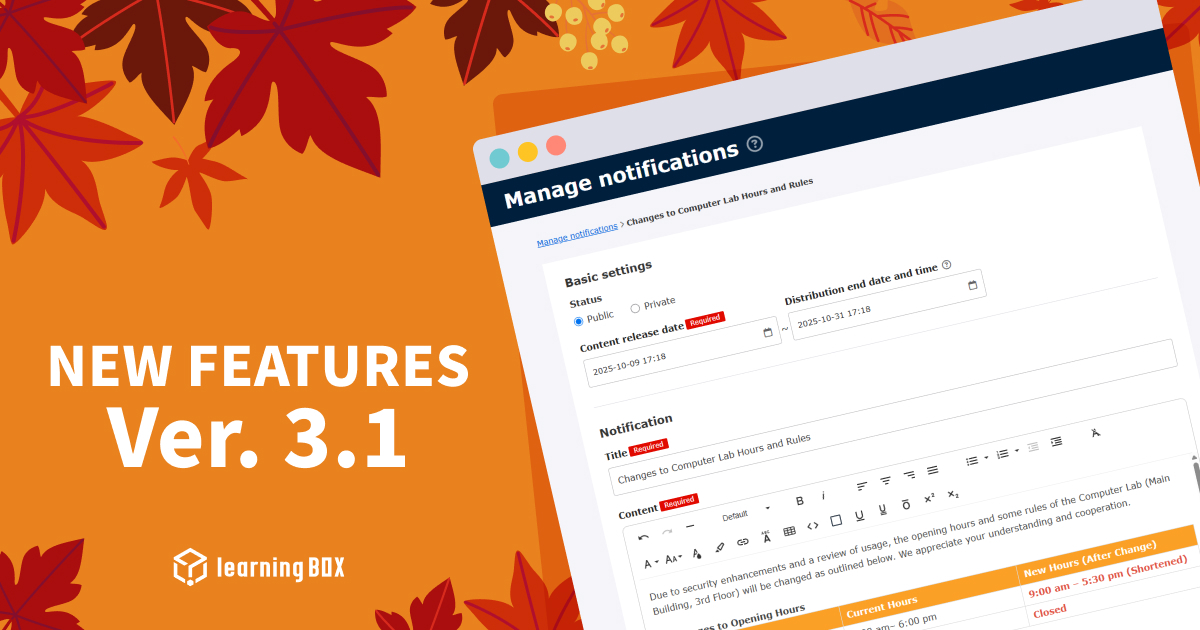
 New Design and Functional Expansion of Notification
The design of the "Manage notifications" has been renewed. The UI and UX has been improved, and you can now create notifications in rich text. Additionally, The URL link can be inserted to an email, making it easier to guide learners directly to the detailed page.
*For more details, refer to Manage notifications.
 Assessment Tags to CSV Export of Scores Added
The CSV export function in the Scores of the "Manage grades" has been extended. This allows the results of Assessment tags (tag name, score, points, percentage and grade) set for each content to be included in the CSV file to export. This function is expected to be used to link performance data for assessment to external systems, such as existing school administration systems.
*For more details, refer to CSV output (grade list).
 Functional Expansion of Groups in the eCommerce and More
The range of groups that can be designated to open courses on the Create/Edit page for Products, Seminars, Curriculum and Training has been expanded. With this modification, groups created by other functions, such as eCommerce, can now be selected to open courses to. This enables smooth operation across functions, for example, allowing only users who have purchased a specific seminar product through eCommerce to take subsequent training courses.
 Proper Grading Management with Proctoring Features
The proctoring features (facial authentication and browser proctoring) for video content has been improved. Under the previous specification, if suspicious behaviors were detected and the course was inaccessible or forcibly terminated, the student's grading status would be marked as "Completed," which would result in completing the course. In this modification, an option has been added to grades so a student who was forcibly terminated due to failed facial authentication or browser proctoring cannot complete the course.This will allow for proper management of progress posting at the time.
*This option only applies to video content.
*For more details, refer to Proctoring.
New Features/Functional Improvements
For more details on the new features and functional improvements including the ones mentioned above, refer to the release notes.
Others
If you have any questions, feel free to contact us.
We will continue to improve our services for customer satisfaction.
Thank you for being part of us.







-
Discover rich featuresService Guide

-
Feel free to contact usGet in Touch

-
Try our Free PlanTry Free Plan

