

Ver. 5.0


Thank you for using learningBOX.
We are very excited to announce that learningBOX has been updated to Ver. 5.0 today.
Now let’s try the new features on your learningBOX.
New Features
AI-Powered Rubrics for Quizzes and Exams
The AI grading function for short-answer questions in quizzes and exams has been significantly enhanced. It now supports Rubrics, where the AI automatically generates scores and feedback drafts based on pre-set evaluation criteria. Additionally, a feature has been added to allow administrators to add or adjust specific instructions (prompts) for the AI. By using the AI's suggestions as a reference while allowing administrators to make final corrections, this ensures both efficiency and fairness in grading.
*For more details, refer to Report and Questionnaire.
Discussions for Deeper Learning
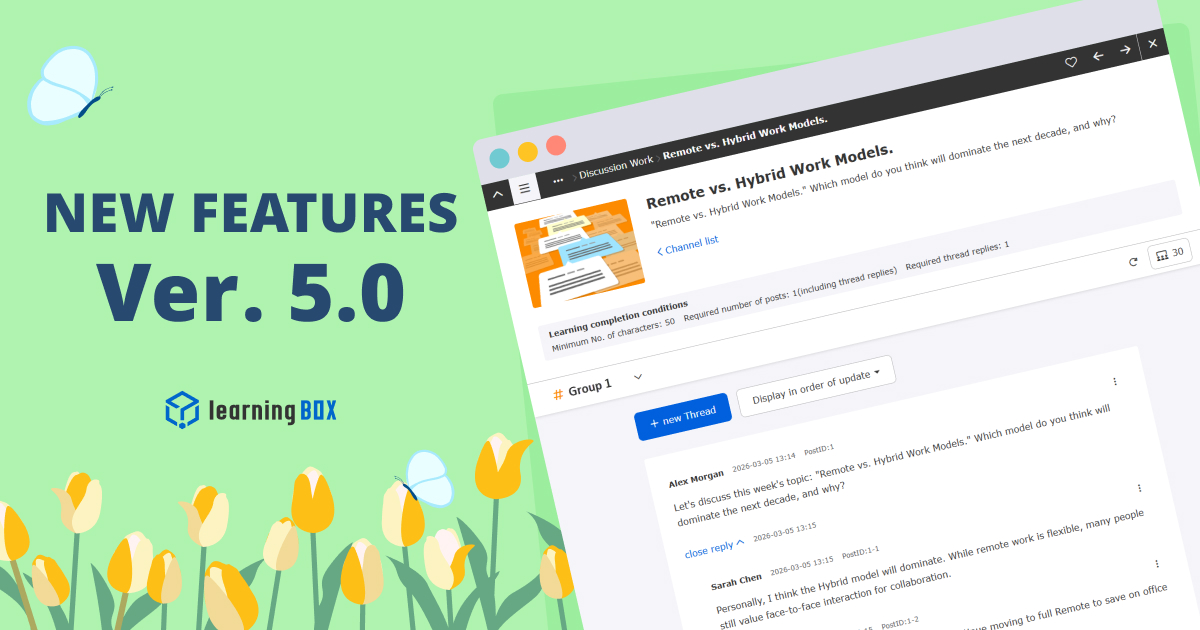
A new feature, "Discussions", has been added, allowing learners to exchange ideas on specific themes. Using a thread, users can post their own opinions and reply to others. Admins can set the number of posts or replies as a requirement for course completion and can also provide evaluations or feedback on individual posts. This promotes knowledge retention through output and fosters a learning community, moving beyond passive information input.
*For more details, refer to Discussions.
Enhanced Direct Message Feature: Group Chat
In addition to traditional "Direct Messages," we have added a "Group chat" feature. Chat rooms can be automatically created for specific training groups or departments, enabling smooth communication within learningBOX. The direct messaging function has also been upgraded to support chats with up to 10 people. Users can now send files (Word, Excel, etc.) and check read & unread indicators. The feature has been renamed from "Direct Message" to "Messages" for a more intuitive experience.
*For more details, refer to Message.
Deadlines for Courses, Folders and Individuals
Deadline settings have been significantly expanded. You can now apply deadlines in bulk to entire courses or folders. Beyond group-level settings, deadlines can also be assigned to specific individual users. These are clearly visible on the learner’s course list and start page, while a dashboard panel highlights any incomplete content to keep learners on track.
*For more details, refer to Deadline.
Analyze Quizzes & Videos: Excel Export Statistics
The grade management function has been strengthened to allow the export of quiz, exam and video results as statistics via an Excel file. Previously only available for the survey function, grade data for all learning content can now be downloaded in a visually organized format.
Admins can choose from multiple templates to suit their needs, allowing for one-click generation of statistics for management or data analysis without tedious manual compilation.
*For more details, refer to Statistics.
Auto-Archive for Expired Products
Products (such as training courses) that are for sale or distribution will now automatically switch to "Archived" status once the period expires. The system now processes this automatically once a day. Auto-archiving can also be toggled ON/OFF during CSV bulk registration. Once a status changes to "Archived," it is automatically hidden (or marked as archived) on the learner's page, eliminating the need for manual post-publication process.
*For more details, refer to Manage training Manage curriculum Register product Manage seminars.
Grade Correction for Concurrent Session Control
A new feature allows admins to correct grade data that was set to "Invalid" or "Error" due to concurrent session controls. Admins can review the data on the Grade details page and perform a one-time correction to restore it to a normal grade. This provides a failsafe for learners who failed to record a grade due to connection issues or accidental operations.
*For more details, refer to Display of cautionary statement regarding multiple (simultaneous) learning of the same content.
New Features/Functional Improvements
For more details on the new features and functional improvements including the ones mentioned above, refer to the release notes.
Adjustments to the side menu/header menu
*This is for those who sbscribe the Customization option.
With this update, there are changes to the configuration of the side menu/header menu.
Please check the changes from the link below and make adjustments if necessary.
●LearningBOX5.0 Series Side Menu_Header Menu Changes
Notice
Advance Notice: Manage Contents Remewal (Re-post)
The Manage courses (β) will be officially released as "Manage contents" in Ver. 5.0 with improved performance and usability.
The existing "Manage contents" will be provided as "Manage contents (Old)" with a dedicated URL only for a certain period of time, and the existing URL will be automatically transferred to the new Manage contents from Ver. 5.0 to Ver. 7.0.
Redirection and the legacy screen will be discontinued in Ver. 7.0.
In accordance with this, there are some actions required as follows:
- Dashboard: After Ver. 5.0, please update the "Manage contents" panel to the new URL (Applies to all customers).
- Manage menu: Move or hide the "Manage courses (β)" in the side menu (for customers using the Site Customizer).
- System language settings: System language changes made in the previous Manage contents page may not be applied in the new page. If the text differs from your settings, please reconfigure it (for customers using the Site Customizer).
*For more details, refer to 【Important】Manage Contents Renewal.
*Please refer to the following for an overview of the major changes/additions to the new page, current "Manage courses (β)."
Information about some specification changes
With this update, the specifications of some functions have been changed.
Change of name to message function and consolidation of permissions
Archival linkage of product functions
For details, please check the contents from the link below and take action as necessary.
- [Advance Notice] Specification Changes for the Ver. 5.0 Release
Others
If you have any questions, feel free to contact us.
We will continue to improve our services for customer satisfaction.
We look forward to your continued patronage.








-
Discover rich featuresDownload

-
Feel free to contact usGet in Touch

-
Try our Free PlanTry Free Plan

