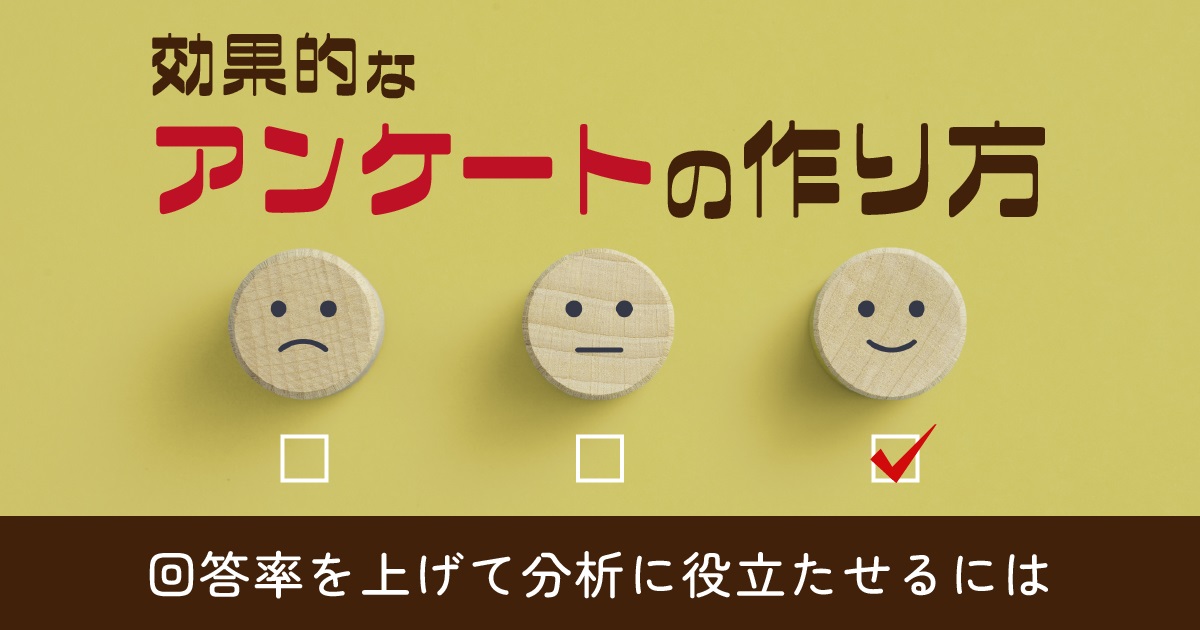
How to Create Effective Surveys|How to Increase Response Rates and Make Them Useful for Analysis
How to Create Effective Surveys|How to Increase Response Rates and Make Them Useful for Analysis
Many companies and organizations would like to create questionnaires to analyze customer satisfaction and feedback from internal training programs to find areas for improvement and to make use of the results in future activities.
However, there are probably many people who are thinking about creating a survey but are not sure how to create one or what kind of questions to ask.
In this article, we will explain the basic process of creating a survey, points to increase the response rate, and points to keep in mind. It also introduces some useful tools for creating surveys.
Click here for the Table of Contents
The overall process of conducting a survey
How to create a survey that will increase response rates
Doing this will prevent us from collecting accurate data! Points to keep in mind when creating a survey
5 Tools to Create a Full-Scale Survey in a Short Amount of Time
Let's create a survey efficiently with a tool!
Overall flow of conducting a survey
The survey process begins with clarifying the objectives, determining the questions to be asked, tabulating the results, and analyzing them. By clarifying the objectives before the survey, you will be better prepared to obtain the necessary information.
It is important to set up the questionnaire content with questions that are easy to answer according to the survey target audience. However, the survey does not end when the survey is answered by the target respondents. It is only after the survey has been completed and analyzed that the information becomes useful. Below is an explanation of the overall process of conducting a survey.
Clarify the purpose of the survey
When creating a survey, it is best to start by clarifying the purpose of the survey. Without a clear purpose, questions to obtain necessary information may be omitted, or unnecessary questions may be set.
By clarifying the purpose of the survey, the information to be obtained becomes clear, and questions can be properly incorporated to obtain the information you want to collect. It is important to share the purpose of the survey with the team to prevent the questions from straying from the original purpose.
Once you have clarified the purpose of the survey, set the target audience for the survey. Narrow down the target audience, from classifications such as age, gender, and occupation, to the number of people to be surveyed.
Determine the content of the survey.
Decide on the medium of the survey, such as paper or web, and the format of the questions, such as multiple choice or descriptive. Choose the medium of the survey, paper or web, based on whether it is easier for the target audience to answer the questions.
Paper-based surveys can be used for a wide range of age groups, but the disadvantages are the cost of paper and printing, and the time and effort required for collection and analysis. On the other hand, while web-based media is easy to collect and analyze, some may feel that the hurdles are somewhat higher in terms of operation. Thus, it is important to select a survey medium that comprehensively considers the target audience, cost, and effort involved.
Question types can be divided into two types: selective and descriptive, and the selective type can be further subdivided into the following four types.
(1) Radio buttons
Radio buttons are used to select one of the options, such as "Please select one of the following options that best fits your personality.
(2) Check box
A check box refers to a pattern in which multiple choices are selected from a list of options, for example, "Please select all of the following options that apply to your personality.
(3) 5-point scale
The 5-point scale is a 5-point scale, for example, "Please rate on a scale of 1 to 5, with 5 being the most applicable and 1 being the least applicable to your personality.
4) Matrix
Matrix is a multiple-item rating system with a 3-5 or 10-point scale, e.g., "Please rate each of the following items on a scale of 5 (5 being most applicable and 1 being not applicable at all).
If a descriptive question such as "Please write freely about how you felt after receiving this training," a wide range of answers can be expected. On the other hand, it should be noted that there are some disadvantages, such as making it seem time-consuming to answer or obtaining only abstract answers.
Select a question format that is easy to answer and easy to obtain the necessary information from among the various types of question formats.
Survey tabulation and analysis
To achieve the objectives of the survey, it is important to tabulate and analyze the data after the survey has been administered. Tabulation and analysis will give you an overall picture of the survey results and allow you to dig deeper into the information, thus obtaining more information.
In recent years, there are a variety of tools that can be used to tabulate and analyze survey results. When tabulating the results, it is best to use graphs so that the results can be easily grasped visually.
Automatic graph generation tools can create pie charts for easy breakdown of survey results, bar graphs for ranking the number of responses, and line graphs that are effective for understanding trends.
The main tabulation methods include simple tabulation, which provides an overall picture, and cross tabulation, which facilitates understanding of the characteristics of each attribute. Analysis methods include logistic regression analysis, which is useful for predicting the probability of things occurring, and association analysis, which extracts relevant information.
Recently, AI is sometimes used for analysis, and even more highly accurate analysis can be expected. If you want to grasp information efficiently and accurately, it is also recommended to introduce a tool for collecting and analyzing survey results.
How to Create a Questionnaire that Increases Response Rates
The key to creating a survey with a high response rate is to lower the hurdles to response and to increase the motivation to respond. The hurdles to response are specifically the time and effort it takes to answer the questionnaire. To prevent respondents from not responding due to the time and effort required, it is effective to give respondents the impression that the survey is "quick" and "easy.
Incentives, such as offering a gift for completing the survey, may also contribute to the response rate.
Ask questions that are easy to answer.
To increase the response rate, it is important to ask questions that are easy to answer. For example, the first question should be multiple choice rather than descriptive, which will lower the hurdle to answer.
The length of the questions is also important. By keeping the sentences as short and concise as possible, it will be easier for the respondent to understand the question and continue to answer smoothly.
On the other hand, if the sentences are long and difficult to understand, respondents may stop answering the survey halfway through. Be conscious of the style of writing and choice of words to suit the age group.
Don't make respondents feel like it will take too long.
Another trick to increase response rates is to avoid making respondents feel that the survey will take a long time. For example, it is effective to state the estimated time at the beginning of the survey, such as 3 or 5 minutes, so that respondents have a clear picture of the time required to complete the survey, and this will lower the barrier to response.
In addition, excessive use of kanji (Chinese characters) and technical terms that are difficult to recognize visually can lead to respondents leaving the survey mid-response. Another key to increasing the response rate is to make sure that the questions do not make respondents think that the survey is too difficult to answer.
Offer a reward for completing the survey.
A reward, such as a prize, for completing the survey will increase the response rate. The reward could be a food item, gift certificate, or company-branded product that is appropriate for the survey respondents. If you use a lottery system for the rewards, it will be easier to get people to fill out personal information such as their names and addresses.
However, responses that give a negative impression may be avoided, so be sure to collect the most accurate survey results possible by clearly stating, "Responses will not affect the raffle.
Doing this will prevent us from collecting accurate data! Points to keep in mind when creating your survey
Questionnaires must be created with the following points in mind to ensure that accurate information is obtained.
Avoid questions that lead to a response.
Do not ask more than one question per statement.
Do not ask more than one question per statement.
The key to creating an effective questionnaire is to avoid giving preconceived ideas and to use a question-and-answer format. Also, be sure to clearly state the handling of personal information, as more and more people are sensitive to the handling of personal information.
Question text that leads respondents to answer
Question wording that gives respondents preconceived notions can lead to biased responses. For example, if the question includes information such as "well-sold" or "reputed to be tasty," respondents may subconsciously have a positive impression of the product, which may bias their answers in the right direction.
If the responses are biased, the effectiveness of the survey will be diminished, so care should be taken to avoid using questions that lead respondents to answer.
Asking more than one question in a single question
Multiple questions in a single question may confuse respondents and prevent them from getting accurate answers. For example, "How did you like the usability and scent of this air freshener?" the respondent may be confused as to whether he or she is asking about the usability or the fragrance.
How was the air freshener? How was the scent of this air freshener? In other words, limit yourself to one question per statement, such as "How did you like the scent of this air freshener?
Failure to clearly state how personal information will be handled
Failure to clearly state how personal information will be handled may cause respondents to feel uneasy or distrustful of the survey itself. Especially nowadays, more and more people are reluctant to disclose their personal information, and some may suspect that they may be visited at home by a sales person or that their information may be passed on to other vendors.
In order to dispel any resistance to answering the survey, it is necessary to clearly state how personal information will be handled.
5 tools to create full-scale surveys in a short time
Creating a survey requires a certain amount of time and effort. If you are working in parallel with your regular work, or if you are short on manpower, we recommend using a tool. Below we introduce five tools that allow you to create a full-scale survey in a short time.
Google Forms
[ See: https://www.google.com/intl/ja_jp/forms/about/ ]
Google Forms is a free, easy-to-use tool for conducting surveys that requires only a Google account, making it easy to use and already being used by many companies as a survey tool.
Not only can you freely create your own surveys, but you can also create surveys more efficiently by using the appropriate format for each survey target audience, such as participants or customers.
The ability to insert images and videos into questions is also included, making it easy to accurately convey information that would be difficult to convey using text alone. Another advantage is that there is no limit to the number of questions. On the other hand, the disadvantage is that responses from the same person cannot be excluded, so there is a possibility that the same person may respond to a survey multiple times, resulting in biased survey results.
formrun
[ See: https://form.run/home ]
formrun is a tool that allows you to create a wide variety of survey forms. It includes templates that allow you to easily create a survey by simply typing in the questions.
The created survey can be freely embedded in websites using iframes, HTML, and CSS.
In addition to email, there is also a convenient feature that allows you to send survey notifications to chat services such as Chatwork and Slack for sharing.
There are two plans, free and paid. With the free plan, you cannot use spreadsheet integration or CSV export, and you can create only one form, but there is no limit to the number of questions. It is recommended for creating a simple survey or for a trial implementation.
SuguForm
[ Reference: https://sgfm.jp/ ]
SuguForm is a free survey design tool that allows users to create an unlimited number of forms and questions.
The survey creation screen is simple and easy to use, even for first-time survey creators. You can create a survey by simply registering questions, and you can also rearrange the items, change the colors, and adjust the design.
The free plan displays advertisements, but if you sign up for a paid plan, you can hide them, which is expected to improve response rates.
NTT Com Research
[ See: https://www.nttcoms.com/service/research/ ]
NTT Com Research is a service that requires both an initial fee and a monthly fee. The advantage of this service is that you can not only create surveys, but also receive full support from our professional staff. In particular, we offer a service to set up items to collect the information you want to gather on your behalf, making it easier for you to get results from your surveys.
You can create an unlimited number of survey forms and questions, and you can also distribute them via SMS or apps to get more people to respond.
The survey aggregation feature and the ability to create semi-anonymous surveys with personally identifiable survey URLs make it highly practical.
learningBOX
[ See: https://learningbox.online/ ]
Our learningBOX is a service for in-house training and education. With the ability to survey participants, LearningBOX is ideal for companies and organizations that are considering the introduction of e-learning, as it is easy to survey participants for each e-learning content to check their level of understanding and to use as a reference for future content creation.
The free plan allows up to 10 accounts to create up to 30 MB of e-learning content; for more than 10 accounts, we recommend the paid plan, which starts at 33,000 yen per year with no initial cost for up to 100 accounts. This service is easy to introduce even for relatively large companies.
Create your survey efficiently with tools!
The most important point in creating a survey is to clarify the purpose. If the objectives are not clear, questions that are necessary to elicit the necessary information may be omitted.
The most important point to remember in order to get the correct information from a survey is to avoid describing information in a way that gives preconceived notions. If an image is unconsciously established, responses will be biased and accurate data will not be collected.
After collecting the questionnaires, it is important to properly tabulate and analyze them to sublimate them into data that can be utilized in the future. Since it takes a lot of effort and time to create, tabulate, and analyze a survey on your own, you should proactively utilize a survey design tool.








 How can AI Improve your Workplace Efficiency?
 How can AI Improve your Workplace Efficiency?
 How to Create Your Own Aptitude Test
 How Much Does an LMS Cost?
 Is a free LMS practical? Explaining how to install and what to look out for







