Ver. 7.1


Thank you for using learningBOX.
We are pleased to announce that learningBOX has been updated to Ver. 7.1 today.
Now let’s try the new features on your learningBOX.
New Features
Gradebook for Groups: CSV Export by Folder / Content Item
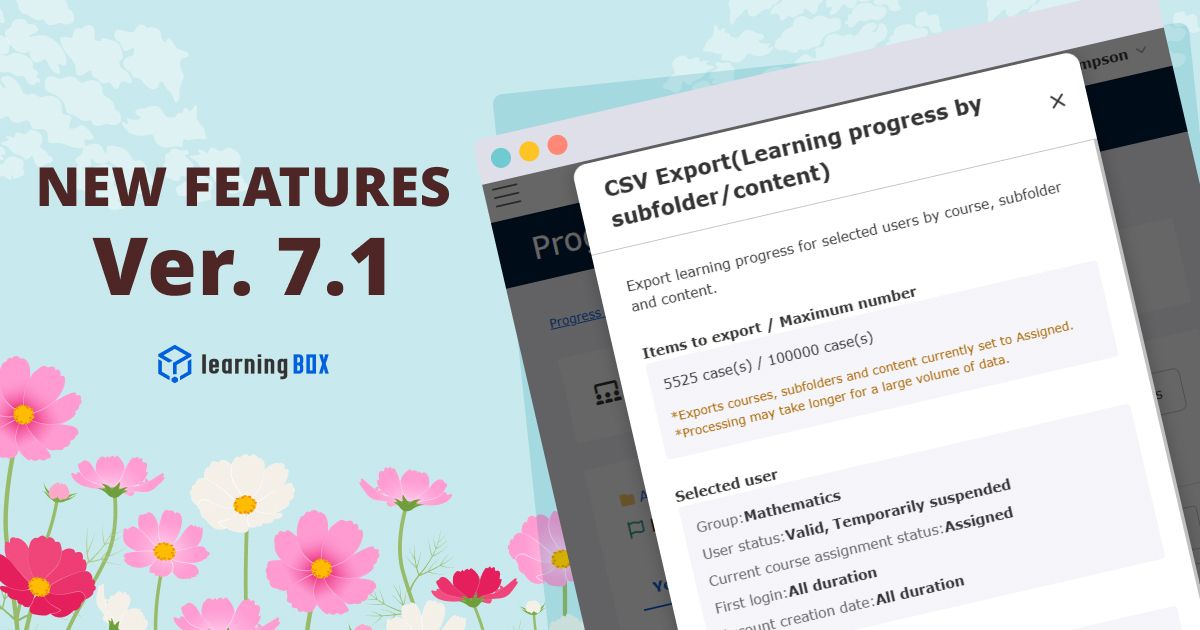
The CSV export feature within the Gradebook for groups has been expanded. In addition to course-level exports, you can now bulk-export detailed learning progress for individual subfolders and content items.
Previously, Gradebook CSV exports for gropus provided progress visibility only at the entire course level. With this update, users can download comprehensive CSV data including progress rates, completion counts, total study attempts, and time spent, broken down by specific folders or content items directly from the action menu.
*For more details, refer to Progress Record.
Option to Hide Quiz Questions, Answers, and Descriptions in Grade CSV Exports
A new system setting option has been introduced to restrict downloads of grade CSV files that contain sensitive content such as question text, correct answers, and descriptions.
When this option is enabled, CSV export buttons on the Grade details page and content-specific pages will be hidden from users who do not possess edit or grading permissions for all content.
*For more details, refer to Settings, "Modify Operation Scope by Role."
New Features/Functional Improvements
For comprehensive details on all the new features and improvements in this release, please refer to the release notes linked below:
Notice
Discontinuation of PayPal Payments and Request to Switch to Stripe
With the release of Version 7.1, we have added "Stripe (Credit Card)" as a payment method for plans and options. Additionally, the "PayPal" payment method will be discontinued as of March 17, 2027.
We kindly ask customers who are currently paying via PayPal to switch to an alternative payment method, such as Stripe, by December 31, 2026.
*Customers who have paid using a method other than PayPal do not need to take any action.
The steps to follow vary depending on your subscription status (one-time payment, recurring subscription, or whether auto-renewal is enabled). Please refer to the information below.
● Steps to Change Your Payment Method (PayPal → Stripe)
Specification Changes
With this update, the specifications of some functions have been changed.
● Payment Method Change: Transition from PayPal to Stripe payments.
● E-Commerce Module Payment Method Change: Transition from PayPal to Stripe payments.
● Input Restrictions: Added validation constraints for Group codes and Content codes.
Please review the details via the link below and take action as necessary:
● [Advance Notice] Upcoming Specification Changes with Ver. 7.1 Release
Other
If you have any questions, feel free to contact us.
We will continue to improve our services for customer satisfaction.
We look forward to your continued patronage.