Column

Update Notification

Thank you for using learningBOX. We will be updating the shared server. Please note that the system will be unavailable during the following period. Implementation periodWednesday, April 15, 2026 01:00 - 05:00 Please note that the end time may vary depending on the progress of the work. Please understand this in advance. Customers who are using "Customize", we would like to inform you of the following three points in connection with the update.  Changes in "Menu Management" due to the update 2. Changes in API Specification due to the update 3. Changes in Kaonavi Linkage Guide due to the update Changes in "Menu Management" due to the Update [For customers using the Site Customizer only] 1. The structure of the side menu/header menu may change as a result of functional development in learningBOX. Customers using the Site Customizer will need to change the menu order, etc. after the update. Please refer to the following document for details on changes to the side menu and header menu. <Please refer to the following document for details on the changes made to the side menu and header menu. 2. API Specification Changes due to Updates [For customers using API integration only]. The API specifications of learningBOX may change in accordance with functional improvements, and we ask customers who use API collaboration to confirm the changes in advance. Please share this information with your information system department and development staff. API Specifications Starting with this version, the method of providing API information has been changed to URL distribution only. Please stop referencing and storing the existing Excel data. 3.3 Changes to the Kaonavi Linkage Guide due to the Update [For customers using Kaonavi Linkage only] (Japanese only) There is no change in the guide for linking with Kao Navi in Ver. 5.1. We apologize for any inconvenience this may cause, and appreciate your understanding.
thumbnail (i.e. miniature image)

Advance Notice] Notice of Specification Changes for Ver. 5.1 Release

Thank you very much for your continued use of our service. The main changes are as follows. Change (1): [For customers using the training function only] The "Training Reservation History" screen has been eliminated. Target FunctionTraining Reservation History The "Training Reservation History" screen will be discontinued and moved to the "Training Reservation and Attendance" screen of the Ver. 4.1 release function. ■ Request to Customers Please add a "Training Reservation/Attendance" menu item to the side menu or header menu by April 15, 2026 (Ver. 5.1). Please refer to this document for details of the changes. Side menu and Header menu changes for learningBOX4.1 Change 2] [For customers using the training function only] Elimination/integration of email templates for training reservation cancellations Target Function Email Settings-Training Function, Training Appointment Cancellation Request Notification, Training Appointment Cancellation Request Notification-Administrator The content of the email template sent when a training reservation is canceled differs depending on the screen being used. The following email templates will be removed and integrated as of the transition date. When cancelled on the "Training Reservation History" screen (obsolete) When cancelled on the "Training Reservation/Attendance" screen (to be integrated) Training reservation cancellation request receipt notification (sent to: User) Training reservation change notification (sent to: User) Training reservation cancellation request receipt notification - to administrator (sent to: Administrator) Training reservation change notification - to administrator (sent to: Administrator) Training reservation cancellation request receipt notification - to administrator (sent to: User) (To: Administrator) Training reservation change notification - To: Administrator (To: Administrator) ■Please confirm the contents of the template sent at the time of cancellation on the "Training Reservation and Attendance" screen by April 15, 2026 (Ver. 5.1) to the customer.

Ver. 5.0

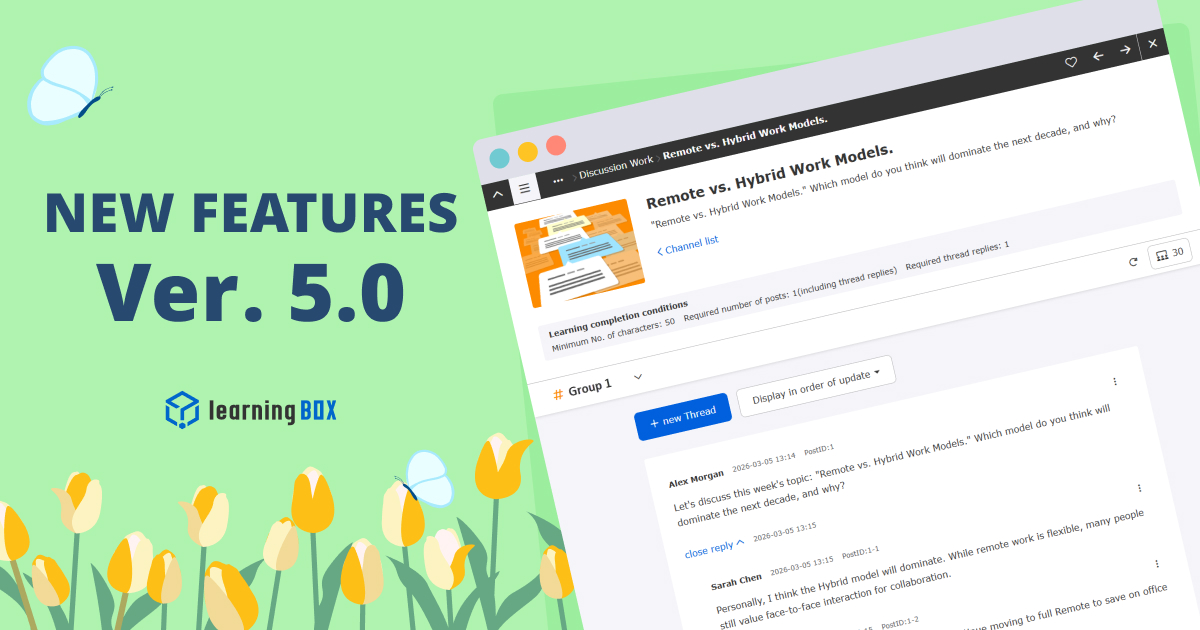
Thank you for using learningBOX. Today, learningBOX has been updated to Ver. 5.0. We would like to introduce you to the various functions that have been added and improved with this update. Enhanced functions AI scoring has evolved! Rubric Evaluation Support AI scoring has been enhanced for written quiz/test questions. In response to rubric assessments, AI automatically generates scores and feedback for each assessment perspective you set. The AI can also add and adjust instructions (prompts) for grading, allowing administrators to revise and finalize the grading based on the AI's suggestions for efficient and fair grading. *For details, please refer to "Report and Survey Writing Questions". View Illustrative Materials (PDF) Discussion feature to deepen learning A new "discussion function" has been added to allow learners to exchange opinions on a theme. The threaded discussion board allows users to post their own opinions and reply to other learners' posts. The administrator can set the number of posts and replies as learning completion conditions, and can also provide ratings and feedback on individual posts. The system promotes not only one-way knowledge input, but also knowledge retention through output and the formation of a community among learners. *For details, please refer to "Discussion". View Illustrative Materials (PDF) Group Conversations! Talk Room feature now available! In addition to the existing "Direct Message" function, a new "Talk Room" function has been added to allow group conversations. Chat rooms can be created in which members of each training group or department automatically participate, enabling smooth communication within the LMS. In addition, the direct message function has been enhanced to support communication between multiple users (up to 10 people), including the ability to send files such as Word and Excel files and to confirm that messages have been read. The name "Direct Message" has been changed to "Message" to make it even easier to use. For details, please refer to "Messages". View Illustrative Materials (PDF) Set due dates by course/folder or individual The ability to set course deadlines has been greatly expanded. Previously, due dates were mainly set by content unit, but now they can be set by "course" or "folder" in a batch. In addition, it is now possible to set due dates not only for groups of courses, but also for individual users. The set due dates are clearly displayed on the course list and details screen of the learner screen with statuses such as "0 days to go" and "expired," and the dashboard has been expanded with a panel function that notifies users of incomplete content. *For details, please refer to "Course Due Date". View Illustrative Materials (PDF) Quiz and video analysis! Excel report output function The grade management function has been enhanced to output quiz, test, and video results as Excel reports. Previously, only the survey function was supported, but from now on, grades for learning content can also be downloaded in an easy-to-understand visual format. In addition, administrators can choose from multiple templates to suit their purposes, eliminating tedious tabulation work and allowing them to create documents with a single click that can be used for reporting to superiors or analyzing learning status. *For details, please refer to the "Report Output" section. View Illustrative Materials (PDF) Automatic archiving of closed products (training courses, etc.) A function has been added to automatically archive products (training courses, etc.) that have been sold or distributed to the public after their expiration date. Previously, archiving had to be done manually by the administrator, but from now on, the system will automatically process the archiving once a day. Automatic archiving can also be turned on or off during batch registration by CSV. When the status is set to "archive," the system will automatically hide (or archive) the course on the student's screen, eliminating the need to perform maintenance after the course is no longer open to the public. *For details, please refer to "Training Management," "Curriculum Management," "Product Registration," and "Seminar Management. View Illustrative Materials (PDF) Grade correction function for concurrent study errors A new function has been added to allow administrators to correct "invalid" or "error" grade data that has been forced to be interrupted by the concurrent study control as "normal" grades at a later time. The administrator can check the data from the grade details screen and correct the data only once with administrative privileges. This allows the system to provide a remedy for learners whose grades were unwillingly not recorded due to communication problems or mishandling of the system. *For more information, please refer to the "Warning Statement Concerning Multiple (Simultaneous) Study of the Same Content. View Illustrative Materials (PDF) List of new features/functional improvements For detailed information on the new features/functional improvements added this time, including the aforementioned features, please refer to the release notes below. Release Notes Adjustment of Side Menu / Header Menu (This is for customers who have subscribed to the "Customize" paid option.) With this update, there will be changes to the configuration of the side menu/header menu. Please check the contents from the link below and adjust as necessary. ●Contents of changes in the side menu and header menu of the LearningBOX 5.0 series Notification of changes Advance notice regarding renewal of "Content Management" function (repost) Course Management (Beta)" will be renamed "Content Management" as the official version with improved performance and operability, and switched to the new screen from Ver. 5.0. The existing "Content Management" will be provided as "Content Management (Old)" with a dedicated URL only for a certain period of time, and the existing URL will automatically switch to the new "Content Management" between Ver. 5.0 and Ver. 7.0. The redirect will be stopped and the old screen will be discontinued with Ver. 7.0. In accordance with this change, there are some items that customers will need to address. Dashboard: Please change the "Content Management" panel to the new URL after version 5.0 (for all customers). Menu Management: Move or hide the "Course Management (beta)" menu item in the side menu (for customers using the Site Customizer). System language settings: System language changes made in the previous content management screen may not be reflected in the new screen. If the display is different from your intention, please reconfigure it (for customers using the Site Customizer). For details, please refer to "[Important] Renewal of "Content Management" function (transition to new function)". *For an overview of the major changes/additions to the new screen (current screen display: "Course Management (Beta)") resulting from this renewal, please see below. Course Management (Beta) Summary of Changes (PDF) ・ Course Management (Beta) Explanation (Movie) Information about some specification changes With this update, we have made changes to the specifications of some functions. The specifications of some functions have been changed in line with this update. For details, please refer to the following links and respond as necessary. Advance Notice] Specification Changes for Ver. 5.0 Release Other For further information or questions, please contact the following Inquiry Form We will continue to do our utmost to provide products and services that satisfy our customers. We look forward to your continued patronage.

thumbnail (i.e. miniature image)

Update Notification

Thank you for using learningBOX. We will be updating the shared server. Please note that the system will be unavailable during the following period. The update will be implemented from 12:30am to 06:30am (JST) on Wednesday, March 18, 2026. Customers using "Customization" will be notified of the following three points in connection with the update.  Changes in "Menu Management" due to the update 2. Changes in API Specification due to the update 3. Changes in Kaonavi Linkage Guide due to the update 1. changes in "Menu Management" due to the update [for customers using the Site Customizer only]. The structure of the side menu/header menu may change as a result of functional development in learningBOX. Customers using the Site Customizer will need to change the menu order, etc. after the update. Please refer to the following document for details on changes to the side menu and header menu. Please refer to the following document for details on changes to the side menu and header menu. 2. API Specification Changes due to Updates [For customers using API integration only] (Japanese only) The API specifications of learningBOX may change due to functional modifications, and we ask customers who use API collaboration to confirm the changes in advance. Please share this information with your information system department and development staff. API Specifications Starting with this version, the method of providing API information has been changed to URL distribution only. Please stop referencing and storing the existing Excel data. 3.3 Changes to Kaonavi Linkage Guide due to Update [For customers using Kaonavi Linkage only] (Japanese only) There is no change in the guide for linking with Kao Navi in Ver. 5.0. We apologize for any inconvenience this may cause, and appreciate your understanding.
thumbnail (i.e. miniature image)

[Advance Notice] Specification Changes for the Ver. 5.0 Release

Thank you very much for your continued use of our service. The main changes are as follows. Change (1): Change of name to "Message" function and consolidation of permissions Target FunctionsDirect message function, message box function ■Changed contents The "Direct Message Function" will be expanded and renamed the "Message Function". Message Box Management Authority" will be renamed "Message Management Authority. Consolidation of privileges and specification changes ・ Management privileges based on "setting page access privileges" will be abolished, and management privileges will be consolidated into "message management privileges". Before the change, viewing of "messages initiated by other users" was restricted, but after the change, users with administrative privileges will be able to create, view, send, edit, and delete direct messages. Before the change, only authorized users could post the first message, but after the change, any participant can post the first message. The conventional "message box function" is scheduled to be discontinued around December 2026 (Ver. 8.0). *There will be no data transfer upon discontinuation. We ask customers to grant "Message Management Authority" as necessary. Change (2)] [Option: Customization, only for customers who have contracted for EC] Linkage of product functions to archives Target FunctionsTraining, Curriculum, EC, Seminar functions *hereafter referred to as "Product". When a product's status (archive/unarchive) is changed, the related group will also be archived/unarchived in tandem. This will reduce the time and effort required to operate products and groups separately. [Change #3] Advance Notice of Renewal of "Content Management" Function (reposted) Target FunctionsContent Management Functions Contents Management functionality is now available in the "Course Management (beta)" version, and its name is changed to "Contents Management". Please change the "Content Management" panel to the new URL after Dashboard Ver. 5.0 (for all customers). 2. Please move or hide the "Course Management (beta)" menu item in the menu management side menu (for customers using the Site Customizer). 3. System Language SettingsSystem language changes made on the previous content management screen may not be reflected in the new screen. If the display is different from your intention, please reconfigure it (for customers using the Site Customizer). For details, please refer to "[Important] Renewal of "Content Management" function (migration to new functions)". Please try the new screen (current screen display: "Course Management (Beta)") in advance to familiarize yourself with the operation so that you can use the new functions smoothly after the switchover.
thumbnail (i.e. miniature image)

Fixing a display bug in "Master Mode" of quizzes and tests.

Thank you for your continued support. Regarding the recently reported problem with some questions not displaying properly when the quiz/test option "mode: master mode" is set (details here), we have confirmed that the problem has been fixed and the problem has now been resolved. The corrected version will be applied to customers using the dedicated server in due course. However, it is necessary to update the "generator version" of the content to the "latest version" in order to correctly reflect this modification and display the content properly. We apologize for the inconvenience, but please follow the procedure below. In some cases, the answer frame is not displayed for fill-in-the-blank/pull-down questions and "{1}" is displayed as it is. Request for your support (Generator version update) Please follow the procedure below to update the generator version to the latest version for the quiz/test in "Master Mode" that is causing the problem. Click on the side menu "Learning Preferences" => "Generator Version Management". Select "Latest Version (QUIZ-7.0)" and click "Save" at the bottom of the page. Click the side menu "Content Management" => "Course Management (Beta)". Open the course/folder where the target quiz/test is stored. Click on "Vertical Three-Point Reader (Operation)" on the right side of the target quiz/test and click on "Convert to Specified Version". Confirm the message and click "Execute. After the conversion to the specified version is completed, please check the operation. The "Master Mode" can be used normally at present, reflecting the correction of the response status. The switch to "Normal Mode," which was announced as a temporary workaround, is no longer necessary. We deeply apologize for the inconvenience and trouble this may cause to our users. We will continue our efforts to prevent recurrence and improve quality. Thank you for your continued support.
thumbnail (i.e. miniature image)

Bug Fixes and Specification Changes] Fixes to OS Judgment for Android Devices

Thank you for your continued use of our website. We have recently implemented a fix for a bug that caused the OS to be determined as "Linux" when using Chrome (version 143 or higher) on an Android tablet (click here for details). In conjunction with the correction, some Android tablets may not be able to determine the OS version (e.g. Android 14/15/16), so we would like to inform you that this is a specification change. *This modified version will be applied sequentially to customers using the dedicated server. Correction/Improvement (before/after) Before] When using Chrome (version 143 or higher) on an Android tablet, the device OS was determined to be "Linux" and the following functions would notify and control the device as "not recommended". Checking OS and browser compatibility when logging in (page settings after logging in) ・ Restrictions on the OS used when learning content After the change] A bug in the OS determination process has been corrected. The judgment logic has been improved so that even if the OS is determined to be "Linux," it will be treated as an Android tablet (Android (tablet)) (*However, the judgment may become unstable in some environments). (* However, the judgment may be unstable in some environments.) This will resolve the issue of Android tablets displaying a notification that they are not a recommended device. ■Changed specifications (OS version may not be determined) Due to this modification, the OS version may not be determined and recorded on some Android tablets and Chrome (version 143 or higher). Depending on the device and environment, the OS version may be determined and recorded as before. The control based on OS version conditions may not work as intended on Android tablets. (This mainly affects the check of supported OS and browsers at login.) Example: Even if "Android OS 16 or higher" is specified, you may be able to log in without being notified that your device is not recommended, even if it is actually an Android OS 14 device. ■Administrator's RequestIf you are controlling by "version specification" of Android OS, there is a possibility that Android tablets cannot be controlled as intended. Please consider reviewing your configuration policy if necessary. Please review the setting policy if necessary. We apologize for any inconvenience caused by this issue. We will continue to make every effort to improve our services.

Ver. 4.1

Thank you for using learningBOX. Today, learningBOX has been updated to Ver. 4.1. We would like to introduce you to the various functions that have been added and improved with this update. Enhanced functions AI automatic subtitle generation and translation improves efficiency in creating video materials After uploading your video, simply click the "AI Subtitle Generation" button and the AI will automatically create accurate subtitle text and time stamps. Transcription and time stamping, which used to be time-consuming, can be completed in just a few minutes to several dozen minutes. Translation into other languages, such as English, can also be easily performed. Furthermore, the original subtitle text and the generated translation can be displayed side-by-side for comparison and editing. *For details, please refer to "Creating Videos and Slides. View Illustrative Materials (PDF) Streamline the compilation of results by content The refinement added to the "Aggregate/Details" tab by content in the last update is now also available on the "Results List" tab by the same content. Administrators can quickly extract the results they need from complex data, and in surveys, narrowed results can be output directly to reports. This reduces the time and effort required to check and organize data prior to tabulation and output. *For details, please refer to "By Content". View Illustrative Materials (PDF) Enables learners to book, change, and cancel training reservations by themselves in one go! A new learner-only screen has been added to the training reservation function. This screen allows learners to directly check and control their current reservation and attendance status. For example, available trainings are listed in a calendar format, and tabs such as "Change Reservation," "Reservation Status," and "Attendance Status" make it easy to register, change, or cancel reservations. *For details, please refer to "Training Reservations and Attendance (Learner Side). View Illustrative Materials (PDF) Notification bar for unreaders to prevent missing important information The administrator can check the status of read notifications and send a notification e-mail to unread users, as well as display a notification bar at the top of the screen to encourage them to read the message. Users will also see an easy-to-understand link that says, "Check the contents and mark as read," as well as a highly visible unread symbol. For details, please refer to "Notification Management". View Illustrative Materials (PDF) List of new features/functional improvements For detailed information on the new features/functional improvements added this time, including the aforementioned features, please refer to the release notes below. Release Notes Adjustment of Side Menu / Header Menu (This is for customers who have subscribed to the "Customize" paid option.) With this update, there will be changes to the configuration of the side menu/header menu. Please check the contents from the link below and adjust as necessary. ●Contents of changes in the side menu and header menu of learningBOX4.1 series Notification of changes Advance notice regarding renewal of "Content Management" function (repost) Course Management (Beta)" will be renamed "Content Management" as the official version with improved performance and operability, and switched to the new screen from Ver. 5.0. The existing "Content Management" will be provided as "Content Management (Old)" with a dedicated URL only for a certain period of time, and the existing URL will automatically switch to the new "Content Management" between Ver. 5.0 and Ver. 7.0. The redirect will be stopped and the old screen will be discontinued with Ver. 7.0. In accordance with this change, there are some items that customers need to deal with. Dashboard: Please change the "Content Management" panel to the new URL after version 5.0 (for all customers). Menu Management: Move or hide the "Course Management (beta)" menu item in the side menu (for customers using the Site Customizer). System language settings: System language changes made in the previous content management screen may not be reflected in the new screen. If the display is different from your intention, please reconfigure it (for customers using the Site Customizer). For details, please refer to "[Important] Renewal of "Content Management" function (transition to new function)". *For an overview of the major changes/additions to the new screen (current screen display: "Course Management (Beta)") resulting from this renewal, please see below. Course Management (Beta) Summary of Changes (PDF) ・ Course Management (Beta) Explanation (Movie) Course Management (Beta) Summary of Changes (PDF) Information about some specification changes in training functions *Only for customers who use the training function With the release of the new "Training Reservation and Attendance" function, the "Training Reservation History" will be discontinued in Ver. 5.1 and migrated to the new "Training Reservation and Attendance" function. During the transition period (Ver. 4.1 to Ver. 5.0), both screens will be available. In accordance with this transition, there are some items that need to be addressed by customers who use the training function. Please add a "Training Reservation and Attendance" menu item to the side menu or header menu. The template content of the email sent at the time of training cancellation differs depending on the screen you are using. Please check/edit the template sent at the time of cancellation on the "Training Reservation/Attendance" screen within this period. The menu name "Reservation and Attendance Management" will be changed to "Training Reservation and Attendance Management". Please adjust the display name as necessary. *For details, please refer to "[Advance Notice] Notice of Specification Changes with the Release of Ver. 4.1". Other For further information or questions, please contact the following Inquiry Form We will continue to do our utmost to provide products and services that satisfy our customers. We look forward to your continued patronage.

Find more about learningBOX