Column

Choose the Right System to Train Global Talent - 3 key factors for SMEs

With the urgent need to develop global human resources, the selection of a "global human resources training system" is an important issue for SMEs that will determine their future growth. In this article, we will explain in an easy-to-understand manner the purpose and role of introducing a training system, as well as the three selection criteria that SMEs should focus on, including cost performance, multicultural compatibility, and ease of use. Basics of Global Human Resources Training System|Clearly Define the Purpose of Introduction The Global Human Resource Training System is an essential tool for companies to develop a diverse workforce and enhance their ability to perform in overseas locations and multicultural environments. In today's globalized world, training systems must go beyond mere language training and knowledge imparting to provide a wide range of cross-cultural understanding, communication skills, and on-site readiness. Therefore, the first step to success is to identify in advance what kind of results you are aiming for and what specific issues you want to solve by introducing the system, and reflect them in the system selection and operation policy. Clearly set objectives The success or failure of implementing a global human resources training system depends on how clearly you can set objectives in the initial stages. For example, it is important to specifically define goals that meet the needs of the field, such as "making local employees at overseas sites more capable of making immediate contributions," "strengthening cross-cultural communication," and "centralized management of training progress at multiple sites. If the objectives are left unclear, operation and effectiveness measurement after the system is introduced will easily become a formality, and the motivation of those in charge will tend to decline. By verbalizing the current issues and the ideal image, and sharing them with the parties concerned, prioritizing system requirements and formulating operation rules will become smoother. These steps will lead to a sense of conviction about the investment required to implement the system and foster a cooperative framework within the company. Concretization to achieve goals is important. Once the objectives have been determined, it is important to concretize the goals at a numerical and action level. For example, set KPIs that can measure achievement, such as "increase the attendance rate to 801 TP3T or more in six months," "increase the average score by 10 points on the cross-cultural understanding test," or "improve the on-site retention rate of newly hired employees by 201 TP3T. This not only enables objective evaluation of the effectiveness of the training system implementation, but also clarifies action plans for on-site personnel. Clarified goals will also make it easier to optimize operational aspects such as selection of teaching materials, progress management, and analysis of learning data. It is essential to concretize goals from both quantitative and qualitative perspectives for continuous review and improvement. Understanding the Role of the Training System The role of a training system goes beyond mere delivery of course materials and course management. It is important for on-site personnel to understand the role of training itself and to be aware of the connection points with the company's internal education issues and human resource strategy. By utilizing the system, it is possible to support the growth of each employee and raise the skill level of the entire organization. In order to achieve optimal operation, it is advisable to share the system's functions and an image of how it will be utilized after its introduction with all parties concerned prior to its introduction. Back to Table of Contents Three Selection Criteria for Global Human Resources Training Systems The following are three important selection criteria for SMEs when selecting a global human resources training system. Cost performance Multicultural flexibility Simple operation Each of the three conditions will be discussed in detail below. Cost performance For corporate human resources and education personnel, the cost of implementing and running a global human resources training system is a critical decision factor. Especially for small and medium-sized companies, a fee structure that can smoothly manage a large number of trainees while minimizing the initial investment is required. High cost performance is also directly related to the ease of ongoing training operations and accountability to management. A system with free plans, low-cost plans, and clear pricing will provide peace of mind in managing costs after implementation. Flexible multicultural support. A system that can flexibly accommodate cultural and language differences is essential for training a global workforce. Multilingual display, regional customization, permissions for each location, and management of course materials will help create an environment in which all participants can learn equally easily. Such a system with high multicultural adaptability will prevent confusion and communication loss in the field and maximize training effectiveness. Simple operability. Ease of use is a factor that should not be overlooked when selecting a training system: an intuitive interface that can be operated without hesitation from a variety of devices, even by personnel and trainees unfamiliar with IT. A system that is easy to use will help reduce training and support costs, and increase overall company productivity. Back to Table of Contents Comparative Points of Global Human Resource Training Systems While the operational costs of implementing a global human resources training system can easily balloon, the time and effort required to manage the system and create teaching materials cannot be ignored. This section provides specific points of comparison that small and medium-sized companies should focus on in terms of both cost and operational efficiency. Cost-effectiveness and future scalability In many cases, small and medium-sized enterprises (SMEs) face barriers to continued use not only in terms of initial costs at the time of introduction, but also in terms of running costs over the long term. Specifically, these costs include monthly per-account fees that tend to be set for large companies, costs for procuring and updating content, costs for adding accounts, and additional costs for adding educational materials and using support. In order to select the best system, the first step in maximizing cost-effectiveness is to make sure that the fee structure is clear and can be scaled without difficulty according to corporate growth and scale of use. In addition, to minimize initial implementation risk, choose a service that offers free trials or low-cost plans to reduce initial costs and the burden of starting operations. Design to reduce operational burden The operational burden of the system is directly related to the time and effort required for daily tasks such as creating teaching materials, managing courses, and tallying grades. If the person in charge is not familiar with IT, the complexity of the operation may hinder the introduction of the system. A system that reduces operational burdens is equipped with functions such as intuitive operability, automatic tallying and reporting of course status, and so on. In addition, multi-device compatibility and centralized group management functions will enable efficient training at multiple locations and with multiple participants. The level of operational support and the quality of manuals will also help reduce the burden on the field, so be sure to include these in your comparisons. High system scalability In the field of global human resources training, system scalability is required to accommodate business expansion, the establishment of new overseas offices, and an increase in the number of participants. A highly scalable system not only allows for flexible account addition and functional expansion, but also supports multilingual support and API integration with external services. Comparison PointContentsFlexible scalabilityEasy to add accounts and expand functionsMultilingual and external linkageMultilingual support and API linkageOptions and customizationFlexible addition and customization of non-standard functions This allows the system to smoothly accommodate future changes in the size of the organization and new training needs, thereby increasing the long-term return on investment. It is also important to confirm in advance whether there is flexibility in adding options and customization, even when standard functions cannot be used. If you are unsure about choosing the best system for your company, please take advantage of our white paper summarizing the key points of global human resources training! Download Now Back to Table of Contents Essential Functions of a Global Human Resource Training System for Multi-Location Support It is not enough for a global human resources training system that supports multiple locations to simply distribute training materials online. In order for companies to effectively train employees with different languages, cultures, and work habits at each location, it is essential that operations are optimized for each local site. Here, we will explain the essential system functions from the perspectives of "multilingual support," "region-specific customization," and "cultural considerations" that should be kept in mind when actually introducing and operating the system, regardless of the size of the company. Multilingual Support Multilingual support is one of the basic functions of a human resources training system for companies that are expanding globally. By providing an environment in which local staff can learn in the language of their choice, you can expect to increase the level of understanding and attendance. The accuracy of information transfer through multilingualization determines the performance of the entire global organization. Regional Customization Capabilities The ability to adjust training content to suit regional business practices, laws and regulations, and on-site conditions is also essential for a global human resources training system. For example, each location must have the flexibility to distribute its own training materials, group courses, and schedule management. Distribution of educational materials by location and centralized management of progress and grades Grouping and authorization by region Adjustment of training content according to the needs of each location This allows for local optimization while maintaining a sense of uniformity, greatly improving site acceptance and training retention. Back to Table of Contents Features of Global Human Resources Training System Easy for Even IT Challenged Personnel When introducing a new system, such as a global human resources training system, many people in charge tend to be concerned about whether they will be able to use it. In particular, HR and education departments are often required to operate the system in addition to their daily work, and a system that is not easy to use will increase the workload on the frontline. What is important here is an intuitive operation screen and excellent customer support. The following is a concrete explanation of the actual points that should be emphasized. Intuitive interface The system screen that the person in charge first touches determines how easy it is to operate. An intuitive interface refers to a design (operation screen) in which buttons and menus are arranged in an easy-to-understand manner, so that the user can determine at a glance which functions can be used by pressing which buttons and menus. For example, the ideal design should allow users to complete major operations, such as uploading teaching materials, managing students, and checking grades, with just a few clicks from the top screen. By choosing a service with simple and clear Japanese language display and easy-to-understand icons, even IT novices will be able to proceed with their work without hesitation. Well-organized user guides A well-developed user guide is also essential for smooth operation. Especially in the field of human resource training, sudden changes in settings or the addition of new teaching materials often occur, and having easy-to-understand procedural manuals and video guides available each time is a great source of reassurance. A manual that provides detailed explanations for each operating screen and covers frequently asked questions and troubleshooting will increase opportunities for personnel to solve problems on their own. This will greatly reduce stress during system operation and the number of external inquiries. Full support system The availability of a support system that can be relied on in the event of problems or questions is an important criterion in selecting a system. If multiple contact points are available, such as telephone, e-mail, and chat, you can consult with the person in charge in the most appropriate way for your situation. In addition, there are an increasing number of services that support operations regardless of on-site IT literacy, such as support for initial setup at the time of introduction, operation on behalf of the client, and manual preparation on behalf of the client. With such a system in place, you will be able to operate your global human resources training system with peace of mind, as you can calmly respond to daily operations and sudden problems. Back to Table of Contents Why learningBOX can solve SMEs' global human resources training system implementation challenges Implementing a global human resources training system involves a number of challenges, including cost, creation of training materials, management and operation, security, and operability. SMEs, in particular, require flexibility to accommodate multiple locations and a diverse workforce with limited budgets and personnel. Intuitive design that can be operated without the need for specialized knowledge AI assists in the creation of teaching materials and grading Affordable plans and robust security Ability to centralize the management of multiple locations and multiple employees Generous support system With these features, "learningBOX" contributes to the improvement of on-site work efficiency and the quality of education, and encourages the promotion of global training by small- and medium-sized companies. Low cost and immediate availability LearningBOX" can be used free of charge for an unlimited period of time for up to 10 accounts. Furthermore, even 100 accounts can be used from 5,500 yen per month (tax included), significantly reducing initial installation and operation costs compared to other companies' services. Creation of teaching materials and learning management are available even with the free plan. Initial cost is 0 yen, and can be used immediately after registration Abundant paid options available These points are appreciated by many small and medium-sized companies. AI functionality makes it easy to create teaching materials By utilizing the AI assist function of "learningBOX," quizzes, memorization cards, and courses can be automatically generated simply by uploading videos, PDFs, and other teaching materials. Even if you do not have advanced IT knowledge or e-learning experience, you can create a wide variety of educational materials in a short time with intuitive operations. AI speeds up the question creation process. Greatly reduces the workload of educators Quickly adapts to diverse training curricula This allows us to provide the structure required in the field. Easy multi-site management One of the features of "learningBOX" is the ability to centrally manage multiple locations and groups across the country and overseas. Users and groups can be created to distribute and manage course materials and course content by location and department. Track progress and grades in real time Utilize data through CSV output and API integration Administrators can be designated for each location, facilitating smooth operations It is easy to visualize the status and results of training at each location away from the administrative headquarters. Security Measures LearningBOX" implements the latest security measures such as SSL/TLS communication and unauthorized access countermeasures. Account lock for suspicious login attempts Two-factor authentication via email IP address restriction per group/content The Enterprise option, a paid option, supports individual security requirements such as Deep Security and WAF, etc., and is safe for industries that require compliance with laws and regulations and information protection. Intuitive operation LearningBOX is designed to be easy to use, even for personnel unfamiliar with IT. The administration screen is simple and highly visible, and can be operated intuitively for everything from registering course materials and managing students to checking grades. Create teaching materials by following the form Drag-and-drop support eliminates complicated procedures Full operation manuals and support Even companies introducing an e-learning system for the first time can smoothly start operations. For more information about "learningBOX" and its free trial, please visit the official website. Please feel free to contact us about introducing learningBOX. We will propose the best utilization method and recommended fee plan according to your company's issues. Free consultation Back to Table of Contents LearningBOX Case Studies Showcase Achievements in Improving Operational Efficiency and Responding to Diverse Training Needs In the field of global human resources training, there is a need to improve operational efficiency and respond flexibly to diverse training needs. LearningBOX" has been highly evaluated for its intuitive operability and multifunctionality, and is being introduced at companies and educational institutions. Here, we will introduce specific examples of how LearningBOX has improved operational efficiency, reduced the burden of training operations, and accommodated a diverse workforce, based on actual case studies. By learning about the challenges they faced before and the changes they have made since the introduction of the system, you will be able to gain hints for improving your own training operations. Efficient training and management of foreign human resources with specific skills using learningBOX→Click here to see the case study of ONODERA USER RUN Co. Effective legal training in the transportation industry through e-learning, and handling the increasing demand for foreign human resources → Click here for a case study of Nippo Kosoku Unyu Co. Back to Table of Contents SUMMARY When implementing a global human resources training system, three conditions are particularly important for HR and education staff at small and medium-sized companies: cost performance, support for multiple locations, and ease of operation. By selecting a system that meets these requirements, you can expect to improve the operational efficiency of training operations, centrally manage progress and results, reduce the man-hours required to create teaching materials, and improve the quality and participation rate of training programs. LearningBOX" offers intuitive operability that even inexperienced IT staff can use easily, AI-based support for creating training materials, and industry-leading low costs, with up to 10 accounts free for an unlimited period and 100 accounts starting at 5,500 yen per month (tax included). The system covers all functions required for global human resources training, including multilingual and multi-site management, anti-fraud measures, and certificate issuance. As demonstrated in our case studies, one of its major strengths is its flexibility to meet the diverse training needs of small and medium-sized enterprises (SMEs). If you are looking to improve the efficiency and quality of your global human resource development and internal training, why not start with the free "learningBOX" plan? For details, please see the service details page. Please feel free to contact us about considering and introducing learningBOX Inquiry Form Free useful materials on global human resources training Download Materials Back to Table of Contents

The Ultimate Guide for Selecting the Right Multilingual Trainng Management System

In the field of corporate training, where globalization is progressing, training management systems that support multiple languages are indispensable. However, many people in charge must be wondering which system will meet their needs and whether the cost and support system will be sufficient. This article provides a thorough comparison of the latest features, prices, and support systems, including multilingual display, AI-assisted material creation, and security, and explains the key points that even those unfamiliar with IT can introduce with confidence, along with actual examples. What is a Multilingual Training Management System - Basic Functions for Global Human Resource Development Multilingual training management systems are indispensable tools for companies seeking to expand globally and for organizations with multinational audiences. These systems create an environment in which participants can learn in their own language and ensure the quality of education in line with local needs. Multilingual Displays Ensure International Compatibility Multilingual training management systems differ in various ways depending on the service, but the main feature is the ability to switch between screen displays in multiple languages. This allows employees at overseas locations and foreign staff to intuitively operate the system in their own language. By making the educational materials themselves available in multiple languages, uniform educational content can be accessed without language barriers, which will help correct international educational disparities and promote equal opportunities in education. Language selection is possible for each student. When managing a multinational team, it is essential for corporate HR professionals to be able to select the appropriate language for each participant. A multilingual training management system allows you to set the language for each account so that you can effectively support employees with diverse cultural backgrounds with a single system. This not only minimizes the operational burden on site while providing a learning environment suited to each participant, but also leads to smoother training at each location. Ideal tool for companies with global operations Multilingual training management systems are ideal for companies with multiple locations and organizations with overseas subsidiaries. It enables local staff to be trained at the same level as at the headquarters and ensures uniform quality of training throughout the company. In addition, the ability to centrally manage learning progress across language and location barriers makes it easy to measure the effectiveness of training on a global scale, and to create an organization with a sense of unity and human resource development. Contributing to the motivation of participants to learn The introduction of a multilingual training management system also makes a significant contribution to the motivation of participants to learn. This is because providing a learning environment in their native language enables participants to understand the training content more deeply and accurately. By breaking down language barriers, the stress and alienation of "I don't understand what you are saying" are eliminated, and positive attitudes and motivation toward learning are increased. It also increases trust in the company, as people feel that their language is respected by the company. Back to Table of Contents Latest Trends and Selection Points for Multilingual Training Management Systems As the number of employees becomes increasingly multinational, there is an urgent need to create an environment in which all employees can learn equally. Recently, there are a variety of points to keep in mind when introducing new products, such as support for access from mobile devices, enhanced security, a full support system, and products with excellent cost performance. This section details the latest trends in multilingual training management systems and points to keep in mind when selecting one. Whether it is multi-device compatible or not Mobile support is becoming an essential requirement when considering the efficiency of in-house training. When choosing a multilingual training management system, select a system that is fully compatible with smartphones and tablets so that employees can continue learning not only in the office, but also on the road or at home. This will enable effective use of travel and spare time, which will directly lead to higher attendance rates. Another important selection point is whether the system is intuitive and easy to use, even for learners who are concerned about IT literacy. Is the security system secure? Security measures are essential when putting corporate training online. Since highly confidential information such as personal data, course data, and course materials are handled, it is necessary to select a system with multi-layered security features such as SSL/TLS communication, access restrictions, and measures against unauthorized access. In addition, it is also important to check whether the system meets the security standards required by your company. Check in advance whether the system has the following "basic security functions". Basic Security Functions Encryption by SSL/TLS communication Access control and authority management WAF (Web Application Firewall) By choosing a system with these features as standard equipment, you can deploy online training with peace of mind while minimizing cyber attacks and unauthorized access. Does the system offer extensive online support? For personnel unfamiliar with IT, a support system during system implementation and operation is a great source of reassurance. Recently, an increasing number of services offer extensive support, not only through chat, e-mail, and telephone support, but also through manuals and FAQs, demonstrations of how to use the system, and data registration and operation on behalf of the customer. Especially when multiple locations or a large number of people need to be managed, support that reduces operational burdens can significantly improve the work efficiency of those in charge. Is it a low-cost, highly functional system? The cost of implementation is the most important factor when selecting a multilingual training management system. The monthly cost of a multilingual training management system varies depending on the number of users, functions, and implementation format, but generally costs anywhere from several tens of thousands of yen to several hundred thousand yen. In particular, the more multilingual support and advanced security features are required, the higher the cost tends to be. However, "learningBOX" can be installed at one of the lowest prices in the industry, well below the industry market rate. LearningBOX" offers a free plan for up to 10 accounts, and even for 100 accounts, the price starts at 5,500 yen per month (including tax), yet it covers all the functions necessary for corporate training, such as multilingual support and security management functions. You can start global human resource development without having to worry about expensive initial investment and operation costs. Item Details (as of January 2026)Free PlanFree for an indefinite period for up to 10 accountsLow-cost PlanFrom 5,500 yen/month (including tax) for even 100 accountsMain FeaturesInterfaceMultilingual display, automatic creation of teaching materials with AI assist, enhanced security If you are not sure which system is best for your company, please take advantage of our white paper summarizing the key points of global human resources training. Download Now! Back to Table of Contents Thorough Comparison of Features, Pricing, and Support of Major Multilingual Training Management Systems When considering the implementation of a multilingual training management system, it is generally important to know what features it offers and what the price range is. In this chapter, we will compare and explain the major multilingual training management systems in terms of price range, features, support system, security, and more. Functional Comparison: AI Assist A notable feature of multilingual training management systems is the availability of AI Assist to assist in the creation of teaching materials. With the AI assist function, quizzes and courses can be generated automatically from existing content such as videos and PDFs, significantly reducing the time required to create educational materials. Price Comparison: Free Plan vs. Cost is an important point that directly affects the hurdle to introduction and the possibility of continued use. While many services offer free trials, some do not disclose their price lists, so be sure to check the actual costs as early as possible. Make sure you understand the limitations of the free plan and the range of functions available in the low-cost plan, and confirm that the plan matches the scale and objectives of your company's operations. It is also important to have some idea of the costs involved in transitioning to a paid plan or increasing or decreasing the scale of use. The e-learning system "learningBOX" is available for free for an unlimited period for up to 10 accounts, and for as little as 5,500 yen per month (tax included) for 100 accounts, offering both multiple functions and low cost. For more information, please visit the official website. Support Comparison: Operational Support and Manual Provision Support is essential for smooth implementation and operation of a training management system. Check for the following support systems. Providing operation manuals and FAQs Multiple support systems: email, chat, phone, etc. Contact for troubleshooting Availability of substitute services: e.g., data registration, manual preparation, etc. Comparison of security features Protection against cyber attacks and unauthorized access is an important factor in selecting a training management system. Security function contentSSL/TLS communicationCommunication content encryptionAccess controlSecurity enhancement through authority settings and user managementWAF (Web Application Firewall)Prevention of unauthorized access to the systemIP restrictionsLimit IP addresses that can access the systemLimit concurrent accessLimit the number of accounts that can access the system at one time Specify the number of accounts that can access the system at one time Compare the security policies and compliance standards of your company, as well as vulnerability countermeasures. Centralized student management functionality Centralized management of participant information, grouping, and automatic tabulation of progress and performance data are indispensable functions for corporate training programs for large numbers of participants. Creation of groups by department or location Batch distribution of educational materials Flexible management functions such as setting administrative privileges and CSV output Points of comparison include scalability, integration with other systems via API, and ease of use of the management screen. Selection must be made in light of the company's operational flow. Back to Table of Contents multilingual support and functional advantages of learningbox When selecting a training management system, not only operability and cost performance, but also multilingual support and full functionality are important points of comparison for corporate human resources and education staff. LearningBOX" offers a wide range of functions at a low price, including a design that can be used intuitively even without specialized knowledge, grade management including progress status, creation of teaching materials using AI, and consideration for security. Here, we will explain in detail the features of the main functions of "learningBOX," which are also suitable for global companies. Multilingual display for international use Multilingual support is an essential feature for companies seeking to expand globally. LearningBOX" can be displayed in 18 languages, including Japanese, making it possible to use a single system for training at overseas locations and for foreign employees. Language switching can be flexibly set for each participant. Centralized management of progress and grade aggregation Smooth establishment of training programs for each country/region and educational systems that accommodate diversification Automatic creation of teaching materials with AI Assist The time and effort required to create and grade training materials is a major challenge for training staff. LearningBOX's AI Assist function can automatically generate quizzes, memorization cards, and courses from videos and PDFs, as well as automatically grade long reports based on model answers and create feedback texts. This greatly reduces the burden of material preparation and grading compared to conventional manual work. Security measures come standard As online training becomes increasingly popular, security measures and measures against unauthorized access to courses are also becoming more important. LearningBOX" is ISMS certified (ISO/IEC 27001, JIS Q 27001), and we are continuously working on various security enhancements such as SSL/TLS communication and unauthorized access measures. Enterprise services are also available as an option. Enables secure management of student data and educational material content Provides a secure operating environment by publishing a security checklist Simple operation, even for IT novices The complexity of the system is a major barrier for personnel who lack confidence in their IT literacy. LearningBOX features a simple UI design that does not require advanced IT knowledge, allowing anyone to operate it without hesitation. Intuitive operation from creating teaching materials to progress management Even first-time e-learning users can smoothly start using the system. Manuals and support systems are also available. Please feel free to contact us about introducing earningBOX, and we will propose the best utilization method and recommended fee plan according to your company's issues. Free Consultation Back to Table of Contents Multilingual Features and Operational Support to Focus on When Selecting a Training Management System Here, we explain checkpoints for system selection, focusing on multilingual functions and operational support. Multilingual display is important The multilingual functionality of a training management system must be able to flexibly switch the display content to match the native or business language of the trainees. Some systems have both the administration screen and the course screen in multiple languages. By taking into consideration the size of your workforce and the diversity of your locations, you can maximize learning retention and training effectiveness by selecting a system with the optimum flexibility for your site. Efficient implementation support through operational representation When selecting a multilingual training management system, the man-hours and resources required for actual implementation and operation should not be overlooked. In particular, the initial setup, data migration, and registration of teaching materials often place a heavy burden on on-site personnel. Selecting a system that offers an operation service to reduce these burdens will ensure a smooth and quick introduction of the system. For companies with limited human resources or personnel who are mainly unfamiliar with IT, focusing on an operation support system is a key to success. With "learningBOX," an e-learning system that offers both multilingual support and an operation support system, you can operate the system intuitively without advanced IT knowledge, and customer support will assist you throughout the implementation and operation of the system. The cost performance is one of the best in the industry. For more information, please visit the official website. Back to Table of Contents Case Studies and Operational Effectiveness of Multilingual Training Management by learningBOX For companies considering the introduction of a multilingual training management system, actual operation cases and concrete effects are very helpful. Here, we introduce examples of companies and educational institutions that have used "learningBOX" to address diverse human resources and business issues. Improving work efficiency onsite Learning retention Streamlining of legal training Reduction of teacher workload Through the background of each introduction and the results obtained, we will clarify the power and operational effectiveness of the multilingual training management system. Efficient training and management of foreign human resources with specific skills using learningBOX→Click here to see the case study of ONODERA USER RUN Co. Effective legal training in the transportation industry through e-learning, and handling the increasing demand for foreign human resources → Click here for a case study of Nippo Kosoku Unyu Co. Back to Table of Contents SUMMARY A multilingual training management system is an indispensable tool to improve the efficiency of global human resource development, employee education at overseas locations, and training for foreign employees. When selecting a system, it is important to compare and consider a wide range of perspectives, such as the system's multilingual capability, automatic generation of training materials with AI assistance, centralized course management, security measures, and mobile compatibility. LearningBOX" is a multilingual training management system that enables easy creation and management of training materials without the need for specialized knowledge. What are the features of "learningBOX"? Easy to use: Even if you do not have advanced IT knowledge, you can easily create and manage teaching materials. AI assist function: Supports the creation and operation of complicated learning content. Full security: Full security management functions provide peace of mind. Unparalleled cost performance: Up to 10 accounts are free indefinitely, and even 100 accounts start at 5,500 yen per month (tax included) If you are interested in global human resource development or streamlining training for multinational teams, please visit our service details page. Please feel free to contact us about considering and introducing learningBOX Inquiry Form Free materials to help you consider implementing a multilingual training management system Download Materials Back to Table of Contents

thumbnail (i.e. miniature image)

【Important】Regarding an OS Detection Issue on Android Tablets (Chrome 143 or Later)

Thank you for your continued patronage. Currently, when using Chrome (version 143 or higher) on Android tablets, an issue may occur where the OS is incorrectly identified as "Linux". ■ Affected Android Tablets: Google Chrome 143 or higher <Impact ①>■Affected Feature: Post-Login Page Settings ■Issue Description: During the OS/browser compatibility check performed at login (a feature that verifies the device, OS, and browser version when a user attempts to log in, controlling whether login is permitted or denied based on predefined conditions), the affected devices may be incorrectly identified as "non-compatible devices." As a result, a "non-compatible device" warning screen appears before login. ■Impact Scope Based on Admin Settings The impact on users varies depending on the administrator's settings. This setting is located in the "Supported OS/Browser" tab of the "Post-Login Page Settings" screen under "System Settings" in the side menu. ・ Post-Login Page Settings The setting to allow or deny login is configured on the screen below. *The default setting is "Allow Login". ① When "Allow Login" is set: A screen indicating the device is not supported will appear before login, but users can still log in by clicking the "Login" button on the screen. ▼ Screen Image (At Login) ② When "Do Not Allow Login" is set: A screen indicating the device is not supported will appear before login, and users will be unable to proceed with login (the system will prevent login). ▼Screen Image (At Login) ■Request to Customers ② If "Do Not Allow Login" is set, cases where login cannot be performed using an Android tablet may occur. We apologize for the inconvenience and kindly ask that you consider changing the setting to "Allow Login" if necessary.   <Impact ②>■Affected Function: OS Restriction for Course Access ■Issue Details: The OS restriction function for course access during content learning (which checks the device's OS when a user attempts to learn and controls whether to "allow access" or "deny access" based on pre-set conditions) may unintentionally classify the above-mentioned devices as "unsupported devices" during verification. ■Impact Scope Based on Administrator Settings If settings have been intentionally changed from their defaults, the following impacts may occur: Example) Cases where the affected devices may unintentionally be unable to access content OS Restriction Method When attempting to access content using an OS other than those specified above Do not allow access ■Request to Customers If you have changed settings such as "When attempting to access content using an OS other than those specified above" from their default values, we kindly ask that you consider changing these settings as necessary. We are currently investigating the cause and working on a fix, but resolving this issue is expected to take time. We will provide further updates as soon as there are new developments regarding progress or our response plan. We sincerely apologize for any inconvenience this may cause to our users.

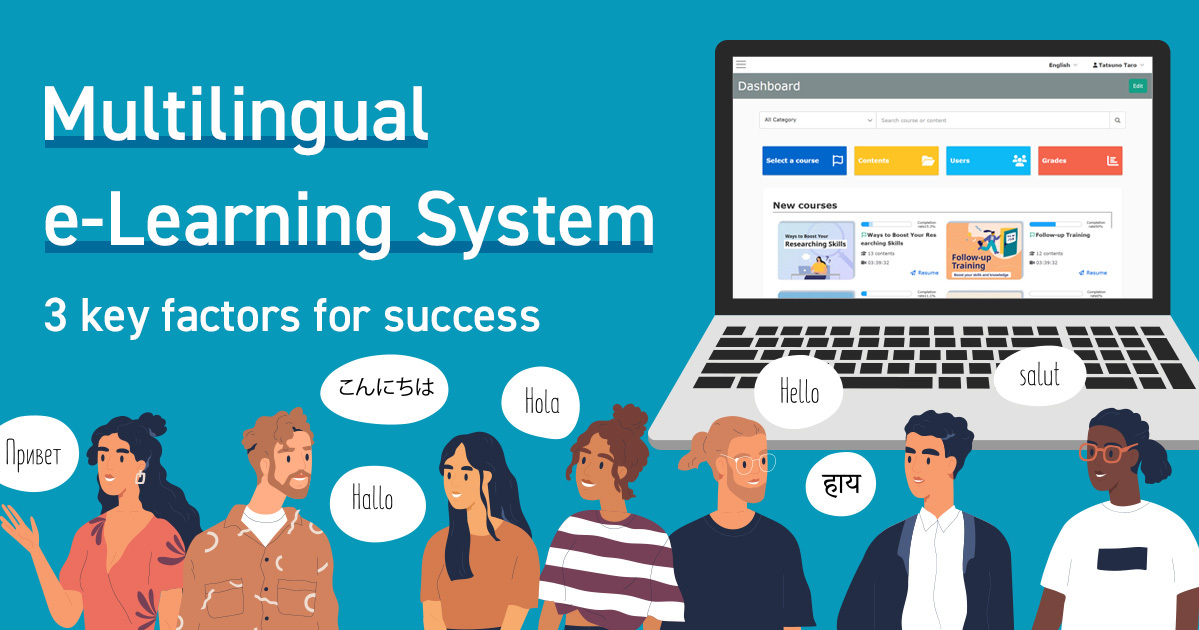
Multilingual e-Learning System | 3 Key Factors for Success

As globalization continues to advance, "multilingual e-learning" has become an unavoidable issue in in-house training and education. However, there are many hurdles to overcome when introducing an e-learning system, such as language barriers, increased man-hours required to create teaching materials, and costs. In this article, we will explain how to choose a multilingual e-learning system that will not fail, from the perspective of those in charge of the field, along with actual case studies and key points to keep in mind. What are the challenges faced when implementing an e-Learning multilingual support system? When promoting multilingual e-learning systems, corporate personnel and educators face a variety of challenges. Typical problems include lack of understanding due to students taking courses in languages other than their native tongue, difficulties in creating multilingual materials by on-site personnel, and increased costs and man-hours associated with translation and system operation. If left unchecked, these issues can lead to a decline in course participation rates and quality of education, as well as an increase in workload. This section details the major issues that require special attention when implementing a multilingual e-learning system. Lack of understanding due to language barriers In an environment with multinational employees, there is a risk of lack of understanding if training materials are limited to a few languages. For example, training materials provided only in Japanese can significantly reduce the level of understanding by non-Japanese employees. The operation must include language support, with an awareness of improving the level of understanding of the participants. Difficulty in creating multilingual training materials In the field of instructional material creation, dealing with multiple languages is a major burden. In particular, HR personnel who do not have specialized knowledge must spend additional man-hours translating and adjusting layouts in order to create and manage educational materials in multiple languages. The multilingualization of educational materials requires ingenuity both in terms of operation and efficiency. Increased cost and time One of the biggest barriers to implementing a multilingual e-learning system is the increased cost and time involved. In addition to the cost of translation, the time and effort required to revise and update each material, and the complexity of system setup are expected to increase. To solve the issues of increased costs and man-hours, it is essential to design a system that assumes multilingual support from the beginning and to introduce efficient management methods. If you are unsure about how to select the best system for your company, please take advantage of our white paper summarizing the key points of global human resources training. Download Now! Back to Table of Contents 3 Important Points to Avoid Failure in Selecting Multilingual E-Learning For corporate human resources and education personnel, the selection of a multilingual e-learning system is very important in order to develop global human resources and deploy training to multinational employees in an efficient and effective manner. Since it directly affects operational efficiency and costs, this chapter provides specific information on three points that you must keep in mind to avoid making mistakes. 1. Abundance of supported languages When considering the introduction of a multilingual e-learning system, the first thing to look at is the "richness of languages supported. Companies that are expanding globally or have a large number of foreign employees require support for a variety of languages, including English, Chinese, Vietnamese, and Spanish. Before introducing a system, make sure that it actually has the languages your company needs and that the operation screen is intuitive enough for learners who are not familiar with online learning screens to use. 2. Simplicity of operation Operability is a key factor that directly affects the rate of continuous use and learning effectiveness of an e-learning system. Complicated operations and multi-level menus can be a major obstacle, especially for those who are not familiar with IT, such as on-site personnel and trainees. The following points should be confirmed in advance. Is it possible to create and deliver educational materials in an intuitive manner? Is it easy to check learning progress and manage records? Are the administration screens and buttons intuitive and easy to understand? Are manuals and support systems available? Check in advance to prevent confusion and problems after introduction. 3. Good cost performance Cost performance is the biggest concern when selecting a multilingual e-learning system. In addition to the initial cost and monthly usage fees, a comprehensive comparison of the cost per account, additional costs required for creating and operating educational materials, and support and customization costs is also important. ChecklistContentsInitial and monthly/annual feesComprehensive comparison of implementation and operation costsAccount unit price and additional costsConfirm the number of users and data capacityScalability (scalability)Whether the system can flexibly handle increases or decreases in the number of users and teaching materialsSupport and customization costsConsider the quality of after-sales support In particular, the multilingual e-learning system "learningBOX," which is available free of charge for an unlimited period for up to 10 accounts and from 5,500 yen per month (tax included) for 100 accounts, is particularly attractive because it is multifunctional and allows users without specialized IT skills and knowledge to easily create online teaching materials. The system's multilingual interface, intuitive operability, AI-assisted automatic generation of teaching materials, and e-commerce functions allow flexible use regardless of the size of the company or the intended purpose. For more information: https://learningbox.online/ Back to Table of Contents learningBOX Improves Efficiency and Reduces Costs of Multilingual E-Learning Operations For corporate human resources and education staff, operating a multilingual e-learning system is an important topic that requires efficiency and cost reduction. learningBOX is attracting attention as a multifunctional e-learning system that can be used intuitively, even without advanced IT knowledge. Here, we will explain how this service can benefit your multilingual operations, focusing on specific points. Easy language switching learningBOX has a multilingual interface display function (18 languages supported), allowing you to switch the display language from each user's screen with a single click. Even if an employee or trainee uses a native language other than Japanese, he/she can operate the system without hesitation, facilitating the smooth deployment of education to teams with different nationalities and language backgrounds. One-Click Language Switching Multilingual operation without complicated settings or additional costs Significant cost savings Cost is usually a major issue when implementing a multilingual e-learning system. However, learningBOX removes the cost barrier by offering up to 10 accounts free of charge for an unlimited period of time and 100 accounts for as little as 5,500 yen per month (tax included). Features (as of November 2025)FeeFree for up to 10 accounts, 5,500 yen/month for 100 accounts (tax included)Multilingual interfaceMultilingual interface (18 languages supported), each user can select display language. The "learningBOX" e-learning system combines intuitive operability and multiple functions at a low price. This service allows users without advanced IT expertise to simultaneously improve operational efficiency and reduce costs by supporting multiple languages. For details and a free trial, please visit the official website (https://learningbox.online/). Smooth operation Corporate e-learning operations involve many tasks, such as creating teaching materials, course management, and progress tracking. learningBOX supports a variety of teaching material formats, including PDFs, videos, and quizzes, and can also automatically generate teaching materials and tests with its AI-assist function. Furthermore, group management and progress tallying can be performed in a centralized manner, reducing the burden of complicated management tasks and making them much smoother. Multifunctional and Flexible learningBOX is equipped with a wide range of functions, including AI assist, certificate issuance, SCORM support, and anti-fraud measures. It can even cover sales of teaching materials, external collaboration, and security measures, allowing flexible operation according to the size of the company and the content of the education. Centralized management of multiple locations and multiple students is possible Supports diversion of teaching materials and updates Reduces long-term operating costs and maintenance man-hours Easy to use, even for IT novices For personnel and educators unfamiliar with IT, system operability is an important selection point. learningBOX features an intuitive UI design that can be operated without advanced IT knowledge. Creating teaching materials is as easy as filling out a form Full support and manuals are available Free trials and operational support services available Please feel free to contact us about introducing earningBOX, and we will propose the best utilization method and recommended fee plan according to your company's issues. Free Consultation Back to Table of Contents Effectiveness of Multilingual E-Learning as Seen in Real-life Case Studies By introducing multilingual e-learning systems, companies are solving a variety of problems, such as improving the efficiency of training operations, accepting foreign personnel, and reducing the workload of teachers. Here we will introduce two case studies of organizations that have actually implemented learningBOX. By looking specifically at the background of each company/organization's decision to implement LearningBOX and the results obtained, you will be able to gain hints on how to solve your own issues. Efficient training and management of foreign human resources with specific skills using learningBOX→Click here to see the case study of ONODERA USER RUN Co. Effective legal training in the transportation industry through e-learning, and handling the increasing demand for foreign human resources → Click here for a case study of Nippo Kosoku Unyu Co. Back to Table of Contents Action Plan to Avoid Failure in Selecting a Multilingual E-Learning System When selecting a multilingual e-learning system, on-site personnel are often concerned about which service to choose to avoid mistakes. There are a wide range of points to compare, including the functions, cost, and actual ease of use of each service. Especially in the case of corporate training and multi-site operation, it is not uncommon to hear comments such as "the number of supported languages was unexpectedly small," "operation was difficult," or "support was inadequate" after introduction. In this issue, we will explain three action plans that should be checked in advance to avoid making a mistake in the selection process. 1. Check the supported languages in advance At the initial stage of system selection, be sure to check the types of languages that are supported. If, after the system has been introduced, it is found that the required language is not supported, this will cause major operational problems. In fact, companies with multinational personnel are increasingly requiring not only Japanese and English, but also Chinese, Vietnamese, Spanish, and other languages. It is advisable to check the list of supported languages on the official website or catalog of each service and contact them directly if you have any questions. 2. Take advantage of free trials It is difficult to understand the actual operability and usability of a multilingual e-learning system just from the materials and screen images. If a service offers a free trial, you can test the creation of teaching materials, language switching, and course management in an actual environment before introducing the system. During the trial period, on-site personnel and administrators can actually operate the system and check whether it matches their company's requirements and whether even staff unfamiliar with IT can use it without hesitation. In particular, multilingual display and ease of understanding of the UI are important points that can only be grasped through actual experience. 3.Check the support system When operating a multilingual e-learning system, support for initial setup and troubleshooting is essential. To determine the quality of the support system, compare the availability of a dedicated support desk, the languages supported, the quality of FAQs and manuals, and the availability of operation services on behalf of the company. Also, case studies and word-of-mouth reviews of companies that have implemented the system can be helpful. If the support is well-developed, you can continue to operate the system with peace of mind in the event of any problems. Back to Table of Contents SUMMARY When selecting an e-learning system that supports multiple languages, it is important to emphasize the abundance of supported languages, operability, and cost performance in order to overcome the challenges of language barriers, time and effort required to create teaching materials, and increased costs. With learningBOX, the interface is available in 18 languages, and even those without advanced IT knowledge can intuitively create and manage learning materials. Actual case studies have reported many positive results, including reduced workload for personnel and education staff, improved training quality, increased responsiveness to foreign personnel, and reduced man-hours. Let's start by taking advantage of our free plans and implementation support to realize a fail-proof multilingual e-learning system. For more details, please see the Service Details page. Please feel free to contact us about considering and introducing learningBOX Inquiry Form Free materials to help you consider implementing a multilingual training management system Download Materials Back to Table of Contents
thumbnail (i.e. miniature image)

【Advance Notice】Notice of Specification Changes Accompanying the Release of Ver. 4.1

Thank you for your continued use of our services. We would like to inform you that some feature specifications will change with the release of Ver. 4.1 scheduled for January 21, 2026. The main changes are outlined below. This notice applies to: Customers using the Site Customizer 〈Change Point ①〉【Applies only to customers using the Training feature】 ■ Affected Feature: Training Reservation History ■ Change Details: On April 15, 2026 (Ver. 5.1), the "Training Reservation History" screen will be discontinued and transitioned to the new "Training Reservation & Attendance" screen introduced in the Ver. 4.1 release. *Both screens will be available during the transition period. ■ Request to Customers: Please add the "Training Reservation & Attendance" menu to your side menu or header menu between January 21, 2026 (Ver. 4.1) and April 15, 2026 (Ver. 5.1). For detailed information on the changes, please refer to this document: ・ learningBOX 4.1 Series Side Menu/Header Menu Change Details 〈Change Point ②〉【Applies only to customers using the Training Function】 ■Affected Functions: Email Settings - Training Function・ Training Reservation Cancellation Request Acceptance Notification・ Training Reservation Cancellation Request Acceptance Notification - To Administrator ■Change Details: The email templates sent when a training reservation is canceled differ depending on the screen used. As of the migration date, the following email templates will be discontinued and consolidated. Cancelled via the "Training Reservation History" screen (Discontinued) Cancelled via the "Training Reservation/Attendance" screen (Consolidated Destination) Training Reservation Cancellation Request Acceptance Notification (Recipient: User) Training Reservation Change Notification (Recipient: User) Training Reservation Cancellation Request Acceptance Notification - To Administrator (Recipient: Administrator) Training Reservation Change Notification - To Administrator (Recipient: Administrator) ■Request to Customers Please verify the template content sent when canceling via the "Training Reservation & Attendance" screen during the period from January 21, 2026 (Ver. 4.1) to April 15, 2026 (Ver. 5.1). 〈Change Point ③〉【Applies only to customers using the training function】 ■Target Function Reservation & Attendance Management ■Change Details The menu name will change from "Reservation & Attendance Management" to "Training Reservation & Attendance Management". ■Request to Customers Please adjust the menu name as necessary. For details on the changes, please refer to this document: ・ learningBOX 4.1 Series Side Menu / Header Menu Change Details 〈Change Point ④〉【Only for Customers Using SCIM Integration】 ■Affected Function: SCIM Integration ■Change: The "Delete Account" setting under "learningBOX Account Handling When Deleting Users via SCIM" will be discontinued. ■Request to Customers: Customers currently using SCIM are requested to share this information with their IT department and development personnel. 〈Change Point ⑤〉【Applies Only to Customers Using API Integration】 ■Affected Function: API Integration ■ Change Details: For the following user-related APIs: "User Add", "User Update", "User List Retrieval", "User Details Retrieval", the handling of the `receive_notice_mail` (Notice Publication Notification Email Setting) item will be added. API Documentation (URL) ■ Request to Customers: Customers currently using these API integrations are requested to verify this change in advance. Please also share this information with your IT department and development personnel.
thumbnail (i.e. miniature image)

【Important】Manage Contents Renewal

We are pleased to announce the official renewal of "Course Management (beta)" to "Content Management" as a new function with improved performance and operability. In line with this, the new screen will be switched to the new version on March 18, 2026 (Ver. 5.0). At the same time, the existing "Contents Management" will be provided as "Contents Management (Old)" with a dedicated URL for a certain period of time, and will be discontinued on September 16, 2026 (Ver. 7.0). Function Course Management (beta) *There is a page explaining this function. Please refer to this page. Course Management (Beta)" will be renamed "Content Management" and will be provided as the new "Content Management" from now on. For a certain period of time, users will be redirected to the new "Content Management" URL even if they access the old "Content Management" URL (old URL). The old "Content Management" URL will be renamed to "Content Management (Old)" and provided as a dedicated URL only for a certain period of time. (For compatibility maintenance and temporary confirmation purposes) ■Schedule 1. Switching to the new screen March 18, 2026 (Ver. 5.0) Start 2. Name change Before change After change Course Management (beta) Content Management Content Management Content Management (old) 3. Redirect (automatic transition) Period: March 18, 2026 (Ver. 5.0) - September 16, 2026 (Ver. 7.0) Content: When accessing the existing "Content Management" URL (old URL), users will automatically be redirected to the new "Content Management" URL. 4. Discontinuation of old screen On September 16, 2026 (Ver. 7.0), redirection will be stopped and "Content Management (old)" will be discontinued. Items to be addressed by customers (Important) With the changeover to the new screen, there are some items that we ask customers to address regarding their own settings. (1) Dashboard URL settings to be changed: All customers Period: March 18, 2026 (Ver. 5.0) to September 16, 2026 (Ver. 7.0) After September 16, 2026 (Ver. 7.0), access (redirect) processing using the existing "Content Management" URL (old URL) will be deleted, so access from the old URL will no longer be possible. We apologize for the inconvenience, but if you have registered the old URL for "Content Management" in your dashboard, please change the setting to the new URL for "Content Management" after Ver. 5.0. URL after the change of the "Content Management" setting: /courses/course-management For details on how to operate the system, please click here. As of the release of Ver. 5.0, accessing the old URL for "Contents Management" will automatically switch to the new URL for "Contents Management". (2) Side menu settings to be changed: Customers using the Site Customizer Period: March 18, 2026 (Ver. 5.0) to September 16, 2026 (Ver. 7.0) After September 16, 2026 (Ver. 7.0), access (redirect) processing using the existing "Content Management" URL (old URL) will be removed, so access from the existing URL will no longer be possible. We apologize for the inconvenience, but please change the following settings to Ver. 5.0 or later. The "Course Management (beta)" menu will be moved (hidden) *The URL of the "Content Management" menu will be automatically rewritten to the new URL as of Ver. 5.0. For more information on how to operate the system, please click here. (3) Resetting the system language set in "Content Management (Old)": Customers who use the Site Customizer Even if you have changed the system language in "Content Management (Old)", the setting may not be reflected when you switch to "Content Management". If the system language displayed after switching is not what you intended, please change the language setting again. Note: Customers with some system language settings may need to review and update their current operation manuals and training materials as well. To ensure smooth use after the switchover, we ask that you try out the new screen (current screen display: "Course Management (Beta)") in advance to familiarize yourself with the new operation. Please see below for an overview of the major changes and additions to the new screen (current screen display: "Course Management (Beta)"). Course Management (Beta) Summary of Changes (PDF) ・ Course Management (Beta) Explanation (Movie) If you have any questions, please contact us using the Inquiry Form.

learningBOX updated to Ver. 4.0

Thank you for using learningBOX. Today, learningBOX has been updated to Ver. 4.0. We would like to introduce you to the various functions that have been added and improved with this update. Enhanced functions Content display based on diagnostic test results The "Linked Content" function has been expanded to automatically display the most appropriate courses, folders, and content for learners based on the results of diagnostic tests. This maximizes learning effectiveness by providing an environment optimized for individual learning by presenting the most appropriate content based on the learner's proficiency level and evaluation results. *For details, please refer to "Linked Content Settings. View Illustrative Materials (PDF) Expanded content operation in Course Management (beta) The UI for Course Management (beta) will be expanded to allow for more efficient content management. The content management screen used from Course Management (Beta) has been revamped, with enhanced pagination and refinement functions to make it comfortable to use even when there are more than 10,000 contents. In addition, new functions have been added for converting folders to courses and for moving folders/contents to other courses. *For details, please refer to "Course Management (beta). View Illustrative Materials (PDF) Improved usability and notification of notification functions Administrators can check the status of read and unread notices for each user on the list screen. In particular, by narrowing down the list to users who have not yet read, it will be possible to immediately identify users who have not checked their notifications. The unread status is also displayed in the Notices panel of the user's dashboard, making it easy to see at a glance the status of unread notifications. In addition, it is possible to identify users who have not yet read an announcement and resend an announcement notification e-mail to those users. This allows you to thoroughly disseminate important notices. The resending of e-mail notifications can also be sent as "important information," regardless of the individual settings of each user. *For details, please refer to "Notification Management". View Illustrative Materials (PDF) Batch download of correction data for scoring Grade administrators will be able to download corrections attached to grading data individually as well as in batches from "Grading Management". This new feature will greatly improve operational efficiency when handling a large number of student data. In addition, downloaded files will be organized and saved in a folder structure based on grade information. *For details, please refer to the "Submission List". View Illustrative Materials (PDF) Control the maximum number of accounts in a group account The specification for checking the maximum number of accounts that can be registered in a group has been changed. From now on, only users whose account status is "enabled" or "suspended" will be counted as the number of accounts in a group. Therefore, if an account is "deactivated," there will be an opening in the group's available number of registrations. This change allows for more accurate and flexible management of the maximum number of accounts. *For details, please refer to "Group Registration". View Illustrative Materials (PDF) Added "Latest and Highest Score Refinement" function to the Score by Content screen. We have added two new functions to the Grades by Content screen: "Display only the latest grades" and "Display only the highest grades. This makes it easy to find and tabulate the latest and highest scores when exporting CSV data, even when participants repeatedly study and respond to questionnaires, quizzes, tests, and so on. As a result, the time and effort previously required to manually organize data can be greatly reduced. In addition, this new refinement feature can be used to manage a variety of grades, including quiz tests, surveys, diagnostic tests, and more. *For more information, please see "By Content". View Illustrative Materials (PDF) Content Allocation by API Linkage Supports Login ID Specification The Content Allocation API now supports the specification of login IDs as a method of specifying users. This allows users to be specified by an array of login IDs when allocating and de-allocating courses, folders, and contents via the API, enabling more flexible user management when linking with external systems. For more information, please refer to "Third Party Applications". List of new features/functional improvements For detailed information on the new features/functional improvements added this time, including the aforementioned features, please refer to the following release notes. Release Notes Notices Advance Notice of "Course Management (Beta)" Enhancements Ver. 4.0 has been updated to combine the new "Content Management" function with the "Course Management (beta)" function, in order to further enhance customer convenience. In addition, this function will be reborn as a new "Content Management" screen in Ver. 5.0, which is scheduled for release in the future. The current "Contents Management" screen will be replaced with the new screen in due course. Therefore, it may be necessary to review or update the operation manuals and training materials currently in use. We will keep you updated on the details of the update, and we appreciate your understanding and cooperation. Notice of Change in API Information Disclosure Method (URL Distribution) We are pleased to announce that the method of providing API information published on learningBOX will be changed from Excel data distribution to URL distribution in order to reflect the latest information immediately and centralize references. The purpose of this change is to reflect the latest information immediately and centralize references. The API information for learningBOX, which has been provided individually until now, can be referenced from the following URL starting today (December 10, 2025). Please review the settings and implementation details as necessary. API information public URL: https://developers.learningbox.online/reference/4.0/api/ *Customization option contract is required for external system integration. *Excel distribution will be terminated in March 2026, and only URLs will be provided. Others For further information or questions, please contact the following Inquiry Form We will continue to do our utmost to provide products and services that satisfy our customers. We look forward to your continued patronage.
thumbnail (i.e. miniature image)

[Advance Notice] Notice of Specification Changes for Ver. 4.0

Thank you very much for your continued use of our services. We would like to inform you that we will change the specifications of some functions in accordance with the release of Ver. 4.0 scheduled on December 10, 2025. The main changes are as follows. Changes (1) ■Target FunctionsUser Management Change DescriptionThe "Number of accounts used in a group" will now include only accounts in the "Active" and "Suspended" statuses, as opposed to "All" statuses. If there are users with "Disabled" status, the "Number of accounts used in group" displayed on the user management screen will be reduced. In addition, if you have set the "number of accounts allowed in a group," the number of slots for "disabled" users will be newly opened. Example of image after the change Changes (2): ■Content linked to target functions Change DescriptionThe setting method for linked content has been changed from "setting from the linked content" to "setting from the linked source content" since Version 4.0. The setting procedure and access route to the setting screen will be changed. Please use the new setting route when checking or changing existing settings. Please use the new setting route when checking and changing existing settings. Example of change image ■Target function rich text editor (TinyMCE) Change DescriptionThe editor (TinyMCE) used in the creation and editing screens will be updated to TinyMCE 8. ImpactThis change will not affect many customers who use TinyMCE for general purposes, such as normal text input, bolding, colors, links, image insertion, etc. If you are using the following "somewhat specialized HTML," some descriptions may be removed or changed after the update. (e.g.) HTML comments that contain tags, using the old "conditional comments" for Internet Explorer, writing tag-like strings (content containing ``) in attribute values, etc. *For more information, please visit the official website. tiny DOCS ■Customers who have registered using advanced HTML or comments in the editor before, please check the relevant contents before updating and consider taking measures such as reviewing the description method or obtaining backups, if necessary. After the update, please check for any display or layout problems. Examples of Input Fields
Find more about learningBOX